Modern data quality Last reviewed November 2026
DataKitchen TestGen vs Databricks Labs DQX
DQX validates PySpark DataFrames, and its license limits it to Databricks. TestGen generates tests for Databricks and every other database you run, under Apache 2.0.
You've got data errors in production, unhappy customers, no time or budget to fix it. TestGen runs free in your production stack in an hour.
Capability matrix
DataKitchen TestGen against Databricks Labs DQX, sized for 10 users, 1,000 tables, 1 year.
| Capability | TestGen OSS | TestGen Enterprise | Databricks Labs DQX |
|---|---|---|---|
| Pricing model | Open source | Per user / connection | Free (runs on Databricks compute) |
| Est. annual price 10 users, 1,000 tables, 1 year | $0 | $12K-$36K | $0 (software) + Databricks compute |
| License | Apache 2.0 | Commercial | Databricks License |
| Auto-generated tests | Yes | Yes | Partial (profiler and LLM rule candidates) |
| Data profiling | Yes | Yes | Yes |
| Anomaly detection | Yes | Yes | ML (row-level) |
| Freshness, volume, schema monitors | Yes | Yes | Partial |
| Data quality scoring | Yes | Yes | Partial (summary metrics) |
| Data contracts | Yes | Yes | Yes (ODCS) |
| Column-level lineage | Partial | Partial | Not stated |
| Process and pipeline observability | Via DataKitchen Observability | Via DataKitchen Observability | No |
| AI agent integration (MCP) | Yes | Yes | Yes |
| REST API for automation | Yes | Yes | Partial (Python library and CLI) |
| Deployment | Self-host | Cloud, self-host, Docker | Databricks only (PySpark) |
How to read this: Yes means the capability ships out of the box. Partial means it exists but is limited, gated to enterprise, or needs significant configuration. No means absent.
DQX runs inside a Spark job: it checks a DataFrame as the pipeline processes it and splits failing rows into a quarantine. TestGen tests tables at rest: it profiles every column, generates the tests, runs them as SQL in your database, and adds freshness, volume, and schema monitors, a scorecard, and a web UI. They answer different questions, and a Databricks team can run both.
What DQX is
DQX is a data quality framework from Databricks Labs for PySpark. You define checks in YAML, JSON, Python, or a Delta table, and DQX applies them to a DataFrame as your job processes it, in batch, in Structured Streaming, or inside a Lakeflow pipeline. Each row gets an _errors or _warnings column, and rows that fail an error-level check can be split into a quarantine table. The README lists more than 80 built-in checks, a profiler that proposes candidate rules, optional language-model rule suggestions, rule generation from ODCS data contracts, row-level anomaly detection with an Isolation Forest model, Slack and Teams alerts, a Lakeview dashboard, a beta web UI called DQX Studio, and an MCP server. The first tagged release, v0.1.0, shipped in January 2025, and v0.17.2 shipped on November 5, 2026.
It is a capable framework, and it is built for one platform.
Where TestGen pulls ahead
Open source you can actually run anywhere. The DQX source is on GitHub, but its license is the Databricks License, which says you may not use it “except in connection with your use of the Databricks Services.” That is source-available, not open source. TestGen is Apache 2.0. The core profiling, testing, and monitoring engine, including auto-generated tests and hygiene detection, runs on your laptop or your cluster with no commercial license.
One tool for the whole estate, Databricks included. DQX checks Spark DataFrames on Databricks. Most data teams also run SQL Server, Snowflake, PostgreSQL, or a cloud warehouse, and the data that breaks a Databricks table usually arrived from one of them. TestGen runs its tests as SQL inside Databricks SQL and inside those other databases, with the same test types, the same scorecard, and the same UI across all of them.
Tests written for you, not just suggested. DQX’s profiler and language-model module propose candidate rules for an engineer to review and save. TestGen profiles every column against 55 characteristics and generates the tests, 34 of its 55 test types automatically, then stores every definition and result in one database. Coverage across a thousand tables stops being a writing project.
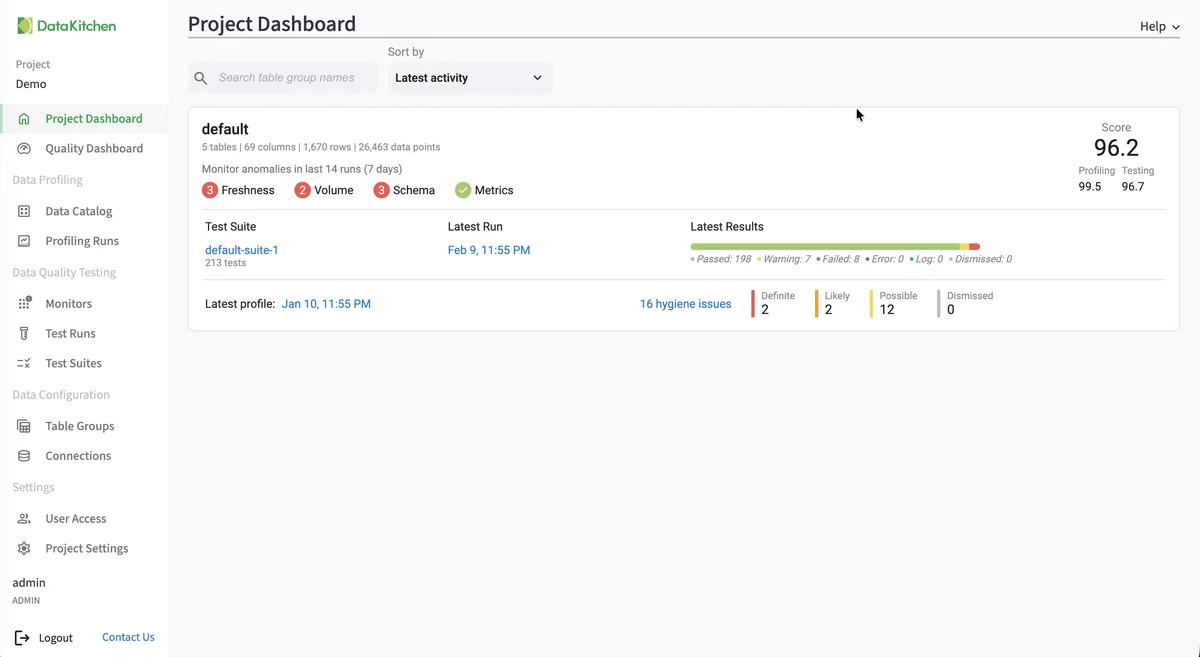
Monitors and a UI out of the box. TestGen watches freshness, volume, schema, and data drift on every table without a rule written, and gives stewards and business users a web UI, a quality scorecard, a data catalog, and shareable issue reports. On Databricks, DQX’s own motivation page points to Databricks’ separate monitoring product for that job.
Real support from the people who built it. DQX’s README says it is provided for exploration only, as-is, with no SLA, and asks users not to file support tickets about it. DataKitchen is a profitable, bootstrapped company that has shipped DataOps software since 2013, and the engineers who wrote TestGen answer its support tickets.
Fair, predictable pricing. TestGen Enterprise is $100 per user per month plus $100 per database connection per month, with no per-table pricing, or $12,000 to $36,000 a year for 10 users and 1,000 tables. DQX is free to install and bills through the Databricks compute it uses.
When DQX is the better choice
If every table you care about lives in Databricks and your quality checks belong inside the Spark job itself, DQX is a strong fit. It checks rows as the pipeline processes them and splits failing records into a quarantine table before they land, which a tool that tests tables at rest does not do. It also runs on streaming DataFrames and inside Lakeflow pipelines with the same API. If your team writes PySpark every day and wants the rules in code next to the transformation, DQX keeps them there at no software cost.
The two also combine. DQX can gate rows inside a Databricks pipeline while TestGen profiles, tests, and monitors the resulting tables alongside everything else in the estate.
Bottom line
DQX is a well-built quality library for teams that live entirely on Databricks and are comfortable with a Labs project’s support terms. If your data also lives anywhere else, or you want tests generated and monitored for you under a real open-source license, install the open-source TestGen and point it at Databricks SQL and your other databases. The matrix above lays out capabilities, license, and price.
TestGen is a full application: UI, database, runtime. Not a CLI you assemble into a system.
How DataKitchen handles each capability
- Auto-generated tests
- One-click test generation. Point TestGen at a database. It generates tests from 34 test types covering integrity, hygiene, and quality. No YAML. No SQL. No Python. TestGen product page
- Data profiling
- A profile run captures 55 column characteristics per column. Queries execute in-database, so the data never leaves your perimeter and the run is fast. TestGen docs
- Anomaly detection
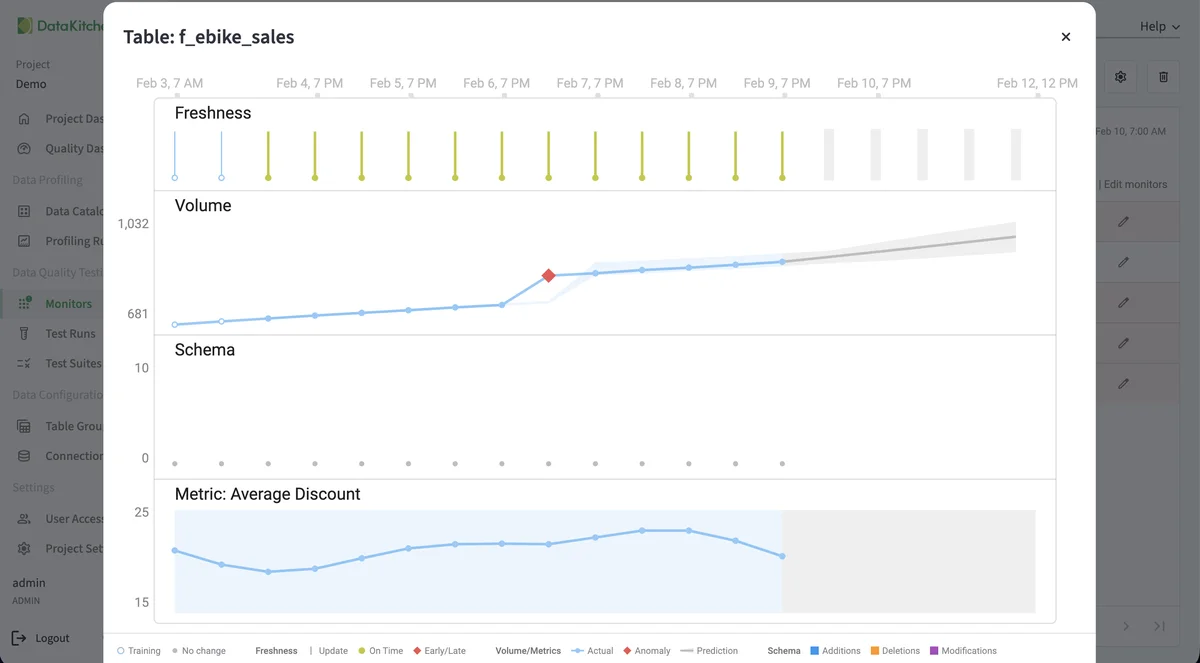
- Automated alerts on freshness, volume, schema, and data drift. The model learns the shape of your data and flags breakage before downstream consumers see it. TestGen product page
- Freshness, volume, schema monitors
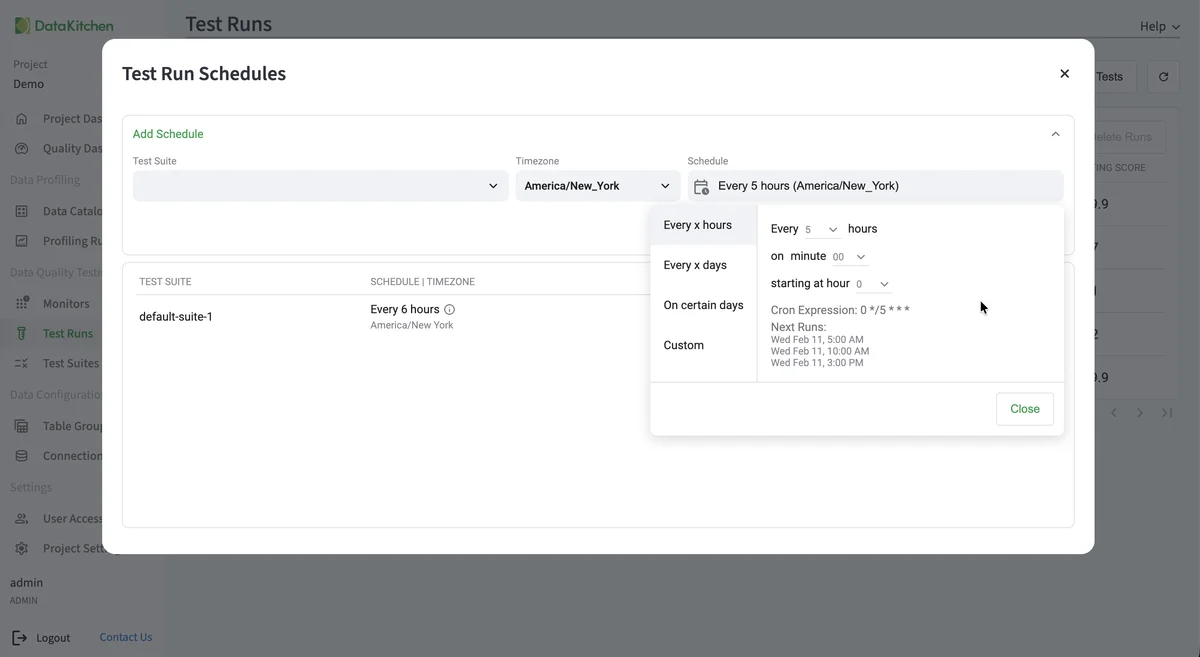
- Freshness, volume, and schema monitors run alongside the auto-generated tests with no extra configuration. TestGen docs
- Data quality scoring
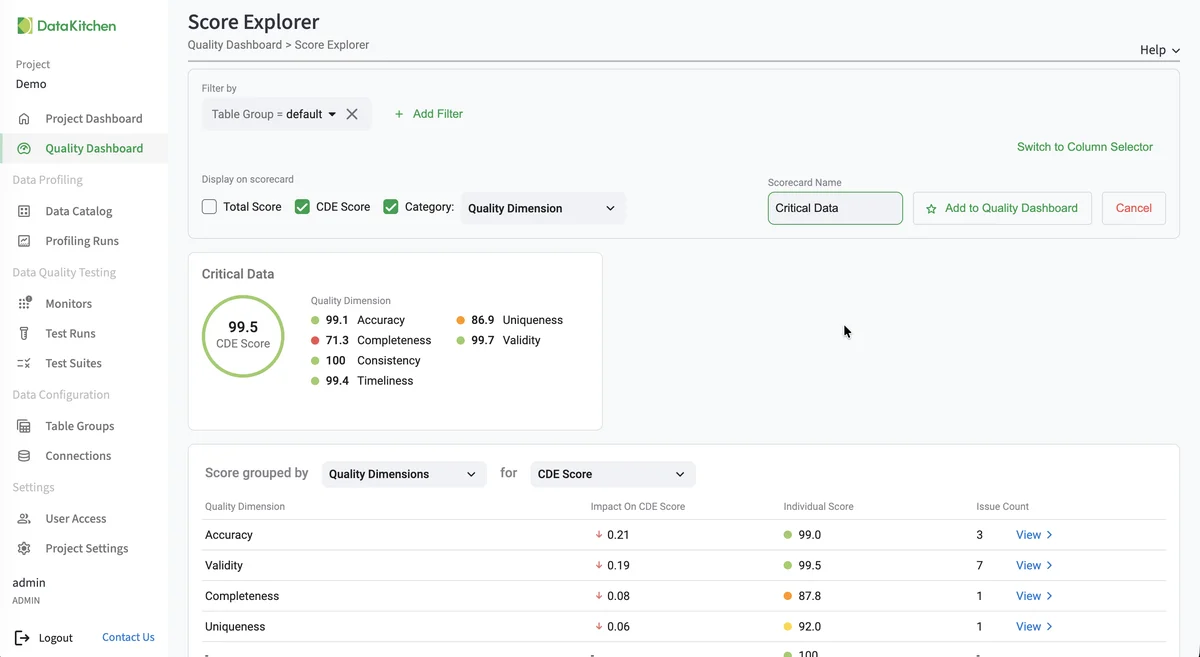
- Customizable scorecards with drill-down reports. Roll up by table, project, DAMA category, Critical Data Element, or business goal. Shareable issue reports send the right ticket to the right Slack channel in one click. TestGen product page
- Data contracts
- Released in TestGen 5.185.1 on November 12, 2026, in open source and Enterprise. Generate a contract from profiled tables or import an ODCS file, freeze numbered versions and compare them, and export any version as ODCS. TestGen product page
- Column-level lineage
- In development. Profile diffs and hygiene tests catch column-level breakage today. Full lineage trees come from DataKitchen Observability. DataKitchen Observability
- Process and pipeline observability
- TestGen monitors tables. DataKitchen Observability, free and open source, monitors every tool acting on your data. Airflow, dbt, Fivetran, Snowflake, the BI layer. Most modern DQ tools stop at the warehouse. DataKitchen Observability
- AI agent integration (MCP)
- Connect Claude, Cursor, or any MCP client and ask which tests failed, what a column looks like, or why a score dropped. Authenticates with OAuth 2.1 or an API token. TestGen MCP docs
- REST API for automation
- Trigger profiling and test runs from CI/CD, fetch results by job ID, and move test definitions between environments. Authenticates with OAuth 2.1 or an API token. TestGen API docs
- Deployment
- Self-host with Docker on Mac, Linux, or Windows. Pip install for Python users. Managed cloud for Enterprise customers. Install TestGen
Common questions
Quick answers about TestGen vs Databricks Labs DQX
Is Databricks Labs DQX open source?
No. The code is public on GitHub, but it is licensed under the Databricks License, not an open-source license. The license says you may not use it except in connection with your use of Databricks services. TestGen is Apache 2.0, an OSI-approved open-source license, and runs wherever your databases are.
Does DQX run outside Databricks?
Not under its license, and not in practice. DQX validates PySpark DataFrames, its install guide asks for a Databricks cluster on Spark 3.5 or later, and its license limits use to Databricks services. TestGen runs its tests as SQL inside Databricks SQL and also inside Snowflake, SQL Server, Azure SQL, Azure Synapse, PostgreSQL, Redshift, BigQuery, and Microsoft OneLake, so one tool covers the whole estate.
Is DQX supported by Databricks?
Not with an SLA. DQX is a Databricks Labs project, and its README says it is provided for exploration only, as-is, with no formal support. Issues go to GitHub and are reviewed as time permits. TestGen Enterprise is supported by the DataKitchen engineers who wrote it.
Does DQX generate data quality tests automatically?
Partly. DQX's profiler proposes candidate rules from data statistics, and an optional module suggests rules from business descriptions using a language model. An engineer reviews the candidates and saves them as YAML, JSON, Python, or table rows. TestGen generates tests from a profile of 55 column characteristics and stores every definition and result in one database you can browse, query, or drive through 122 MCP tools.
What is the difference between DQX and TestGen?
DQX runs inside a Spark job: it checks a DataFrame as the pipeline processes it and splits failing rows into a quarantine. TestGen tests tables at rest: it profiles every column, generates the tests, runs them as SQL in your database, and adds freshness, volume, and schema monitors, a scorecard, and a web UI. They answer different questions, and a Databricks team can run both.
How much does DQX cost compared to TestGen?
DQX costs nothing to install. You pay for the Databricks compute its checks, profiler, and workflows consume. Open-source TestGen is free for one user, one connection, and one project, and its tests run as SQL on your own warehouse. TestGen Enterprise is $100 per user per month plus $100 per database connection per month, or $12,000 to $36,000 a year for 10 users and 1,000 tables.
Does DQX have an MCP server?
Yes. DQX ships a Model Context Protocol server deployed as a Databricks App, with on-behalf-of authentication so data access follows Unity Catalog permissions. TestGen's open-source edition ships an MCP server with 117 tools across profiling, test generation, runs, monitors, scoring, and operations, each running under the connected user's TestGen role.
Why teams pick the open-source path
34 auto-generated test types
Point TestGen at a database. It writes tests covering integrity, hygiene, and quality on day one. No data expertise required.
Column-level profiling
55 characteristics per column. Surface the rows that quietly break dashboards.
In-database execution
Queries run inside your database, not over the wire. Fast, and your data stays put.
Hygiene detection
Automatically confirm how closely data structures and assumptions match actual column contents.
Anomaly alerts
Freshness, volume, schema, and data drift monitors flag breakage before it lands.
Data catalog
Metadata, hygiene issues, PII risk, test results, and Critical Data Elements in one view.
Quality scorecards
Drill from the dashboard to the row that broke. Configurable by table or business goal.
Built-in UI
A working dashboard for data engineers and data stewards. Secure, self-hosted, no extra glue code.
MCP server + REST API
AI-assisted flows through MCP for Claude, Cursor, and agents. REST API for CI/CD automation.
Pairs with Observability
Pair TestGen with the open-source DataKitchen Observability. Watch every tool, end to end.
What you actually get
Try TestGen yourself
Install the open-source edition in five minutes. No card. No call.
Want to talk first? Request an enterprise demo or read the docs.