Automated Data Quality Testing
DataOps Data Quality TestGen
Auto-generated data quality tests. Full coverage in minutes, not months. The core engine is free and open source. No six-figure platform fees. Your team's data quality should cost an engineer's salary for a month, not years.
- 55data profiling column characteristics
- 32data hygiene detectors
- 34test types auto-generated from the profile
- 19business rule and custom SQL test types
The periodic table of data quality
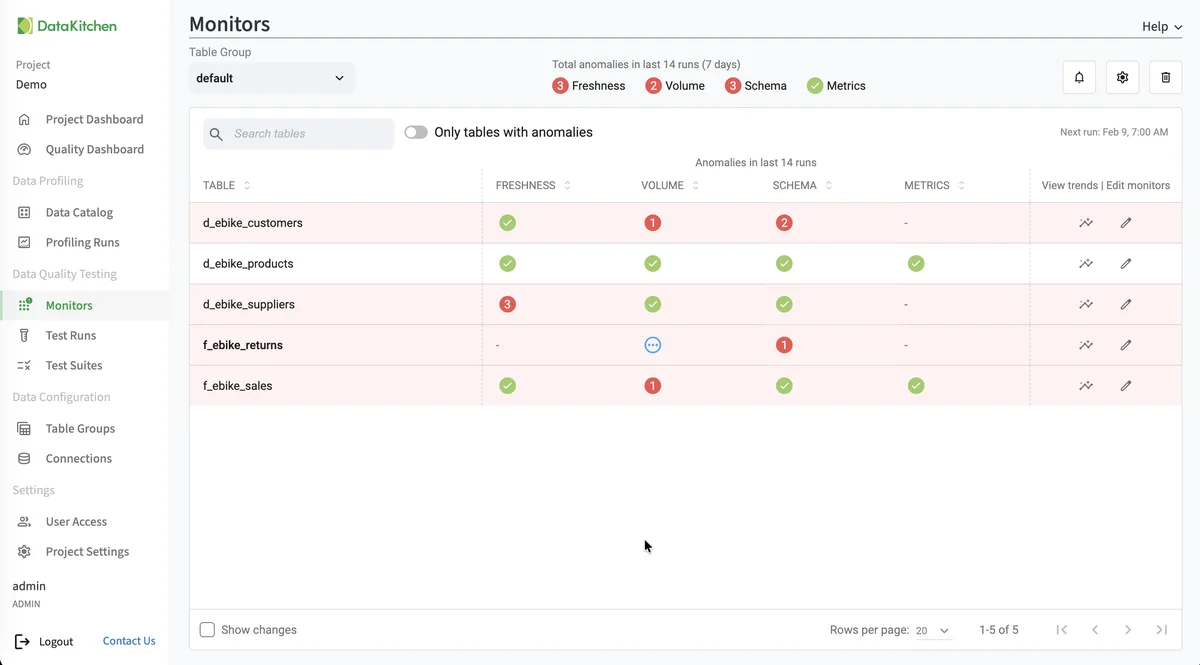
TestGen's checks, sorted by the data quality dimension each one protects.
- Custom Test Accuracy (documentation, opens in a new tab)
- SQL Metric Accuracy (documentation, opens in a new tab)
- New Shift Accuracy (documentation, opens in a new tab)
- Outliers Above Accuracy (documentation, opens in a new tab)
- Outliers Below Accuracy (documentation, opens in a new tab)
- Daily Records Completeness (documentation, opens in a new tab)
- Percent Missing Completeness (documentation, opens in a new tab)
- Monthly Records Completeness (documentation, opens in a new tab)
- No Column Values Present Completeness (documentation, opens in a new tab)
- Required Entry Completeness (documentation, opens in a new tab)
- Required, No Placeholder Completeness (documentation, opens in a new tab)
- Row Count Completeness (documentation, opens in a new tab)
- Row Range Completeness (documentation, opens in a new tab)
- Weekly Records Completeness (documentation, opens in a new tab)
- Volume Completeness (documentation, opens in a new tab)
- Non-standard Blank Values Completeness (documentation, opens in a new tab)
- Small Percentage of Missing Values Completeness (documentation, opens in a new tab)
- Aggregate Minimum Consistency (documentation, opens in a new tab)
- Aggregate Balance Consistency (documentation, opens in a new tab)
- Average Shift Consistency (documentation, opens in a new tab)
- Multiple Data Types per Column Name Consistency (documentation, opens in a new tab)
- Distribution Shift Consistency (documentation, opens in a new tab)
- Timeframe No Drops Consistency (documentation, opens in a new tab)
- Timeframe Match Consistency (documentation, opens in a new tab)
- Value Match All Consistency (documentation, opens in a new tab)
- Constant Match Consistency (documentation, opens in a new tab)
- Custom Condition Consistency (documentation, opens in a new tab)
- Reference Match Consistency (documentation, opens in a new tab)
- Decimal Truncation Consistency (documentation, opens in a new tab)
- Value Match Consistency (documentation, opens in a new tab)
- Date Count Timeliness (documentation, opens in a new tab)
- Past Dates Timeliness (documentation, opens in a new tab)
- Future Year Timeliness (documentation, opens in a new tab)
- Recency Timeliness (documentation, opens in a new tab)
- Table Freshness Timeliness (documentation, opens in a new tab)
- Potential Duplicate Values Uniqueness (documentation, opens in a new tab)
- Unique Values Uniqueness (documentation, opens in a new tab)
- Percent Unique Uniqueness (documentation, opens in a new tab)
- Duplicate Rows Uniqueness (documentation, opens in a new tab)
- Leading Spaces Validity (documentation, opens in a new tab)
- Pattern Inconsistency Within Column Validity (documentation, opens in a new tab)
- Alpha Truncation Validity (documentation, opens in a new tab)
- Value Count Validity (documentation, opens in a new tab)
- Email Format Validity (documentation, opens in a new tab)
- Valid US Zip Validity (documentation, opens in a new tab)
- Minimum Date Validity (documentation, opens in a new tab)
- Minimum Value Validity (documentation, opens in a new tab)
- Maximum Date Validity (documentation, opens in a new tab)
- Maximum Value Validity (documentation, opens in a new tab)
- Text Length Range Validity (documentation, opens in a new tab)
- Character Column with Mostly Date Values Validity (documentation, opens in a new tab)
- Character Column with Mostly Numeric Values Validity (documentation, opens in a new tab)
- Small Percentage of Divergent Values Validity (documentation, opens in a new tab)
- Pattern Match Validity (documentation, opens in a new tab)
- Street Address Validity (documentation, opens in a new tab)
- Suggested Data Type Validity (documentation, opens in a new tab)
- Unexpected Boolean Values Validity (documentation, opens in a new tab)
- US State Validity (documentation, opens in a new tab)
- Metric Trend Validity (documentation, opens in a new tab)
- Commercial Pharma (12 tests, Enterprise) Validity (documentation, opens in a new tab)
Showing all 71 checks. Each tile links to its section in the TestGen documentation.
Key capabilities
-
Auto-Generated Tests (documentation, opens in a new tab)
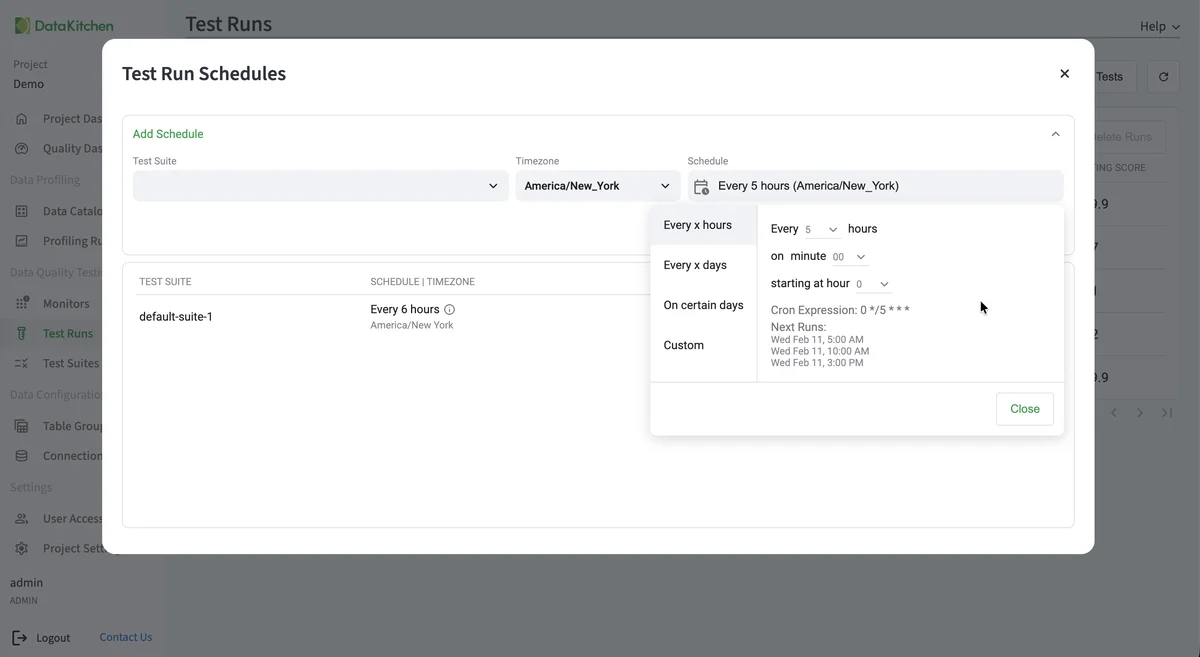
Point TestGen at your data and it generates the tests automatically. Profiling, validation, and execution included. No coding or YAML configuration required.
-
Data Profiling (documentation, opens in a new tab)
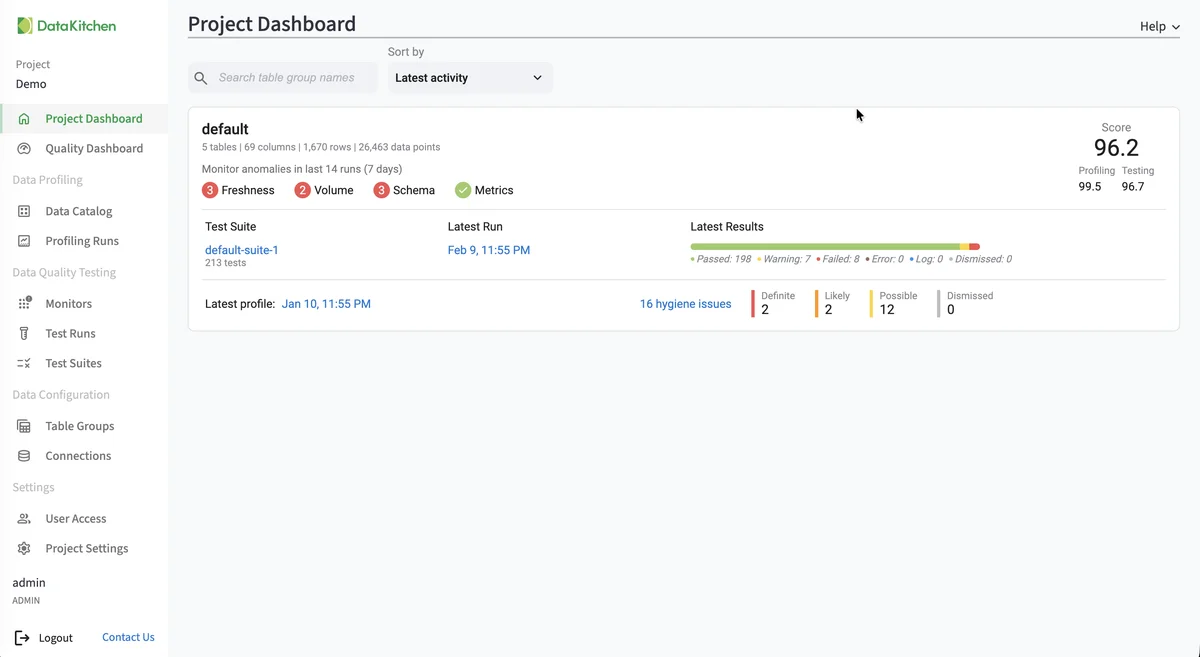
Periodic X-ray of every table and column in your database. 55 column characteristics analyzed, stored, and available for review and downstream rules derivation.
-
Hygiene Detection (documentation, opens in a new tab)
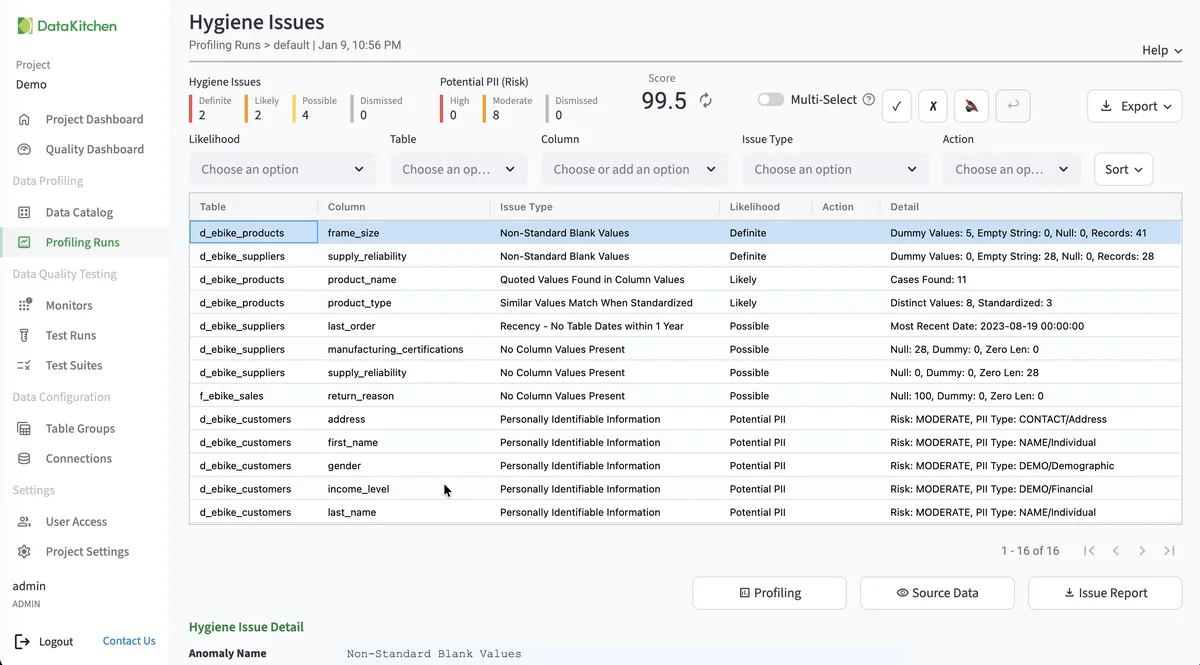
Automatically confirm how closely data structures and assumptions match actual column contents. Identify problem rows before they reach production.
-
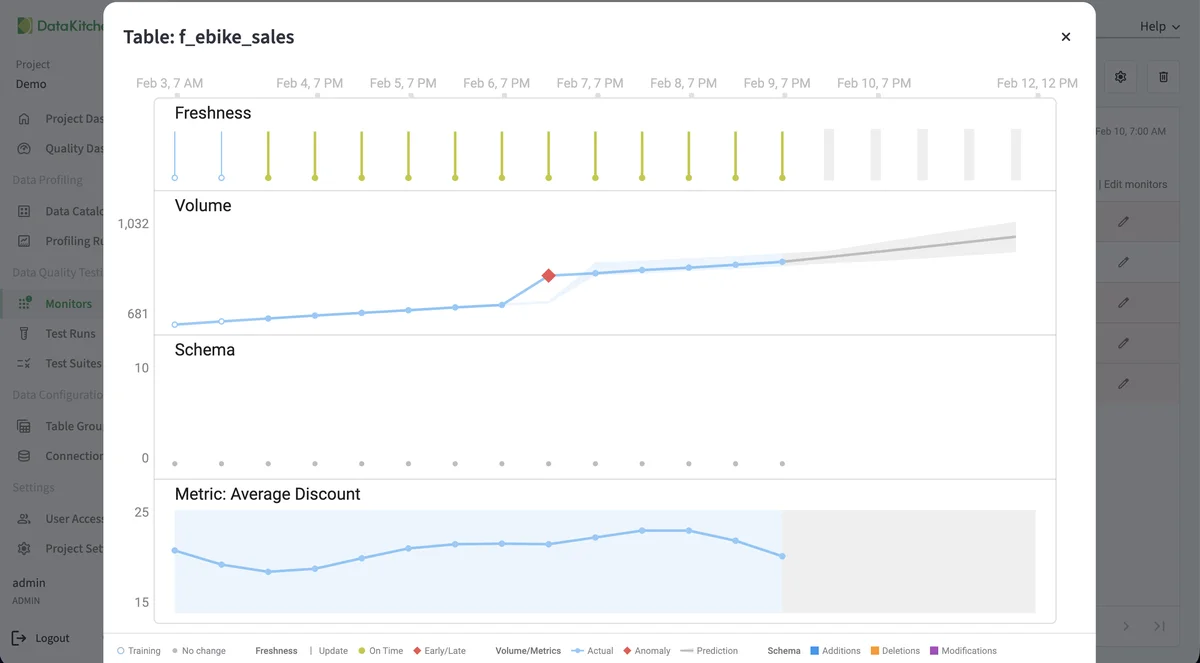
Anomaly Detection (documentation, opens in a new tab)
Four monitor types: freshness, volume, schema, and custom metrics. Predictive models learn what your data usually looks like and flag late arrivals, row count swings, schema drift, and metric anomalies before they reach downstream consumers.
-
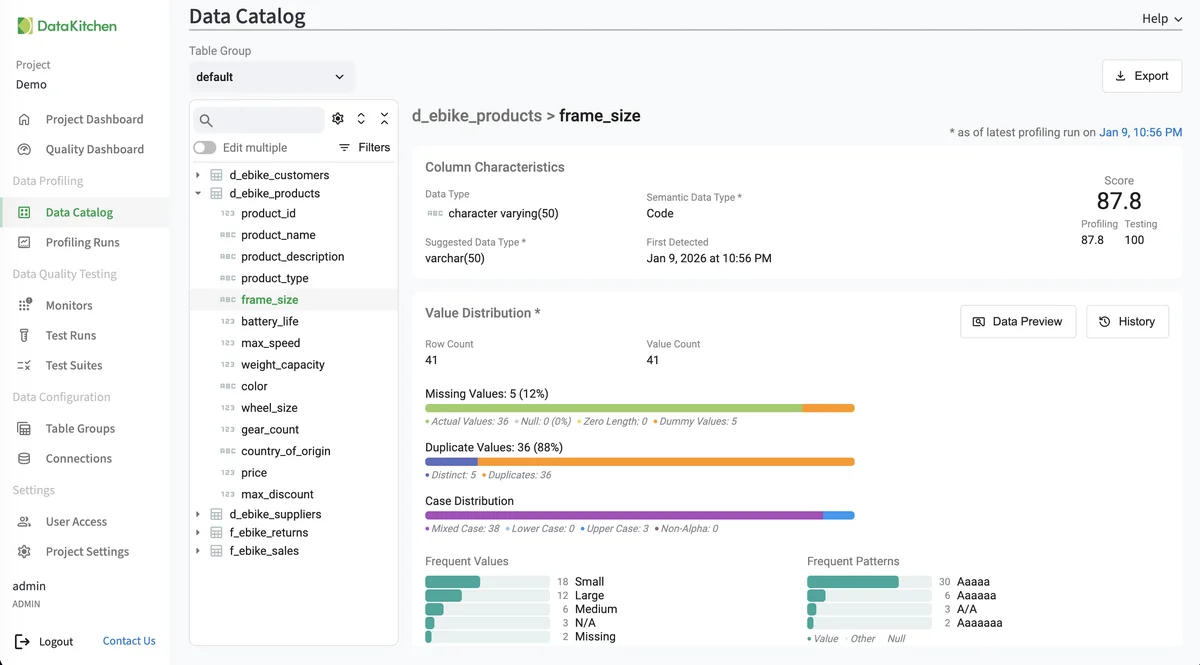
Data Catalog (documentation, opens in a new tab)
Every table's metadata in one place. See profile results, hygiene issues, test results, PII identification, and Critical Data Element tagging.
-
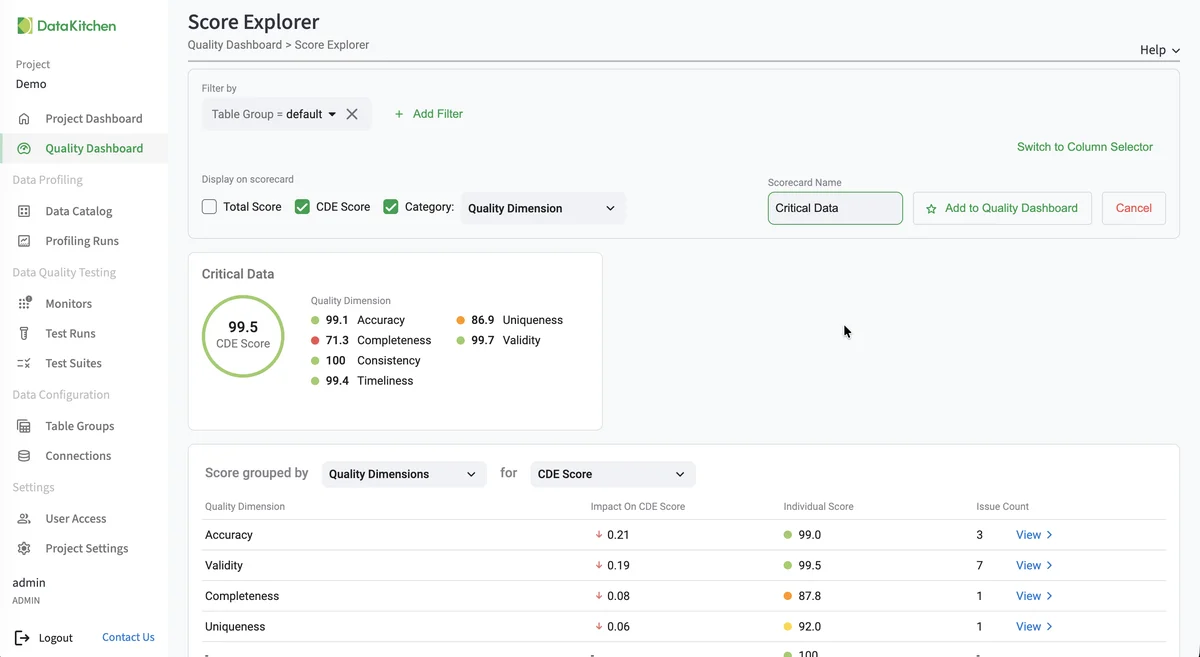
Quality Scoring (documentation, opens in a new tab)
Configurable dashboards and scorecards based on DAMA categories, Critical Data Elements, specific model requirements, or current business goals.
-
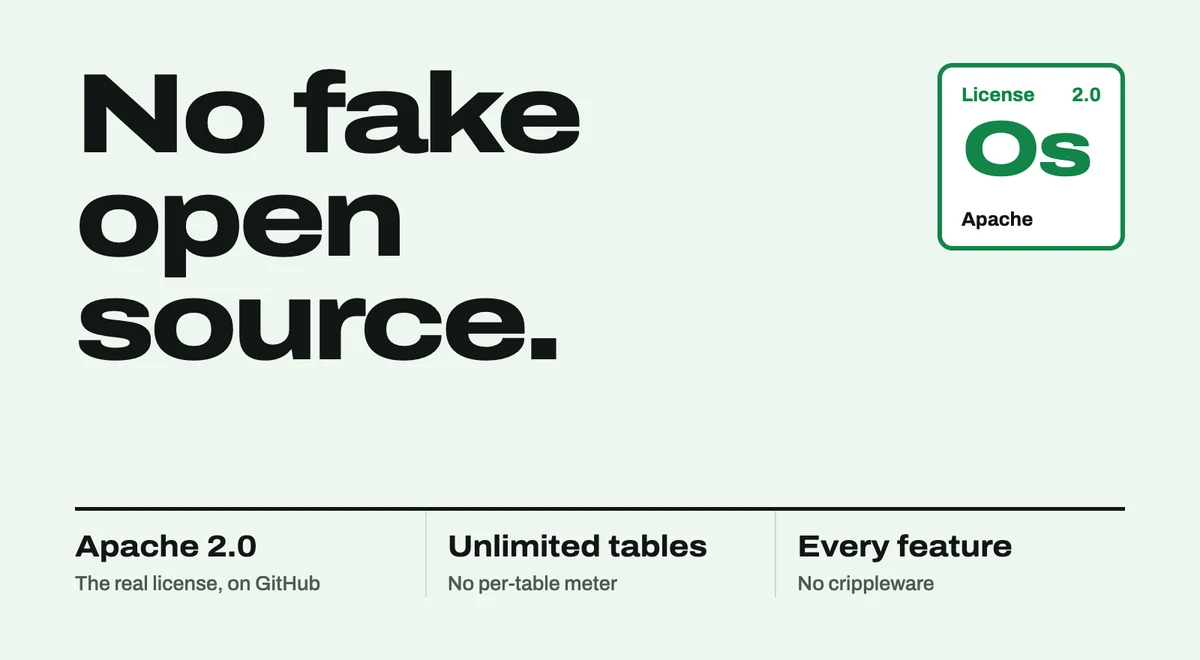
Open Source Core, UI Included
Unlimited table usage. UI included. The core profiling, testing, and monitoring engine is free under Apache 2.0. Enterprise adds team access, security, Commercial Pharma tests, source-data controls for AI, and support.
-
MCP Server (the TestGen MCP cheat sheet)
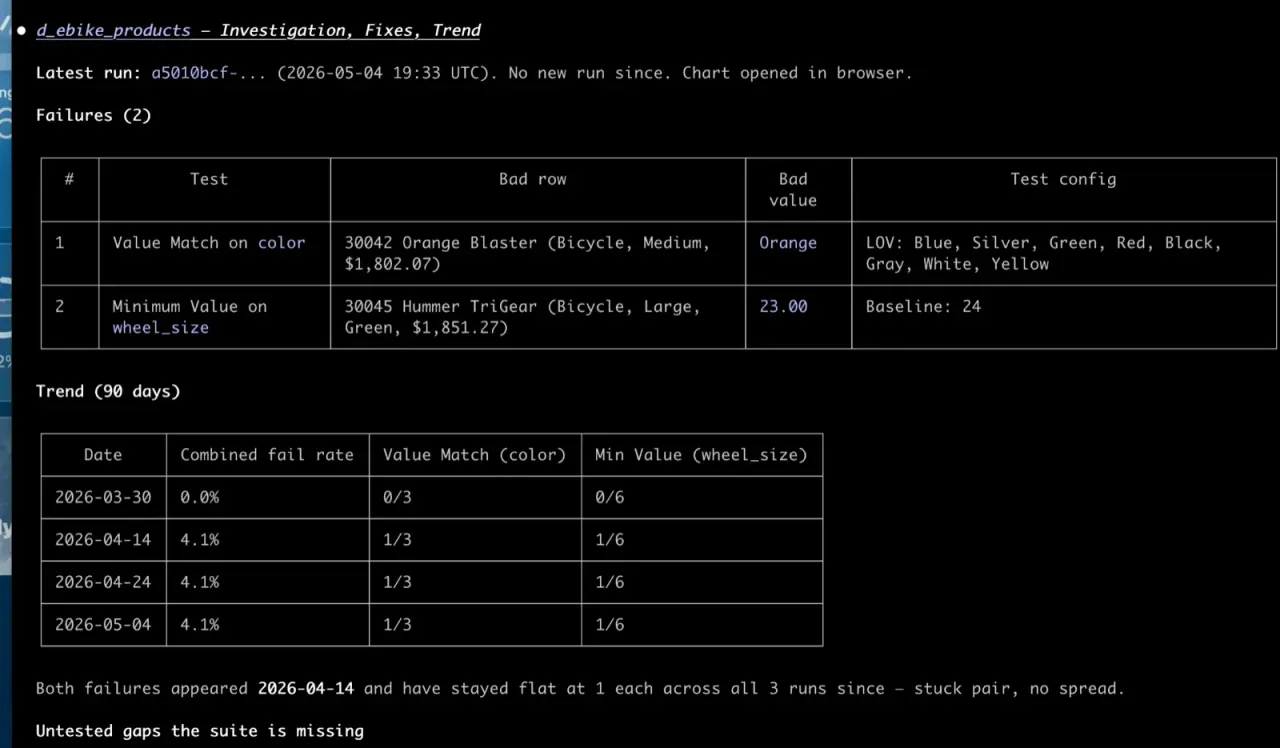
Connect Claude, Claude Code, Cursor, Copilot, or Databricks Genie to TestGen's 112 MCP tools. Ask what failed, see the rows behind it, and approve fixes in plain English. It runs behind your firewall.
Works where your data lives
-
 Snowflake
 -
 Databricks
 -
 DuckDB
 -
 Azure Synapse
 -
 Azure SQL
 -
 SQL Server
 -
 BigQuery
 -
 Redshift
 -
 Oracle
 -
 SAP HANA
 -
 PostgreSQL
Also supported: Amazon Aurora PostgreSQL, Microsoft OneLake, and Salesforce Data 360. CSV, Parquet, and JSON files, read directly from a local path, Amazon S3, and Azure Blob Storage. Plus structured data in Apache Iceberg tables and file formats (Parquet, Avro, ORC, CSV, JSON) exposed as external tables, including Amazon Redshift Spectrum and Snowflake external tables.
Why teams choose TestGen
-
You Don't Have Time to Write Tests. TestGen Does It Automatically.
You're buried in customer requests. You have no time to write tests, let alone innovate. TestGen scans your data and generates the tests and anomaly detectors for you. No coding, no massive YAML configuration.
Open Source with Reasonable Enterprise Pricing
Open source TestGen is free for one user, one project, and one database connection. Enterprise is a flat $100 per month per user and database connection, with unlimited tables and data volume. No per-table tax. A year of enterprise data quality costs roughly one data engineer's monthly salary.
Unlimited on every plan. Slide it all the way to ∞ and watch the price stay put.
Run every test as often as you like. Also unlimited, also $0.
- 10 users × $100 $1,000
- 3 connections × $100 $300
- 1,000 tables $0
- 1,000 tests run $0
$15,600 a year, or $1,300 a month
One user and one connection? Open Source TestGen covers that for free.
Talk to SalesAI & Agents
Your AI assistant can now run your data quality program
TestGen ships a Model Context Protocol (MCP) server: 112 tools that span the whole data quality loop, from "what data do I have" to "email me when the score drops." Connect Claude, Claude Code, Cursor, Copilot, or Databricks Genie and ask in plain English. It's open source under Apache 2.0 and runs behind your firewall, so your warehouse credentials never leave your network.
- Claude
- Claude Code
- Cursor
- GitHub Copilot
- Databricks Genie
Ask in plain English
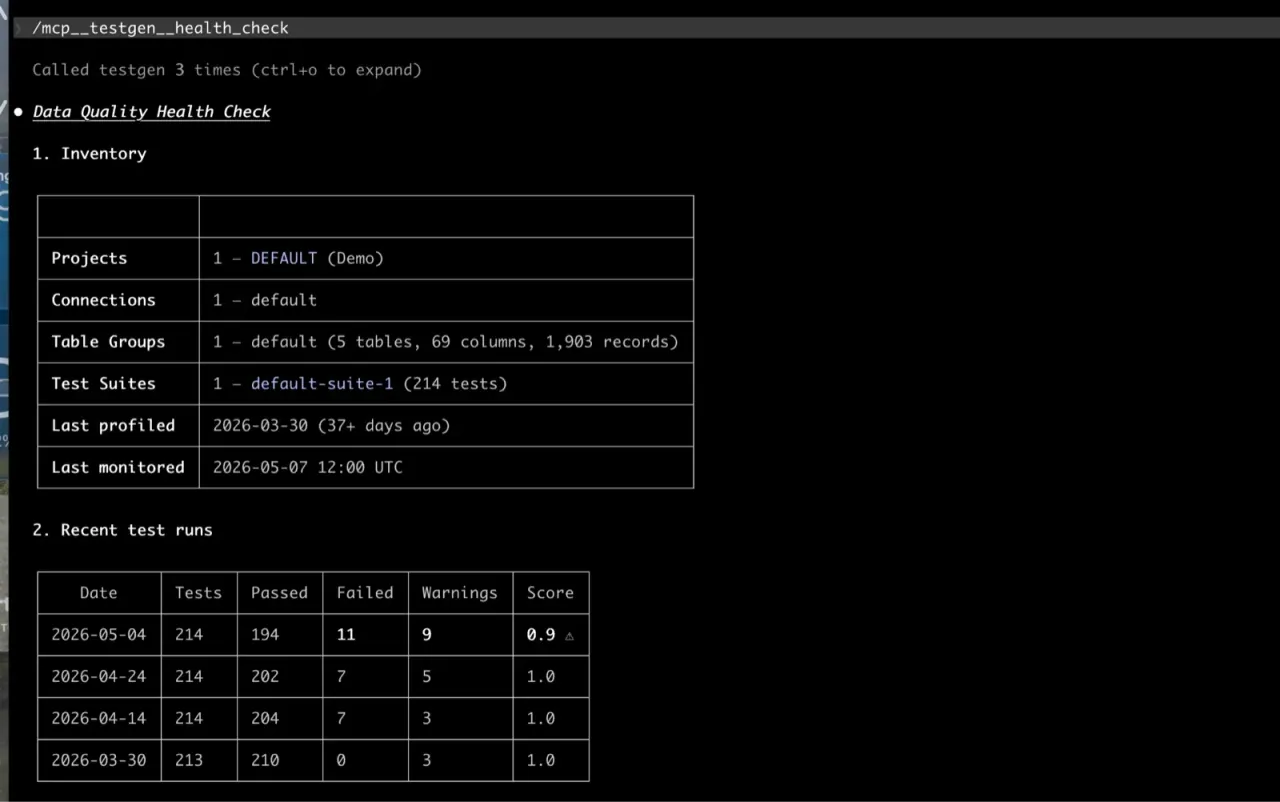
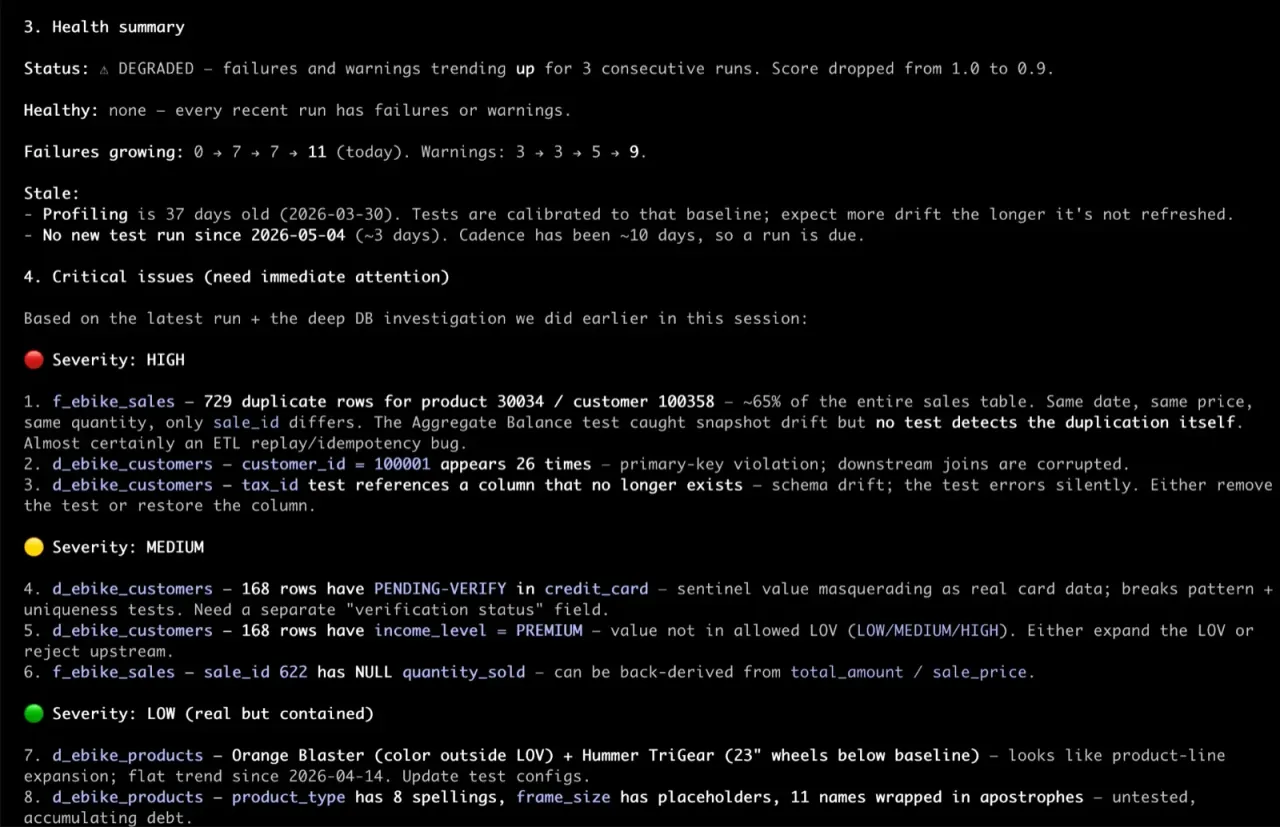
Ask "what data do I have, and how healthy is it?" and get the inventory and a quality score in seconds. Ask "show me the rows behind that" and get the actual records that failed, not a chart about them.
Guided triage
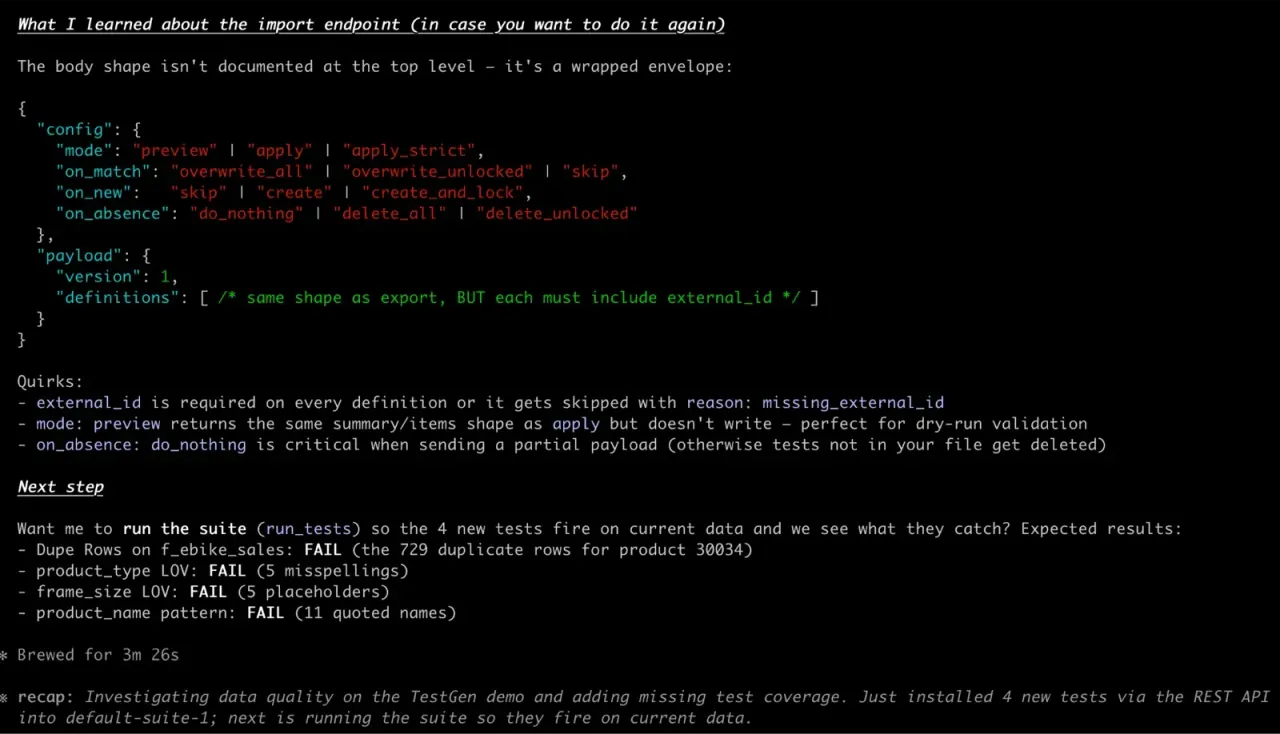
Pre-built prompts turn a wall of overnight failures into a guided conversation. Failures grouped by test and column. What just broke, separated from what's been flaky for six weeks. TestGen records every disposition with an audit trail.
Autonomous, with a human veto
Put an agent on a schedule. It proposes fixes for the boring, repetitive failures like trailing whitespace, case, and ISO codes. Anything that needs judgment gets a ticket instead. Nothing touches your data until you approve it, and TestGen logs every action.
Same data, same security model, a different front door. The MCP server authenticates as you and runs every tool with your existing TestGen role. No per-seat agent tax in either edition.
TestGen versus the competition
Head-to-head comparisons with every major data quality and observability tool. Search for the one you are evaluating.
No vendors match. .
Frequently asked questions
What databases does TestGen support?
Snowflake, Databricks SQL, DuckDB, Azure Synapse Analytics, Azure SQL Database, Microsoft SQL Server, Microsoft OneLake, Google BigQuery, Amazon Redshift, Amazon Aurora PostgreSQL, Oracle Database 12c and later, SAP HANA, PostgreSQL, and Salesforce Data 360. All are supported in both open source and enterprise. TestGen also profiles and tests CSV, Parquet, and JSON files directly, on a local path, in Amazon S3, or in Azure Blob Storage, and works with file-based data (Parquet, Avro, ORC, CSV, JSON) through external table formats like Apache Iceberg, Redshift Spectrum, and Snowflake external tables.
Does TestGen work with file-based data?
Yes, two ways. TestGen profiles and tests CSV, Parquet, and JSON files directly, on a local path, in Amazon S3, or in Azure Blob Storage, with no database in front of them. It also tests Parquet, Avro, ORC, CSV, and JSON files that your data warehouse exposes as external tables (e.g., Apache Iceberg, Redshift Spectrum, Snowflake external tables).
Can I write custom SQL tests?
Yes. TestGen supports two types of custom tests: custom conditions for row-level business rules (e.g., quantity_shipped <= quantity_ordered) and full custom SQL queries for complex joins and cross-table validation. These tests let you extend auto-generated coverage with domain-specific logic.
What's the difference between Open Source and Enterprise?
Open source includes the full testing engine: profiling, auto-generated tests, hygiene detection, anomaly monitoring, quality dashboards, and a built-in UI. It's limited to a single user, single project, and single database connection. Enterprise adds multi-user access with single sign-on (SSO) authentication support, role-based access control, multi-project management, PII masking, custom branding, and dedicated support.
How is pricing structured?
Enterprise pricing is a flat $100 per month per user and database connection, with unlimited tables and data volume. No per-table fees that scale unpredictably as your data grows.
How does TestGen compare to Great Expectations, Soda, or dbt tests?
Those tools require your team to write and maintain tests in Python, YAML, or SQL. TestGen auto-generates tests from your data. No code required. It covers about 80% of data quality testing automatically. You handle the 20% that needs domain judgment. See our vendor comparison page for head-to-heads against every major data quality tool.
Can TestGen work alongside my existing tools?
Yes. TestGen complements your existing data stack. It connects to your databases, runs tests in-place, and integrates results into your workflows. It works alongside orchestrators, BI tools, and data catalogs without replacing any of them.
Answers
Questions this page answers
- Is DataOps TestGen free?Open-source DataOps TestGen is Apache 2.0 and $0 for one user, one connection, and one project. What Enterprise costs, as of TestGen 5.134.0.Read the answer →
- How is TestGen different from dbt tests or Great Expectations?dbt tests and GX Core have you write each check in YAML, SQL, or Python. TestGen profiles first, then generates the tests. A three-way comparison.Read the answer →
- Which databases does DataOps TestGen work with?DataOps TestGen connects to 14 databases plus CSV, Parquet, and JSON files in local folders, S3, and Azure Blob, as of TestGen 5.134.0 in October 2026.Read the answer →
Start generating tests in minutes
Install open source TestGen today, or request an Enterprise demo.
# TestGen install for Mac, Linux.
# Download the latest installer.
$ curl -o dk-installer.py \
  'https://raw.githubusercontent.com/DataKitchen/data-observability-installer/main/dk-installer.py'

# Run the install command.
$ python3 dk-installer.py tg install

# Full docs: docs.datakitchen.io/testgen/get-started/install-on-mac-linux/- Double-click
dk-installer.exein your Downloads folder. - If Windows shows a protection warning, choose More info, then Run anyway.
- Pick TestGen, then Docker or pip. The installer seeds demo data, opens the UI, and prints your login.
# Full docs: docs.datakitchen.io/testgen/get-started/install-on-windows/
Free book
Not ready to try it out now? Read the free book.
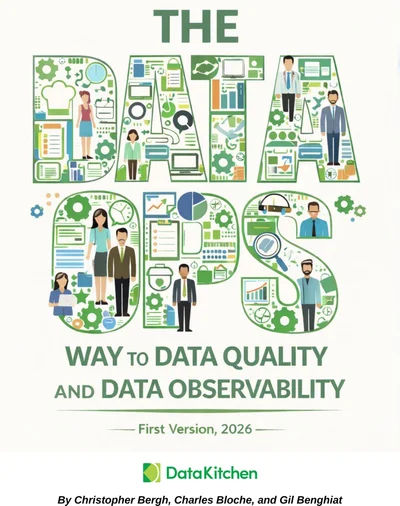
The DataOps Way to Data Quality and Data Observability covers why data quality keeps failing and what to do about it: culture, testing strategy, monitoring, and the seven deadly sins of AI-generated pipelines.
- 620 pages
- 63 chapters
- Updated September 2026
- By Chris Bergh, Chip Bloche, and Gil Benghiat