Orchestrate, Deploy, and Monitor Data Pipelines

DataOps Automation

Meta-orchestrate your data operation from a single platform: pipelines, tools, teams, and environments. Automate deployment, embed testing at every step, and deliver trusted analytics.

Automation dashboard

See Automation in Action

How Automation Works

Up and running in minutes, not months

Connect Your Tools

Automation integrates with your existing data stack: Snowflake, Databricks, Redshift, S3, Azure Blob Storage, and more. No rip-and-replace. Your tools stay, Automation orchestrates them.

Build Pipelines

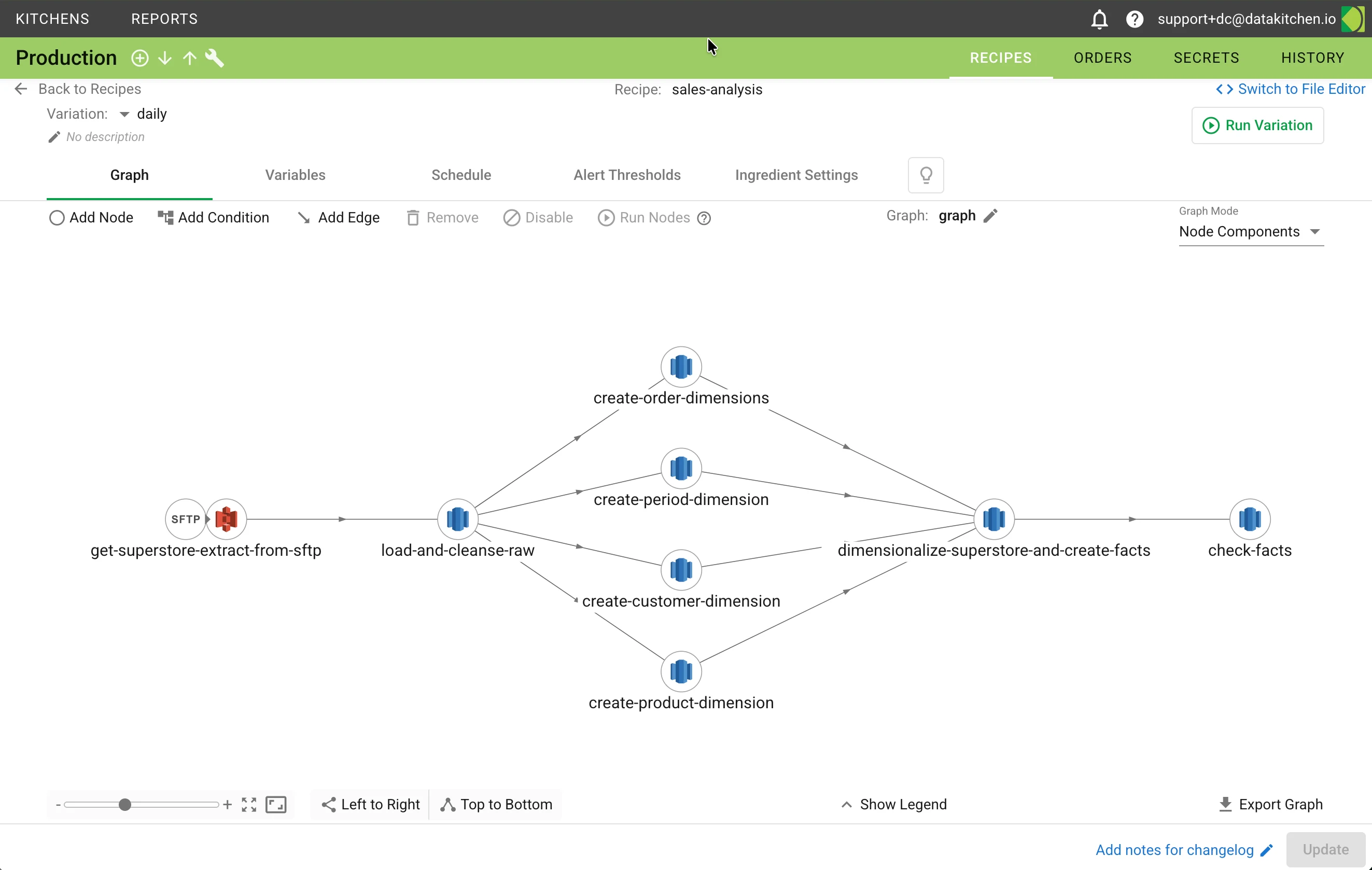
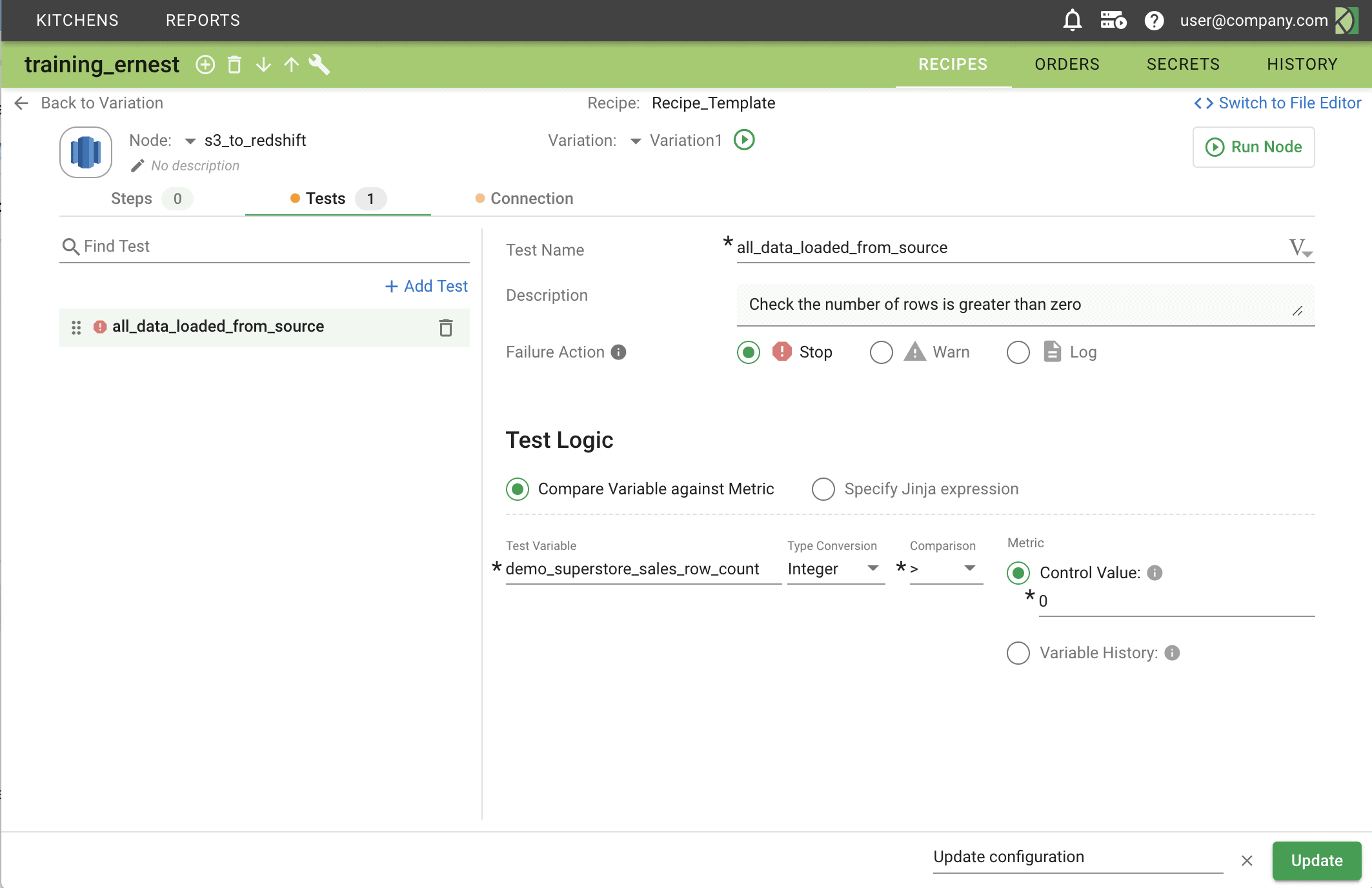
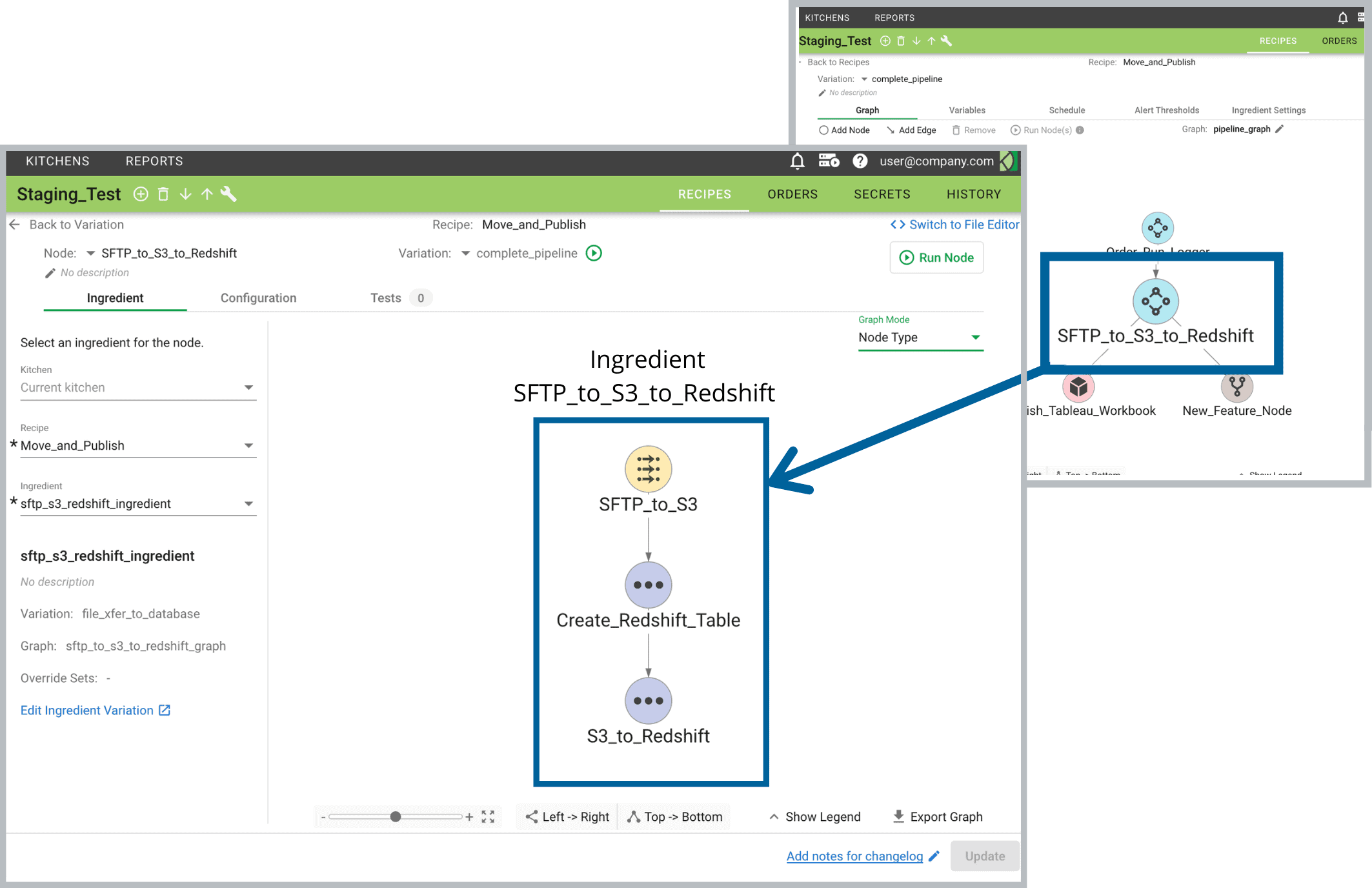
Define recipes as collections of interconnected pipeline steps. Add automated tests at every node. Create reusable ingredients your team can share across projects.

Deploy & Monitor

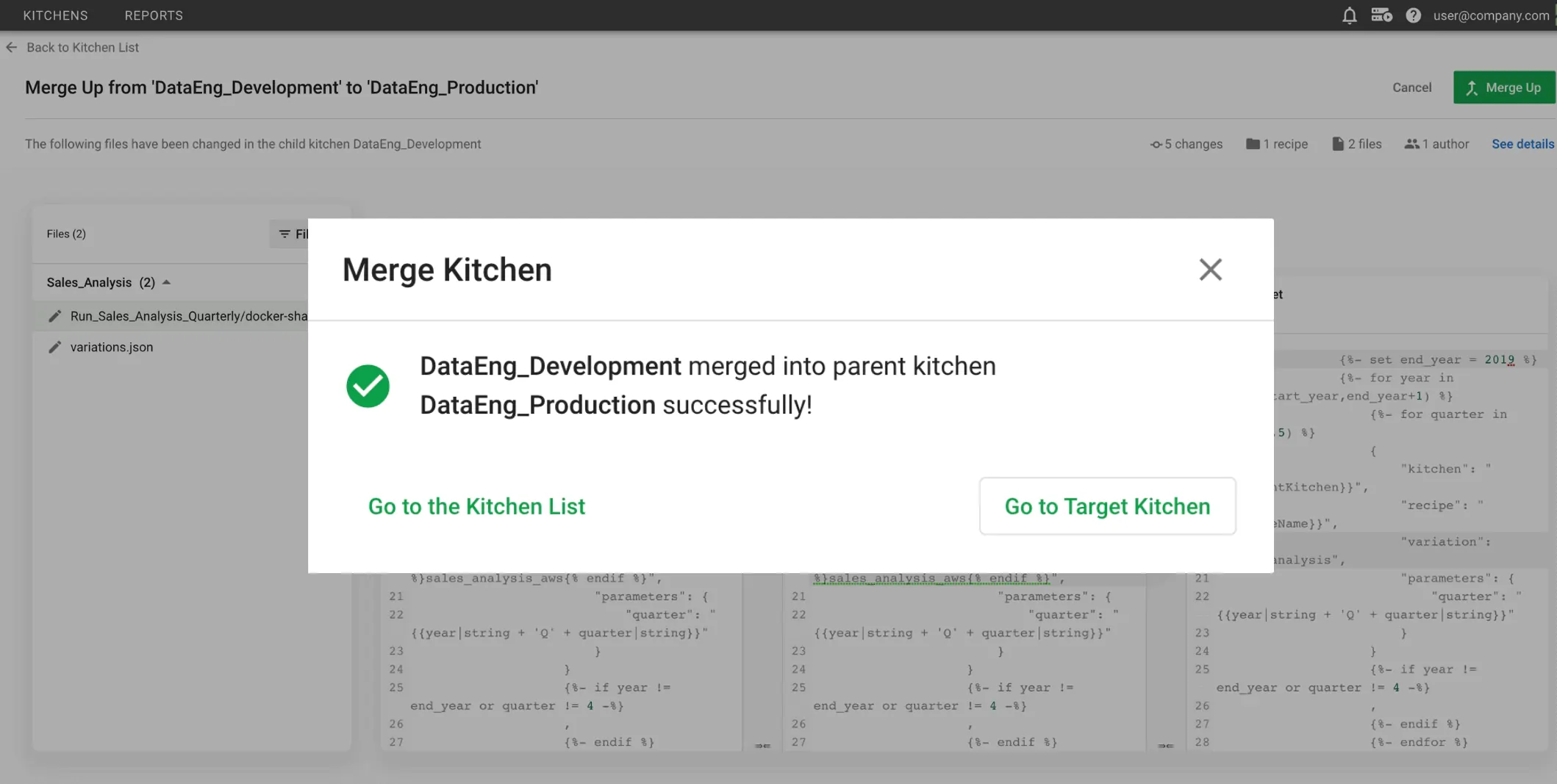
Promote analytics from development to production with automated deployment. Track order runs, process metrics, and alerts in real time across every environment.

Key Capabilities

Meta-Orchestration

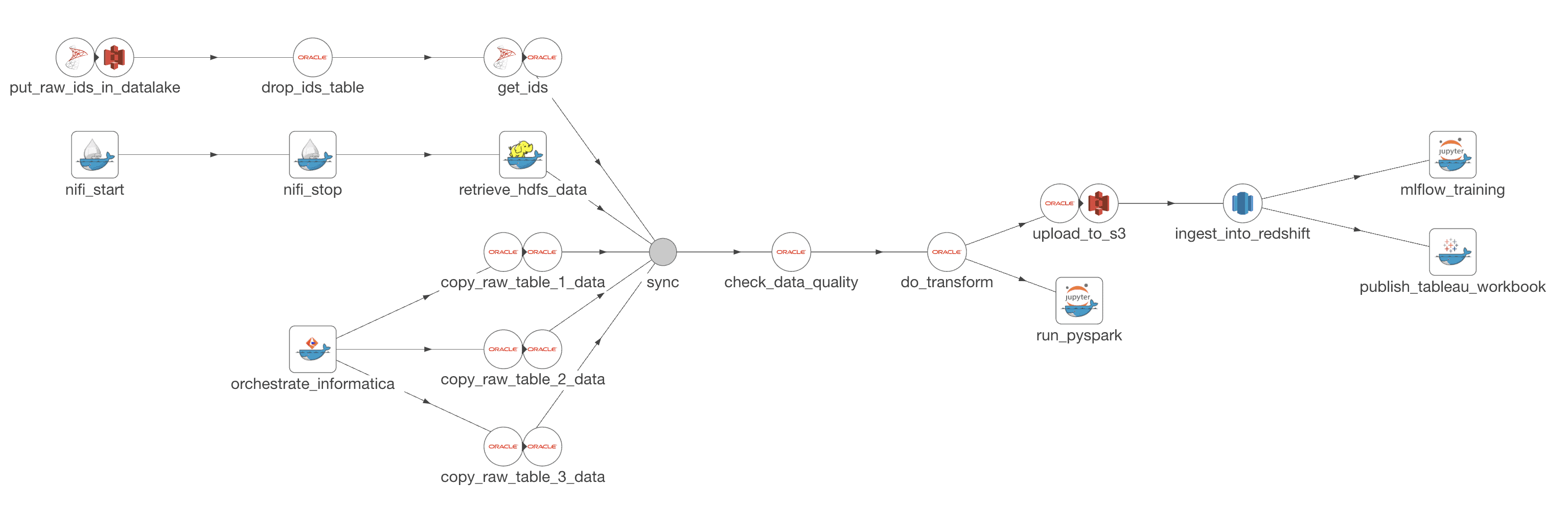
Orchestrate individual data pipelines, then orchestrate the orchestration. Automation coordinates work across teams, tools, locations, and environments, including pipelines of pipelines. One framework for your whole data operation instead of a DAG per tool.

Meta-Orchestration

Environment Management

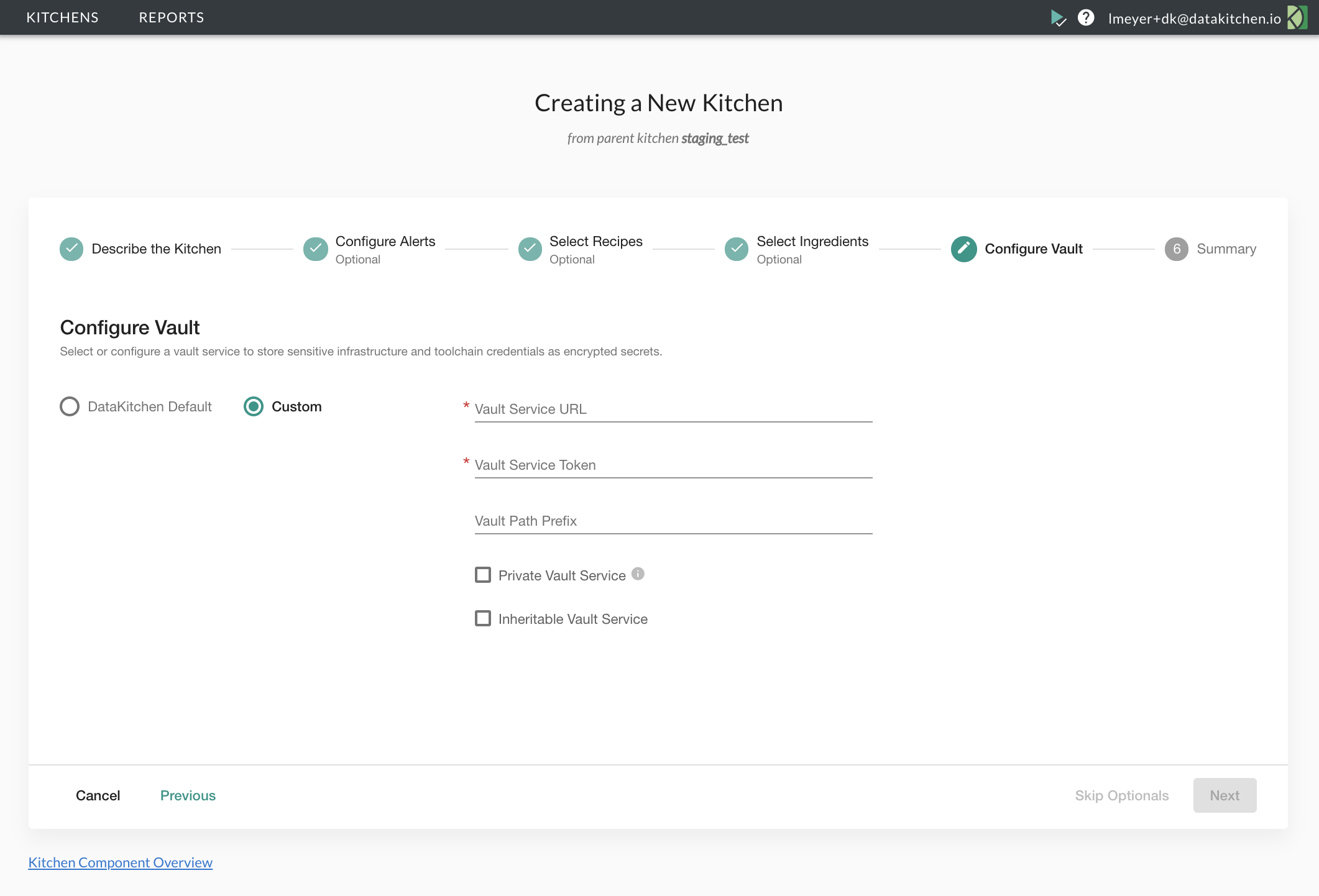
Create isolated Kitchen workspaces in minutes with pre-configured tools, datasets, and tests. Your team experiments independently without breaking production. When work is ready, merge it into aligned environments. Tear down resources when the project completes.

Environment Management

Automated Deployment (CI/CD)

Eliminate manual, error-prone release processes. Automation aligns and integrates toolchain environments so continuous deployment orchestrations can migrate analytics from development through testing to production on demand.

Automated Deployment (CI/CD)

Embedded Testing & Monitoring

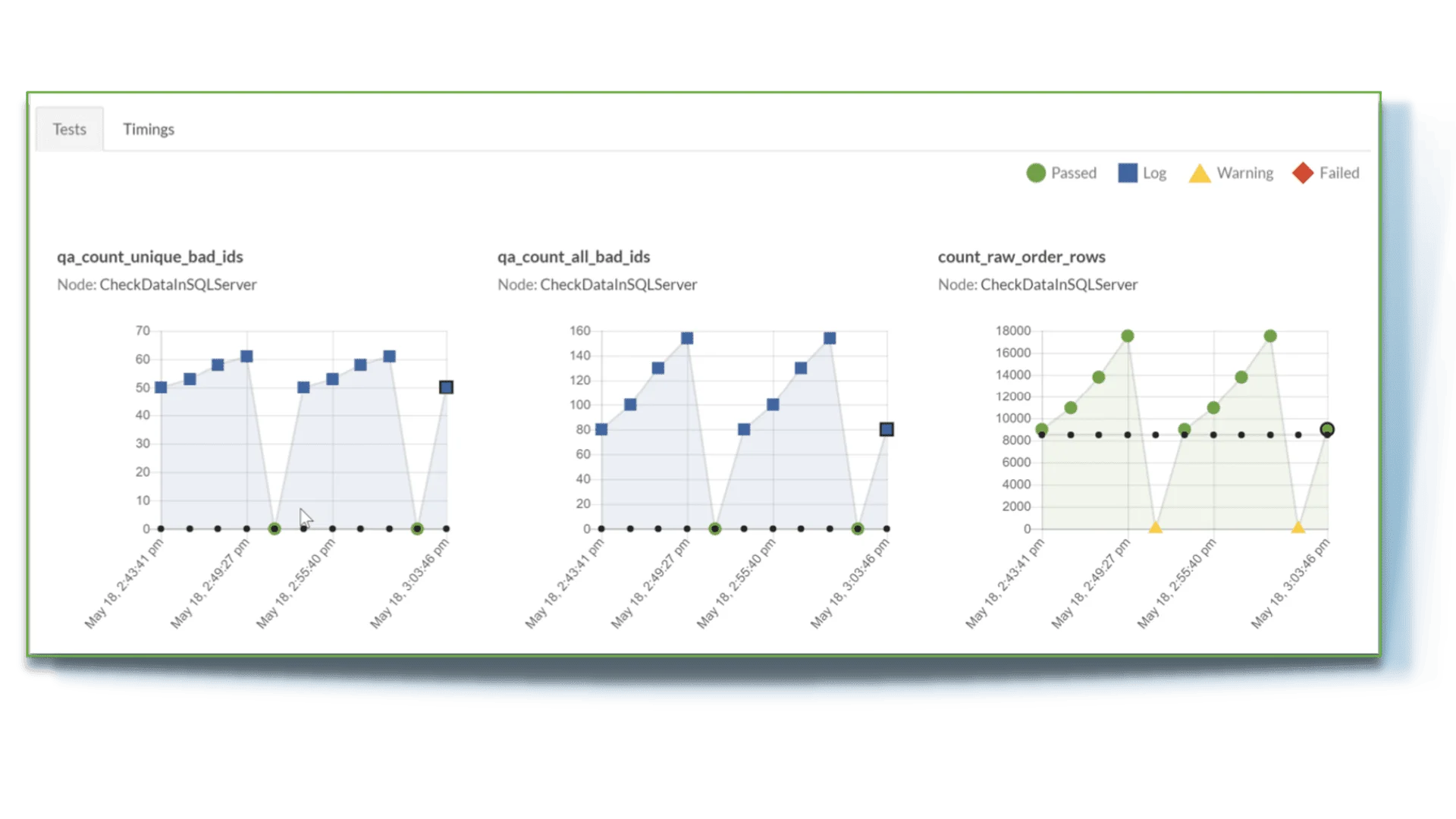
Catch data errors early by embedding automated tests at every step of your production and development pipelines. Use test failures as opportunities to add more coverage. Configure alerts to cut data downtime.

Embedded Testing & Monitoring

Collaboration & Reuse

You and your team work in separate but aligned Kitchens, then integrate the work with confidence. Save commonly used pipeline components as shareable Ingredients. Reusable building blocks your team can use across projects and recipes.

Collaboration & Reuse

Process Analytics

You can't improve what you don't measure. Automation tracks the metrics that prove the work is working: test coverage growth, error reduction, deployment cycle times, and team collaboration.

Process Analytics

A DataOps Factory, Not Another DAG Tool

Generic orchestrators run DAGs. Automation meta-orchestrates your data operation: it coordinates pipelines across teams, tools, and environments while managing development and production workflows at the same time. It's the difference between scheduling tasks and running a data factory.

A <strong>DataOps Factory</strong>, Not Another DAG Tool

Why Teams Choose Automation

Accelerate Innovation with Parallel Development

Kitchen environments let you work in an isolated, production-like sandbox. Experiment freely, merge when ready, and deploy with confidence. No more waiting in line for shared environments or worrying about breaking someone else's work.

Tool-Agnostic DataOps

Automation works with the tools you already have. Pre-built connectors for Snowflake, Databricks, BigQuery, Redshift, and the major file systems, plus Docker container nodes that wrap any script, notebook, or external tool. Your toolchain stays, Automation orchestrates it.

Built for Enterprise Governance

On-premises, cloud, or hybrid. Identity and access management, secrets management, Git-based version control with full audit trails, centralized activity logging, and configurable process analytics. Built for strict compliance requirements.

The DataOps Factory

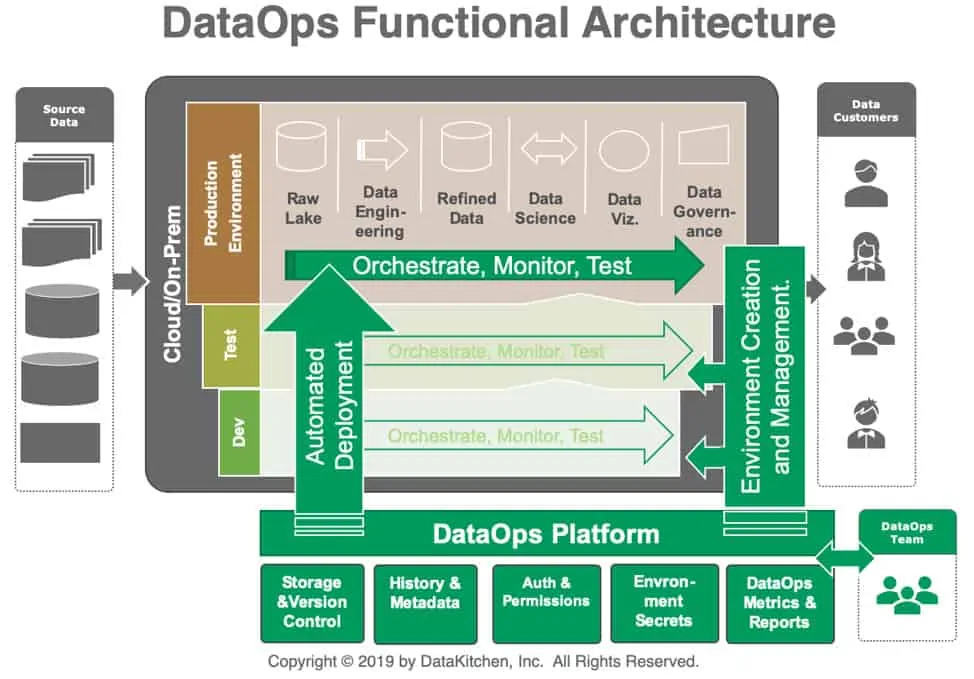
DataOps Automation applies the principles of Agile, DevOps, and lean manufacturing to data analytics. It treats your data operation as a factory, with defined processes, quality gates at every step, and metrics that drive continuous improvement.

The platform runs two pipelines at the same time: the production pipeline that delivers trusted data to consumers, and the development pipeline where your team innovates and experiments safely. That’s what separates DataOps from traditional data management.

Core Concepts

  • Kitchens: Isolated workspace environments (like Git branches for your whole data stack)
  • Recipes: Collections of related data pipelines composed of interconnected nodes
  • Variations: Specific pipeline configurations within a recipe for particular use cases
  • Ingredients: Reusable pipeline components shared across teams and projects
  • Orders: Recipe executions with full monitoring, logging, and test result tracking

Learn More

Frequently Asked Questions

Common questions about DataOps Automation

What is meta-orchestration?

Meta-orchestration goes beyond running individual DAGs. It orchestrates the orchestration, coordinating work across multiple teams, tools, environments, and pipelines from a single platform. A traditional orchestrator runs one pipeline at a time. Automation manages pipelines of pipelines across your whole data operation.

How does Automation differ from Airflow, Dagster, or Prefect?

Those tools are pipeline orchestrators. They schedule and run DAGs within a single tool context. Automation is a meta-orchestrator that sits above your existing tools and coordinates work across them. It manages environments, deployment, version control, testing, collaboration, and process metrics alongside orchestration. You keep your existing tools; Automation orchestrates the full workflow.

What tools does Automation integrate with?

Automation is tool-agnostic and integrates with virtually any data or analytics tool through supported connectors and flexible container-based integration methods. Common integrations include Snowflake, Databricks, BigQuery, Redshift, Python, and cloud-native services on AWS, Azure, and GCP.

What is a Kitchen?

A Kitchen is an isolated workspace environment where your team builds, manages, and runs data pipelines. Think of it as a sandbox with pre-configured tools, datasets, and tests. You can experiment independently without affecting production. When work is ready, Kitchens support merging changes into aligned environments, similar to branching in Git but for your whole data infrastructure.

How does deployment automation work?

Automation supports continuous deployment by aligning toolchain environments across development, testing, and production. When analytics are ready, automated deployment orchestrations migrate code, configuration, and infrastructure changes through your pipeline stages.

Is Automation available as open source?

No. DataOps Automation is an enterprise product available as SaaS (hosted by DataKitchen), self-hosted (managed by your team), or hybrid deployment. Contact us for a demo and pricing information.

How does Automation handle security and governance?

Automation provides enterprise-grade security with identity and access management, secrets management, version control for full audit trails, and comprehensive activity logging. The platform supports role-based access control and can run in your own infrastructure for maximum security.

Automate your data operations

See how DataOps Automation cuts deployment time and catches errors before production.