Install open source data profiling
Data profiling is just the start.
Profile every column, then keep testing it. TestGen reads patterns, encodings, dates, IDs, and category drift, and turns each profile into a running test. Full UI, complete MCP, runs unlimited in your environment.
Install TestGen
Pick your platform. Free and open source.
# TestGen install for Mac, Linux.
# Download the latest installer.
$ curl -o dk-installer.py \
  'https://raw.githubusercontent.com/DataKitchen/data-observability-installer/main/dk-installer.py'

# Run the install command.
$ python3 dk-installer.py tg install

# Full docs: docs.datakitchen.io/testgen/get-started/install-on-mac-linux/- Double-click
dk-installer.exein your Downloads folder. - If Windows shows a protection warning, choose More info, then Run anyway.
- Pick TestGen, then Docker or pip. The installer seeds demo data, opens the UI, and prints your login.
# Full docs: docs.datakitchen.io/testgen/get-started/install-on-windows/
- 55data profiling column characteristics
- 32data hygiene detectors
- 34test types auto-generated from the profile
- 19business rule and custom SQL test types
Found a data error? Here's what TestGen flags on the first profiling pass.
Point it at your warehouse. After the first run, the issue list is in your browser. Like these:
- Null-rate spikes Completeness
- Stale timestamps Timeliness
- Broken foreign keys Consistency
- Schema drift Consistency
- Uniqueness violations Uniqueness
- Row-volume spikes Completeness
- Outlier values Accuracy
- Missing required values Completeness
- +24 more, plus freshness, volume, and schema anomaly detection
Profile every column. Catch what profilers miss.
Most profilers stop at counts and nulls. TestGen reads patterns, encodings, dates, IDs, and category drift, and every profile becomes a running test.
-
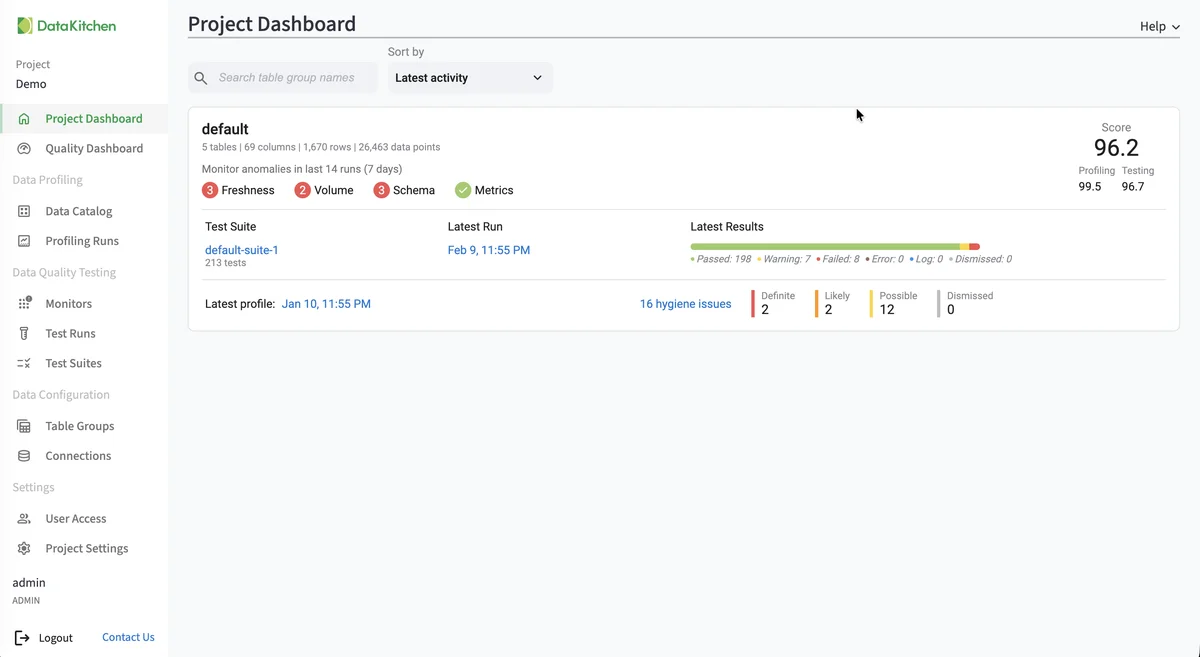
Data Profiling (documentation, opens in a new tab)
Periodic X-ray of every table and column in your database. 55 column characteristics analyzed, stored, and available for review and downstream rules derivation.
-
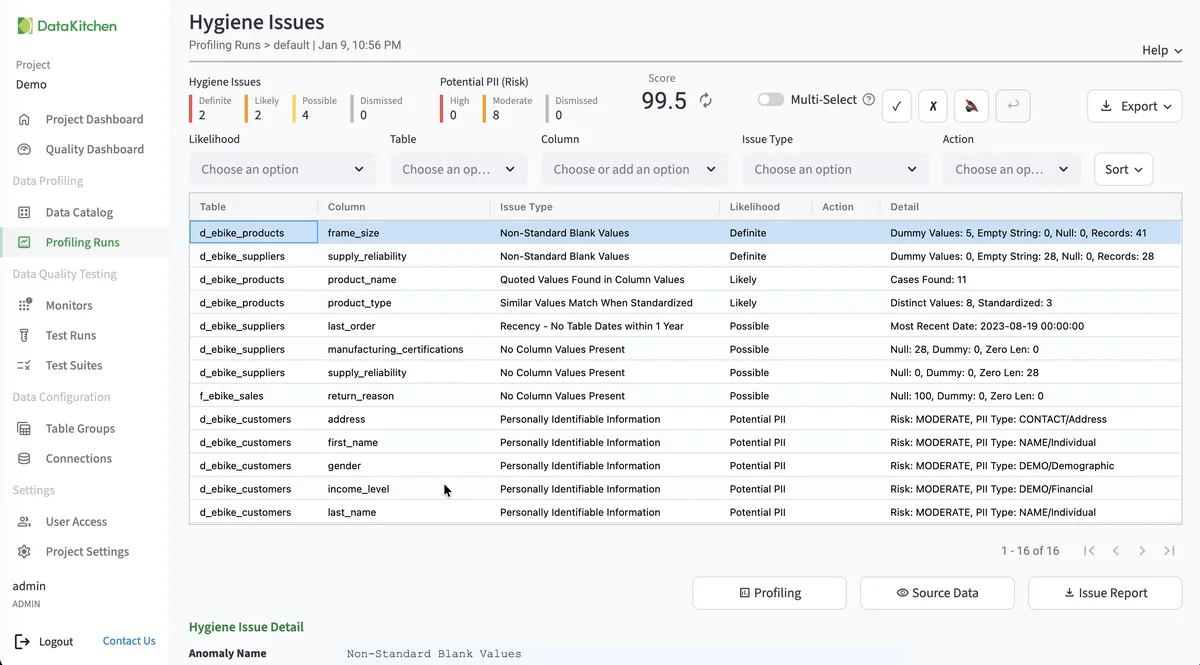
Hygiene Detection (documentation, opens in a new tab)
Automatically confirm how closely data structures and assumptions match actual column contents. Identify problem rows before they reach production.
-
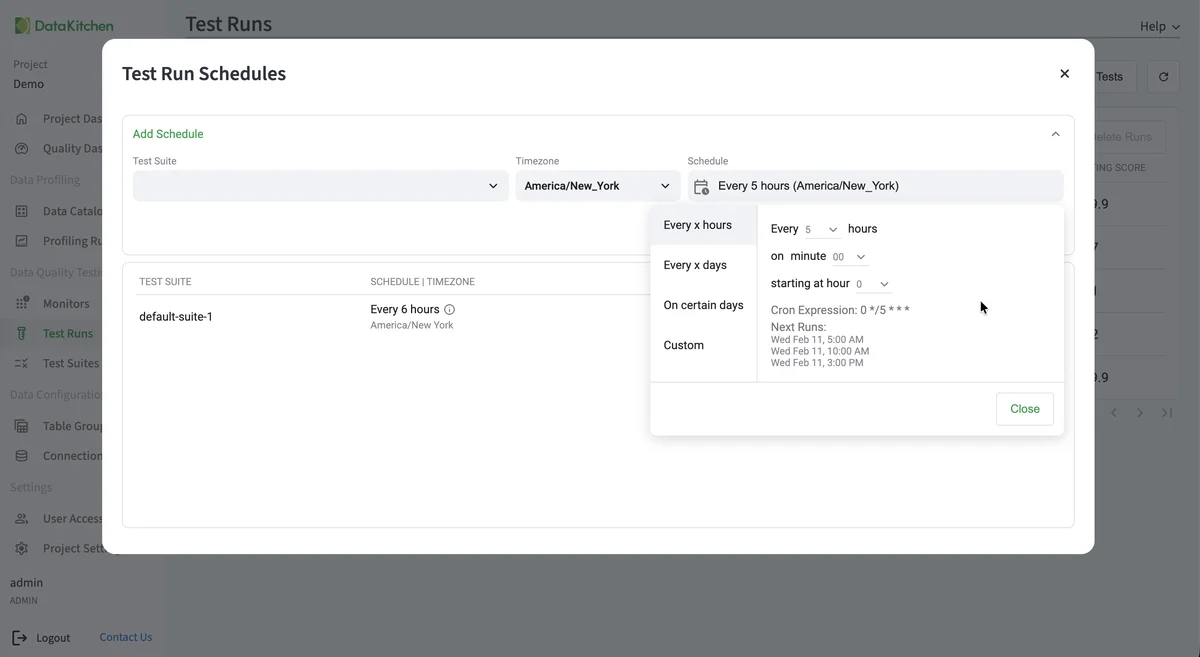
Auto-Generated Tests (documentation, opens in a new tab)
Point TestGen at your data and it generates the tests automatically. Profiling, validation, and execution included. No coding or YAML configuration required.
-
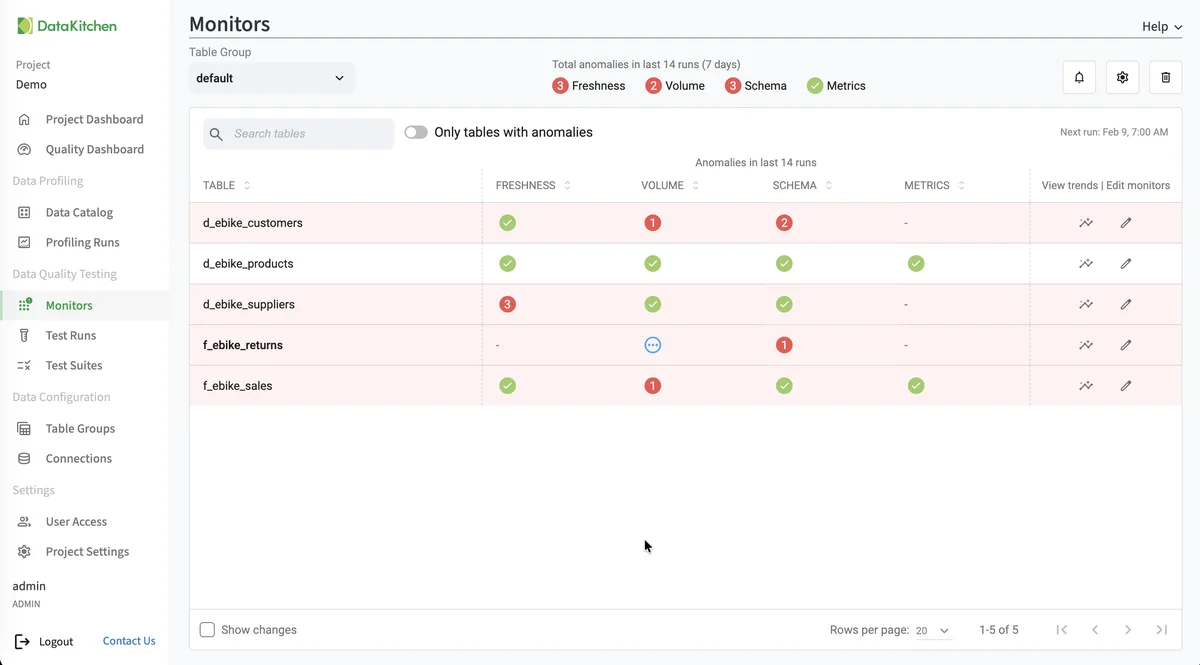
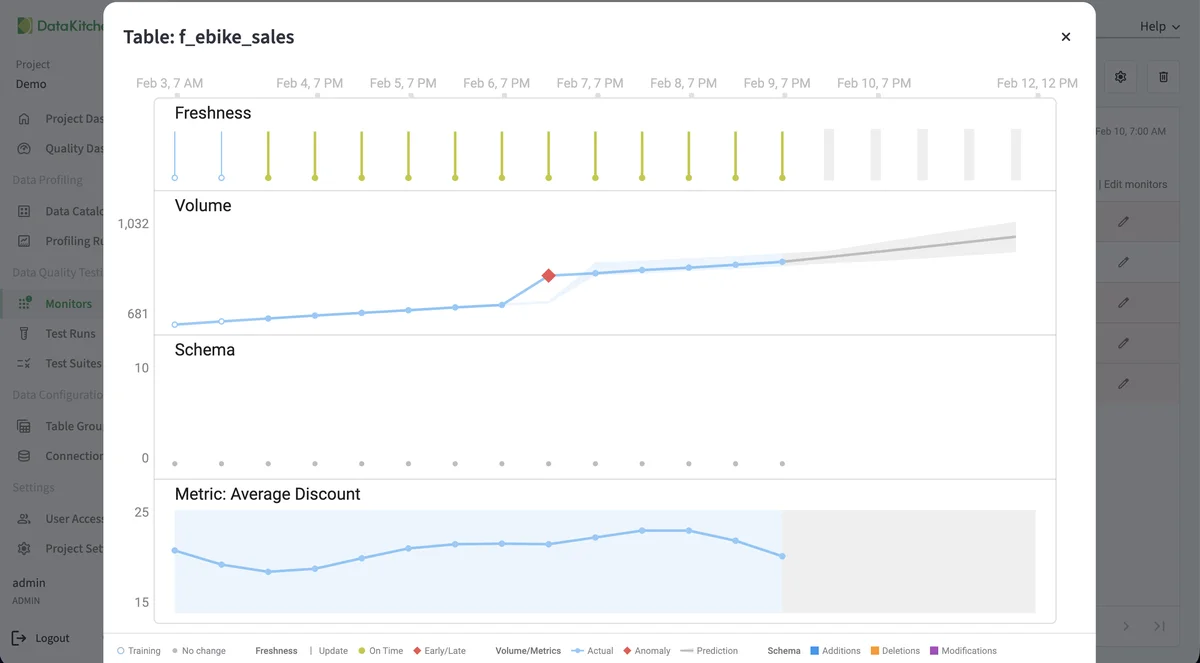
Anomaly Detection (documentation, opens in a new tab)
Four monitor types: freshness, volume, schema, and custom metrics. Predictive models learn what your data usually looks like and flag late arrivals, row count swings, schema drift, and metric anomalies before they reach downstream consumers.
-
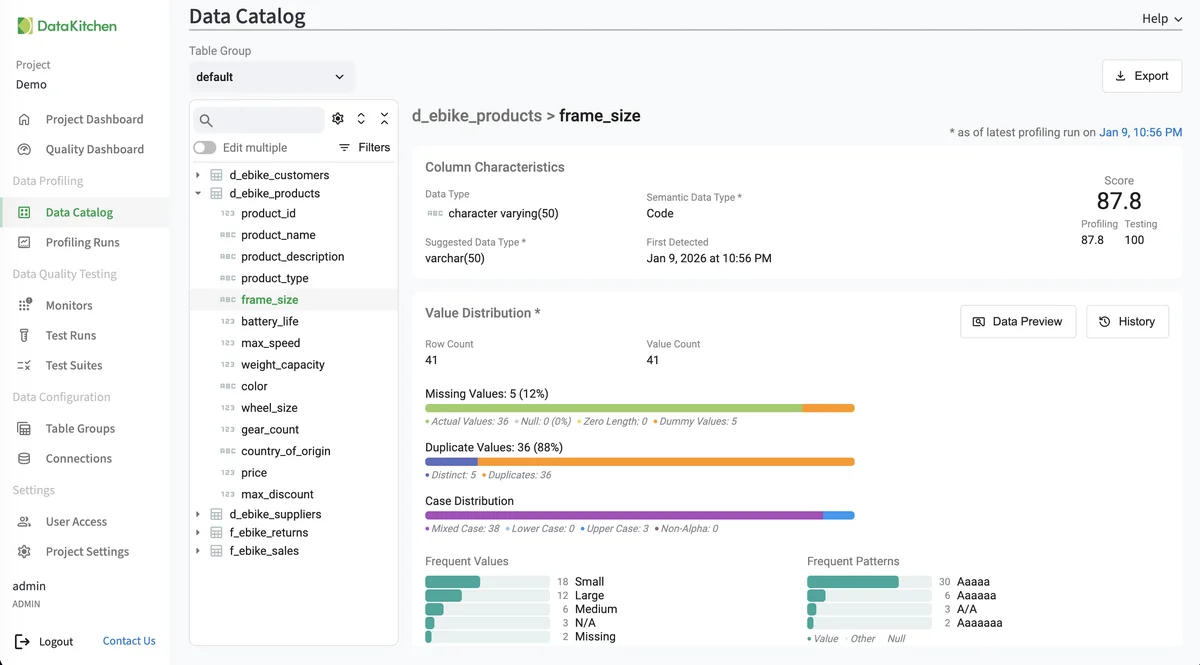
Data Catalog (documentation, opens in a new tab)
Every table's metadata in one place. See profile results, hygiene issues, test results, PII identification, and Critical Data Element tagging.
-
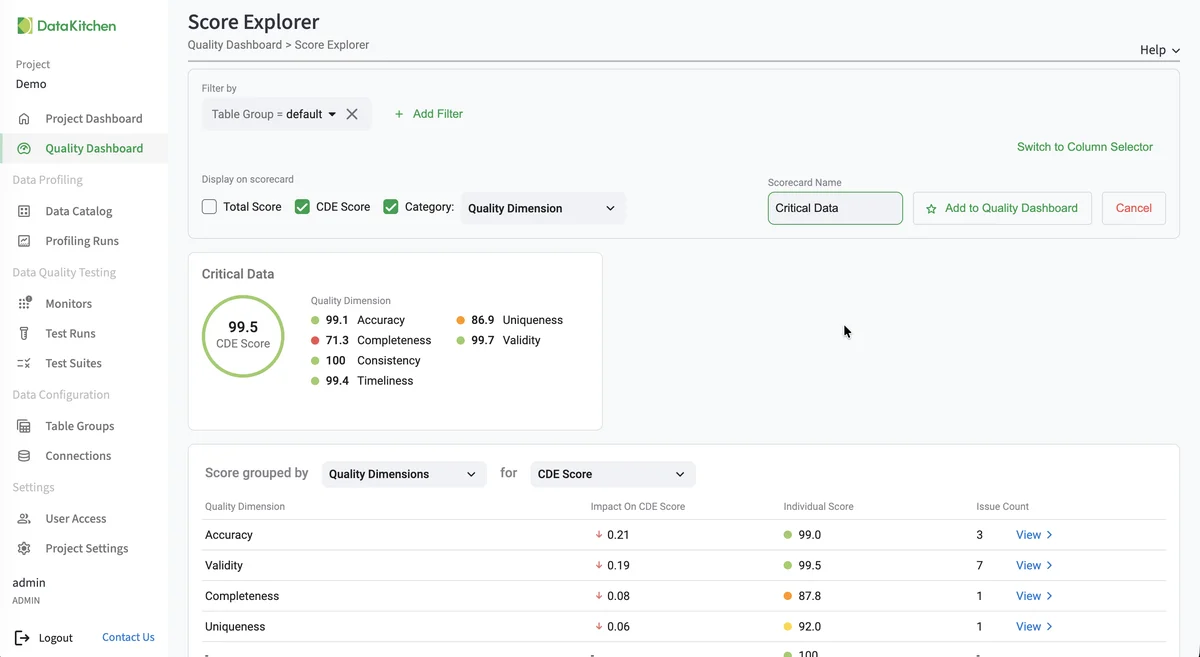
Quality Scoring (documentation, opens in a new tab)
Configurable dashboards and scorecards based on DAMA categories, Critical Data Elements, specific model requirements, or current business goals.
-
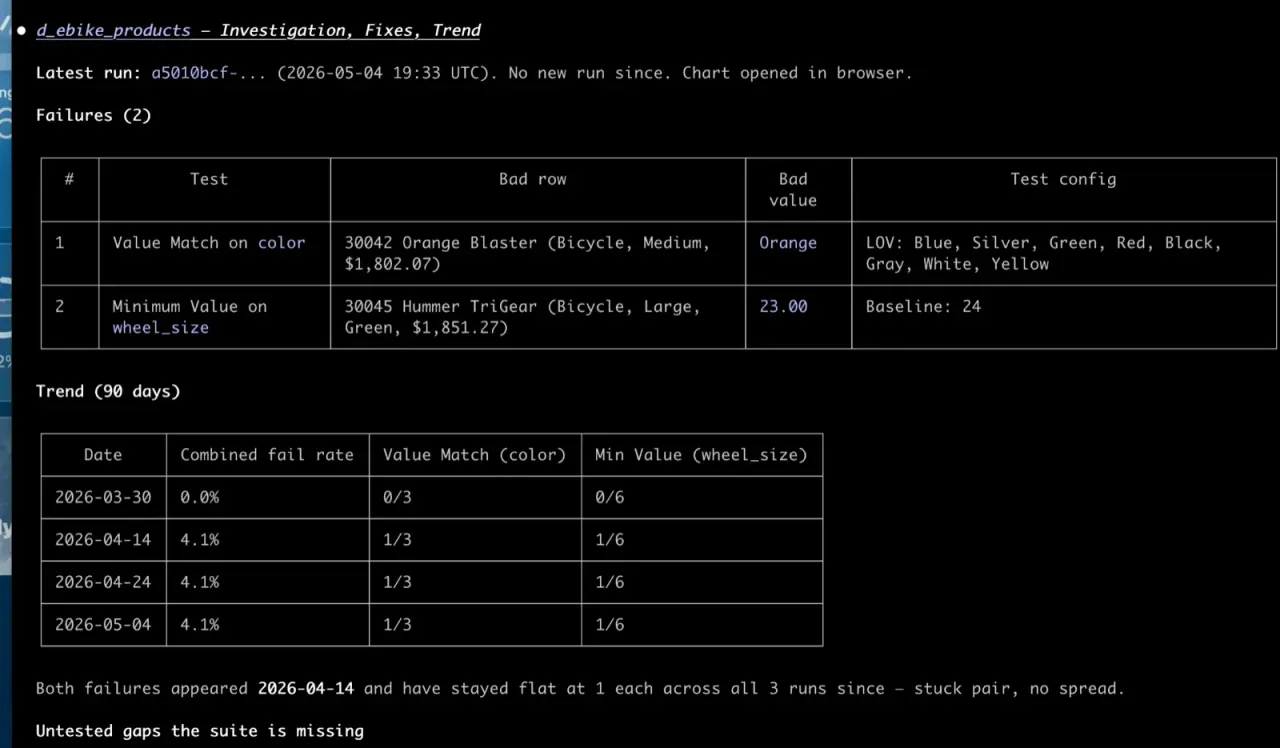
MCP Server (the TestGen MCP cheat sheet)
Connect Claude, Claude Code, Cursor, Copilot, or Databricks Genie to TestGen's 112 MCP tools. Ask what failed, see the rows behind it, and approve fixes in plain English. It runs behind your firewall.
-
Open Source Core, UI Included
Unlimited table usage. UI included. The core profiling, testing, and monitoring engine is free under Apache 2.0. Enterprise adds team access, security, Commercial Pharma tests, source-data controls for AI, and support.
Works where your data lives
-
 Snowflake
 -
 Databricks
 -
 DuckDB
 -
 Azure Synapse
 -
 Azure SQL
 -
 SQL Server
 -
 BigQuery
 -
 Redshift
 -
 Oracle
 -
 SAP HANA
 -
 PostgreSQL
Also supported: Amazon Aurora PostgreSQL, Microsoft OneLake, and Salesforce Data 360. CSV, Parquet, and JSON files, read directly from a local path, Amazon S3, and Azure Blob Storage. Plus structured data in Apache Iceberg tables and file formats (Parquet, Avro, ORC, CSV, JSON) exposed as external tables, including Amazon Redshift Spectrum and Snowflake external tables.
Why teams choose TestGen
-
You Don't Have Time to Write Tests. TestGen Does It Automatically.
You're buried in customer requests. You have no time to write tests, let alone innovate. TestGen scans your data and generates the tests and anomaly detectors for you. No coding, no massive YAML configuration.
-
A profiler that doesn't write tests is a one-time report.
TestGen profiles, scores, tests, and watches, so the work you put in on day one keeps paying back on day 90.
See how TestGen works →
-
In-database execution
Profile billions of rows where they sit. Snowflake, Databricks, Postgres, BigQuery, MS SQL, and more.
-
Apache 2.0, core engine free
Every detector, every characteristic, and every test type but the 12 Commercial Pharma types. In the open source.
-
Self-hosted
Your data never leaves your environment.
-
Bootstrapped since 2013
Profitable, independent, and not pivoting next quarter.
Open Source with Reasonable Enterprise Pricing
Open source TestGen is free for one user, one project, and one database connection. Enterprise is a flat $100 per month per user and database connection, with unlimited tables and data volume. No per-table tax. A year of enterprise data quality costs roughly one data engineer's monthly salary.
See pricingTestGen versus the competition
Head-to-head comparisons with every major data quality and observability tool. Search for the one you are evaluating.
No vendors match. .
- Bristol Myers Squibb
- Eisai
- Catholic Relief Services
- Progeny Health
- X4
- KOA
- CNH
Free book
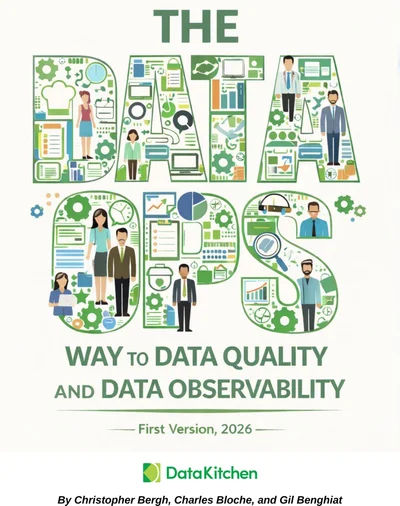
Not ready to try it out now? Read the free book.
The DataOps Way to Data Quality and Data Observability covers why data quality keeps failing and what to do about it: culture, testing strategy, monitoring, and the seven deadly sins of AI-generated pipelines.
- 620 pages
- 63 chapters
- Updated September 2026
- By Chris Bergh, Chip Bloche, and Gil Benghiat