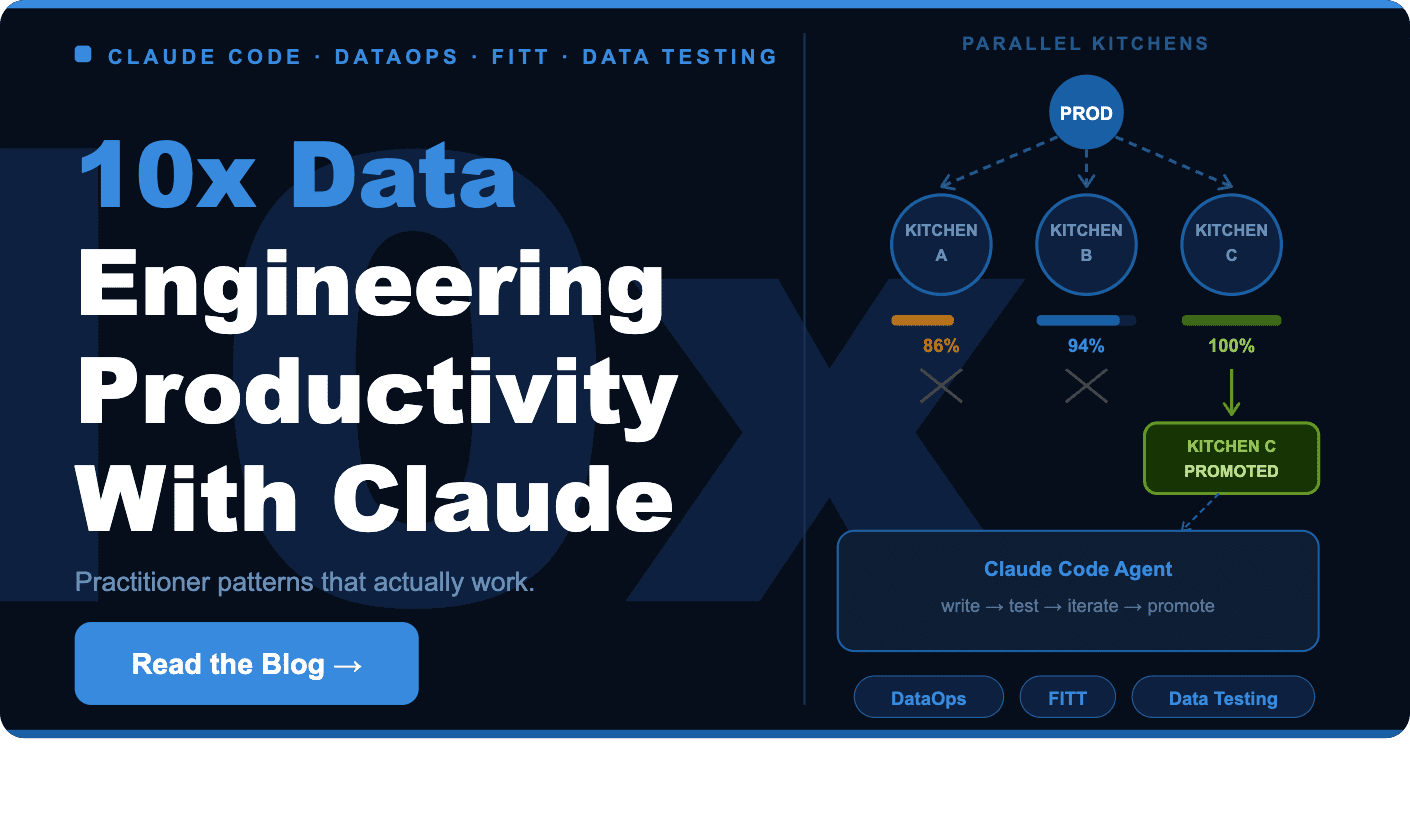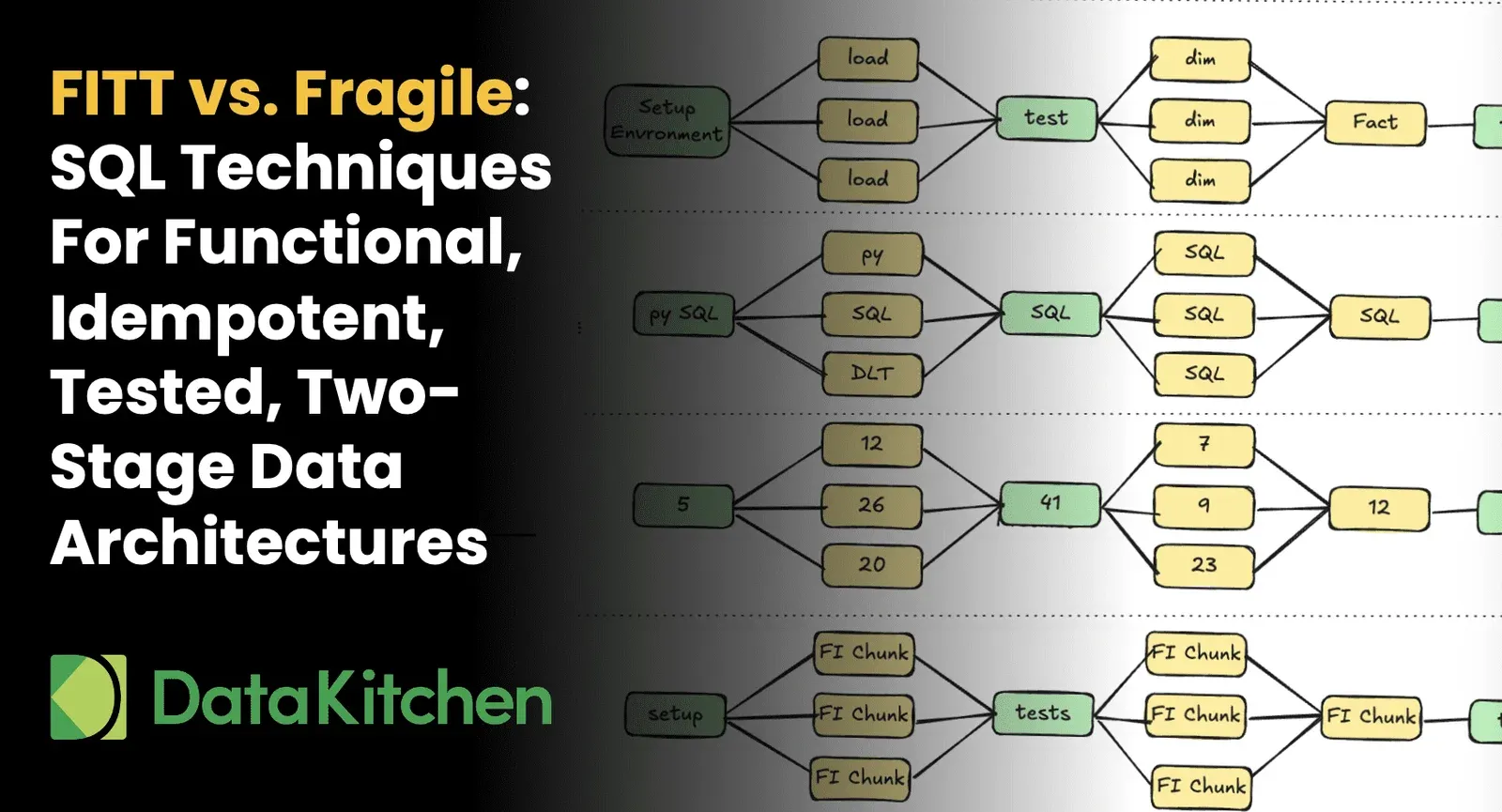
DataOps is the art and science of automating the end-to-end life cycle of data-analytics to improve agility, productivity and reduce errors to virtually zero. The foundation of DataOps is orchestrating three pipelines: data operations, analytics development/deployment and sandbox environments, which enable parallel development and the seamless integration of new analytics into production.
Automation enables the data team to increase its productivity by order(s) of magnitude, but velocity can’t be improved if the orchestrated pipelines execute with errors. Integrating tests into the data-analytics pipelines provides the quality control needed to unleash the power of DataOps automation. We’ve recently written about data production pipeline tests and provided a tutorial on how simple it is to add data tests using DataKitchen DataOps Automation UI. Now we tackle the concept of testing in the context of new analytics development and continuous integration.
Lessons from Software Development
Data organizations know they need to be more agile. In order to succeed, they need to learn lessons from software development organizations. In the 1990’s software teams adopted Agile Development and committed to producing value in rapid, successive increments. If you think a little about process bottlenecks in software development, Agile moved the bottleneck from the development team to the release team. For example, if the quality assurance (QA), regression and deployment procedures require three months, it hardly makes sense to operate with weekly dev sprints.
The solution is DevOps which automates the release process. Once an automated workflow is in place, releases can occur in minutes or seconds. Companies like Amazon perform code updates every 11.6 seconds. That’s millions of releases per year. Data analytics teams can achieve the same velocity by adopting DataOps which incorporates the DevOps methodology (along with other techniques that are specific to data analytics).
In DataOps, automated testing is built into the release and deployment workflow. The image below is the Innovation Pipeline which represents the flow of new ideas into development and then deployment. Testing proves that analytics code is ready to be promoted to production.
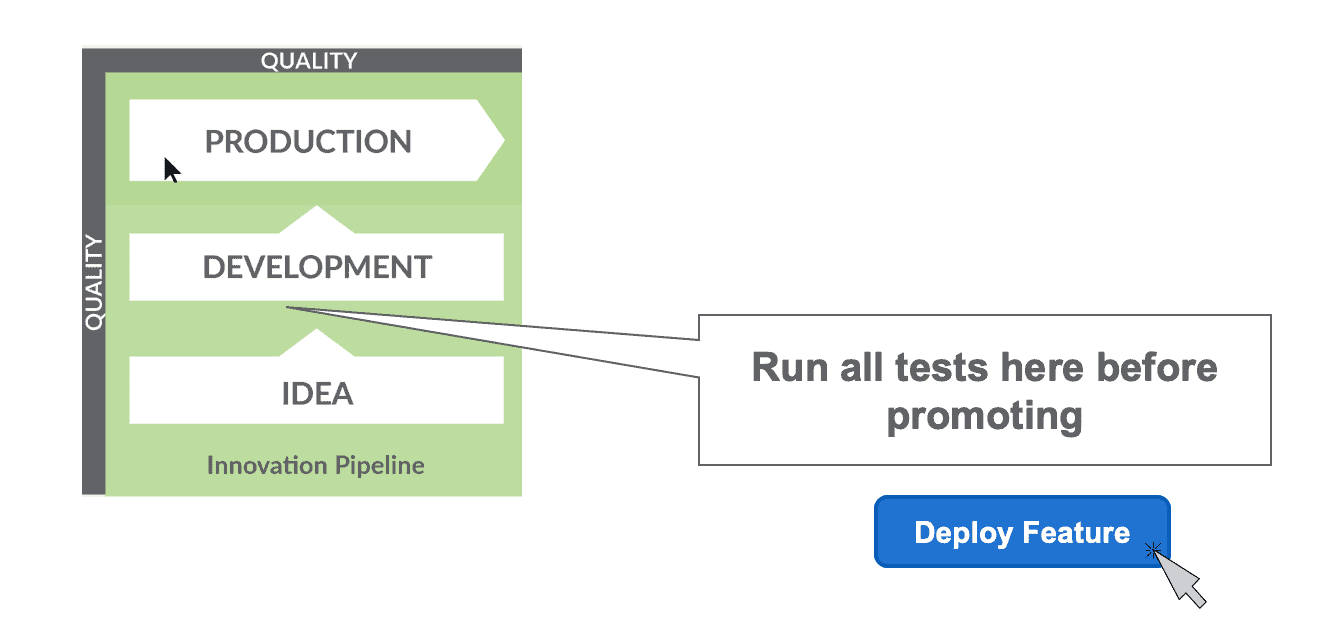
Figure 1: Tests should be run in development before deploying new analytics to production.
Benefits of Testing
Testing produces many benefits. It increases innovation by reducing the amount of unplanned work that derails productivity. Tests catch errors that undermine trust in data and in the data team. This reduces stress and makes for happier data engineers, scientists and analysts.
As a group, technical professionals tend to dislike making mistakes, especially when the errors are splashed across analytics that are used by the enterprise’s decision makers. Testing catches embarrassing and potentially costly mistakes so they can be quickly addressed.
Incorporate Testing into Each Step
Testing enables the data team to deploy with confidence. Testing must be incorporated into each processing stage of an analytics pipeline. Every processing or transformation step should include tests that check inputs, outputs and evaluate results against business logic.
Below are some example tests:
- The number of customers should always be above a certain threshold value
- The number of customers is not decreasing
- The zip code for pharmacies has five digits.

Figure 2: Every processing or transformation step should include tests that check inputs, outputs and evaluate results against business logic.
The image below shows the many different kinds of tests that should be performed. We explain each of these types of tests in our recent blog on impact view.
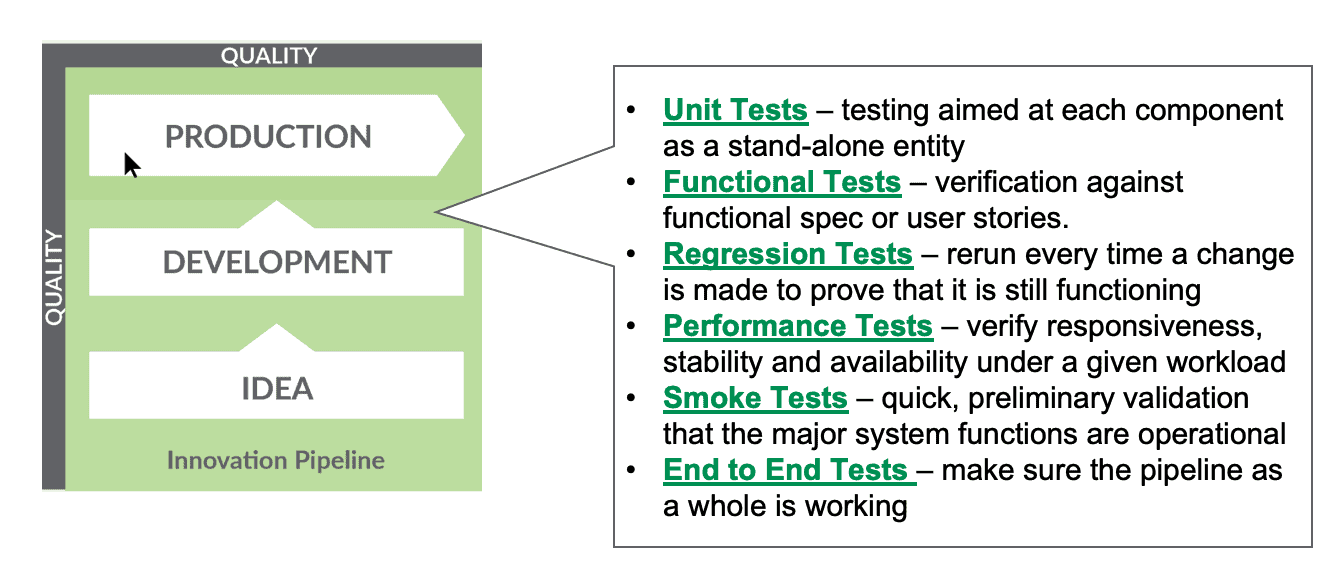
Figure 3: A broad set of tests can validate that the analytics work and fit into the overall system.
Tests Lighten Bureaucracy
When updates create outages, some enterprises react by instituting onerous procedures for releasing changes. For example:
- Add the new development task to the project plan. Wait for approval.
- Request access to a new data set and wait for IT to grant.
- Write a functional specification and submit the proposed change to the Impact Review Board (IRB). Wait for approval.
- Implementation and unit testing
- Manual system QA based off a checklist
- Addition of the new feature to the production deployment calendar
- Hold your breath and deploy
The above procedure could take months to complete. One of the bottlenecks is impact review. The Impact Review Board (IRB) is a meeting of the company’s senior data experts. They review all changes to data operations. How does a change in one area affect other areas? Naturally, the company’s most senior technical contributors are extremely busy and subject to high-priority interruptions. Sometimes it takes weeks to gather them in one room. It can take additional weeks or months for them to approve a change. Note that the purpose of an IRB is to slow down and control change. It diminishes the ability of individuals to work in parallel.
Let’s contrast the above heavy-weight process with a lightweight DataOps development and deployment process:
- Data scientist spins up a sandbox virtual environment with test data and a clone of the data operations pipeline
- Implementation and testing
- Run impact review tests
- Push to automated deployment
Implementation time (step 2) certainly varies, but the rest of this process could take only hours or days. The collective knowledge of the impact review board is represented by the impact review test suite which is run by any data analyst at any time. It’s like having a personal, on-demand IRB. With automated testing and deployment, a new employee who is becoming familiar with the enterprise’s data architecture can deploy new analytics just as easily as a seasoned veteran. The least experienced member of the team deploys like the most experienced member.
DataOps shortens the cycle time of a single development and deployment, but it has also removed several bottlenecks that diminished overall team productivity. Development of analytics is now parallelized as data scientists code, test, and deploy independently.
Testing Breadth
Some data professionals perform unit tests and stop there. If they are adding 200 new lines of SQL, they test those 200 lines separate from the system. However, experience shows that a full breadth of tests are needed. For example, performance tests should verify that the analytics meet performance targets under actual system loading. End-to-end tests validate that a change to the system doesn’t create unwanted side effects and confirm that new or updated analytics fit into the production analytics pipeline. Confidently deploying to production encourages autonomy and ultimately improves velocity by lessening bureaucracy and the need for manual review.
Test Metrics
Test metrics can help determine whether test coverage is adequate. The diagram below shows the number of tests in each node of execution in an analytics pipeline. As a starting point, each node should have multiple tests. The number of tests should reflect the complexity of the system. Tests should cover all nodes and data sets, but should not overwhelm your processing resources.
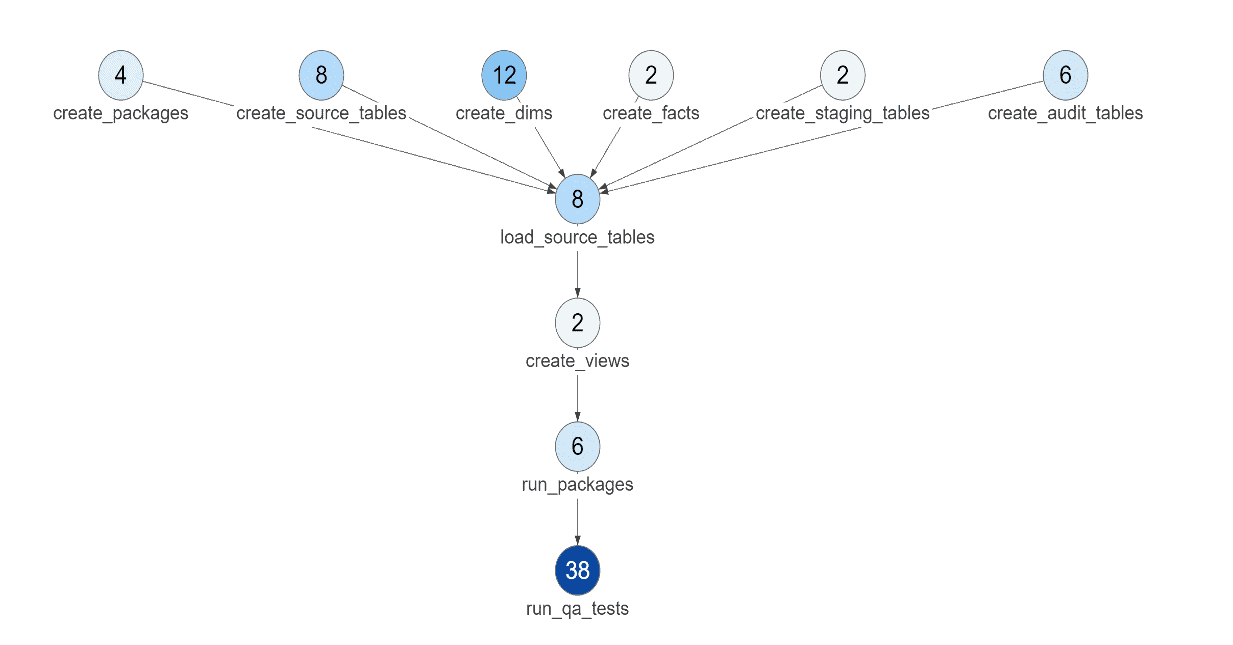
Figure 4: This graph shows how many tests are being run at each Node in the analytics pipeline.
Metrics can also track the overall number of tests and the tests per execution Node in the end-to-end system. In the diagram below, we see that even though the overall number of tests is increasing, the average number of tests per node has drifted downward. This feedback may encourage the team to slightly increase its test production.
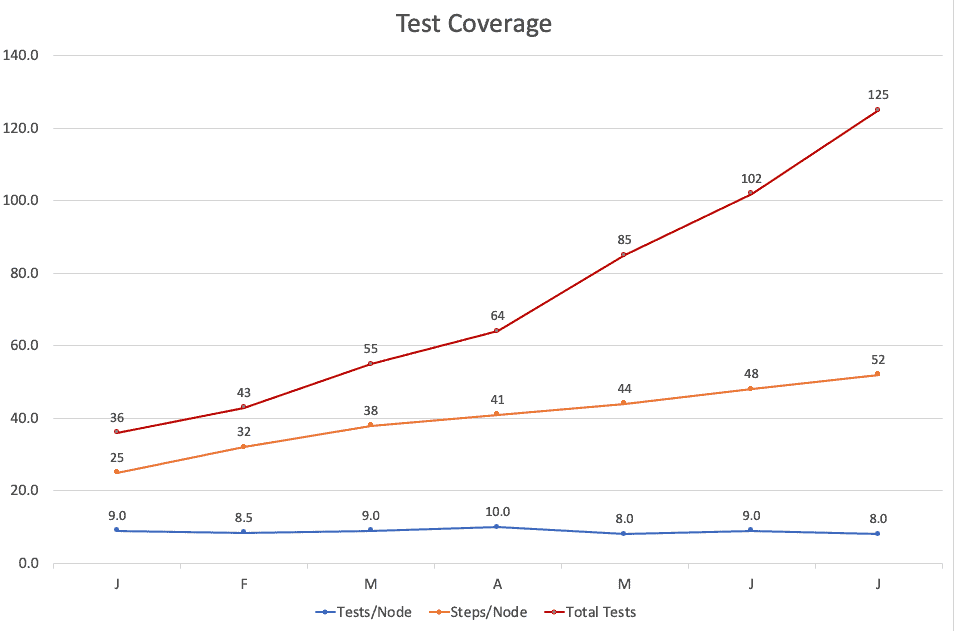
Figure 5: Graphs and metrics help determine whether the analytics are being adequately tested.
Testing Code and Data
Tests in the development workflow focus on verifying code correctness. In development (the Innovation Pipeline) the developer usually works with a fixed data set. Code changes as the data analyst makes changes, but data remains the same. The table below draws the distinction between the Innovation Pipeline (with fixed data and variable code) and the Value Pipeline (data operations) which has fixed code and variable data flowing through analytics transformations. Testing is needed in both the Innovation and Value Pipelines.
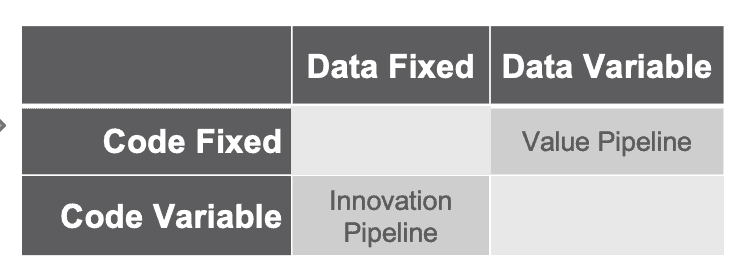
Figure 6: In the Value Pipeline (data operations) code is fixed and data flows continuously. In the Innovation Pipeline (development), test data is kept constant while code changes.
Tests written by the data analyst or data scientist fulfill a dual role. Most of the tests that are written to validate code during the analytics development phase are promoted into production with the analytics to verify and validate the operation of the data pipeline.
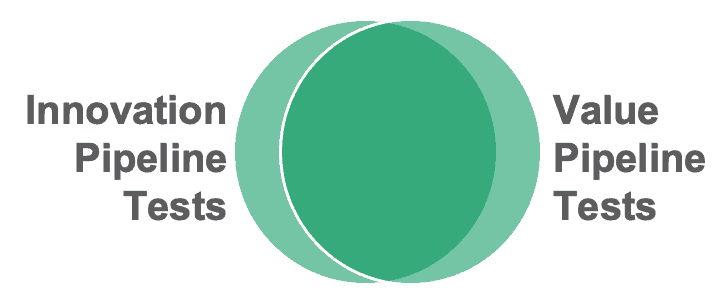
Figure 7: Most tests written for the Innovation Pipeline to verify code can be used in the Value Pipeline to test data.
Testing Enables DataOps
Automated testing is one of the critical elements that enable development teams to push their work into production without having to engage in lengthy manual QA. In production, tests ensure that data flowing through analytics is error free and that changes to data sources or databases do not break analytics. The time spent on testing is multiplied many times in terms of increased productivity. Tests enable automated deployment which saves a lot of manual effort. Tests also monitor the data pipeline which reduces unplanned downtime. Testing is a cornerstone of DataOps which brings these benefits and many others to data teams.
To learn more about the benefits of testing in the Production (aka Value) pipeline, read our blog, Add DataOps Tests for Error-Free Analytics.
FAQ
What are the key points in this blog?
Automated tests in the development and deployment workflow are what let a data team promote new analytics to production without lengthy manual review. Every processing step should carry tests that check inputs, outputs, and business logic. Unit tests alone are not enough: performance and end-to-end tests are needed too. Most tests written to validate code in development are then promoted into production to validate data.
Why should analytics be tested before deploying to production?
Because testing is what proves the code is ready to be promoted. Tests catch errors that would otherwise surface publicly in reports and dashboards, undermining trust in the data team. They also cut the unplanned work that derails productivity and make automated deployment possible, so a change that took months of manual approval can ship in hours or days. DataOps takes that discipline from DevOps and adds what is specific to data analytics.
What is an impact review test suite?
An impact review test suite encodes what an Impact Review Board knows into tests any data analyst can run at any time. An Impact Review Board is a standing meeting of a company’s senior data experts who review every change to data operations, and gathering them can take weeks. The test suite is a personal, on-demand version of that review, so the least experienced team member deploys like the most experienced.
Are unit tests enough for a data pipeline?
No. Unit testing 200 new lines of SQL in isolation misses whole categories of failure. Performance tests verify that analytics meet their targets under actual system loading. End-to-end tests confirm that a change does not create unwanted side effects and that new analytics fit into the production pipeline. A breadth of tests at every step is what makes confident deployment possible.
What are some example tests for a data pipeline?
Simple assertions about data you already understand. The number of customers should always be above a threshold value. The number of customers should not be decreasing. The zip code for pharmacies has five digits. Each of these is a SQL query attached to a processing step, checking inputs, outputs, or results against business logic. Promoted into production, the same tests become monitoring for the data operations pipeline.
How do you know whether you have enough tests?
Track tests per node. Each node in an analytics pipeline should have multiple tests, with the count reflecting the complexity of the system, and tests should cover all nodes and data sets without overwhelming processing resources. Watch the average as well as the total: the overall number of tests can keep climbing while the average per node drifts downward, which is the signal to write more.