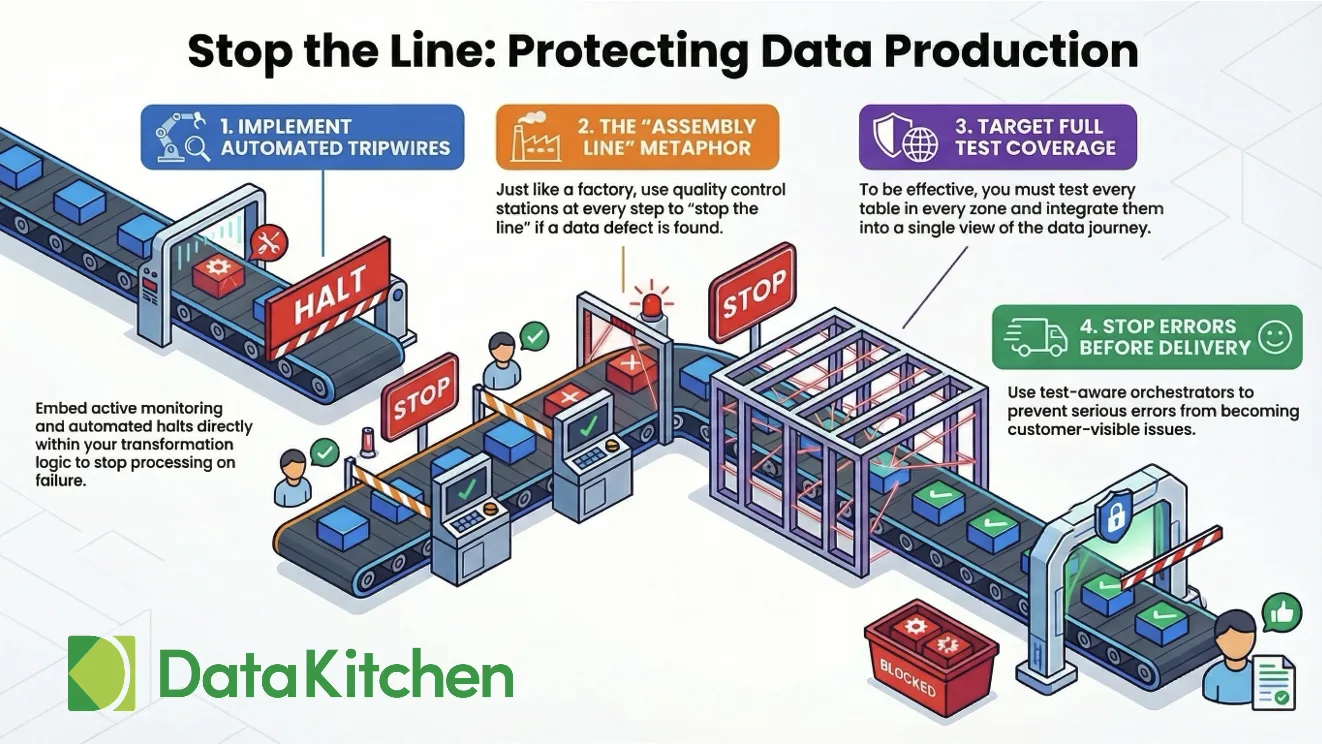
Your job finished green. The number was wrong.
That is the failure mode that keeps data engineers up at night — not the pipeline crash you can see in the logs, but the quiet corruption that passes through every check and lands in a dashboard where a VP is about to make a decision. The job finished. The scheduler marked it complete. And somewhere downstream, a model trained on a column that silently lost 30 percent of its values, or a customer report went out with records that should have been filtered.
This is the problem: pipeline success and data correctness are not the same thing. A SQL transform can run without errors and produce a table full of garbage.
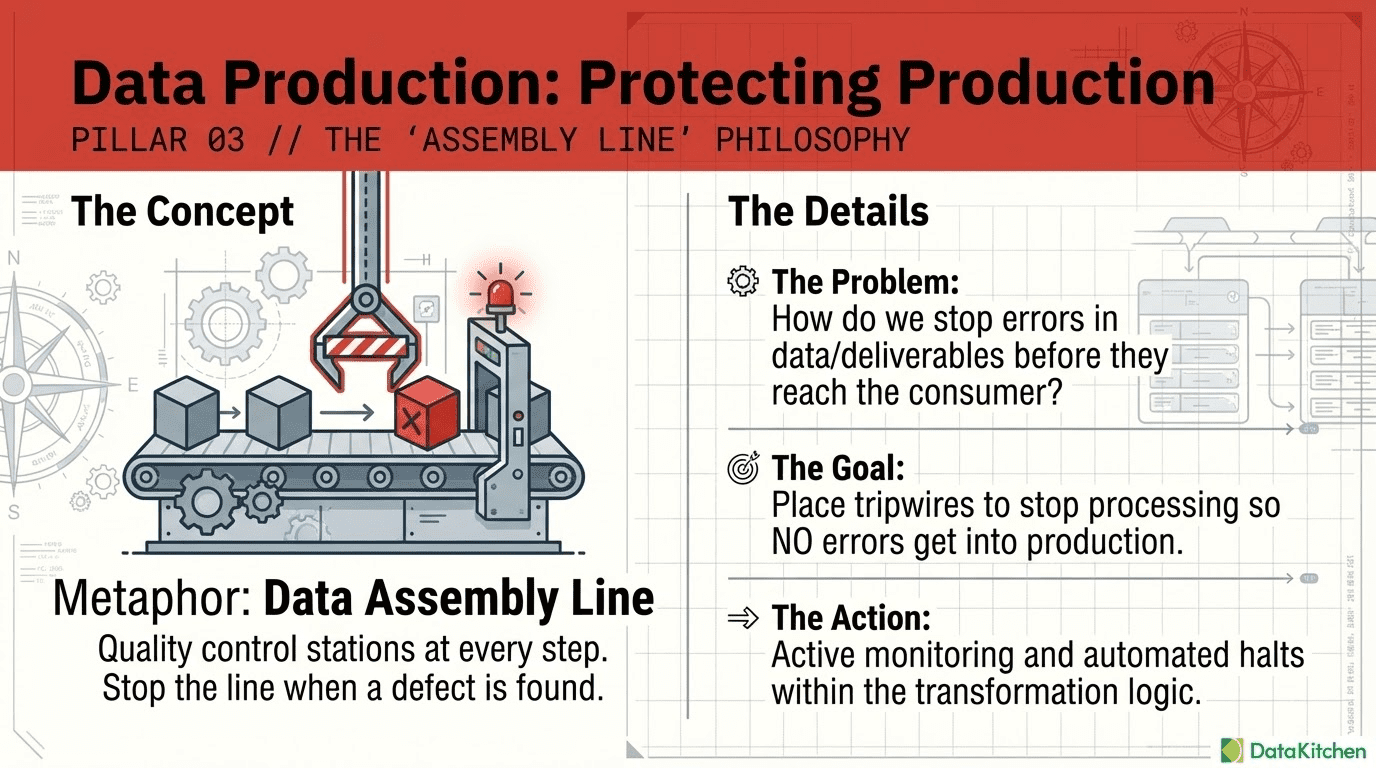
The medallion architecture helps, in theory. Bronze, silver, and gold layers create natural checkpoints where transformation logic runs and data takes a new form. But checkpoints are only useful if someone is actually standing at them. In most pipelines, those checkpoints are unmanned. Data flows through regardless. A transformation succeeds, a new table is written, and downstream consumers see whatever came out the other side.
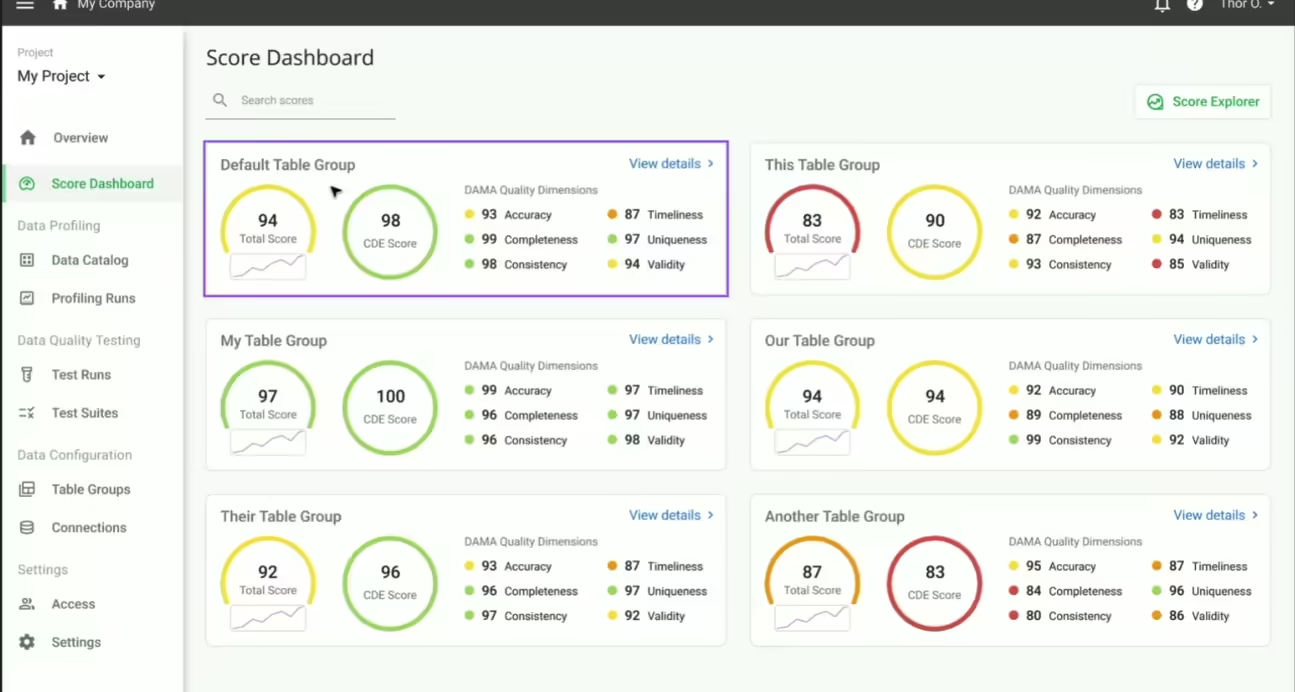
What we wanted was a way to make the pipeline aware of data correctness at each layer transition — not just structural correctness. Something that would stop the flow if the data failed quality checks, leave the downstream tables untouched, give us a clear signal about what failed and why, and do all of this inside the normal Databricks workflow machinery so that operators did not have to learn a new system.
We call these tripwires. Here is how they work and how to add them to an existing pipeline.
What a Tripwire Does
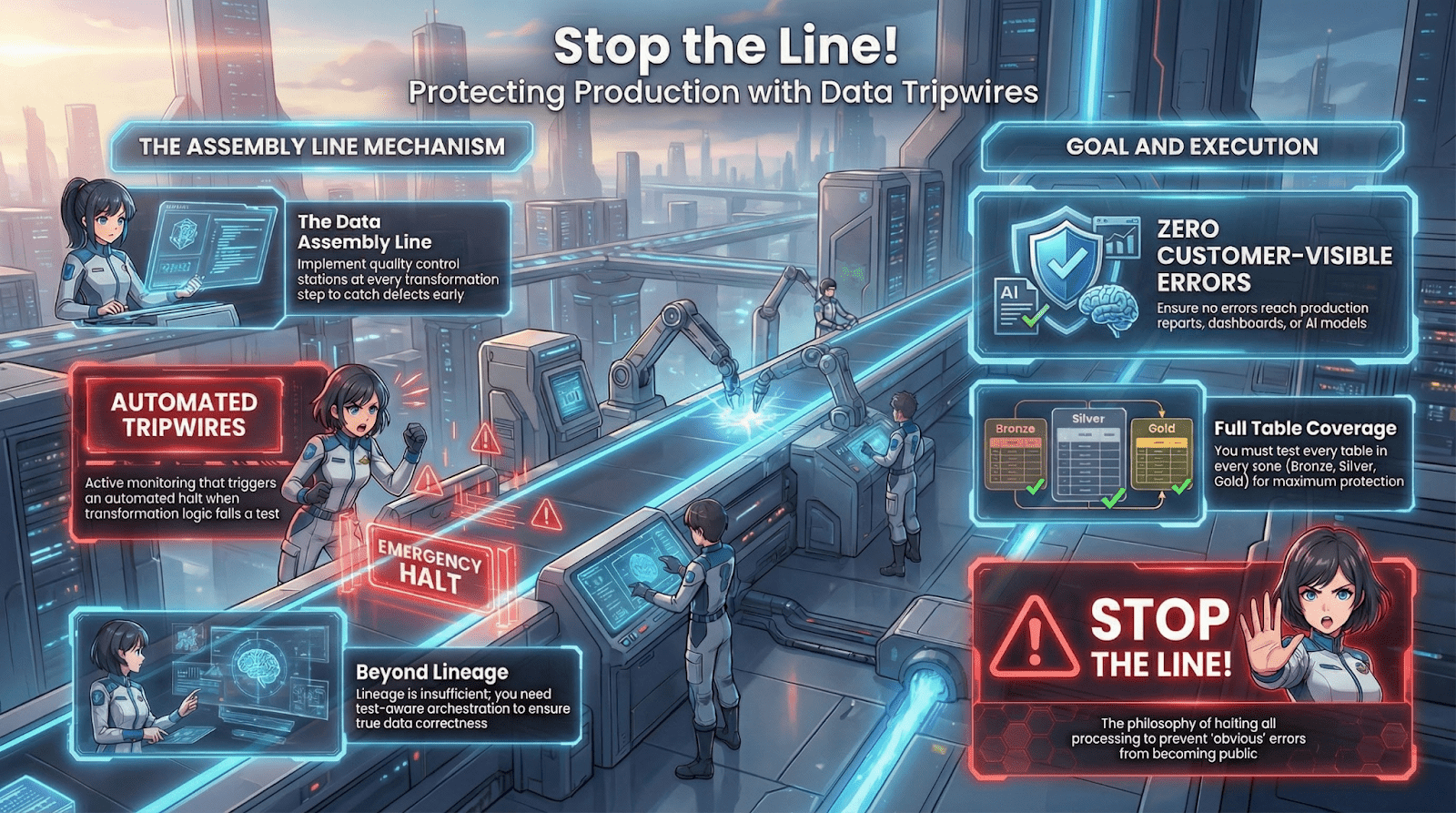
A tripwire is a task in the Databricks job DAG that sits between two transformation steps. After bronze-to-silver runs, a tripwire runs. After silver-to-gold runs, another tripwire runs. Each tripwire hands control to TestGen, waits for the results, and either passes execution to the next step or fails the job with a clear error message.
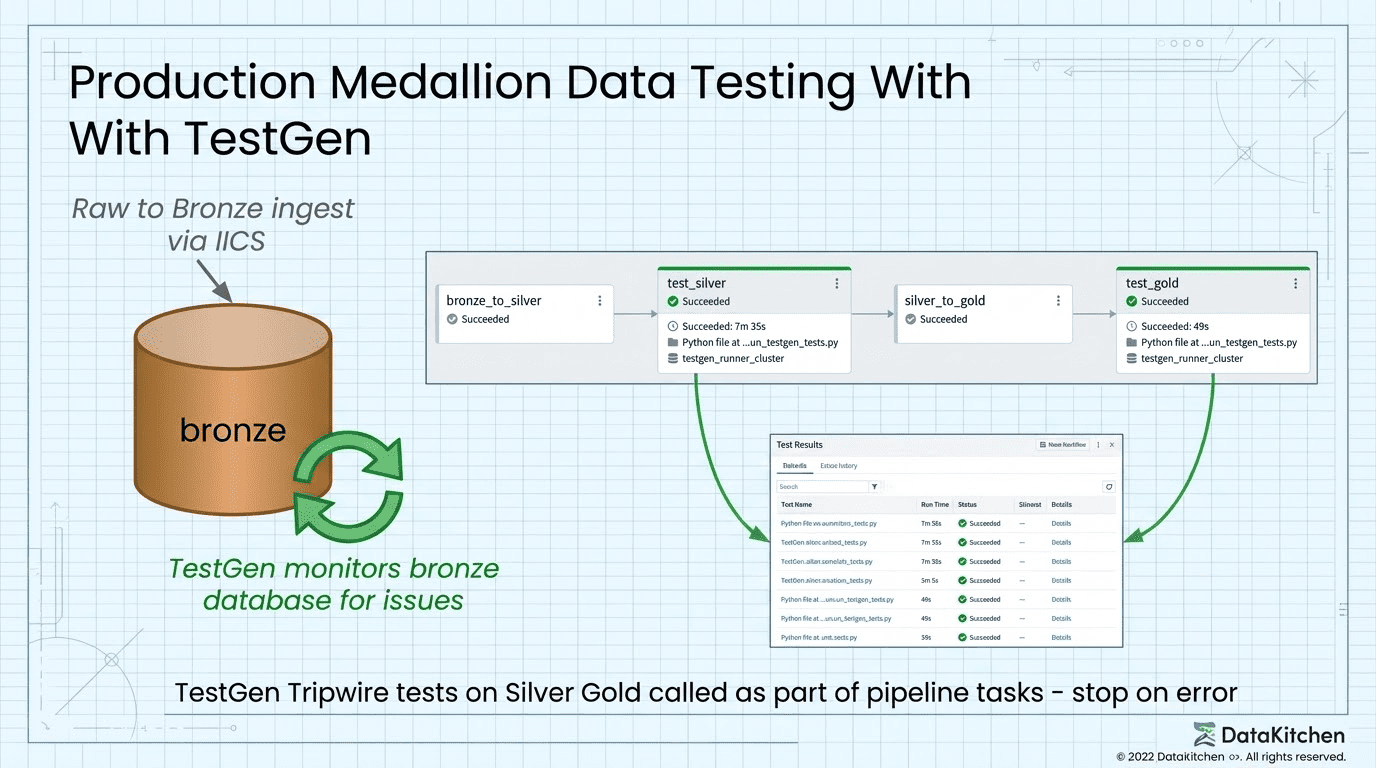
The key behavior is the failure mode. If a tripwire task exits with a non-zero code, Databricks treats it the same as any other failed task: downstream tasks do not run. The gold layer does not get written. The bad silver data sits in place while the good gold data from the last successful run stays untouched. Your production tables are protected by the same dependency graph that already governs your pipeline.
The tripwire is not a side process that logs somewhere and hopes someone looks. It is a first-class gate in the workflow.
Adding a Tripwire to an Existing Pipeline
If you already have a Databricks pipeline you cannot rewrite from scratch, adding tripwires is a targeted change, not a redesign.
The core addition is a new task between your existing transformation steps. It needs depends_on pointing at the upstream transform, and downstream tasks need depends_on pointing at it. That is the entire structural change to your job definition. The tripwire script handles everything else.
You will also want to add run_tests as a job-level parameter rather than a bundle variable. The distinction matters: bundle variables are resolved at deploy time and baked into the job definition. A job parameter can be overridden at run time without redeploying. When you need to skip TestGen for a backfill or a debugging run, you pass --params run_tests=false to the job run command and the transforms execute normally while the tripwire tasks exit cleanly. No YAML edits, no redeployment. This is particularly useful in an existing pipeline where your team needs an escape hatch while they tune the test suites.
Deploying a New Pipeline with Databricks Asset Bundles
For new pipelines, we define and deploy everything, including the tripwire tasks, using Databricks Asset Bundles (DAB). A bundle is a YAML-first way to define Databricks jobs, clusters, and workspace resources as code, version them in Git, and deploy them to multiple environments without manual configuration.
The top-level databricks.yml declares the bundle, points at the job definitions, and defines variables that change between environments:
bundle:
name: testgen-demo
variables:
env:
description: "Environment name — selects the SQL subdirectory (dev|prod)"
default: "prod"
run_tests:
description: "Set to 'false' to skip TestGen test tasks (transforms still run)"
default: "true"
targets:
dev:
mode: development
default: true
variables:
env: "dev"
bronze_schema: "dev_phase0_bronze"
silver_schema: "dev_phase0_silver"
gold_schema: "dev_phase0_gold"
prod:
mode: production
variables:
env: "prod"
run_as:
user_name: name@datakitchen.io
When you deploy to dev, DAB automatically prefixes job names with your username, deploys files to a user-scoped workspace path, and resolves ${var.env} to "dev" throughout. Two engineers can have their own dev pipelines running simultaneously without collision. Deploying to prod uses the shared stable path and runs as a service account:
databricks bundle deploy --target dev
databricks bundle deploy --target prod # CI only
The job definition lives in resources/jobs/phase0_pipeline.yml. The four tasks form a linear DAG: bronze_to_silver, then test_silver, then silver_to_gold, then test_gold. The tripwire tasks reference the same Python script with a --layer argument to select which test suite to run:
tasks:
- task_key: bronze_to_silver
sql_task:
warehouse_id: ${var.warehouse_id}
file:
path: ${workspace.file_path}/phase0/sql/${var.env}/bronze_to_silver.sql
- task_key: test_silver
depends_on:
- task_key: bronze_to_silver
job_cluster_key: testgen_runner_cluster
spark_python_task:
python_file: ${workspace.file_path}/phase0/run_testgen_tests.py
parameters:
- "--layer"
- silver
- "--env"
- ${var.env}
- "--run-tests"
- "{{job.parameters.run_tests}}"
- task_key: silver_to_gold
depends_on:
- task_key: test_silver
sql_task:
warehouse_id: ${var.warehouse_id}
file:
path: ${workspace.file_path}/phase0/sql/${var.env}/silver_to_gold.sql
- task_key: test_gold
depends_on:
- task_key: silver_to_gold
spark_python_task:
python_file: ${workspace.file_path}/phase0/run_testgen_tests.py
parameters:
- "--layer"
- gold
- "--env"
- ${var.env}
- "--run-tests"
- "{{job.parameters.run_tests}}"The Current Integration: SSH and the Docker Shell
TestGen runs on a dedicated VM, containerized with Docker. The current integration reaches into that container from a Databricks job cluster using SSH. This approach works, but we want to be direct about what it costs: SSH key rotation, port whitelisting, a tolerance for shelling into containers from remote compute, and in regulated environments, a likely conversation with your security team before it clears review. If that is a hard stop for your organization, skip ahead to the HTTP section — that path is coming and removes all of it.
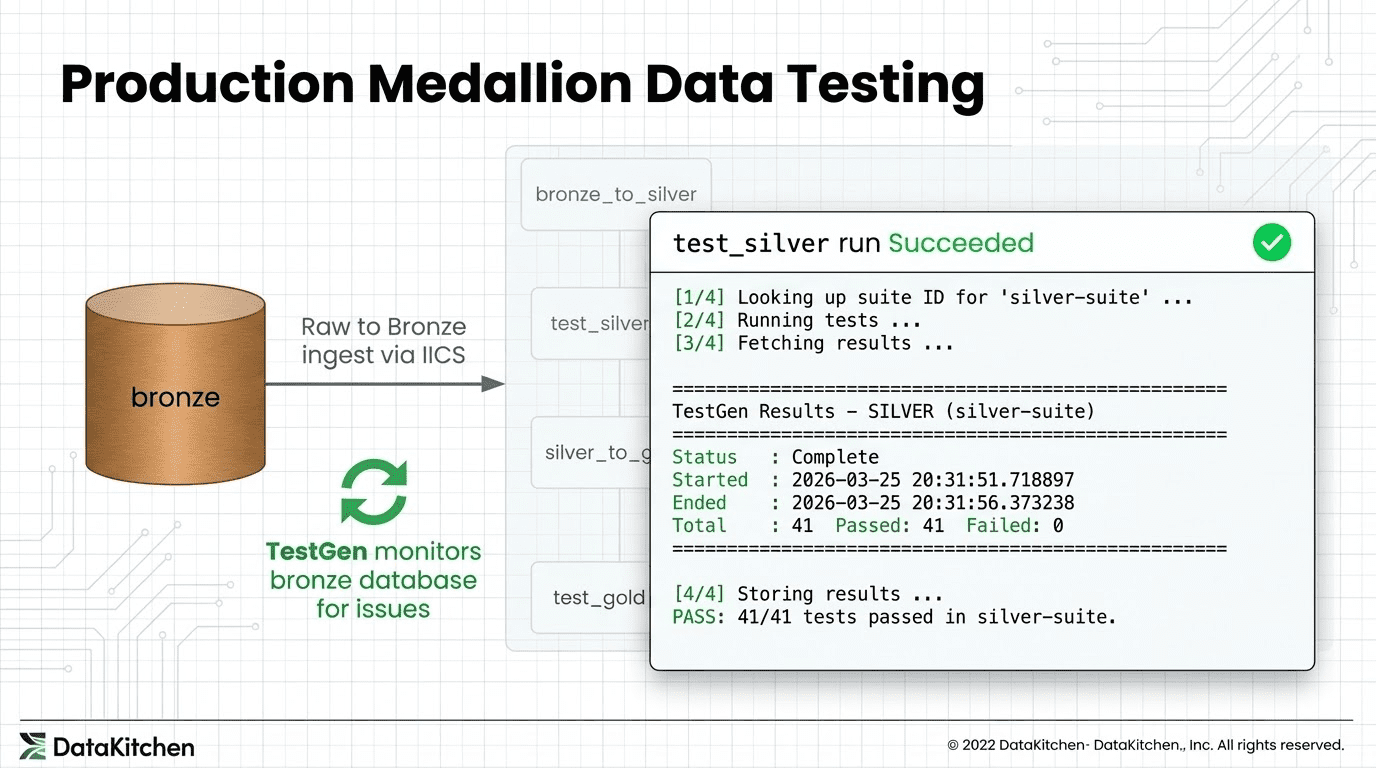
Here is how the current integration works. When the tripwire task fires, it runs a Python script on the cluster. That script opens an SSH connection to the TestGen VM, then uses docker compose exec to run commands inside the TestGen engine container. The SSH key lives in a Databricks secret scope, base64-encoded to survive the round-trip through the secrets API without newline corruption:
key_b64 = dbutils.secrets.get("testgen", "ssh-private-key")
key_content = base64.b64decode(key_b64).decode("utf-8")
tf = tempfile.NamedTemporaryFile(mode="w", suffix=".pem", delete=False)
tf.write(key_content)
os.chmod(tf.name, 0o600)That key file exists only for the duration of the task run on the cluster. The VM hostname is a stable DNS name rather than a public IP, so it survives VM stop and start cycles without configuration changes.
With the key in place, the script can tunnel commands into the container. A small helper sends arbitrary Python to python3 - inside the engine — note that this executes inside the TestGen container, not on the Databricks cluster:
def docker_python(cfg, script):
proc = subprocess.Popen(
ssh_base(cfg) + ["docker compose exec -T engine python3 -"],
stdin=subprocess.PIPE, stdout=subprocess.PIPE, stderr=subprocess.PIPE,
text=True,
)
stdout, stderr = proc.communicate(input=script)
return stdout + stderrThe script first looks up the test suite UUID by querying TestGen’s internal database through that helper — this query runs inside the container:
lookup_script = """
from testgen.common.models import Session
from sqlalchemy import text
with Session() as s:
row = s.execute(text(
"SELECT id FROM test_suites WHERE test_suite = :k AND project_code = 'DEFAULT'"
), {'k': 'silver-suite'}).fetchone()
print(str(row[0]) if row else 'NONE')
"""
suite_id = docker_python(cfg, lookup_script)Once the suite ID is known, the TestGen CLI triggers the test run — again, this command executes inside the container via SSH:
subprocess.run(
ssh_base(cfg) + [f"docker compose exec -T engine testgen run-tests -t {suite_id}"],
capture_output=True, text=True,
)
Results come back the same way, queried from TestGen's test_results table over the SSH channel and deserialized as JSON on the cluster side. Once results are local to the cluster, the script writes them to a Delta table in Unity Catalog, stamps each tested table and column with tags showing pass and fail counts, and then checks whether anything failed:
failed = int(summary.get("failed_ct", 0) or 0)
if failed > 0:
sys.exit(f"FAIL: {failed} test(s) failed in {suite_key}.")
That sys.exit with a non-zero code is the entire enforcement mechanism. Databricks sees a failed task and halts the job. silver_to_gold never runs. Your gold tables are protected.What You Get When a Tripwire Fires
When a tripwire fails, here is the exact sequence of what happens and what you do next.
The Databricks job run shows a failed task. The task log names exactly how many tests failed and in which suite. You open the Delta table that the tripwire wrote to and query it — every test result is there, with the tested table, column, test type, and whether it passed or failed. If you go to Catalog Explorer, the silver or gold table has tags showing the failure status directly on the asset. The table comment contains a deep link to the specific TestGen run, so there is no hunting for which run produced the results you are looking at.
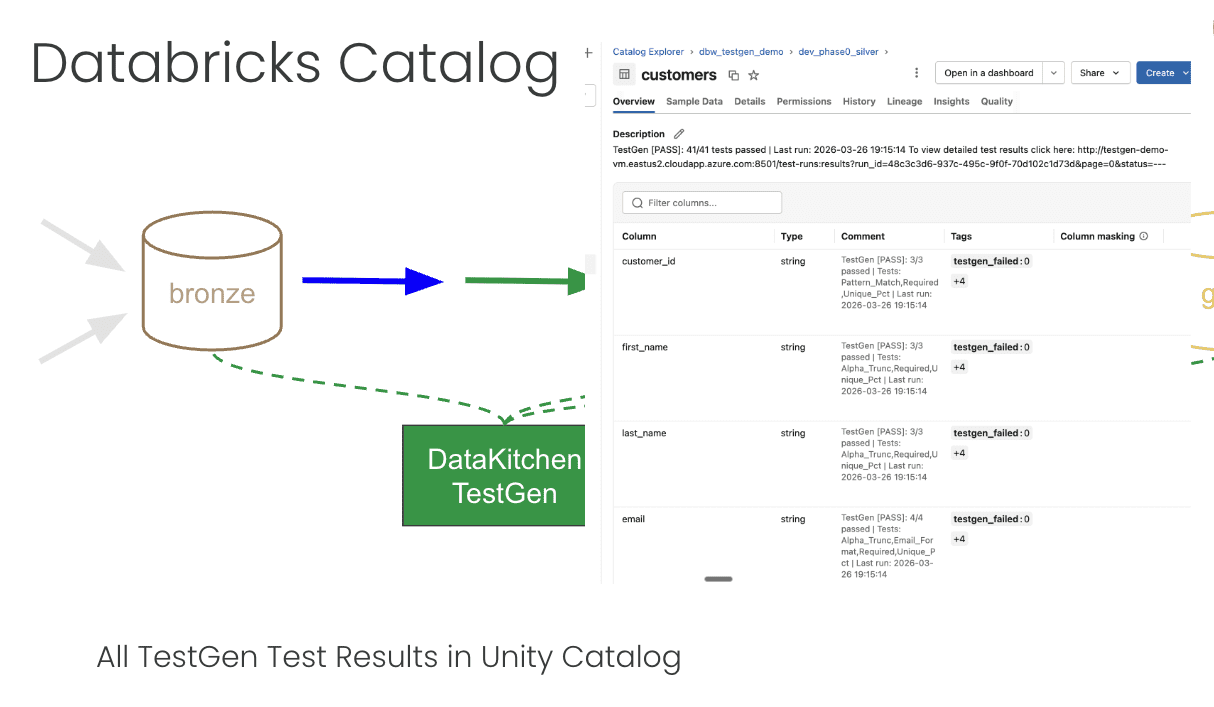
The data in the layer that failed is still there. The layer downstream of it was never written. The good data from the last successful run is still in your production tables. You investigate the failure, patch the upstream data or fix the transform logic, and re-run from the failing step. When the re-run passes the tripwire, the pipeline continues and your production tables get written with data that actually passed the checks.
This is the value of the tripwire pattern: it compresses the feedback loop. Instead of discovering a data quality problem when a stakeholder files a ticket, you discover it inside the same workflow run that produced the problem, before it crosses into the next layer. The 2am Slack message does not happen because the bad data never got to the dashboard.
What Is Coming: HTTP
The SSH-into-Docker approach is what we have now. TestGen is shipping an HTTP API, and when it does, the integration becomes a straightforward REST call: trigger a test run, poll for completion, fetch the results as JSON. No SSH, no Docker exec, no temporary key files, no security review conversation. Any compute environment that can make an outbound HTTP request will integrate with TestGen the same way we do it today.
The tripwire concept stays exactly the same. You still put a task between your transformation steps, you still fail the job if tests fail, you still write results back to Delta and tag your tables. The transport changes. The gate stays.
Why This Pattern Works
The reason the tripwire pattern works is that it respects what Databricks is already good at: expressing dependencies between tasks and propagating failures through a DAG. We did not build a separate orchestration layer or a monitoring sidecar. We used the existing job dependency graph as the enforcement mechanism.
The tests themselves are defined and managed in TestGen, not in the pipeline code. That separation matters. The data engineer who sets up the pipeline does not need to author individual test cases. TestGen profiles the data, generates a test suite based on what it observes, and those tests run at each gate. Updating the tests does not require touching the pipeline definition.
The combination of a standard orchestration mechanism for enforcement and a separate tool for test management is what makes the tripwire practical to operate at scale, not just interesting to build.
Want to learn more? Watch the webinar: https://info.datakitchen.io/webinar-2026-03-video-form-the-four-points-in-your-medallion-architecture-where-data-testing-really-matters