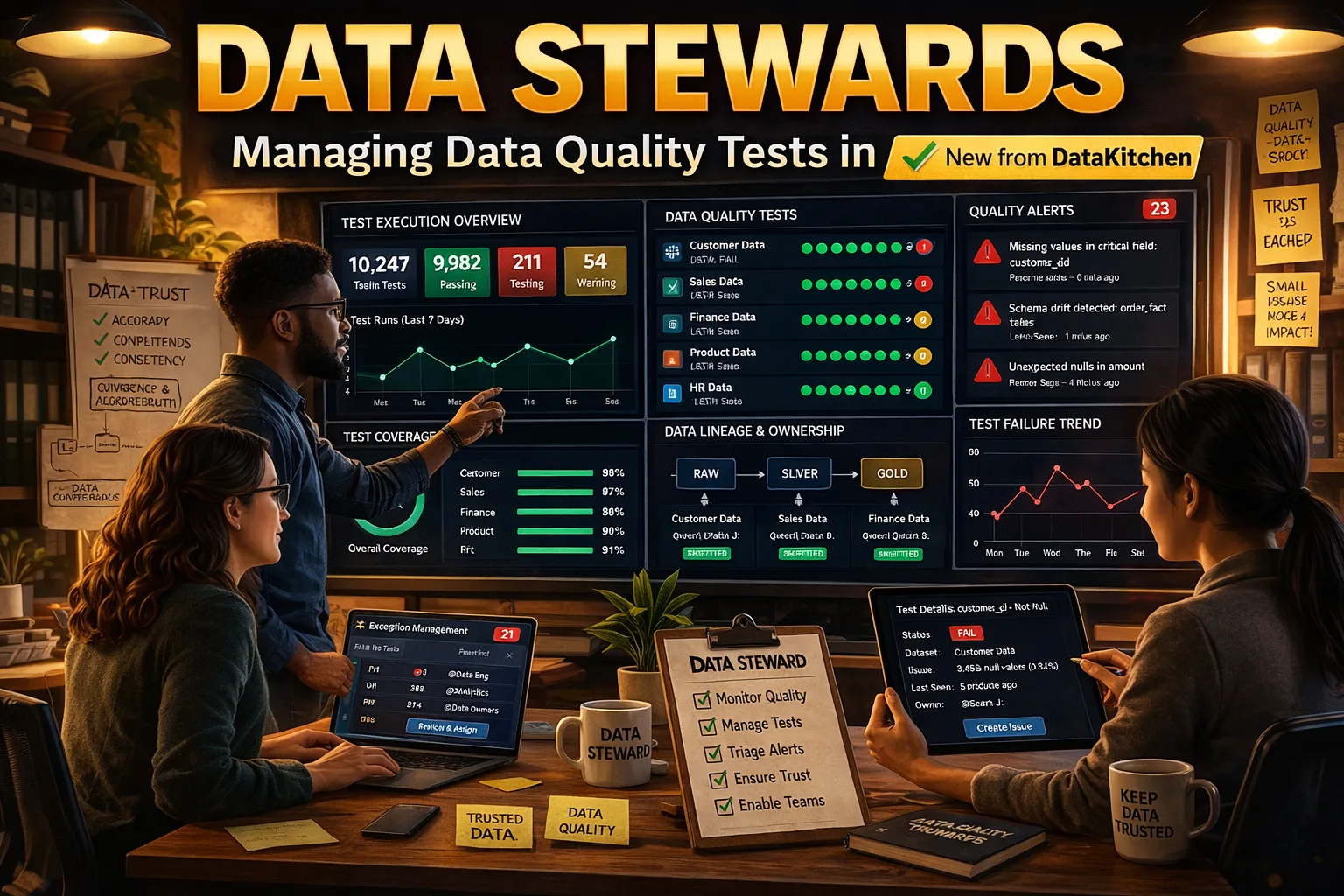
Data stewards bear a difficult responsibility. They are the people in the organization who are supposed to define, document, and enforce data quality standards, yet in most organizations, they lack the tools to do so. They can’t easily scope who sees what. They can’t signal that certain columns are critical, sensitive, or excluded from testing. They can’t annotate tests with institutional knowledge, share that knowledge across teams, or bulk-load the metadata that defines what matters. They end up doing it in spreadsheets, email threads, and tribal memory.
DataKitchen’s March 2026 release of TestGen (version 5.9.4, available in both open-source and Enterprise editions) adds a set of capabilities that directly address this. Here is what’s new and why it matters.
The Data Steward Role
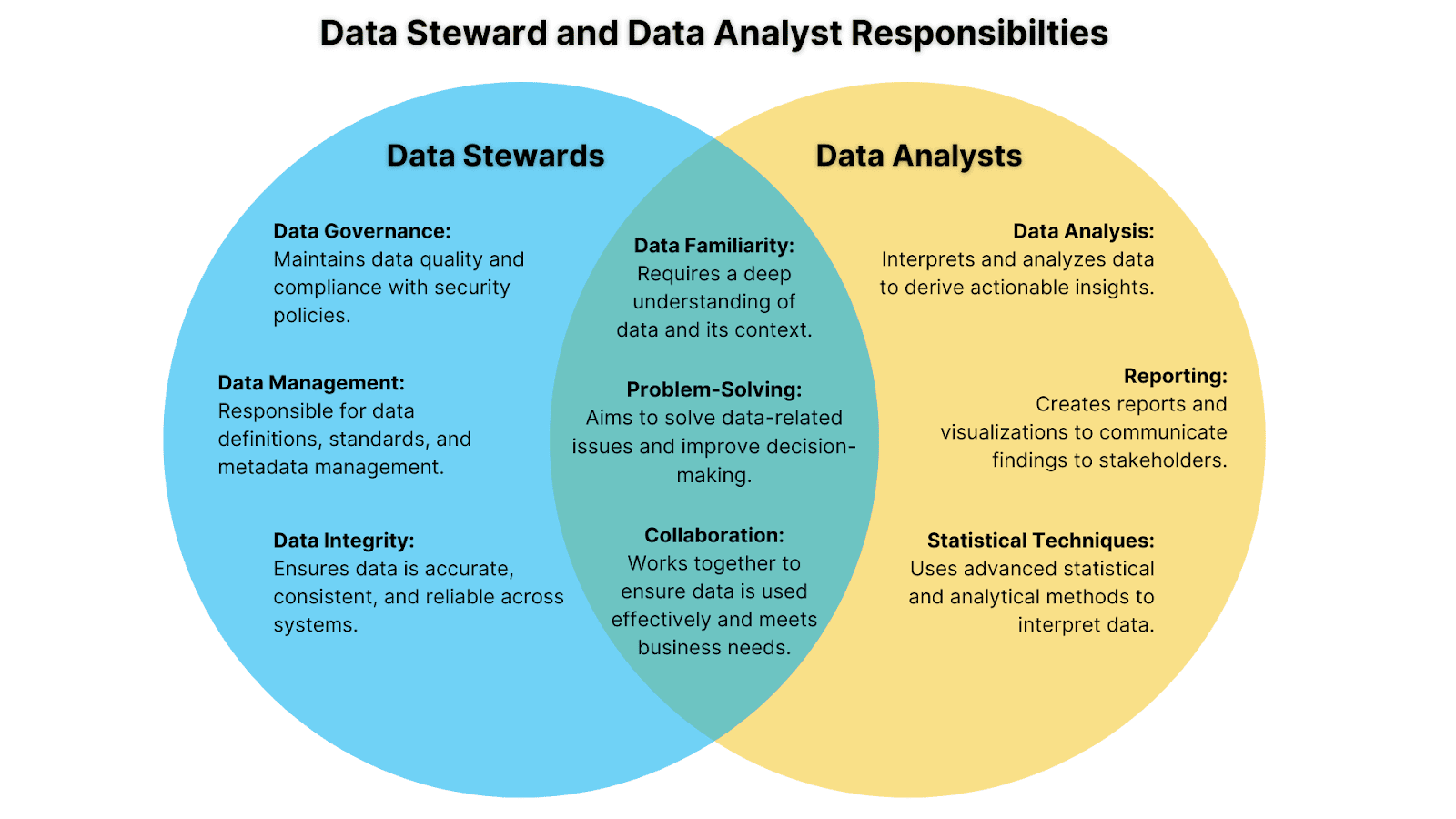
The foundation of this release is a named, purpose-built role in TestGen: the Data Steward. This role reflects how data quality governance actually works in practice. A data steward needs to own the metadata that defines what data means and whether it is trustworthy, but they should not have unrestricted access to everything in the system.
The Data Steward role gives users exactly the right scope: access to the Data Catalog, the ability to update metadata, and the ability to change parameters on data quality tests. What the role deliberately excludes is equally important. Data Stewards cannot view PII data or change test scheduling. Scheduling is an operational concern that belongs to the engineering team. Sensitive data values are masked for Data Stewards regardless of which columns or tests they are working with.
This is the definition of a practical governance workflow. Data stewards can do their job, classifying data, documenting it, and tuning tests, without access to the operational infrastructure or exposure to sensitive data they should not see. Organizations can formally designate data stewards in TestGen and give them meaningful authority without creating compliance risk.
Project-Scoped Roles and System Administration
The Data Steward role operates within a new project-scoped permissions model. User roles are now assigned per project. A user can have different roles in different projects and only sees the projects they belong to, giving organizations precise control over who can do what across each data domain.
A new system administrator designation controls access to the Administration console, where system administrators manage all projects and users across the TestGen Enterprise instance. Users with the Admin role on a project can manage that project’s membership.
This is the organizational structure that enables enterprise-scale data stewardship. A data steward responsible for commercial data in one division can own that project fully, managing metadata, tuning tests, and classifying columns, without any visibility into the work of a data steward in another division. System administrators retain full oversight, but day-to-day governance rests with the data owners.
Three Column Classification Types: CDE, PII, and XDE
A core part of the data steward’s job is telling the organization which columns matter and how. TestGen now supports three distinct column classification types in the Data Catalog, each with specific behavior in the system.
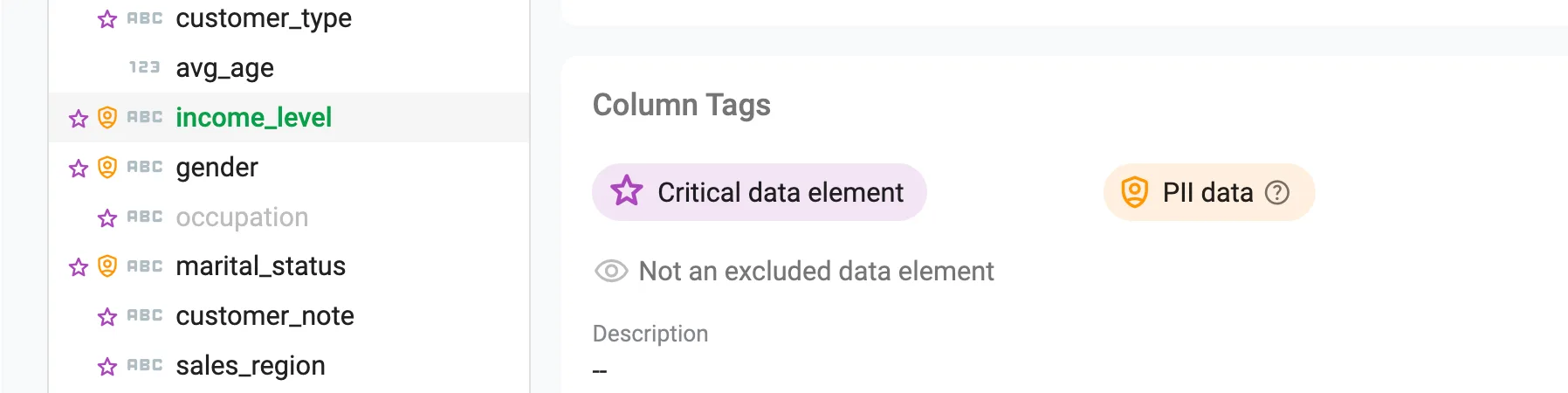
Critical Data Elements (CDEs) are the columns that matter most to the organization: the fields whose accuracy and completeness directly affect business decisions, regulatory compliance, or downstream analytics. Flagging a column as a CDE signals its importance and focuses quality attention accordingly. Data stewards can identify CDEs and document why those columns are critical, creating a shared understanding of data priorities that is visible across the team.
Personally Identifiable Information (PII) flags columns that contain sensitive data. TestGen can auto-detect PII during profiling, flagging columns that match patterns for SSNs, credit card numbers, email addresses, phone numbers, and other sensitive data types. Columns can also be manually flagged as PII from the Data Catalog or via CSV import. Once flagged, PII column values are masked across the application for users without PII access, including Data Stewards. Quality work on those columns continues; the actual values are not exposed to users who should not see them.
Excluded Data Elements (XDEs) are columns that should be excluded from profiling analysis and automated test generation. Reference columns, internal keys, deprecated fields, and columns populated downstream in an ETL process are common sources of false positives that erode trust in data quality scoring. Unlike PII detection, which TestGen runs automatically during profiling, XDE flags are set manually by the data steward. That is by design: deciding which columns to exclude from quality coverage is a governance judgment call, not something a pattern matcher can make. The XDE flag gives data stewards a documented mechanism for deliberately scoping coverage, and the exclusion is recorded in the catalog so it is visible and auditable.
Together, CDE, PII, and XDE give data stewards a working vocabulary for describing the data estate in terms that directly govern how TestGen profiles and tests the data. These flags are not just documentation; they are configuration.
CSV Import of Metadata in the Data Catalog
One persistent obstacle to rolling out data quality at scale is the volume of metadata that must be populated before automated testing becomes useful. Descriptions, tags, PII flags, XDE flags, and CDE flags need to be defined for hundreds or thousands of columns, and doing it one row at a time in a UI is not practical for a large organization.
TestGen now supports importing and exporting metadata in CSV format via the Data Catalog, enabling bulk updates to descriptions, tags, and classification flags across tables and columns.
A data steward who has built out the metadata model for one domain can export it as a CSV, adapt it for another domain, and import it, seeding a new project with institutional knowledge in minutes rather than weeks. It also enables integration with external data catalogs and governance tools where metadata may already exist. When an organization needs to propagate a consistent classification scheme across multiple projects or business units, CSV import and export make that feasible at scale.
Test Notes and Flagging
When a test fails repeatedly, when a threshold needs adjustment, or when an engineer finds that a column’s behavior is expected during a specific load window, that context needs to be captured somewhere. Without a structured place to put it, it ends up in Slack, Jira, or nowhere.
TestGen now supports timestamped notes on tests, visible from both the Test Definitions and Test Results pages, to document issues, decisions, and investigation context. Tests can also be flagged for review, making it straightforward to filter and track tests that need attention.
A data steward can flag a set of tests that require business owner review, add context explaining the issue, and track resolution within the platform rather than across an external ticketing system.
Putting It Together
The Data Steward role gives stewards formally scoped authority: meaningful access to metadata and test parameters, with PII masked and scheduling off limits. The project-scoped permissions model lets organizations deploy multiple stewards across multiple domains without mixing governance boundaries. The three-tier column classification system (CDE, PII, XDE) gives stewards a structured way to define what the data estate contains and how TestGen should treat it. The CSV import capability lets them propagate that classification work at scale across projects and business units. And test notes and flagging give them the tools to investigate and resolve quality issues collaboratively, without leaving the platform.
TestGen is becoming a platform for the people who are actually responsible for data quality in large organizations, not just a tool for engineers who run tests.
Updated Documentation Portal
This release also ships with an upgraded documentation portal built on new underlying technology. The upgrade makes it straightforward to feed TestGen documentation directly into AI tools like Claude and ChatGPT, so teams can get answers on configuration, test types, and profiling behavior without manually hunting through pages.
Alongside the technology upgrade, the portal includes expanded content covering test types in greater depth and new pages that go further into hygiene issue descriptions and what they mean in practice. For teams new to TestGen or expanding their coverage into unfamiliar data domains, this documentation is a valuable resource.
TestGen 5.9.4 is available now in both open-source and Enterprise editions. Full release notes are at docs.datakitchen.io.
Download Open Source TestGen Today: info.datakitchen.io/testgen