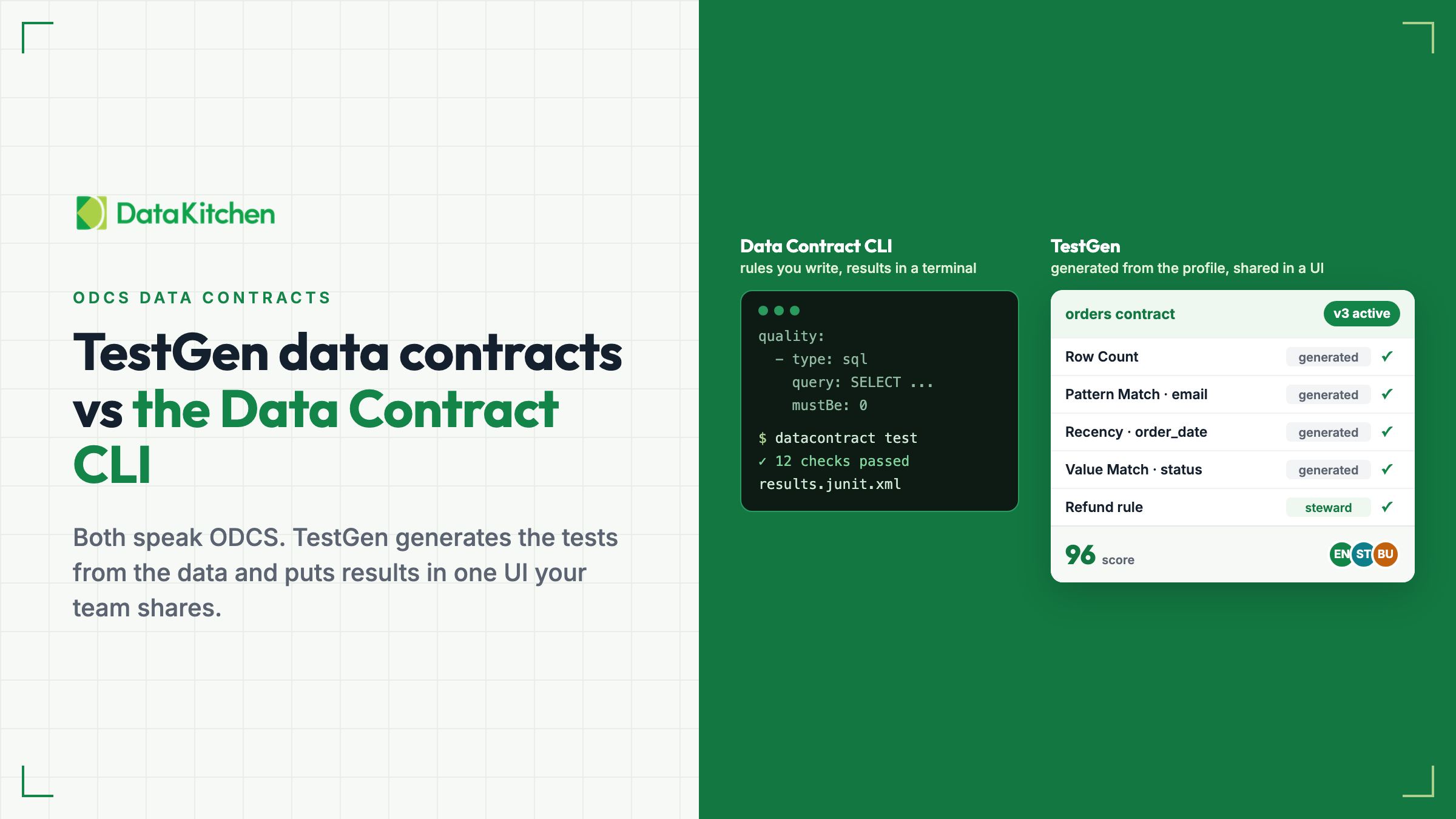
 Figure 1: The Data Contract CLI runs the rules you write. TestGen generates tests from the data and puts results in one shared UI.
Two open source tools that speak ODCS
The Data Contract CLI is an open source Python command-line tool that lints data contracts, tests real data against them, and imports or exports them. Its docs are at cli.datacontract.com and its code is in the datacontract-cli repo. Both it and TestGen use ODCS, the Open Data Contract Standard, so a contract can move between them as a file.
TestGen’s side is on the data contracts page. For background, see what a data contract is and how you enforce one.
Advantage one: tests generated from profiling and metadata
With the CLI, you write the quality rules yourself, as library metrics with thresholds or as SQL queries with thresholds. Its database imports read schema only, and its only profiling is import csv.
TestGen reverses the order. Profiling runs first. Then you pick the profiled tables, and it generates the tests and an ODCS contract document from the profiling results and the catalog metadata. It profiles 55 column characteristics and generates tests from 34 test types. On DataKitchen’s five-table ebike demo, creating a contract from a profiled table group generated 98 tests. Another 19 test types, a separate set, cover business rules and custom SQL, which you configure. Table monitors for freshness, volume, and schema baseline on each table’s history.
That matters because the terms and conditions of a data contract are data tests.
One caution: generated tests reflect the data as it was profiled. If the profiled data held bad rows, generated tests treat them as normal. Review bounds and allowed values in the TestGen UI before you schedule them.
Advantage two: a UI where the whole team works
Managing data tests is a collaboration, the idea behind Data contracts are communication for data teams who dislike each other. Engineers run pipelines. Data stewards and business users own what the data means, and they don’t edit YAML in git. TestGen has a Data Steward role that can update catalog metadata and test parameters but cannot view PII or change scheduling. Tests carry timestamped notes and review flags. The contract document is readable without SQL. Read DataKitchen enhances its support for data stewards and Data quality testing: a shared resource for modern data teams for more.
In the CLI, datacontract edit is a local editor with a “Run test” button, but there is no shared results UI, history, scores, or notifications without Entropy Data, a separate commercial platform.
Contracts in TestGen live in numbered versions: one draft, one active version, and superseded ones. You freeze the draft to make it active. Only runs of the active version, called verifications, update the contract’s results, the Testing Score, the dashboards, and notifications. A run of the draft is a preview. You can compare any two versions rule by rule or as side-by-side ODCS documents in the UI, and export any version as ODCS.
Advantage three: a rich MCP server and skills
Through TestGen’s MCP server, an AI assistant such as Claude, Cursor, or Copilot, with skills and context about your business, can import an ODCS file as a new contract or into a draft. It reads the contract document whole or by section, table, or column. It edits the draft, runs test generation, and freezes the draft. It compares versions test by test and as documents, lists versions, discards a draft, and exports a version as ODCS.
Setup is in How to use the TestGen MCP server with Claude, Cursor, and Copilot, and the supported tools list names every tool. For the reasoning behind it, read Put your AI at the center of your data quality decisions.
The CLI project offers “Data Contract Skills” for coding agents that add quality rules with thresholds grounded in the data, but its docs list no MCP server.
Advantage four: metadata that drives tests in your domain
TestGen generates tests from profiling results plus catalog metadata: descriptions, tags, critical data elements, and PII and excluded flags. That metadata tells generation what matters, and excluded columns stay out of generation. Stewards can bulk-load it by CSV import, including from an external catalog or semantic model.
DataKitchen’s estimates, from the How to Do Data Contracts recording: profiling generates about 80 percent of a contract’s tests in about 60 seconds. An LLM through the MCP server with business context takes it toward 90 percent. The last 10 percent lives in people’s heads, so business users add it in the UI. For the context side, see Context as infrastructure.
Side by side
Vendor facts checked November 20, 2026.
| Data Contract CLI | DataOps TestGen | |
|---|---|---|
| License | MIT | Apache 2.0 (open source); Enterprise is commercial |
| Where the rules come from | You write them | Generated from the profile and catalog; you configure business rules and custom SQL |
| Profiling | import csv only | 55 column characteristics |
| Results history and scores | None in open source; Entropy Data via --publish | Results per contract, Testing Score, dashboards, notifications |
| Versioning and change detection | changelog and breaking | Numbered versions; compare rule by rule or side by side |
| Service levels | Checks freshness and retention | Documented, not verified |
| Sources | Snowflake, Databricks, BigQuery, Redshift, Postgres, SQL Server, Oracle, Trino, S3, Azure, GCS, Iceberg, local files, local Delta, Kafka (experimental) | 14 databases plus CSV, Parquet, and JSON files |
| AI assistant | “Data Contract Skills” for coding agents; no MCP server in its docs | Round trip through the MCP server: import an ODCS file, edit the draft, generate tests, freeze, compare versions, and export, all from Claude, Cursor, or Copilot |
| Price for a team | Free; Entropy Data Team is EUR 20,000 a year for 10 Studio users | Open source free for one user, one connection, one project; Enterprise $100 per user plus $100 per connection per month |
When the Data Contract CLI is the better fit
Pick the CLI if you want a contract-first, code-in-Git workflow. You write the ODCS file, lint it, block breaking changes in CI with breaking, and export it to more than 25 targets, including SQL DDL, dbt, Avro, and Pydantic. dbt sync generates dbt tests from a contract.
Pick it if you need a source TestGen doesn’t cover, such as Kafka, Iceberg, Delta files, or Trino. It also checks freshness and retention service levels from the contract. TestGen documents service levels but does not verify them.
Pick it if you want MIT-licensed tooling with no seat limit and you are happy to read results in CI.
Or use both. Write and lint the ODCS file in git with the CLI and gate CI with breaking. Import the same file into TestGen for generated tests, results, and steward review, and export changes back as ODCS. TestGen data contracts shipped in version 5.185.1 on November 12, 2026, in open source and Enterprise. Read Data contracts ship in open source TestGen or DataKitchen’s survey of contract tools.
Try the data contract walkthrough, then install open source TestGen.