The meeting you keep having
Something broke between the team that ships the data and the team that uses it. A column changed type. A feed showed up a day late. The null rate on a key field doubled. Now there’s a meeting.
Without a contract, it’s a one-hour meeting about whose fault it is. Nobody can point to what was agreed, because the agreement lived in a Slack thread and two people’s memories.
With a contract, it’s a five-minute meeting. You point at the contract and the test result. The producer fixes the data or the consumer changes the term.
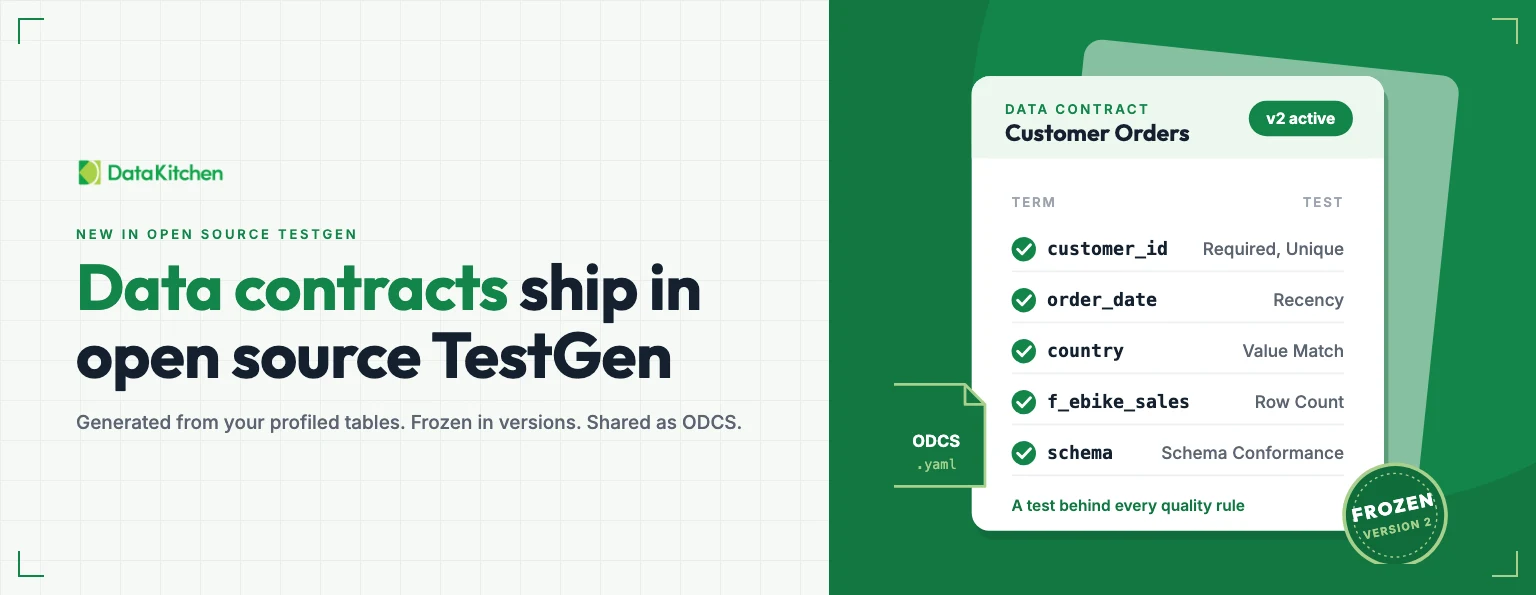
Data contracts shipped in DataOps TestGen this week (version 5.185.1, November 12, 2026), in open source and Enterprise. We’re walking through them live on November 17, 2026. Register for the webinar.
Figure 1: A data contract’s round trip in TestGen 5.185.1. Click through it yourself.
A promise with consequences
A data contract is the receipt for an agreement. The team that produces data and the teams that rely on it write down what a dataset should look like: column types, null rates, row counts, value ranges, freshness. Then each quality rule gets a test that proves the data meets it.
The tests are the teeth. Without them a contract is a Confluence page, or a spreadsheet in someone’s inbox, and it goes stale the week after it’s written. With them, the contract follows a standard (the Open Data Contract Standard, ODCS, maintained by Bitol under the Linux Foundation) and gets enforced every time the tests run.
We’ve written about the 2026 data contracts software landscape and about why the terms and conditions of a data contract are data tests. The short version is in what a data contract is and how you enforce one.
Start from what you already have
Nobody wants to write a contract from a blank page. So you don’t. Pick the tables in a table group you’ve already profiled, and TestGen generates the tests and the contract document from the profiling results and the data catalog.
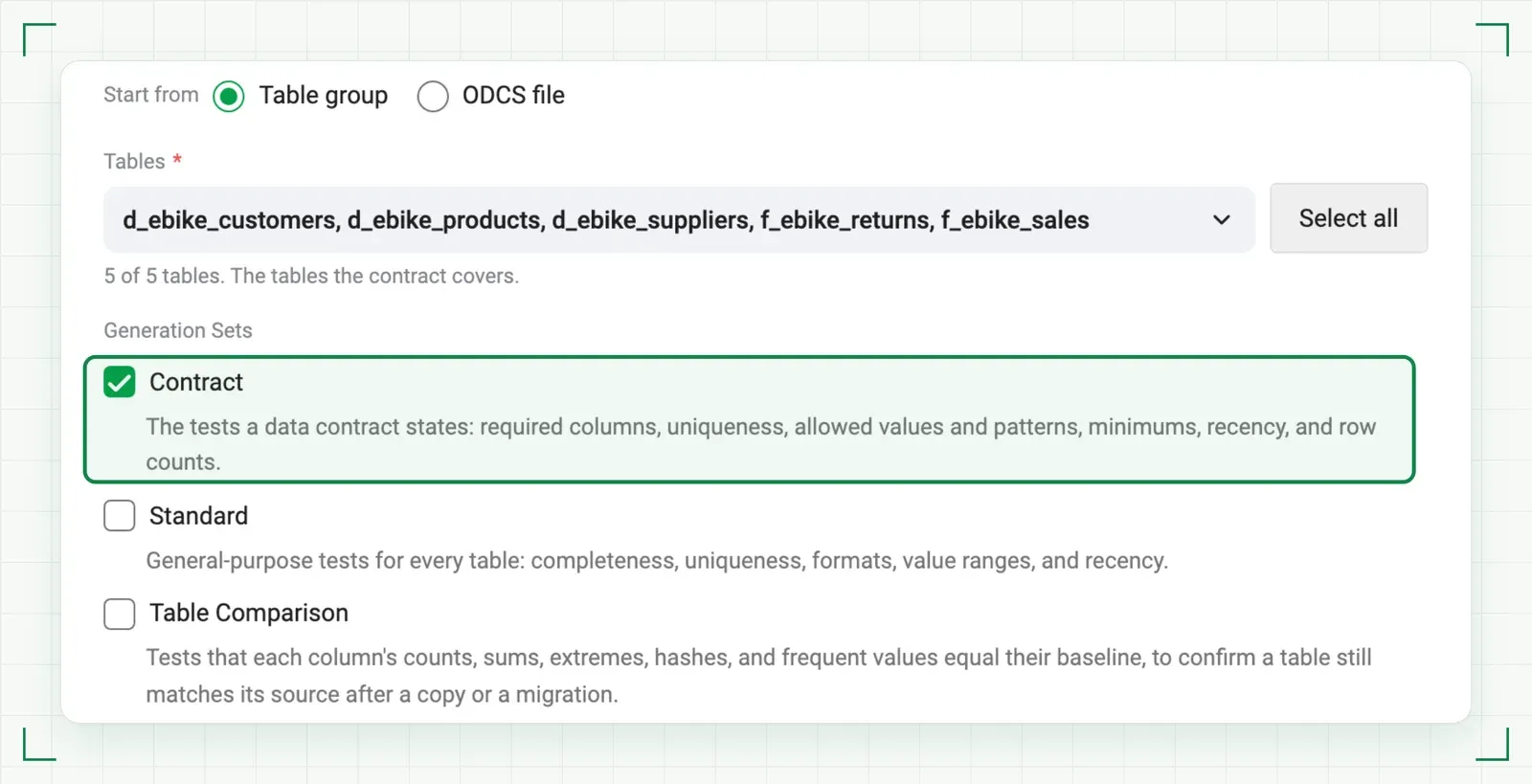 Figure 2: Pick the tables and the Contract generation set. TestGen writes the tests and the contract document.
The Contract generation set writes Duplicate Rows, Minimum Date, Minimum Value, Pattern Match, Recency, Required Entry, Required No Placeholder, Row Count, Unique Values, and Value Match tests. A contract can also use the other generation sets. Each table you declare also gets a Schema Conformance test, which reports drift from the columns and types you declared.
On our demo data, five ebike tables, creating a contract from the table group generated 98 tests in one step.
The other way in is an ODCS file that another team or tool produced. Tests created from an imported file are locked, so regenerating never changes them. Rules TestGen can’t check stay in the document, and they never run.
A document a data steward can read
A contract is a type of test suite, and it holds a contract document. The document is readable without a line of SQL. It lists columns with physical and logical types, primary keys, granularity, string formats, and observed values such as minimums and maximums. It carries catalog metadata too: descriptions, tags, classification, critical data element, PII, and excluded flags. PII and excluded columns get no observed values.
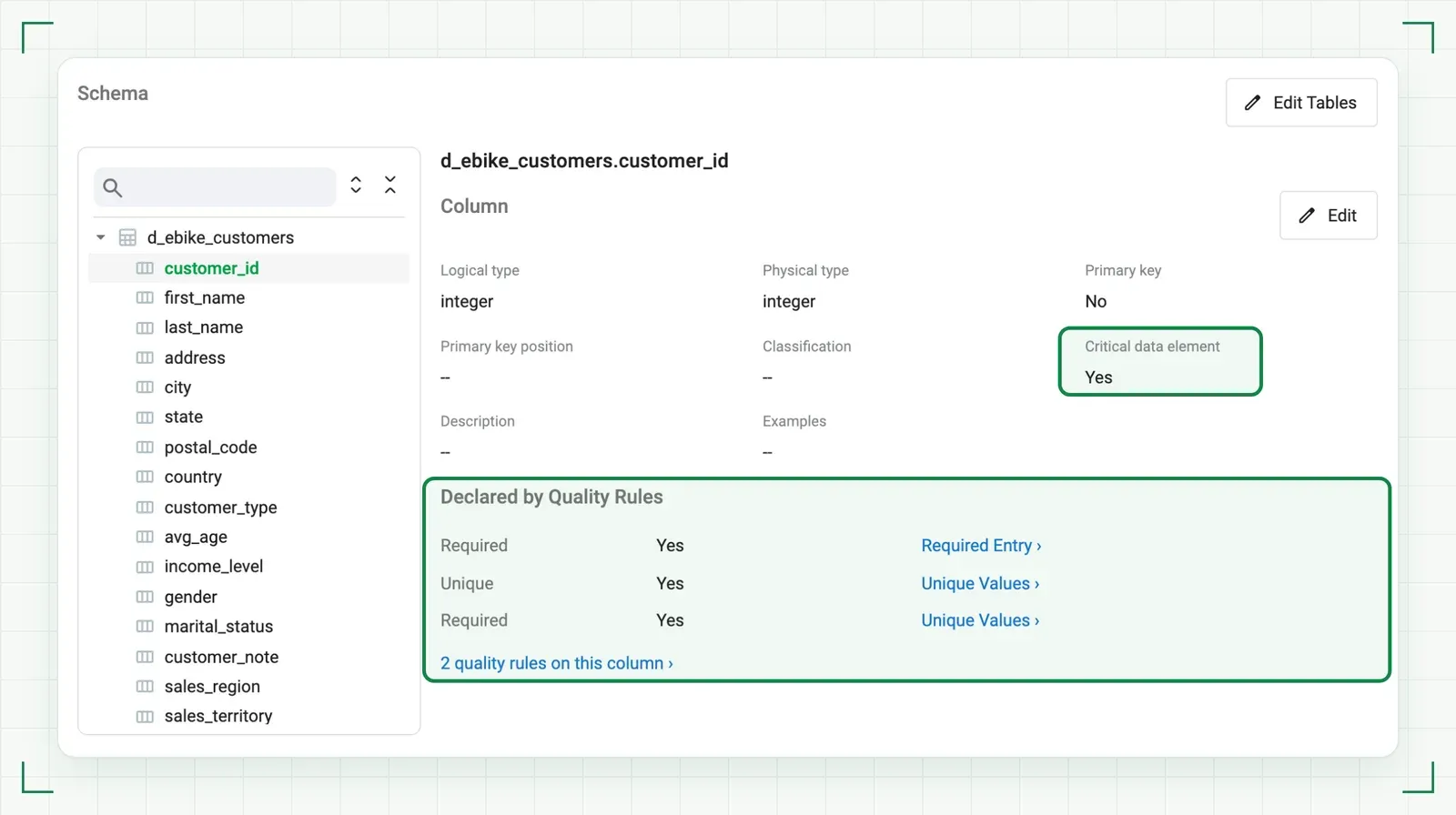 Figure 3: One column in the contract document: its types, its critical data element flag, and the rules that declare it.
The document also holds overview, team, roles, support, service levels, and servers. Be clear on one point: TestGen does not check service levels. They’re documented, not verified.
You edit sections in the UI, or you edit the whole document as YAML. Editing the document does not change the data catalog.
The agreement never changes underneath you
A contract that shifts without warning is worse than no contract. So TestGen keeps tests in numbered versions: v1, v2, v3.
There is at most one draft, always the highest number. There is one active version, the highest frozen one. Everything else is superseded. Every change goes to the draft, and if no draft exists, your first change creates one as a copy of the active version. When the draft is right, you freeze it and it becomes the next active version, with an optional label. Freezing cannot be undone.
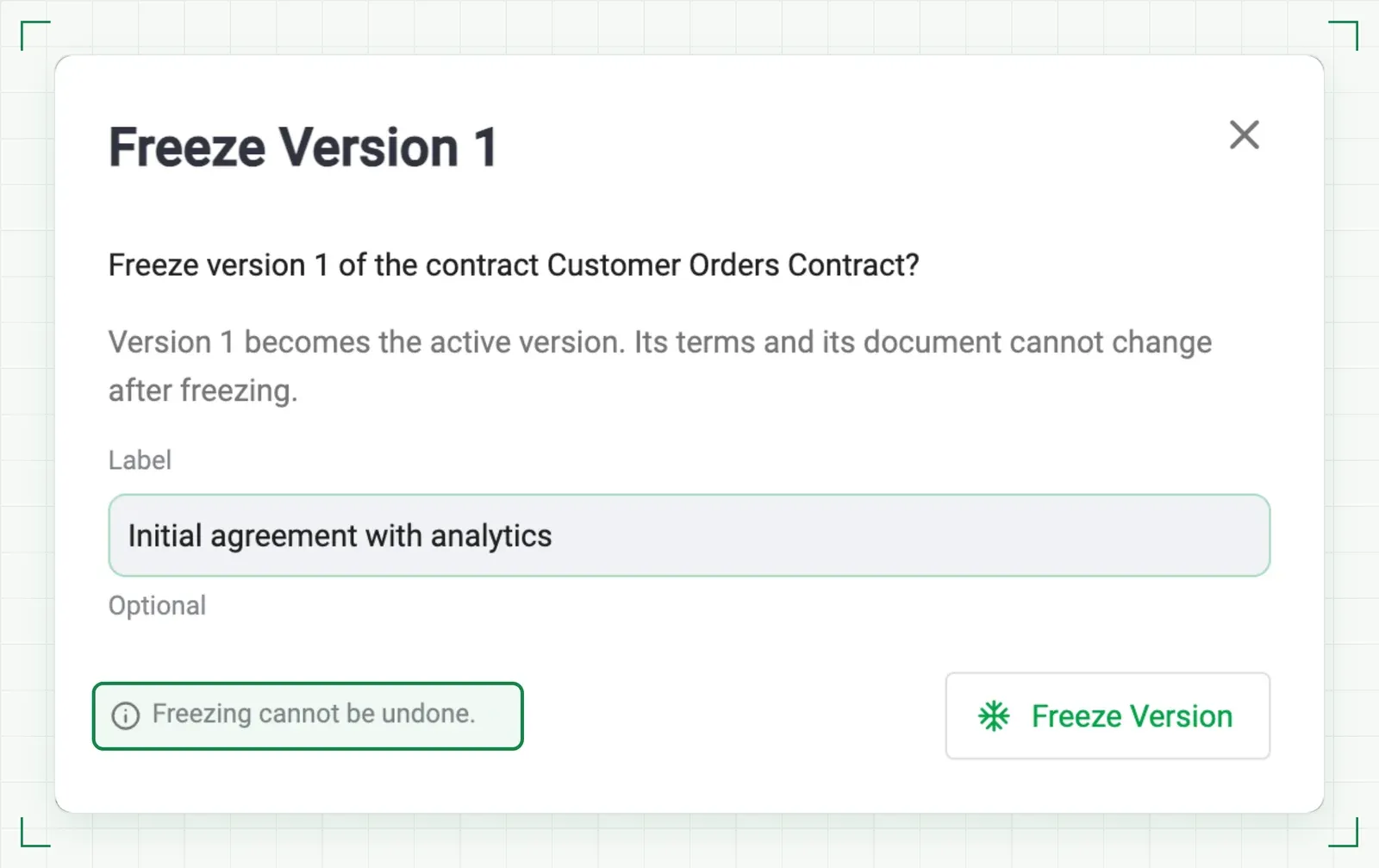 Figure 4: Freezing makes the draft the active version. Its terms lock, and freezing cannot be undone.
History lists every version with its state, number of tests, runs, and who froze it and when. Compare any two versions two ways. “Changes” lists the tests added, removed, or changed, and each changed field of the document.
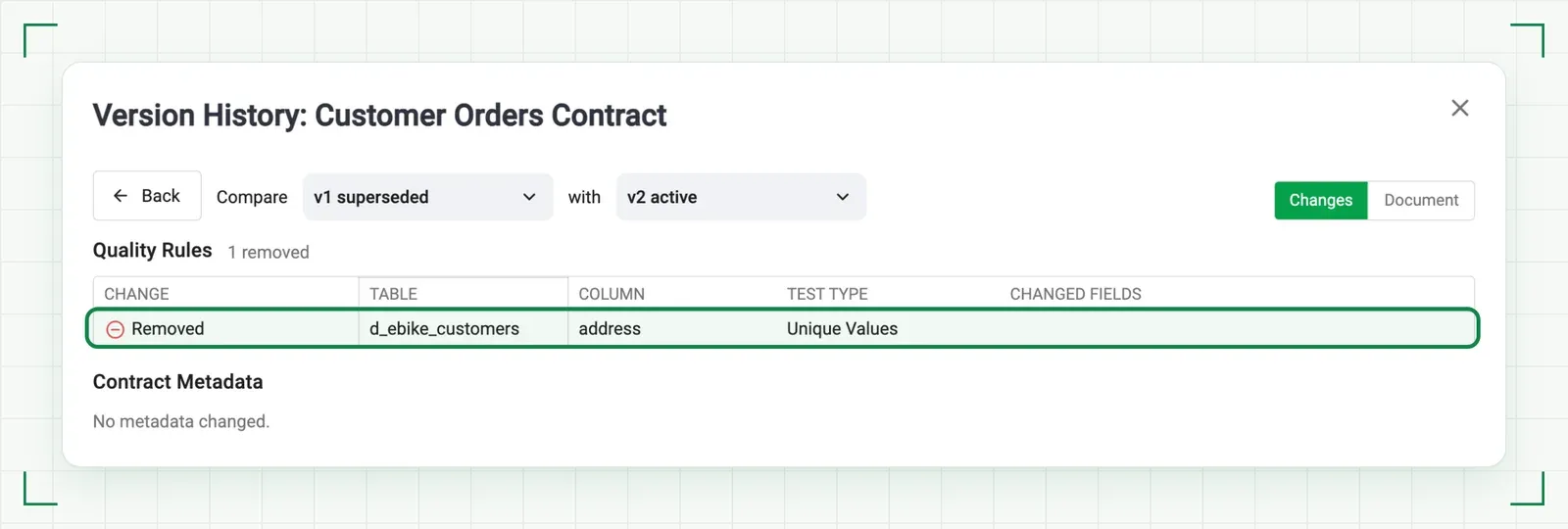 Figure 5: v1 against v2, rule by rule: the uniqueness test on address was removed.
“Document” puts the two exported documents side by side with differences highlighted.
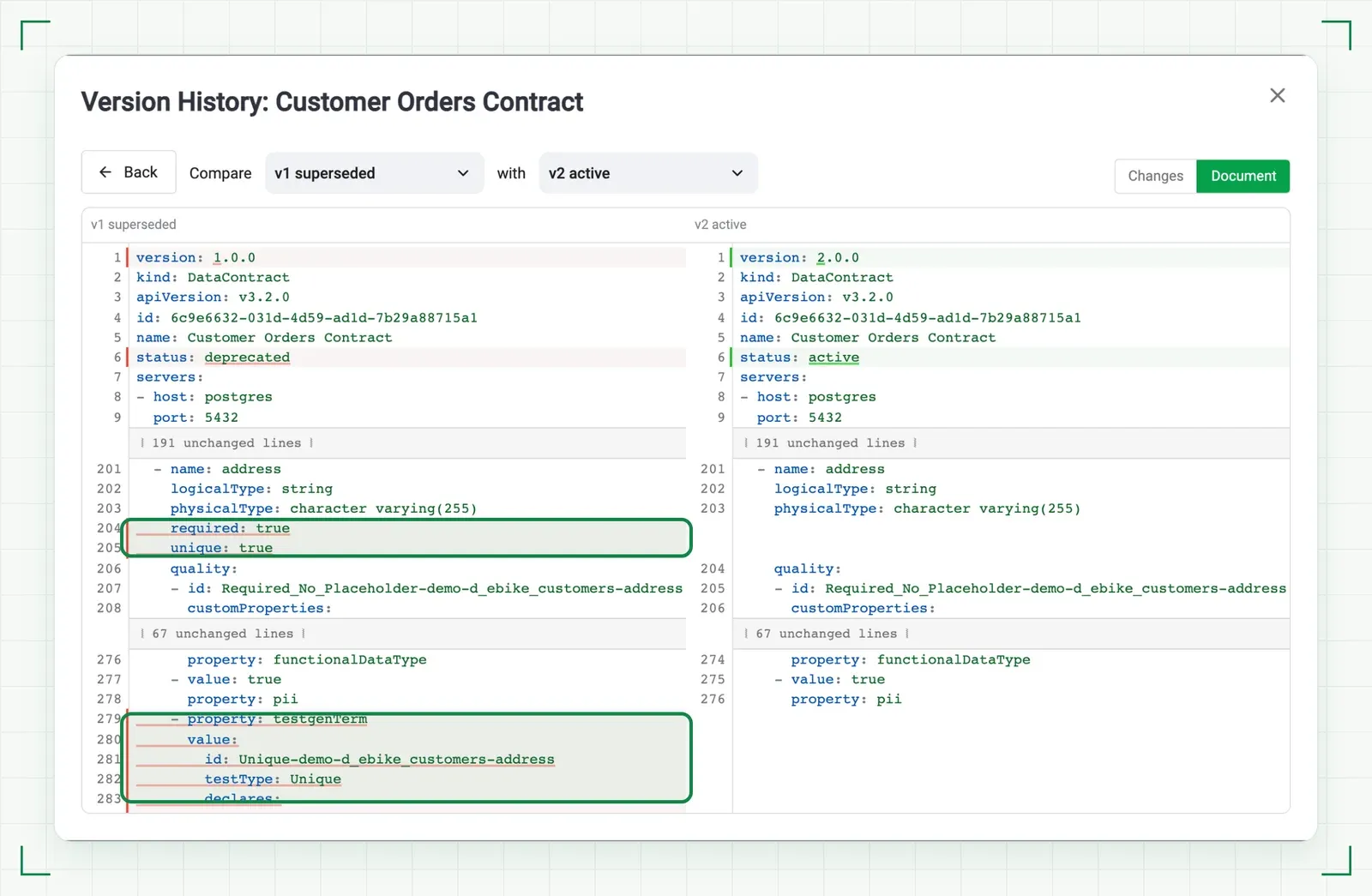 Figure 6: The same change in the exported ODCS documents, v1 superseded beside v2 active.
Runs have meaning here. A run of the active version is a verification. A run of the draft is a preview. A run of a superseded version is out of force. Only verifications update the contract’s results, the Testing Score, the dashboards, and notifications. Schedules run the active version.
When your data moves on, regenerate the contract. That refreshes the draft from the latest profiling run and the catalog, and it keeps locked and manually added tests.
The whole round trip from your AI assistant
Someone emails you an ODCS file. You don’t need the TestGen UI. Give the file to your AI assistant (Claude, Cursor, or Copilot) connected to TestGen’s MCP server. It imports the document as a new contract, or into an existing contract’s draft.
Then you change it by talking. The assistant reads the contract document, whole or one section, table, or column, and edits it in the draft. It can run test generation for the contract too. When the draft is right, say “Freeze the draft of the orders contract.” That makes it the version in force.
Ask “What changed between v2 and v3 of the orders contract?” and the assistant compares the two versions test by test and in the document. It can list your versions newest first, or discard a draft and its tests if you went the wrong way.
Last step: the assistant exports a version as a complete ODCS document. Send it back to whoever emailed you. That’s the full round trip, with no UI in the middle.
The tools are listed on the MCP supported tools page. Setup for each assistant is in how to use the TestGen MCP server with Claude, Cursor, and Copilot.
Why open source matters for a contract
A contract only works if the other side can run it. Your supplier won’t sign up for your vendor’s cloud to check a file before they send it to you.
TestGen is open source (Apache 2.0), free, and needs no account. Send the supplier TestGen and the ODCS file. They run it before they ship. You both read the same result. Install it here.
Also in this release
TestGen now writes sign-ins, access changes, run activity, and configuration and test changes to an audit.log file for your log tools. It covers the web app, the API, the MCP server, and the scheduler. Setup is in Collect audit records. Everything else is in the release notes, for open source and Enterprise.
Start with one contract
Pick one. The export you’re most nervous about shipping. The supplier who sends you the most garbage. The AI pipeline that’s one schema change away from embarrassing you.
Generate the contract, freeze it, and schedule it. Run it for a month.
FAQ
What is ODCS?
ODCS is the Open Data Contract Standard, a standard file format for data contracts maintained by Bitol under the Linux Foundation. TestGen imports and exports contract documents as ODCS files, so another team or tool can read them. The field-by-field mapping is in the ODCS Mapping Reference.
Can I import a contract a supplier wrote?
Yes. TestGen can start a contract from an ODCS file another team or tool produced. Tests created from an imported file are locked, so regenerating the contract does not change them. Rules TestGen cannot check are kept in the contract document but never run.
What happens when a contract changes?
Every change goes to the draft, and a draft run is only a preview. If no draft exists, your first change creates one as a copy of the active version. Freezing the draft makes it the next active version and cannot be undone. The old active version becomes superseded, and you can compare any two versions rule by rule or as documents. See Contract Versions in the docs.
Is it in the open source version?
Yes. Data contracts shipped in TestGen 5.185.1 on November 12, 2026, in both open source and Enterprise. Open source TestGen is Apache 2.0, free, and needs no account. The full reference is in the Contracts docs and the Contract Documents page.