This blog builds on earlier posts that defined Kitchens and showed how they map to technical environments . We’ve also discussed how toolchains are segmented to support multiple kitchens . DataOps automates the source code integration, release, and deployment workflows related to analytics development. To use software dev terminology, DataOps supports continuous integration, continuous delivery, and continuous deployment. Let’s briefly explore these terms:
- Continuous Integration: automated version control branching, merging, building, and code testing/verification. Release stages and deployment are manual.
- Continuous Delivery: continuous integration plus an automated release process. Deployment is manual.
- Continuous Deployment: continuous delivery plus fully automated deployment to production.
Continuous deployment is an automated process that builds, tests, and deploys software automatically. Automation of deployments enables leading software companies to innovate incrementally (Agile development) and build/test/deploy millions of releases per year (DevOps). At a high level, an automated development and deployment procedure for data analytics includes these steps:
- Spin-up hardware and software infrastructure
- Configure a development environment including tools
- Check source code out of version control – branch
- Develop and write tests (human effort here)
- Check source code updates into version control – merge
- Build
- Test
- Release
- Deploy into production
Aside from the actual creation of new analytics and associated tests, DataOps orchestrates all of the above. In this blog, we’re going to focus on version control, i.e. the branch and merge component of continuous integration. We’ll cover the remaining elements of the development and deployment process in future blogs.
What is Version Control?
Version control is a process or practice that uses tools to store and manage change in all of the files that control and define the data analytics pipeline: scripts, source code, algorithms, html, configuration files, parameter files, logs, containers, and other files. All of these artifacts are essentially just source code and should be tracked and managed. There are many excellent version control applications. Git is a popular one, and DataKitchen can interface with an array of Git platforms (GitHub, BitBucket, GitLab). Version control applications record changes to a file or set of files over time so that you can recall specific versions later. It allows you to revert selected files or an entire project back to a previous state, compare changes over time, see who last modified something that might be causing a problem, identify who introduced an issue and when. Using version control also generally means that if you mess things up or lose files, you can easily recover. Version control is important to parallel development because it allows multiple people to update a set of files, keeping track of everyone’s changes. It keeps all the project files organized and backed up using redundancy. See the Pro Git book for an explanation of version control and how it contributes to team productivity. Parallel development requires branches and merges. In Figure 1, version 1.0 is the baseline version of a file (or set of files), also called the trunk. A data analyst checks out a copy of the files (branch), updates the file, and checks it back into the version control repository (merge). Many people can check out copies of the baseline files and modify them in parallel. These are parallel branches off the main trunk. Changes are auto-merged when updates are checked back in. Conflicting changes from parallel branches are flagged for manual review.
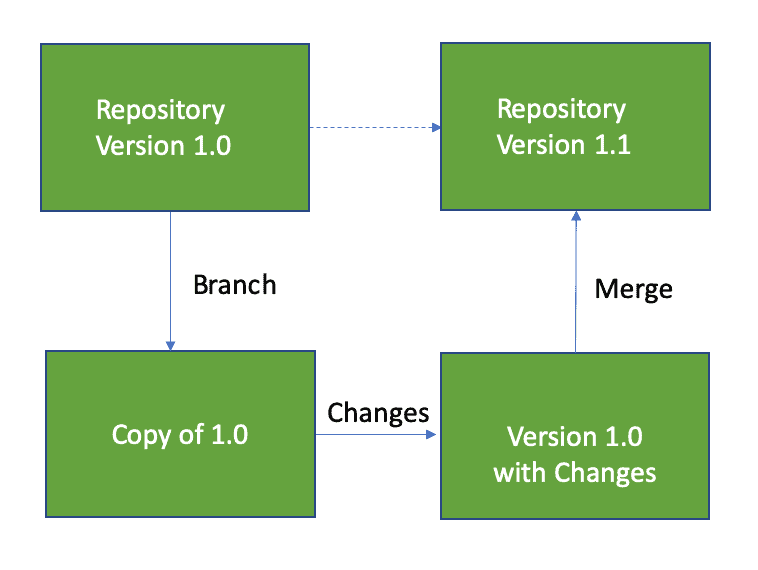
Figure 1: The developer obtains a copy of the version 1.0 files (branch), updates them and integrates them back (merge) into the main version control repository, creating version 1.1.
Kitchens and Version Control
Kitchens tightly couple to version control. When a Kitchen workspace is created, a child branch is created off its parent Kitchen’s branch. A child Kitchen inherits a copy of all the relevant source files from the version control repository. When a data scientist does her work, she creates new files and updates existing files. As she merges her Kitchen back into its parent, the changed files are deposited back into the centralized source control repository, corresponding to a version control merge. Each branch and merge are tracked with version numbers. In a typical organization, everyone on the data team works in their own Kitchens (their own version control branches). This structure and framework helps the team coordinate and manage change. All Kitchens are associated with the same version control repository. DataKitchen DataOps Automation has permissions that control the ability to create and merge Kitchen branches. Let’s review Kitchens and version control in a little more detail. In Figure 2 we see a branch of the repository version 1.0 files. This is the developer’s local copy of the files in her Kitchen. Developers make changes to their local copies of files within their respective Kitchens without impacting each other. When changes are complete, the developer updates the files and merges them back into the main repository, creating version 1.1. Version control tools are able to automatically integrate changes made by different developers to the same file. If there is a conflict that the tool can’t resolve, it provides a way for a release manager to view the changes side by side and integrate them manually.
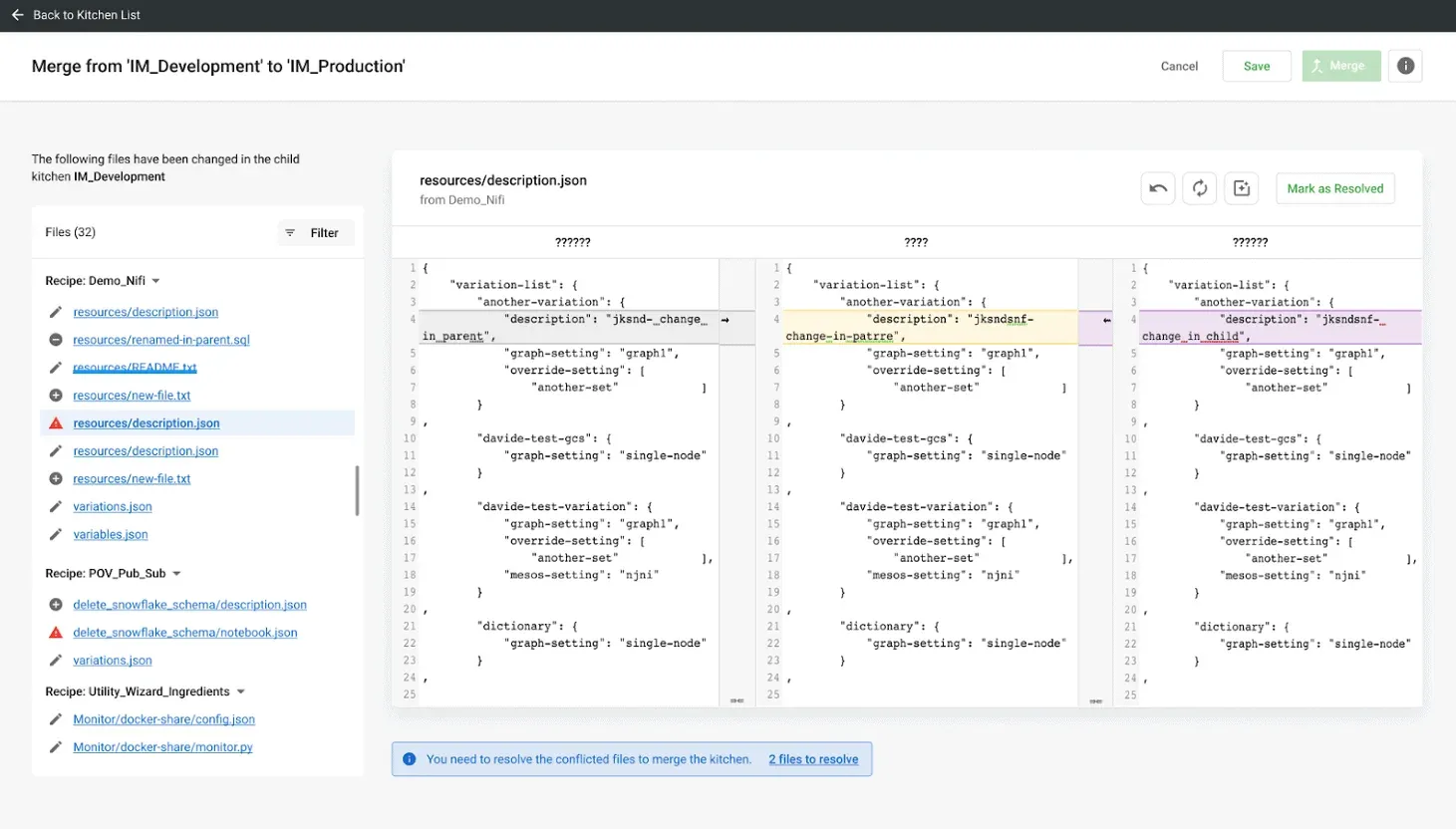
Figure 2: A branch of the repository version files.
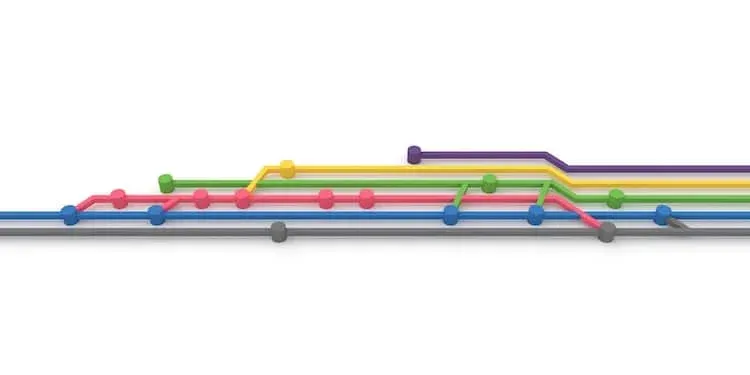
The power of version control is that many data scientists can be making updates in parallel. In Figure 3, branches 1.1 and 1.2 were started in parallel. Branch 1.1 is further divided into three sub-branches: 1.1.1 (which is eventually abandoned), 1.1.2 and 1.1.3. The branches 1.1.2, 1.1.3 and 1.2.1 are active concurrently and they update the trunk revision when they are respectively merged. The version control tree structure can grow to reflect the complexity of many developers working on many new features in parallel.
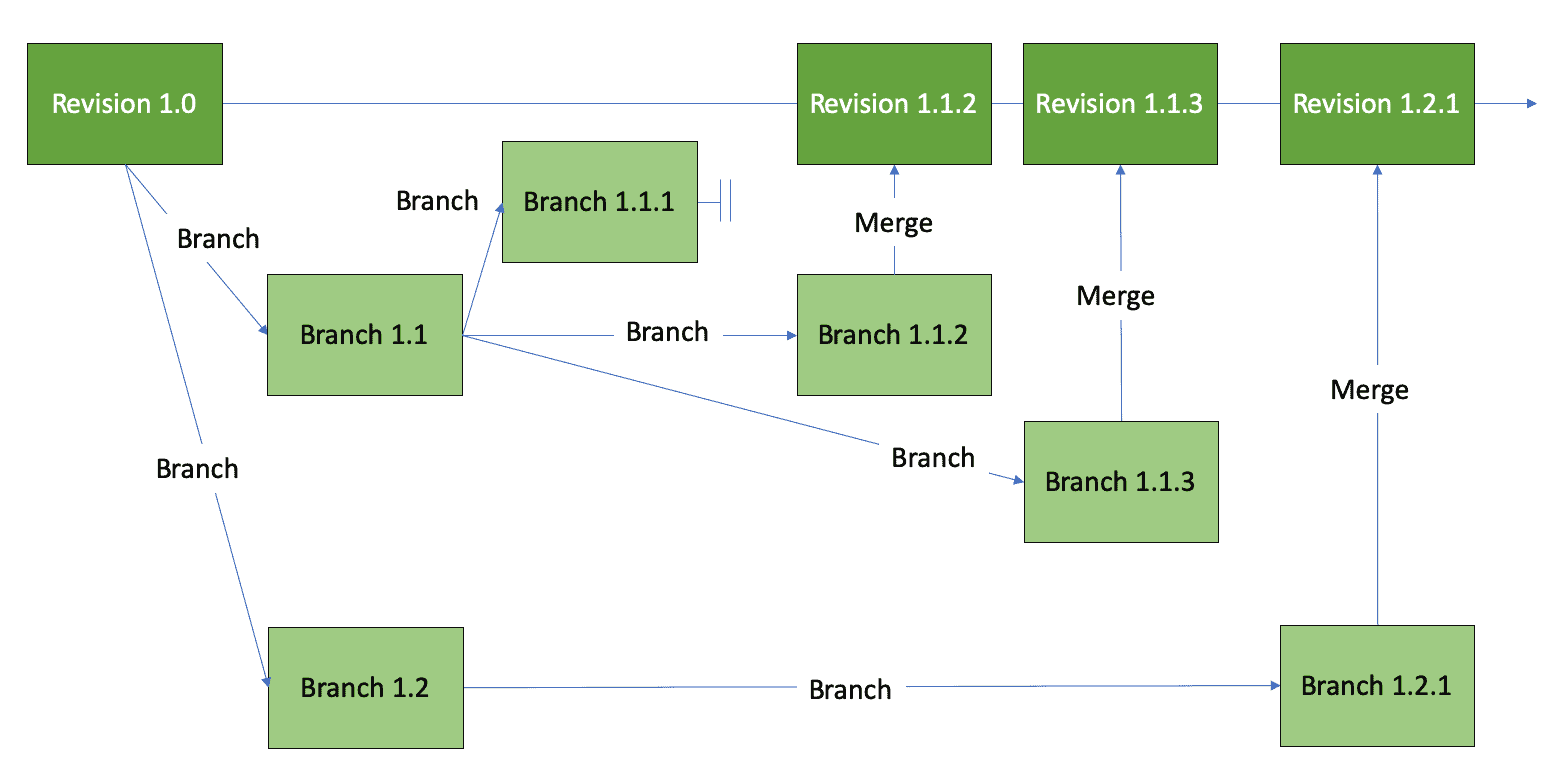
Figure 3: Version control tree showing many branches and merges.
When a Kitchen is created, DataKitchen DataOps Automation creates a version control branch off its parent Kitchen, occupying a specific place within the version control tree hierarchy. For example, each of the branches in the figure above could have been formed by a Kitchen creation. When the feature is complete, a Kitchen is integrated with changes made in sibling Kitchens and merges back into its parent Kitchen, resulting in a version control merge. The Kitchen hierarchy aligns with the source control branch tree. Figure 4 shows how Kitchen creation/deletion corresponds to a version control branch and merge. This figure shows the Kitchens of our simple example in the context of a version control tree. The production Kitchen is the trunk of the tree. Branching off the production Kitchen is the main development Kitchen. The figure shows three child Kitchens branching off the main development Kitchen. This represents three development efforts by data scientists working in parallel. This work could be different projects or three components of a single project. When development is done, the updated files are merged back into the main development branch, where they are tested and integrated before being merged into production.
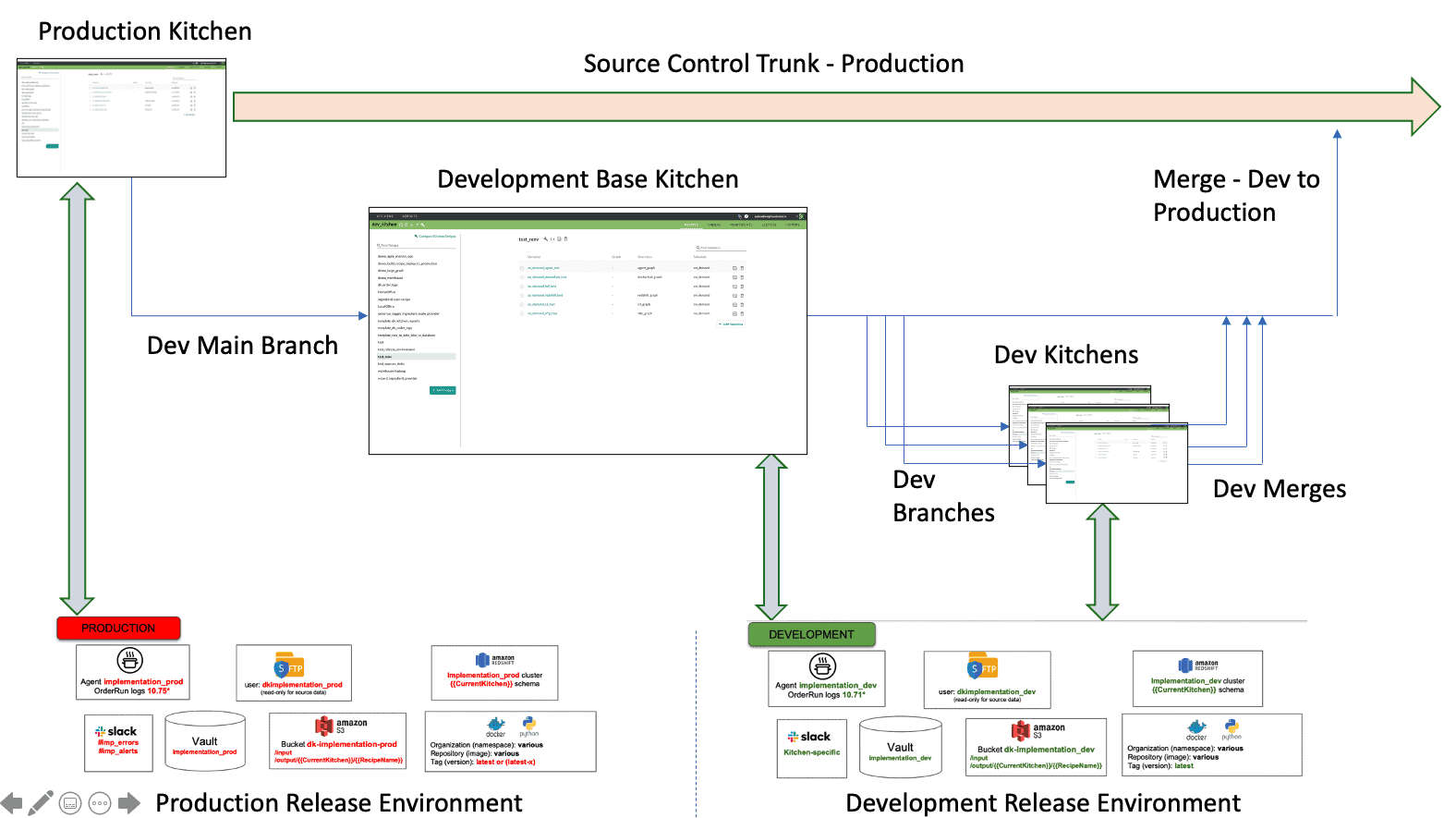
Figure 4: Kitchens point to a release environment. They represent source control branches and merges, and also serve as development, test and release workspaces.
Figure 5 shows a Kitchen list from DataKitchen DataOps Automation. The developers Aarthy, Alex, Carlos, Eric, and Priya are actively developing features in parallel child Kitchens underneath the parent “demo_dev” Kitchen. Their work will be merged, integrated and tested in “demo_dev” before it is promoted to production. The relationship of Kitchens to release environments was discussed extensively in previous blog postings. Please see our post titled “Environments Power DataOps Innovation.” The follow-on concept of how multiple Kitchens map to a segmented release environment was covered in “What is a DataOps Kitchen?”.
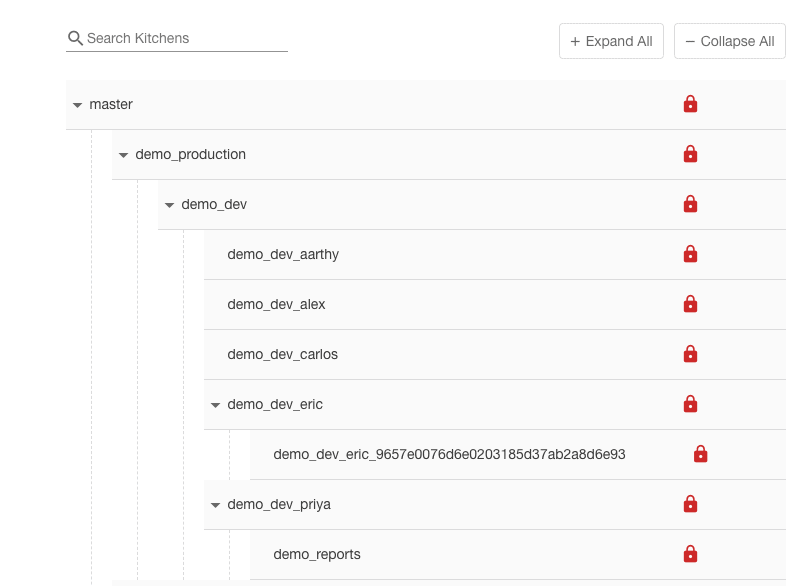
Figure 5: Kitchen hierarchy with multiple users working in Kitchens underneath the “demo_dev” Kitchen.
Kitchens may be persistent or temporary; they may be private or shared, depending on the needs of a project. Access to a Kitchen is limited to a designated set of users (Figure 6).
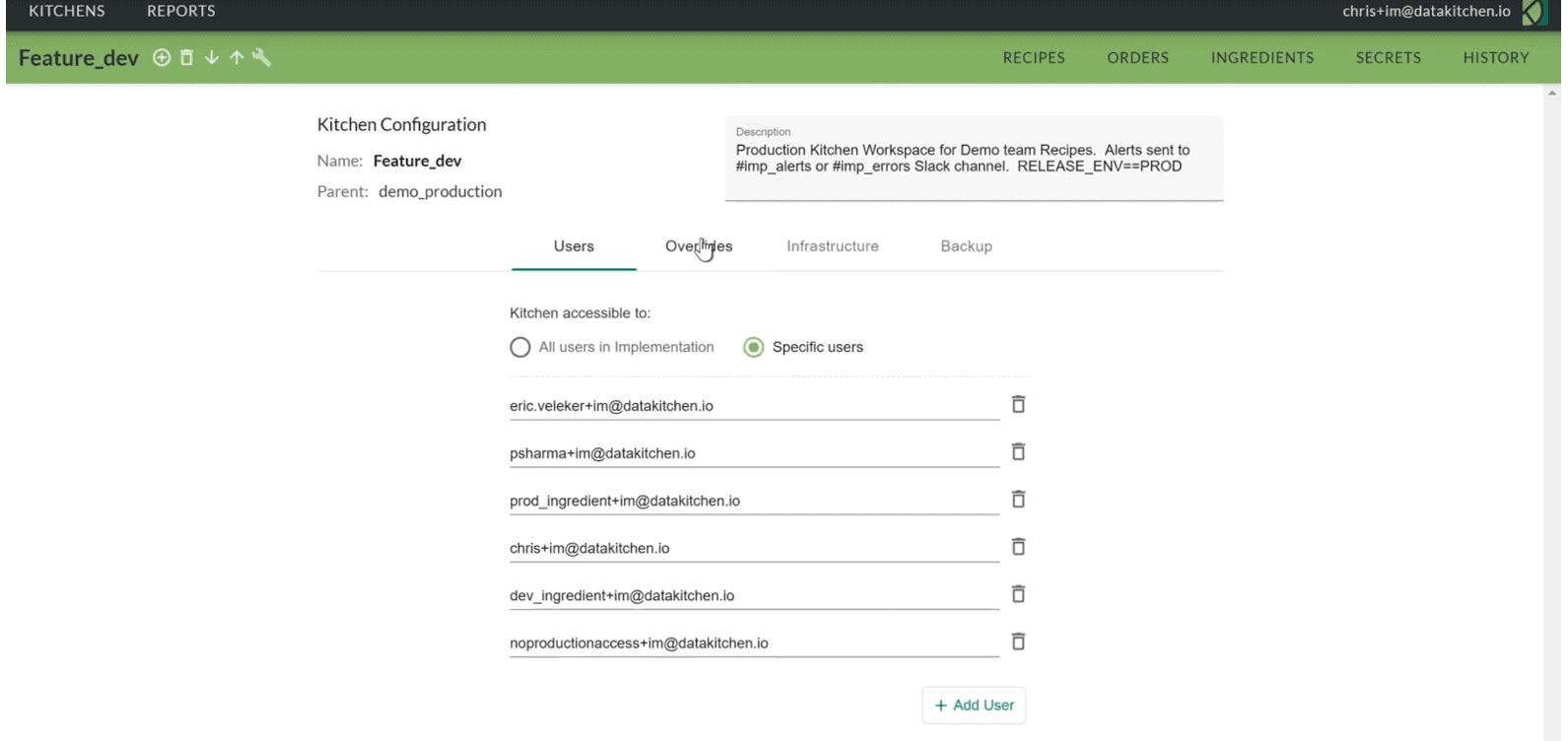
Figure 6: The list of users given access to the Kitchen “Feature_dev.”
Kitchen History
In DataKitchen DataOps Automation, the Kitchen History page provides a longitudinal view of a Kitchen’s update history, with the latest update appearing first, enabling easy navigation of source code changes (Figure 7).
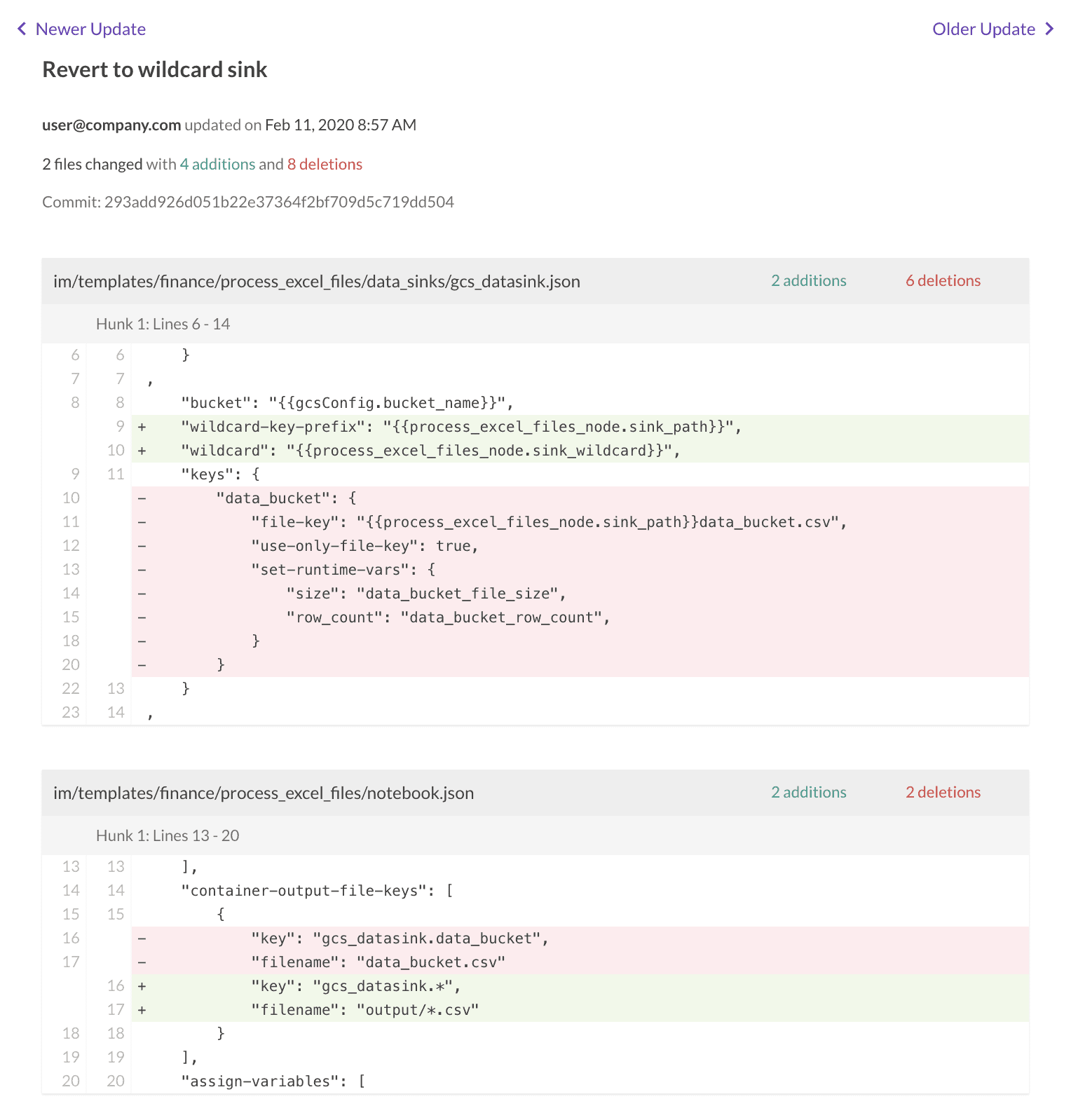
Figure 7: DataKitchen DataOps Automation presents a view of source code that shows change history.
Benefits of Using Version Control
Managing source files using Kitchens (version control) has many benefits.
- Prevents developers from overwriting each other’s changes. A developer can branch and merge without disturbing anyone else. When more than one developer makes a change to the same file, there is a mechanism to integrate the changes.
- Retains file version history. The ability to view versions of a file is very helpful when resolving bugs. If a problem has been introduced, you can trace through the history of a file to see which changes may have caused the problem. You can also see which developer made each change. From a conceptual point of view, this is not unlike the revision tracking feature of a word processor.
- Identifies the set of files that comprise each build version.
- Tracks files associated with different stages in a development process: development, test, production, etc.
- Allows many individuals to share code in a central repository.
- Associates changes with project management issues or bug tracking tickets.
- Saves backup copies of all the versions of all files. No more chasing source code files stored on different machines throughout the enterprise. Everything is in one place.
- Secures valuable intellectual property in the Cloud or through another means of backup.
To learn more about the version control capabilities in DataKitchen DataOps Automation, please see our documentation.
FAQ
What are the key points in this blog?
Version control for analytics covers every file that defines the pipeline: scripts, source code, algorithms, html, configuration files, parameter files, logs, and containers. Parallel development depends on branches and merges, so each developer needs an isolated workspace tied to its own branch. DataOps automates the surrounding steps — infrastructure, build, test, release, deploy — leaving humans to write the analytics and their tests.
What is version control in data analytics?
Version control stores and manages change in all the files that control and define the data analytics pipeline: scripts, source code, algorithms, html, configuration files, parameter files, logs, and containers. All of those artifacts are source code and should be tracked. Git is a popular choice, and it lets you revert files, compare changes over time, and see who changed what and when.
What is the difference between continuous integration, continuous delivery, and continuous deployment?
They differ by how much of the pipeline is automated. Continuous integration automates version control branching, merging, building, and code testing, leaving release and deployment manual. Continuous delivery adds an automated release process but keeps deployment manual. Continuous deployment automates the push to production as well, which is how leading software companies build, test, and deploy millions of releases per year.
Why does parallel development need branches and merges?
Because many people need to change the same set of files at once. A developer checks out a copy of the baseline files, which is a branch, edits them, and checks them back in, which is a merge. Non-conflicting updates are auto-merged; conflicting changes from parallel branches are flagged for manual review, so nobody silently overwrites anyone else.
How do isolated development workspaces relate to version control branches?
One workspace per developer, one branch per workspace. In DataOps Automation, creating a Kitchen workspace creates a child branch off its parent’s branch and copies the relevant source files into it. Merging the workspace back into its parent deposits the changed files in the central repository as a version control merge, and each branch and merge is tracked with a version number.
What are the benefits of version control for a data team?
It prevents developers from overwriting each other’s changes and retains the full version history of every file, so a defect can be traced to the change that introduced it and the person who made it. It also identifies the files in each build, tracks which stage each file belongs to, associates changes with bug tickets, and keeps backup copies of everything in one place.