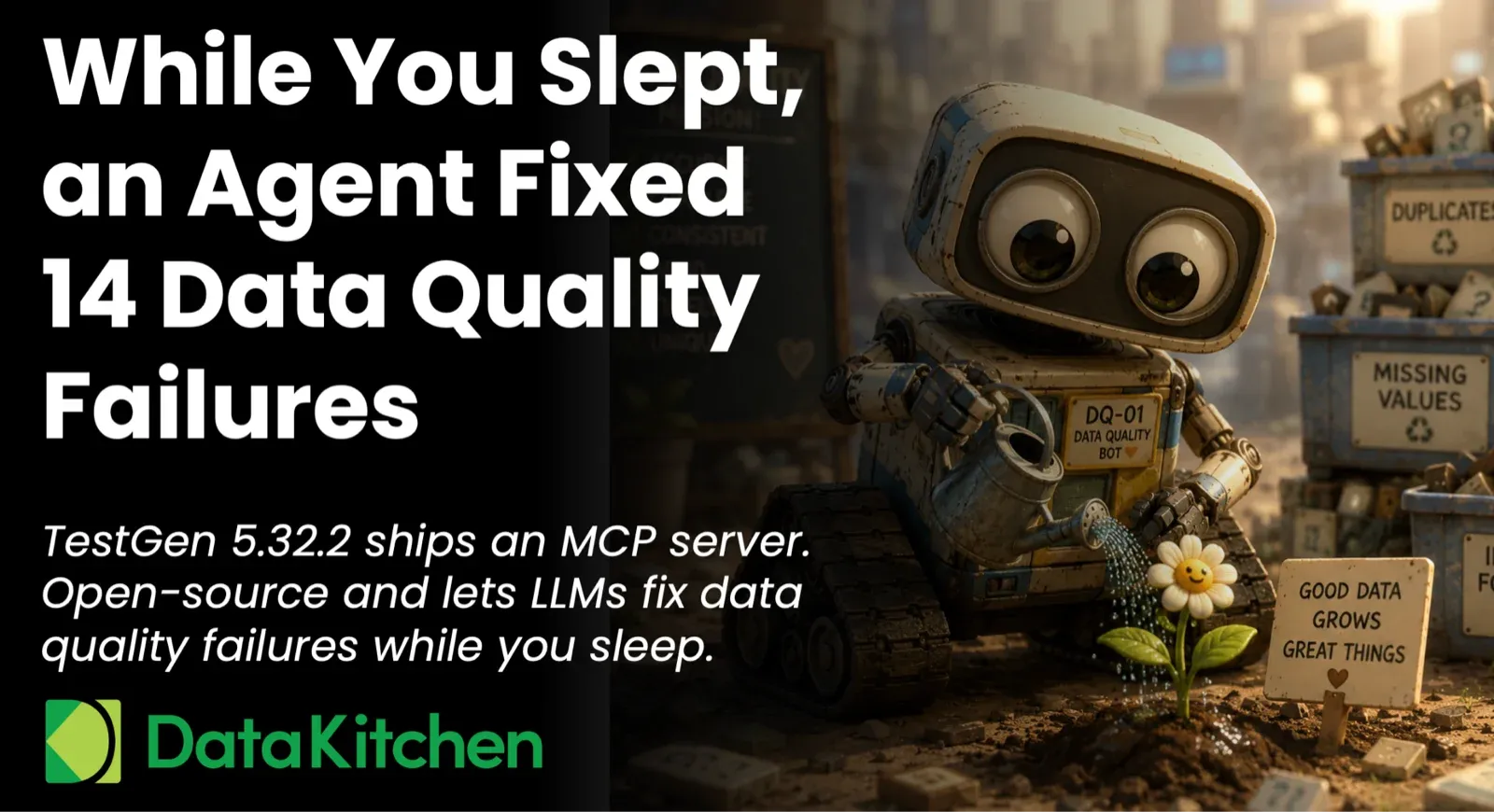
Last night, an agent fixed 14 trailing-whitespace failures in your customer table while you were asleep. It posted the fixes to Slack at 3 am with the row counts and the diff. It filed two tickets against the upstream owner for nulls it wouldn’t touch on its own. It demoted one flaky test that had been wasting everyone’s time for six weeks. You wake up Tuesday morning to a clean board, three escalations that actually need a human, and a coverage gap report from last week’s profiles.
This is what agentic data quality looks like. And it’s what TestGen 5.32.2, released May 4, enables. The release ships an MCP server. Claude or any other MCP-aware assistant can now read your profiling results, dig through hygiene issues, recommend new tests, and run autonomous loops that fix common failures without you. Running those loops against tests the agent did not write itself is what separates this from the seven deadly sins of AI-generated data pipelines.
Every major commercial data quality and observability vendor shipped an MCP server in the last six months. Monte Carlo, Atlan, Bigeye, Sifflet, Elementary, Validio, Datafold, Collibra, Informatica, Alation, Ataccama, Qlik Talend, DataHub, OpenMetadata, AWS Glue, and Microsoft Purview all have one. The agentic story is settled.
What still differs is where the server runs. Every one of those MCP servers needs a license check and their cloud. TestGen runs behind your firewall, under Apache 2.0, on the same laptop you use for dbt. Your Snowflake credentials stay on your network. Your security team audits every tool call in a log file you own. That’s the only thing left to differentiate on.
The MCP server ships in both editions of TestGen. The Apache 2.0 open source build is free to install and runs on your laptop in Docker. The Enterprise build adds SSO, custom branding, and managed projects on top of the same MCP capability. No per-table fees, no monitor counts, no usage tiers in either one.
None of this replaces the UI. If you live in TestGen every day, the UI is still the fastest way to work. Quality Dashboard, Score Explorer, Data Catalog, and test results pages. They’re dense and quick once you know them. The MCP server is a second front door for the moments when you’d rather ask in English from Slack, hand a teammate a way in without training them, or let an agent run on a cron at 3 am.
What the MCP server can do
MCP is the protocol that lets AI assistants call tools in other systems. TestGen now speaks it. Plug the server into Claude Desktop, Claude Code, Cursor, or any other MCP-aware client, and the assistant can find a table, summarize its failures, show you the actual rows that violated a test, compare two test runs, render a trend chart, propose new tests with concrete thresholds, run profiling on a fresh table, and trigger a test run after a fix. Six pre-built prompts wrap the most common workflows as slash commands. The server runs in the same process as the TestGen API, behind OAuth 2.1, with the same project-level permissions you’ve already configured. Same data, same security model, different surface.
Watch one prompt do an hour of work
Here’s a real prompt you can paste into Claude with the TestGen MCP server connected:
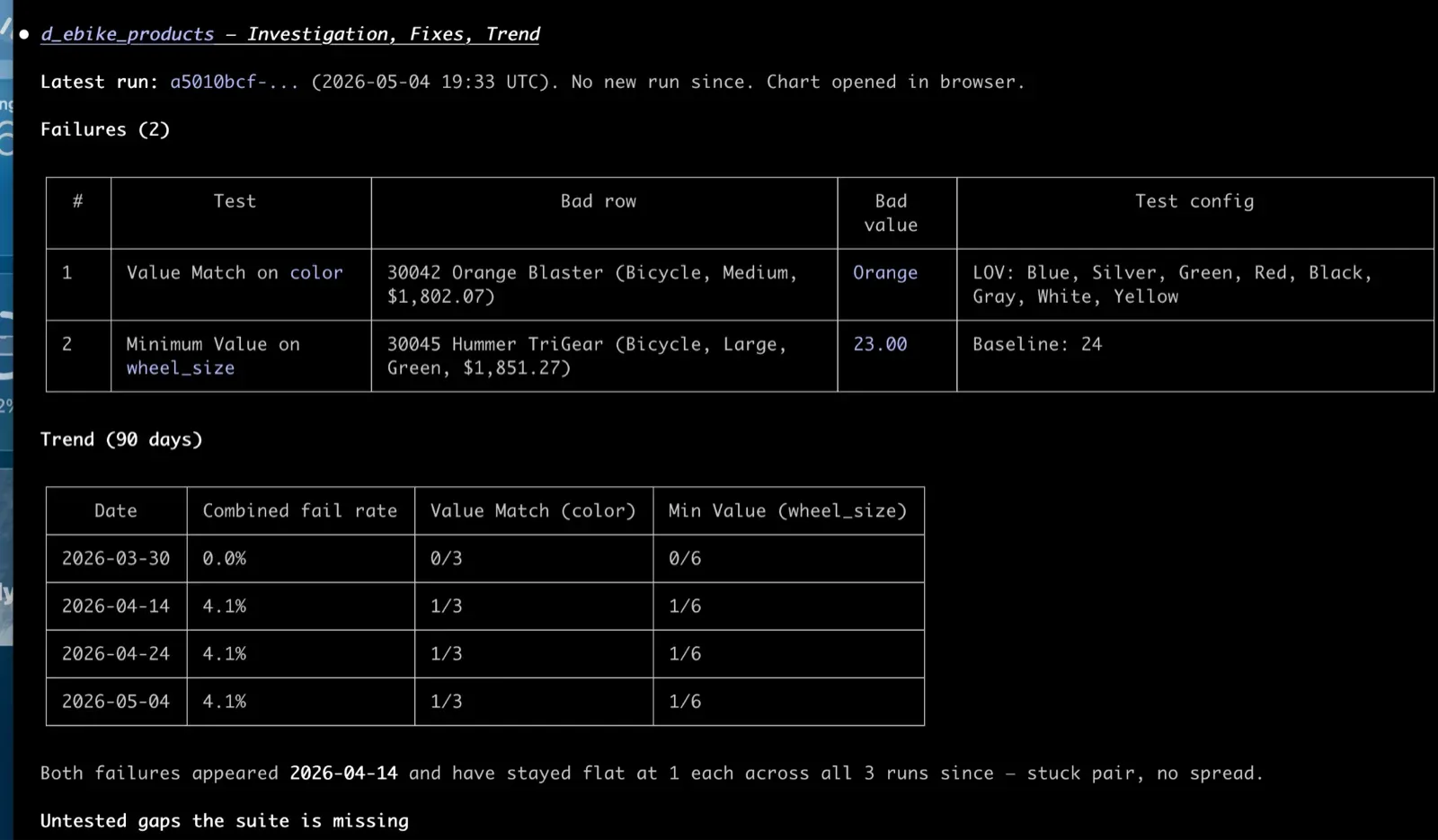
Look at the product table in our warehouse. Find the latest test failures, investigate root causes, recommend fixes, and graph the failure counts over the last 30 days. Then suggest any new tests we should add and add them to the suite.
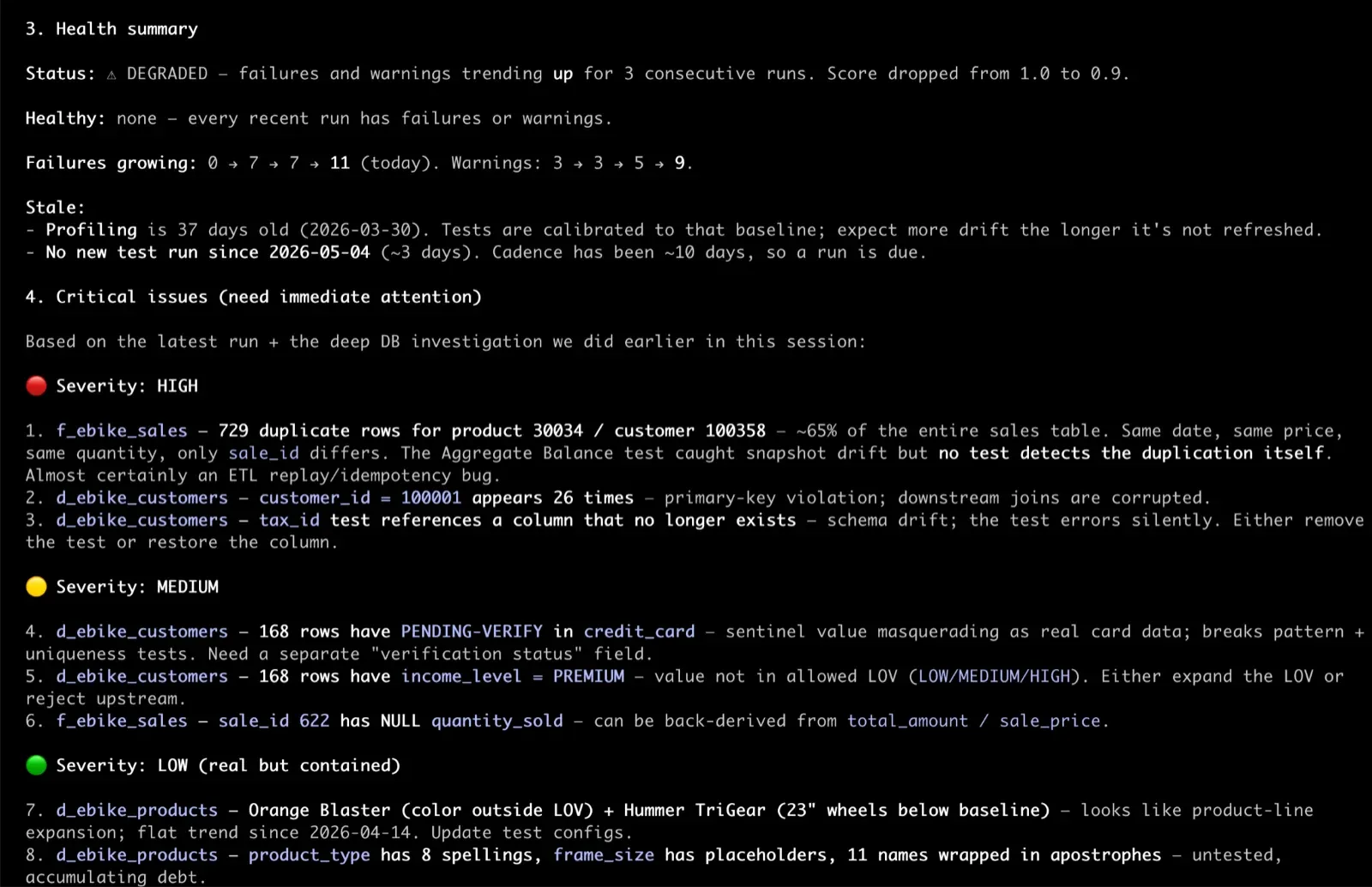
What comes back, in the chat: a short summary of the failures. Which tests tripped, on which columns, with what severity. Underneath, the actual rows from your warehouse that violated each test. Not the test name. The bad data. That’s what turns a vague “the email format test is failing” into a specific “37 customer rows have emails ending in .con since the new signup form shipped April 28.”
Claude renders a 30-day chart of failure counts inline. If there’s a spike, Claude finds the run before and after it and tells you what changed: new test failures, fixed tests, persistent ones, regressions. An investigation that used to span several screens now fits in a single paragraph.
A list of new tests Claude recommends. Each one names the column, the test type, the threshold, and why. You confirm the ones you want. Claude adds them to the suite.
That whole sequence is one prompt. A TestGen power user could do it faster in the UI than they could type the prompt. Someone who’s never opened TestGen can now do it too. So can the agent you set up to handle it on a schedule.
Triage that meets you in Slack
Triage is where most data quality programs die. Tests fail overnight. The morning standup asks who will look at them. Nobody wants to. The list grows. Eventually, someone declares quality bankruptcy and starts ignoring half the suite. Our research on this found that the top barrier to data testing is the human cost of working through failures.
The release ships six pre-built prompts that turn that wall of failures into a guided conversation. You type a slash command, the assistant chains the right operations behind the scenes, and you just answer questions.
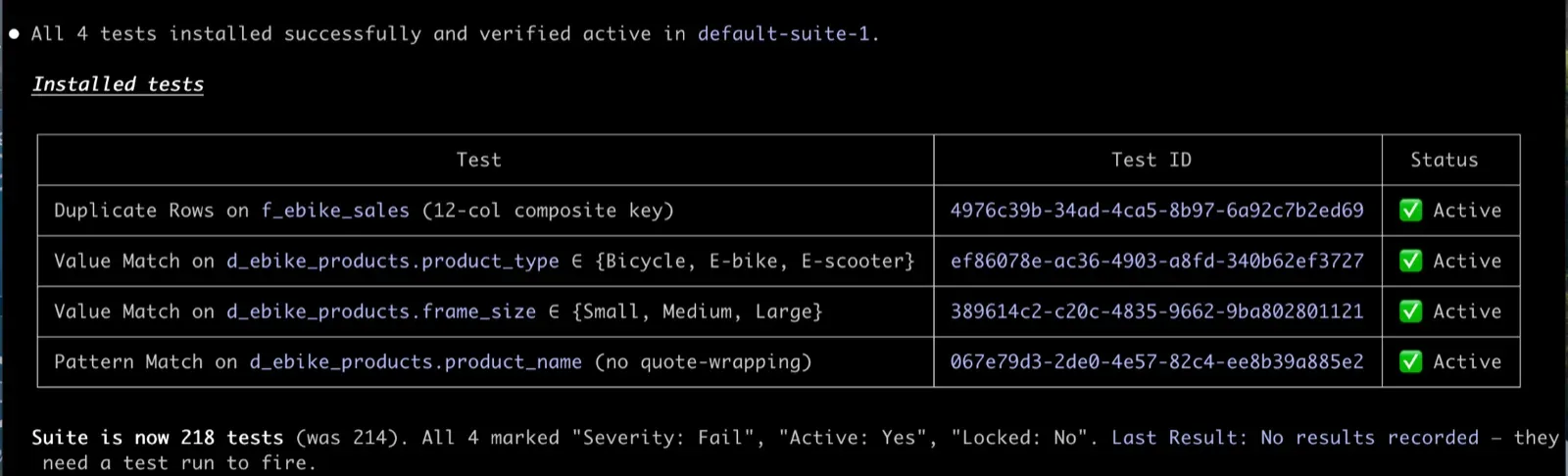
/testgen:health_check tells you what’s on fire. Not a dashboard, a summary. “Three suites have new failures since yesterday. Two of them are CDEs. Here are the columns.” Cold start to triage in under a minute.
/testgen:investigate_failures is what you run next. Pick a suite. Claude pulls the failures grouped by test type and column, walks the history to separate “this just broke” from “this has been flaky for six weeks,” and shows you the actual rows that violated each test. That’s the difference between “the email format test is failing” and “37 customer rows have emails ending in .con since the new signup form shipped April 28.”
/testgen:hygiene_triage walks the 32 hygiene issue categories that TestGen detects during profiling. Confirm, dismiss, or mute each one. Your answer writes back to TestGen so the disposition sticks. The hygiene queue actually gets shorter.
Three more prompts address the questions that arise after the headline ones. /testgen:compare_runs for “what changed since yesterday.” /testgen:table_health for “is this specific table healthy.” /testgen:profiling_overview for onboarding a new dataset or a new teammate.
The assistant is not smarter than you. It just doesn’t get tired of triage at 8 am on a Tuesday. It will work through 40 failures with the same patience it had for the first one.
Pulling profiling data and recommending new tests
The other half of TestGen’s value is generating the right tests in the first place. That’s where the MCP server’s profiling reach comes in.
Profiling is what TestGen does on a fresh table. It scans every column, classifies data types, computes null rates, identifies outliers, detects PII patterns, and surfaces hygiene issues. The result is a structural map of your data. The MCP server hands that map to an assistant. Claude can read the profile of a table the same way you would in the Data Catalog.
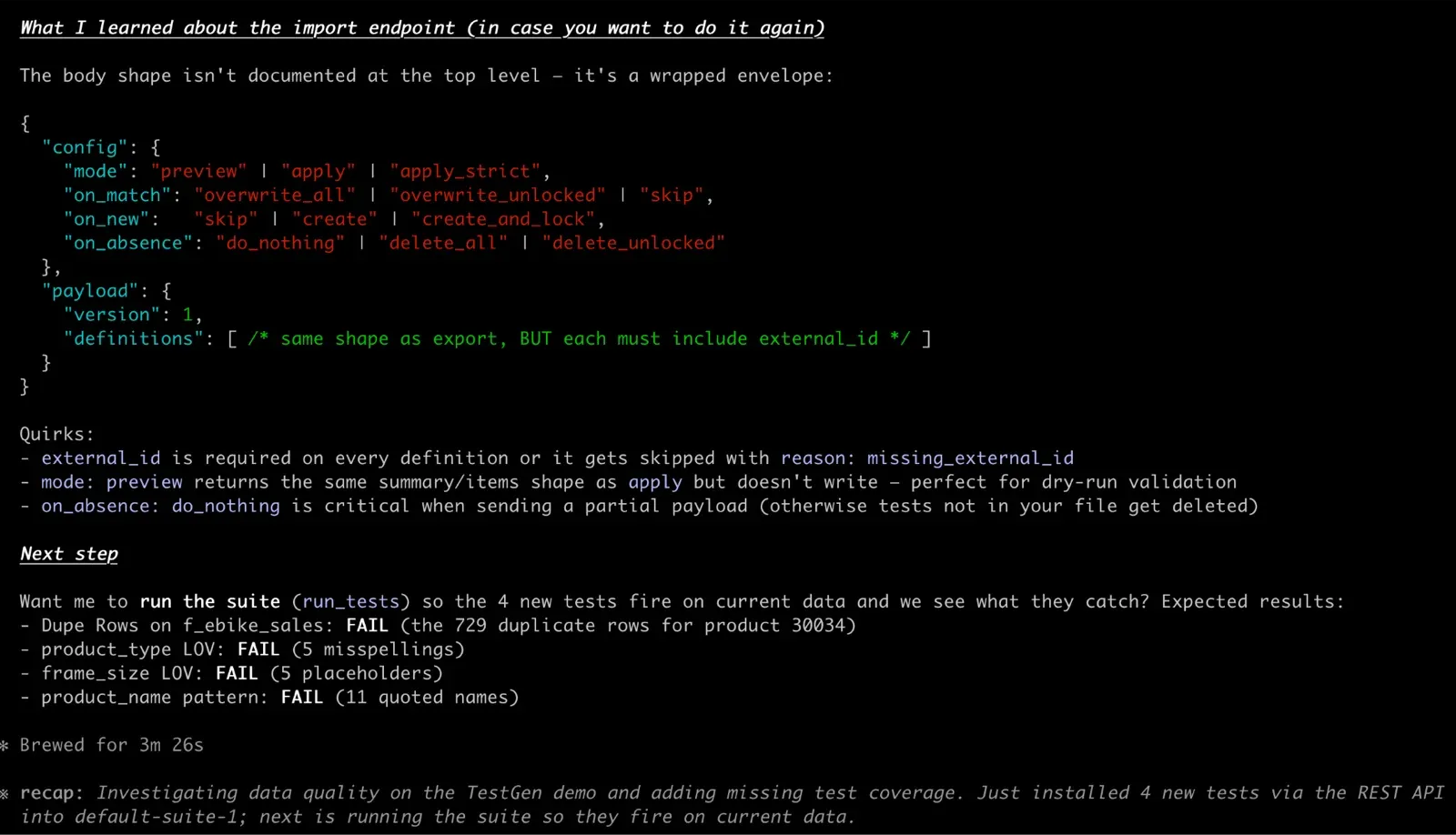
The interesting move is combining the profile with your current test inventory. The assistant pulls the existing tests in the suite and the catalog of 49 test types that TestGen knows how to generate. Now Claude has three things in context: what your data looks like, what tests already exist, and what tests are possible. Coverage gaps fall out.
A prompt that works:
Look at the customer table. Pull the profile, list the tests we already have on it, and recommend new tests we should add. For each recommendation, tell me which test type, which column, what threshold, and why.
What you get back is something like: the email column has 99.7 percent valid format in the profile, but no Email Format test in the suite. Recommend one. The signup_date column shows a tight distribution with no values outside the last three years. Recommend a Date Range test with those bounds. The country_code column has 47 distinct values, and the profile shows it should be 2-letter ISO codes. Recommend a List of Values test. The customer_id column in the profile is 100 percent unique and not null, but it lacks a uniqueness test. Recommend one.
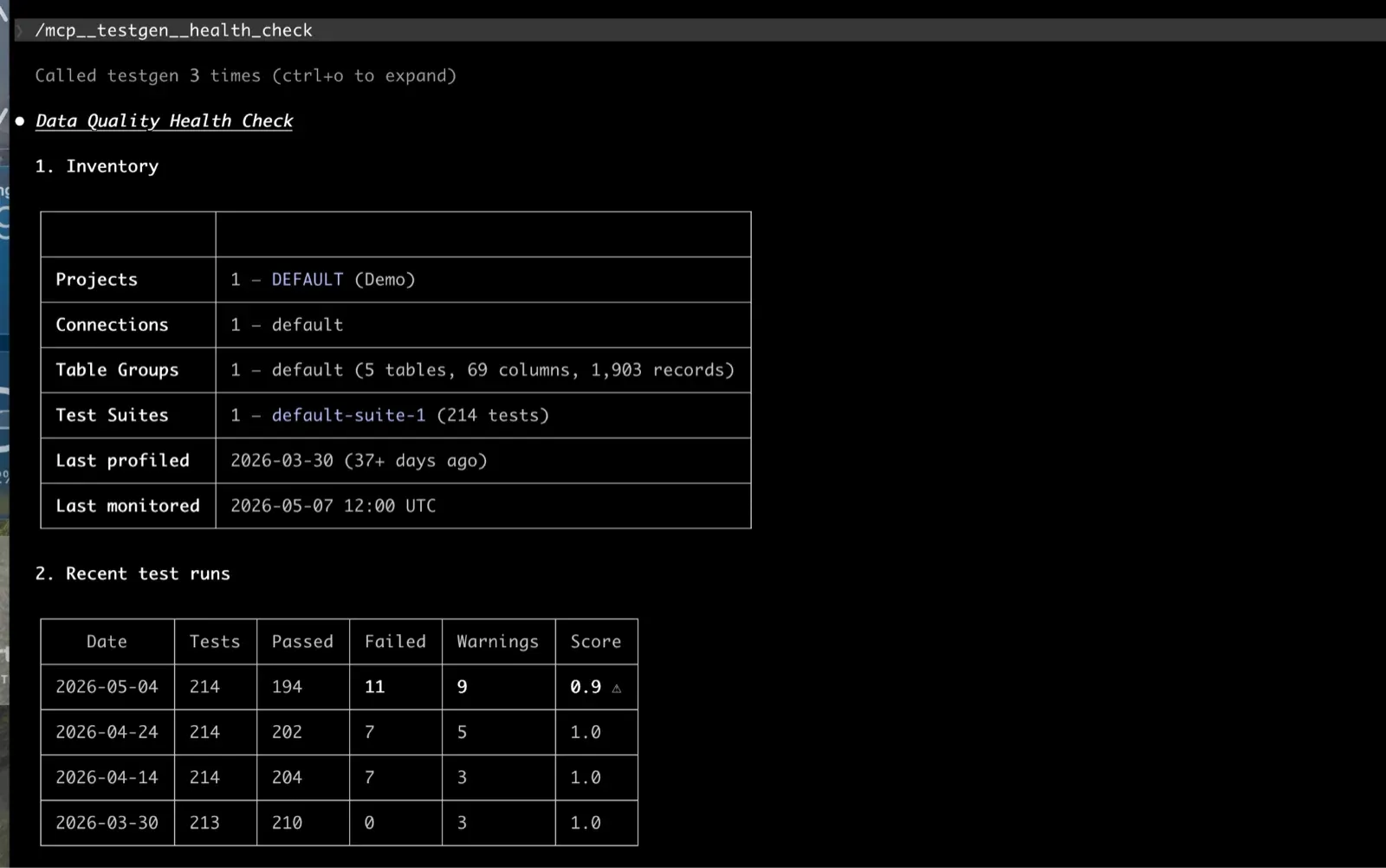
Claude can stop there and let you review, or it can add the approved tests to the suite directly. Same workflow you’d run in the UI through Generate Tests. Same result. Different surface for when you want to review the recommendations in chat or have a teammate co-pilot the decision.
The recommendations get sharper after a few profiling runs. The MCP server exposes profiling history, so Claude can compare profiles across runs and flag columns whose distribution shifted, which is often the signal you need to create a new test for.
Building autonomous agents that fix data automatically
This is where the MCP server stops being a chat tool and becomes a platform.
The TestGen MCP server gives an agent everything it needs on the read-and-trigger side. It can see new failures the moment they happen, pull the offending rows, check whether a test has been flaky or just broke, kick off a new test run after a fix, and report back. Refresh tokens work for headless automation, so the agent doesn’t need a person logged in.
What TestGen doesn’t do is reach into your warehouse and apply the fix itself. That part is yours. Your agent reads state, triggers runs through TestGen, and applies fixes via your transformation tool (dbt, Coalesce, a SQL runner, an orchestrator job). The separation is on purpose. TestGen having write credentials to your warehouse is the kind of thing your security team would not sign off on, and rightly so.
A scheduled agent runs every hour. For each new failure, it pulls the offending rows and the failure history, then routes the failure to one of five lanes.
Auto-fixes include trailing whitespace removal, case normalization for email addresses, ISO code normalization for country fields, and zero-padding for identifiers. The agent applies a TRIM() or normalization patch through your transformation tool, kicks off a new test run, and posts a one-line confirmation to Slack. Boring, repetitive, and exactly what you don’t want a senior engineer doing on a Tuesday morning.
The next lane is for upstream tickets. When nulls appear where they shouldn’t, the agent doesn’t fix the data. It files a ticket with the row count, the offending rows, and the last-known-good run. The ticket goes to a real person. The agent doesn’t pretend to know why the data is missing.
Schema drift goes to the on-call. A column type changed, a column disappeared. The agent summarizes what changed and links to the run page. Schema fixes are too contextual to auto-apply.
Volume and freshness failures usually mean the upstream pipeline didn’t run. The agent checks your orchestrator (Airflow, Dagster, your scheduler of choice) and either retries the source job or files a ticket if the source has been down longer than a threshold.
The fifth lane is for flaky tests. A test that fails 5% of runs across six weeks with no pattern is automatically demoted. The agent updates the threshold or drops the test from the critical suite, with a note attached so the next person knows what happened.
Everything the agent does is logged. Every fix has a Slack message, a ticket, or a test note attached, along with the source rows and the diff. When the agent gets a fix wrong, you can see exactly what it saw and what it did. That’s the difference between an autonomous agent you can trust and one you have to babysit.
For recurring patterns, the agent watches failure trends across the whole project. If the same column has thrown the same test type four times in two weeks across multiple tables, that’s a class of problem, not an instance. The agent flags it, proposes a fix at the source instead of the symptom, and asks a human to confirm. That’s the loop that makes the suite get healthier over time, rather than just keeping pace with breakage.
You don’t get a fully autonomous data quality team out of the box. You get the building blocks. The MCP server gives the agent eyes, hands, and memory. What you build on top is the policy.
Try it tonight
The whole thing takes 20 minutes. Install TestGen with python3 dk-installer.py tg install (Docker Compose, free, Apache 2.0). Run python3 dk-installer.py tg run-demo to load sample data with profiling and test results already populated. Connect Claude Desktop or Claude Code to the MCP server. Then paste this:
Look at the product table in our warehouse. Find the latest test failures, investigate root causes, recommend fixes, and graph the failure counts over the last 30 days. Then suggest any new tests we should add and add them to the suite.
Claude will pull the table, run a failure summary, fetch the actual rows that violated each test, render a 30-day trend chart inline, find the spike, run a diff against the prior clean run, propose three or four new tests with concrete thresholds, and offer to add them. One prompt. If the recommendations look like something you’d actually ship to your suite, you’ve got your answer about whether the MCP server is real. If they don’t, you’ve spent 20 minutes and learned something. Either way, you didn’t sit through a sales call to find out.
TIP
If you’d rather see this on your own data with a human walking you through it, book 30 minutes with us. We’ll connect to your warehouse, profile a few tables, and show you what an agentic data quality program looks like for your stack.
Also in 5.32.2
The release also ships:
- An OAuth 2.1 server that backs both the API and the MCP process under a single auth surface.
- v1 execution endpoints for profiling, tests, and test generation, with a real job queue and state machine behind them.
- Project-level permissions and sub-resource URLs.
- Test definition export and import endpoints, so you can promote tests from dev to prod with one API call.
- Weighted data quality scoring by table importance and semantic data type.
- Impact dimension as a scoring axis, so a hygiene issue on a column that drives a regulatory report scores differently than the same issue on a sandbox column.
- Snowflake key-pair auth as the default, with a deprecation warning on password auth.
If you’ve been on an older version, this is the one to upgrade to.
The open source agentic future of data quality
Every feature in TestGen will be available through the MCP server and the REST API. Anything you can do in the UI today, you’ll be able to do from a chat client, an agent, or a script. The UI is available to practitioners who want it. Everything else gets to talk to TestGen the same way developers already talk to GitHub, Stripe, and Snowflake.
Every data quality vendor is going to claim the agentic story. The ones that can deliver are the ones whose product was already built for it. TestGen has the API surface, the test catalog, the profiling history, the hygiene taxonomy, the data quality scoring, and the run lineage to feed an agent the context it needs to make good calls. Agentic data quality is a way of running your data team. The boring work happens while you sleep, and the work that’s left when you wake up is the work that actually needs you. TestGen 5.32.2 is the release that makes that real.
NOTE
DataOps Data Quality TestGen is open source under the Apache 2.0 license. Install it from github.com/DataKitchen/dataops-testgen. Star the repo if you want to follow along. Join the Data Observability Slack for support and to talk to the team.
Keep reading
Want to see how the agent fixes bad data without going rogue? Agents to fix data quality automatically with control walks through the design pattern: TestGen and Claude find the problem and propose the exact SQL, you approve each fix in a Jira ticket, and a second program applies only what you approved.
Want the whole MCP surface on one page? Grab the TestGen MCP cheat sheet: 96 tools (now 112 as of October 2026) grouped by the eight stages of the data quality loop, with connection instructions and starter prompts.
And for the full picture, watch our on-demand webinar, Stop Clicking, Start Asking: The AI Playbook for Data Quality: where the dashboard still wins, what AI dialogue adds, and when it’s safe to turn on agents.
FAQ
What are the key points in this blog?
TestGen 5.32.2, released May 4, ships an MCP server so LLMs can read profiling data, test definitions, and results directly. That enables agents that triage overnight: fixing trailing-whitespace failures, posting diffs and row counts to Slack at 3am, and demoting flaky tests. It is Apache 2.0, runs behind your firewall, and installs on a laptop with Docker.
What is an MCP server for data quality?
MCP is the Model Context Protocol, an open standard that lets an AI assistant read a system’s data directly instead of guessing from whatever you pasted into a chat window. A data quality MCP server exposes profiles, test definitions, and result history as tools the model can call, so its answers are grounded in your actual runs rather than plausible invention.
What can an AI agent do with TestGen’s MCP server?
It can triage failures and explain them in Slack, pull profiling data and recommend new tests, fix mechanical problems like trailing whitespace, and demote flaky tests that have been generating noise for weeks. The value is that the model reads real definitions and real result history first, so its recommendation cites the run rather than describing what a fix might look like.
Does the TestGen MCP server send my data to an AI provider?
TestGen runs behind your firewall under Apache 2.0, so the deployment and what the model is allowed to see are yours to control. That matters for regulated teams where the security conversation usually ends an evaluation. You can run the whole thing on a laptop in Docker before deciding what any assistant gets access to.
Is TestGen’s MCP server free?
Yes. The Apache 2.0 open-source build is free to install and runs locally in Docker, MCP server included. The MCP server is in the open-source edition, and only the option to hide source data from AI clients is Enterprise, so you can point an assistant at your own profiling results and test history the same evening you install it.
How do you get started with agentic data quality?
Install open-source TestGen, point it at one schema, and let it profile and generate a baseline test set. Then connect the MCP server to an assistant and ask it to triage the failures. Starting with triage rather than remediation is deliberate: you learn how good the model’s reasoning is on your data before you give it anything to change.