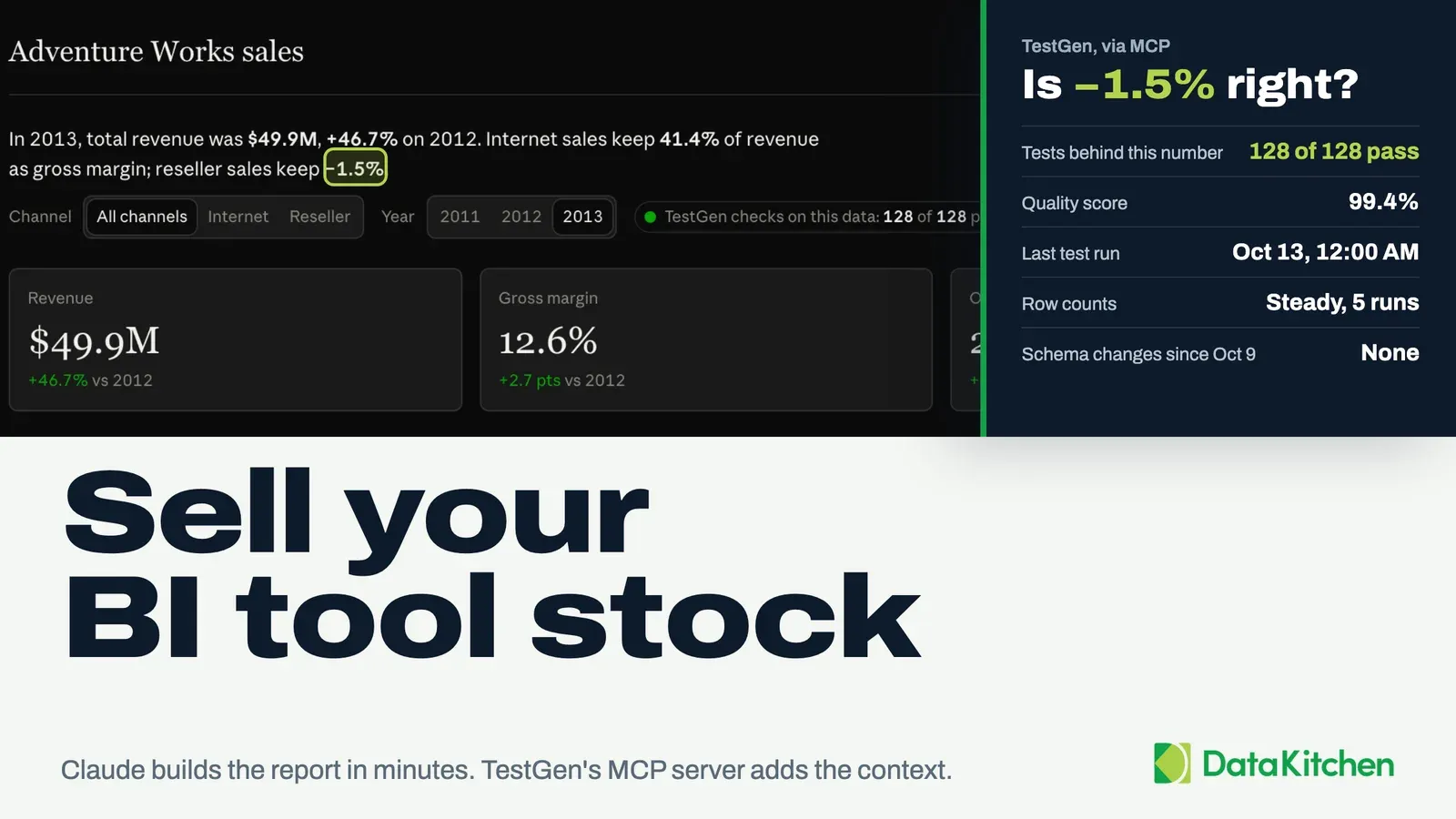
Your Fabric pipeline finished green. The Power BI report is wrong anyway.
That’s the failure mode nobody puts on the architecture diagram. A notebook runs, a Delta table gets written, a semantic model refreshes, and a number lands in front of an executive. Every step succeeded. The number is still wrong, because a source system changed a column type on Tuesday and nothing in the chain was watching.
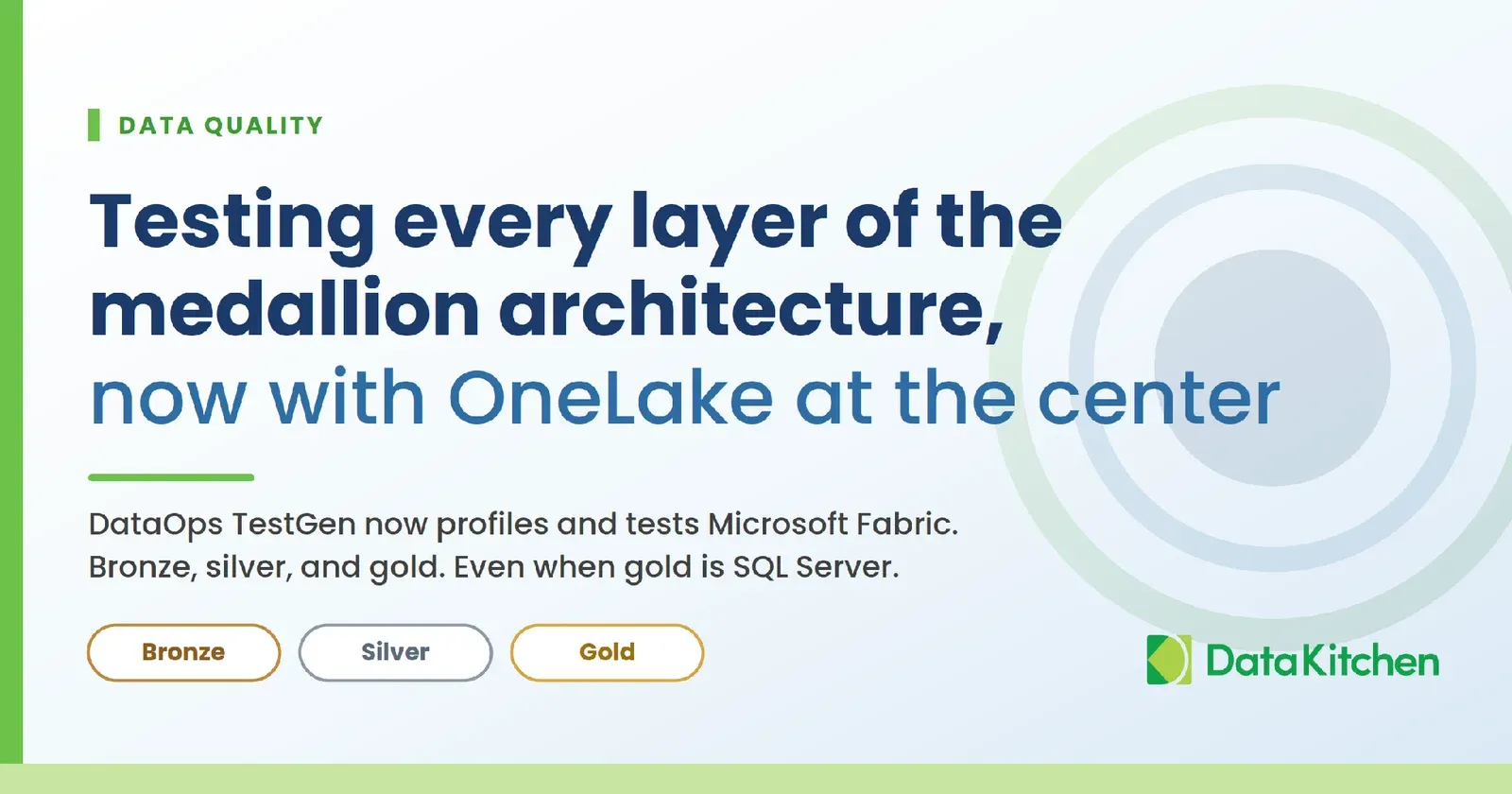
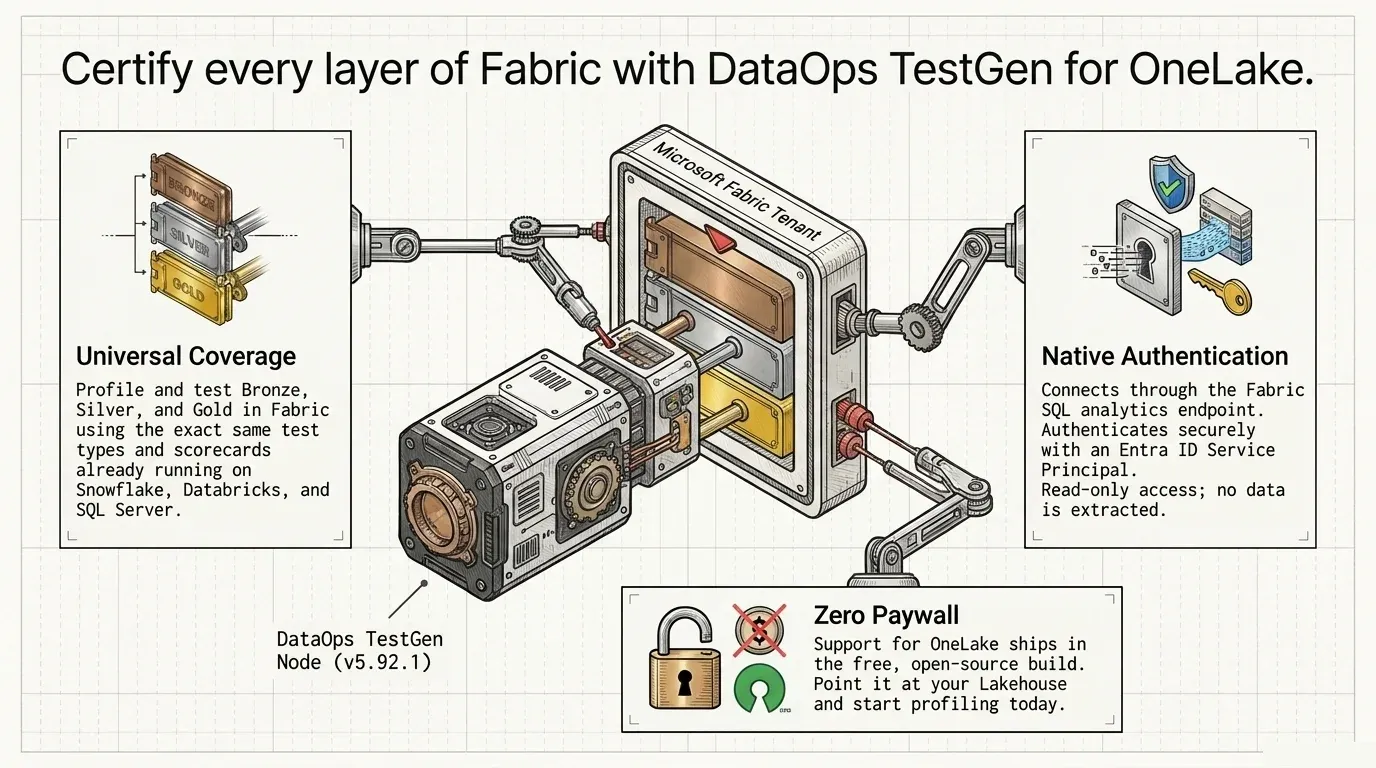
DataOps TestGen now connects to Microsoft OneLake. Open Source and Enterprise both, same release, version 5.92.1. You can profile and test bronze, silver, and gold in Microsoft Fabric with the same tool you already run against Snowflake, Databricks, Redshift, SQL Server, and the other supported databases. Same test types. Same scorecards. TestGen connects through the Fabric SQL analytics endpoint and authenticates with an Entra ID service principal or a managed identity. The details are in the release notes for open source and Enterprise, as well as in the connection requirements.
If you haven’t touched Fabric yet, that endpoint is the part worth knowing. Every lakehouse in OneLake automatically gets a read-only T-SQL endpoint over its Delta files. It speaks TDS, the same wire protocol SQL Server uses. Open SSMS or Azure Data Studio, paste in the connection string Fabric gives you, and run a SELECT. That’s how TestGen reads your lakehouse, and it’s why testing one asks nothing new of a SQL Server shop.
And if your gold layer is a SQL Server rather than a lakehouse, keep reading. That case is more common than the Fabric diagrams suggest, and it gets its own section below.
Nothing about Fabric sits behind a paywall here. Install the free build, point it at your lakehouse, and profile it this afternoon.
That’s the announcement. The rest of this post is the part that matters: where the tests go, and why OneLake changes the answer.
What Microsoft’s current medallion guidance actually says
The medallion pattern started at Databricks. Microsoft adopted it, and the guidance has moved far beyond “three folders in a lake.”
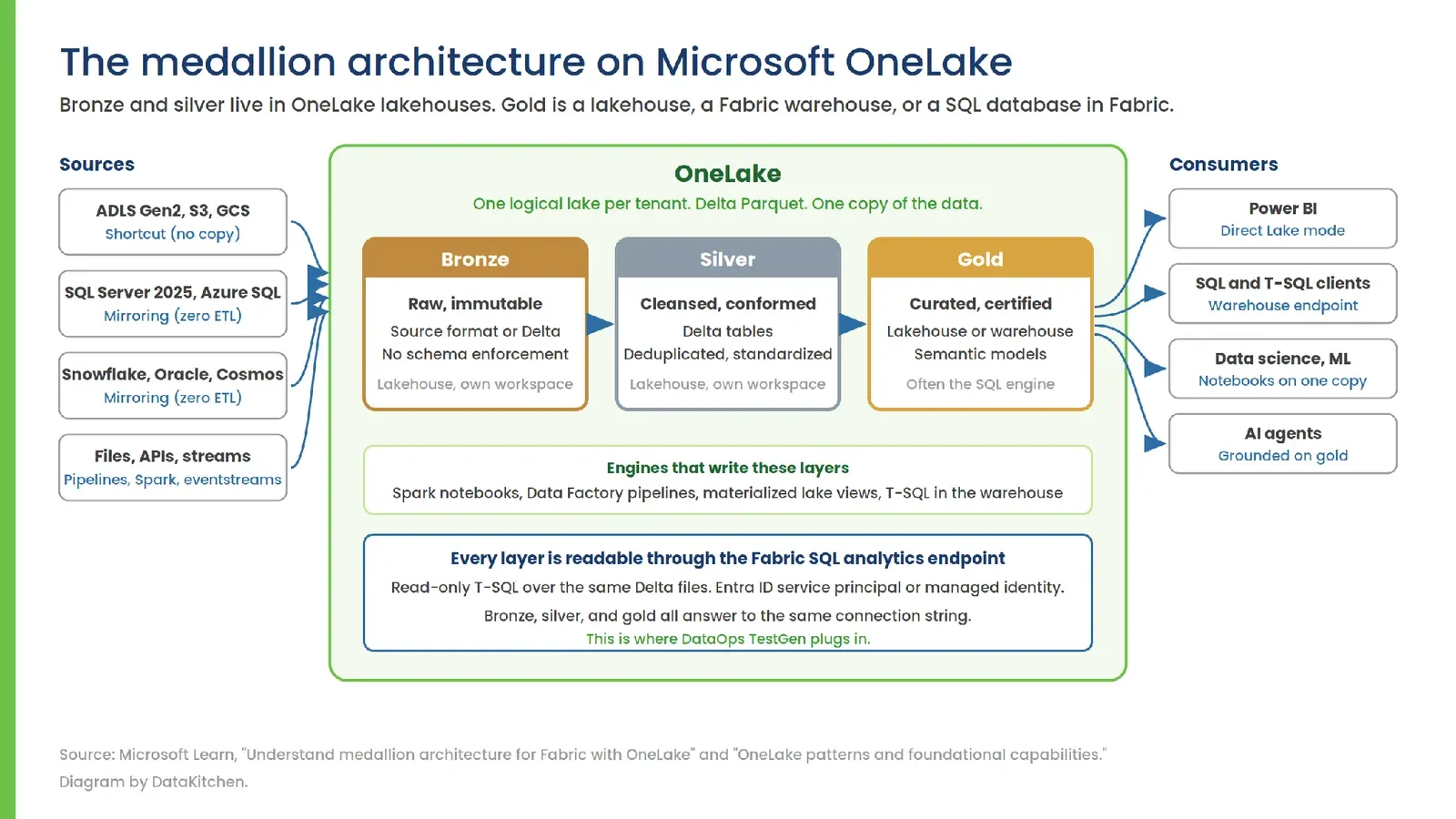
Read Microsoft’s own words in Understand medallion architecture for Fabric with OneLake. OneLake is the data lake for Fabric. Every tenant automatically gets one, and it stores all your analytics data. You build the medallion architecture by creating lakehouses inside it. Bronze holds raw data in its source format. Silver and gold hold Delta tables. Microsoft recommends putting each layer in its own workspace, not just its own lakehouse, so you get real governance at the layer boundary.
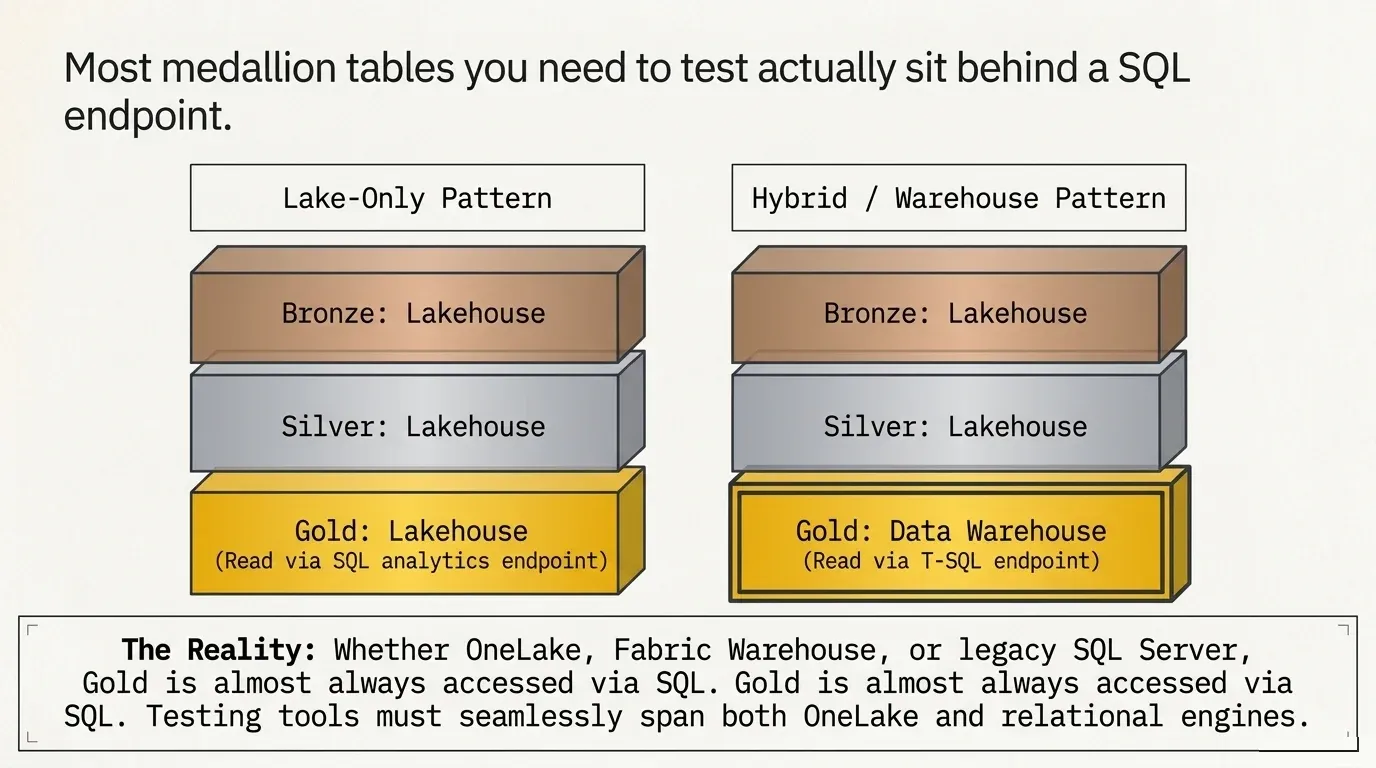
Then comes the part people miss. Microsoft describes two deployment patterns. In the first, every layer is a lakehouse, and your business users read through the SQL analytics endpoint. In the second, bronze and silver are lakehouses and gold is a data warehouse, read through the warehouse endpoint. Microsoft supports both. You’ll see both in the wild.
So OneLake is bronze and silver, almost always. Gold is OneLake sometimes, and a SQL engine the rest of the time.
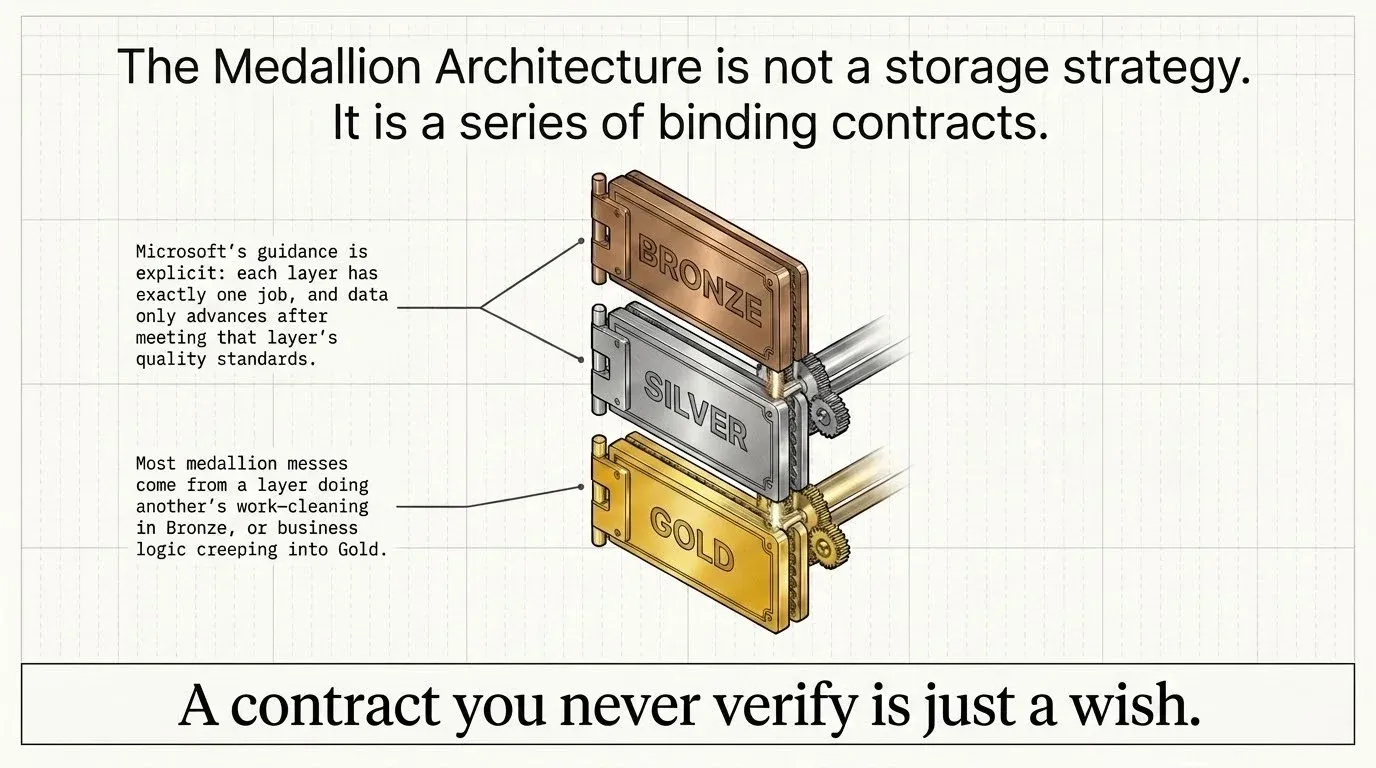
Microsoft’s OneLake patterns guide goes further and treats the medallion architecture as one of five patterns you combine, not a monolith. It puts the idea plainly: each layer is a contract with downstream consumers, and data only advances to the next layer after it meets that layer’s quality standards.
Read that sentence again. It’s a testing statement dressed up as an architecture statement. A contract you never verify is a wish.
Three Fabric items get called databases, and they are not the same thing
This trips up every SQL Server person on their first Fabric project, so here it is plainly.
A lakehouse holds Delta tables in OneLake. Spark and pipelines write it. You read it through the SQL analytics endpoint, which is read-only for table data but supports views, functions, stored procedures, and SQL security objects. This is where bronze and silver usually live.
A warehouse is a full T-SQL engine with reads and writes, stored procedures, and multi-table transactions. It still stores Delta in OneLake. It’s the closest thing to a Synapse dedicated pool you’ll find in Fabric, and it’s where gold often lives.
A SQL database in Fabric is different from both of them. It’s an operational OLTP engine within Fabric, from the same family as Azure SQL Database, and Fabric automatically replicates its data to OneLake as Delta. It’s not Azure SQL, even though it feels like it. Microsoft groups it with Cosmos DB under Fabric Databases.
All three land Delta files in OneLake, and all three answer T-SQL over TDS. That’s what makes one testing tool sufficient for the whole estate.
Three other things in the current guidance change how you should test.
Shortcuts and mirroring mean you often didn’t build bronze
Microsoft tells you to point a shortcut at ADLS Gen2, S3, or Google Cloud Storage instead of copying data in. For operational databases, mirroring creates a synchronized Delta copy with no ETL you wrote. The supported list now includes Azure SQL Database, Cosmos DB, Snowflake, PostgreSQL, SQL Server 2025, Oracle, and BigQuery. This is fast, cheap, and good. It also means bronze arrives through a pipe you don’t control and can’t instrument. You didn’t write the transform, so you get no logs from it. Profiling and testing are the only way to see what showed up, and whether it showed up at all.
Materialized lake views moved the transform into the platform
Materialized lake views let you declare bronze-to-silver-to-gold transformations in Spark SQL and let Fabric handle dependency ordering and refresh. Follow Microsoft’s tutorial, and you’ll land bronze as a shortcut and run one notebook. Outcomes include silver and gold, data quality constraints, an auto-generated lineage graph, a refresh schedule, run history, and a data quality report tab. That’s a real improvement over hand-built pipelines, and you should use it.
Notice what it covers, though. The constraints are the ones you thought to write, checked on rows inside a single transform, on the views that ran. It doesn’t tell you that silver has 40 percent fewer distinct customers than bronze. It doesn’t flag that a product code format drifted last week in a column nobody constrained. It says nothing about a bronze table that’s been stale for eight hours since a source change, because a view that never fired has no failed constraint to report. Declarative transforms tell you a rule broke. Profiling tells you what’s actually in the table, including the parts you never wrote a rule for.
The tutorial is worth reading for a second reason. It builds bronze, silver, and gold as three schemas within a single lakehouse, whereas the architecture guidance recommends a separate workspace per layer. Both are real. Your layout determines how you scope table groups in TestGen, where a table group is the set of tables in a single schema that you profile and test together. Settle the layout before you connect.
Direct Lake removed the copy that used to buy you time
With Direct Lake mode, Power BI reads gold straight from OneLake. No import, no scheduled refresh. The gap between a bad write and a bad dashboard used to be hours. Now it’s seconds. Whatever is in gold is what the business sees, immediately.
One copy of the data. Many engines. No refresh buffer. Quality has to be a property of the table, not a feature of whichever tool happened to write it.
Sometimes gold is SQL Server, and that’s fine
Microsoft’s Fabric Data Warehouse team went further in August 2026. Their post, “Choosing your medallion pattern in Fabric Data Warehouse,” opens by telling you that the question you’re probably asking is the wrong one. Not “lakehouse or warehouse.” Instead: how much Spark do you actually need?
Their answer comes in two shapes. Structured, SQL-first workloads run the whole thing in the warehouse. Bronze, silver, and gold, all T-SQL. Unstructured or engineering-heavy workloads go hybrid, land bronze in a lakehouse, and serve gold from the warehouse. Their words, not ours: gold always comes from the warehouse. Not usually. Always.
Read that as a data-quality person, and it changes the shape of the job. In one recommended pattern, all three layers are relational tables you query with T-SQL. In the other, the layer everyone reports from is relational. Either way, most of the medallion tables you need to test sit behind a SQL endpoint.
So your gold may not live in the lake at all. It’s a Fabric warehouse, a SQL database in Fabric, or a SQL Server your finance team has trusted since 2014 and will not give up.
You don’t have to pick a side. TestGen supports Microsoft SQL Server, Azure SQL Database, and Azure Synapse Analytics, as well as OneLake. The same release added Entra ID service principal authentication for Azure SQL and Synapse, so your gold layer authenticates the same way your lake does. Point TestGen at bronze and silver through the Fabric SQL analytics endpoint. Point it at gold wherever gold actually lives. One set of quality scores covers the whole chain.
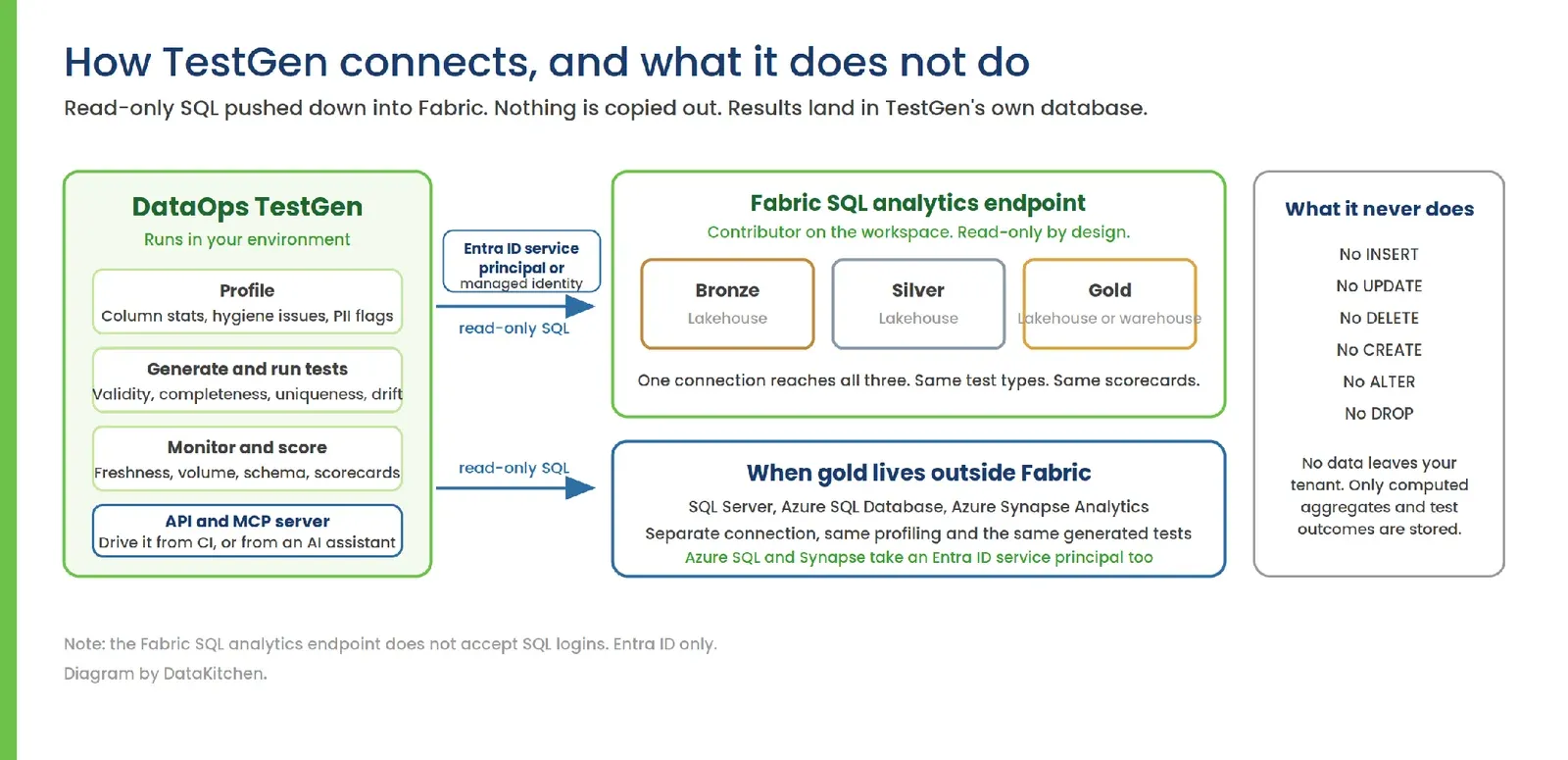
Two notes on the connection, because this is where setups stall. The Fabric SQL analytics endpoint doesn’t accept SQL logins, so plan on Entra ID from the start. And grant the least privilege that actually works. On a production tenant that means item-level access on the lakehouse, or a Viewer role plus the data permissions the endpoint needs. Contributor reads the endpoint with no item-level permissions to juggle, which makes it the fast way to get a first profile running in development, and more access than the job requires.
That second one deserves a warning if you’re coming from SQL Server. Two permission systems apply here, and they govern different doors to the same files. SQL permissions govern SQL access, so a GRANT through the endpoint works the way you expect. Workspace and OneLake permissions govern every other path to the same files, Spark and direct OneLake access included, which is why the workspace layer comes into it at all. Contributor spans both. That is more than the job needs on a production database, so your security reviewer will notice, and they’ll be right. The sentence that gets you through the review is the one about egress: TestGen pushes read-only SQL into the endpoint and pulls back aggregates, so no rows leave the tenant. Give the service principal access only to the workspaces you intend to profile.
TestGen pushes read-only SQL into your tenant. It runs no INSERT, UPDATE, DELETE, CREATE, ALTER, or DROP. No data comes out. TestGen stores only computed aggregates and test outcomes in its own database.
The four places to test
We’ve written about this before. The Race for Data Quality in a Medallion Architecture walks through the quality problem at each layer. Data Quality Test Coverage in a Medallion Data Architecture does the coverage math. Data Production Tripwires shows how to stop a bad layer from feeding the next one. Our medallion solution page pulls the pieces together, and the webinar, The Four Points in Your Medallion Architecture Where Data Testing Really Matters, covers it end-to-end.
Microsoft’s warehouse series puts the principle well in part two: each layer has exactly one job, and most medallion messes arise when a layer does another’s work. Cleaning in bronze. Business logic creeping into gold. Tests at the boundary are how you find out a layer picked up a job that wasn’t its own.
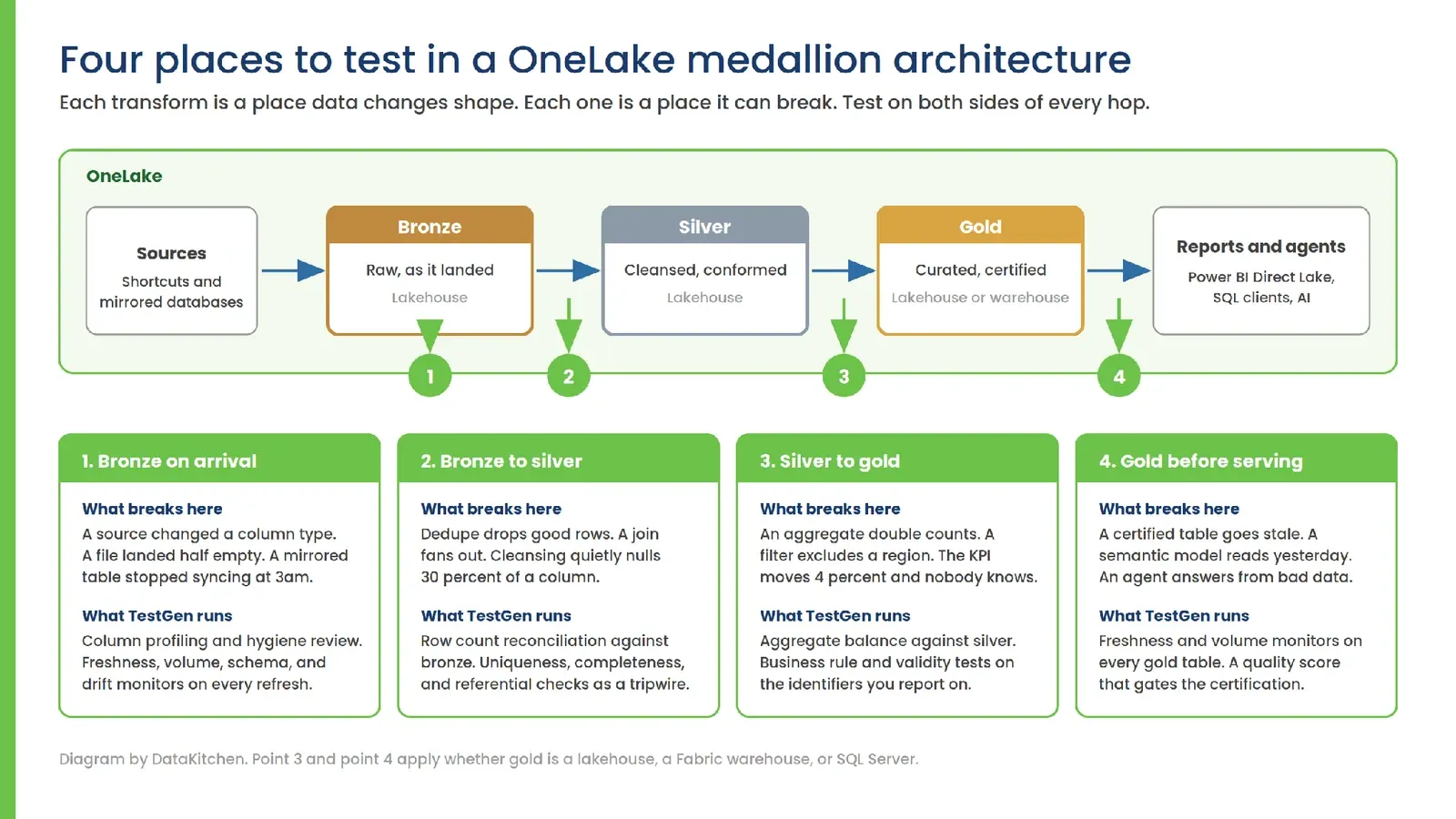
Here is the same map, drawn on OneLake.
Bronze, on arrival
This is where bad data enters. A source changed a column type. A file landed half empty. A mirrored table stopped syncing at 3 a.m., and the sync status looks fine. Point TestGen at your bronze lakehouse and let it profile every column: null rates, duplicates, value ranges, format mismatches, PII risk. You get a hygiene review before anything moves downstream. We pointed it at 600,000 rows of Boston building permit data once, and it found 18 data hygiene issues in about three minutes, including a city column with a stray slash.
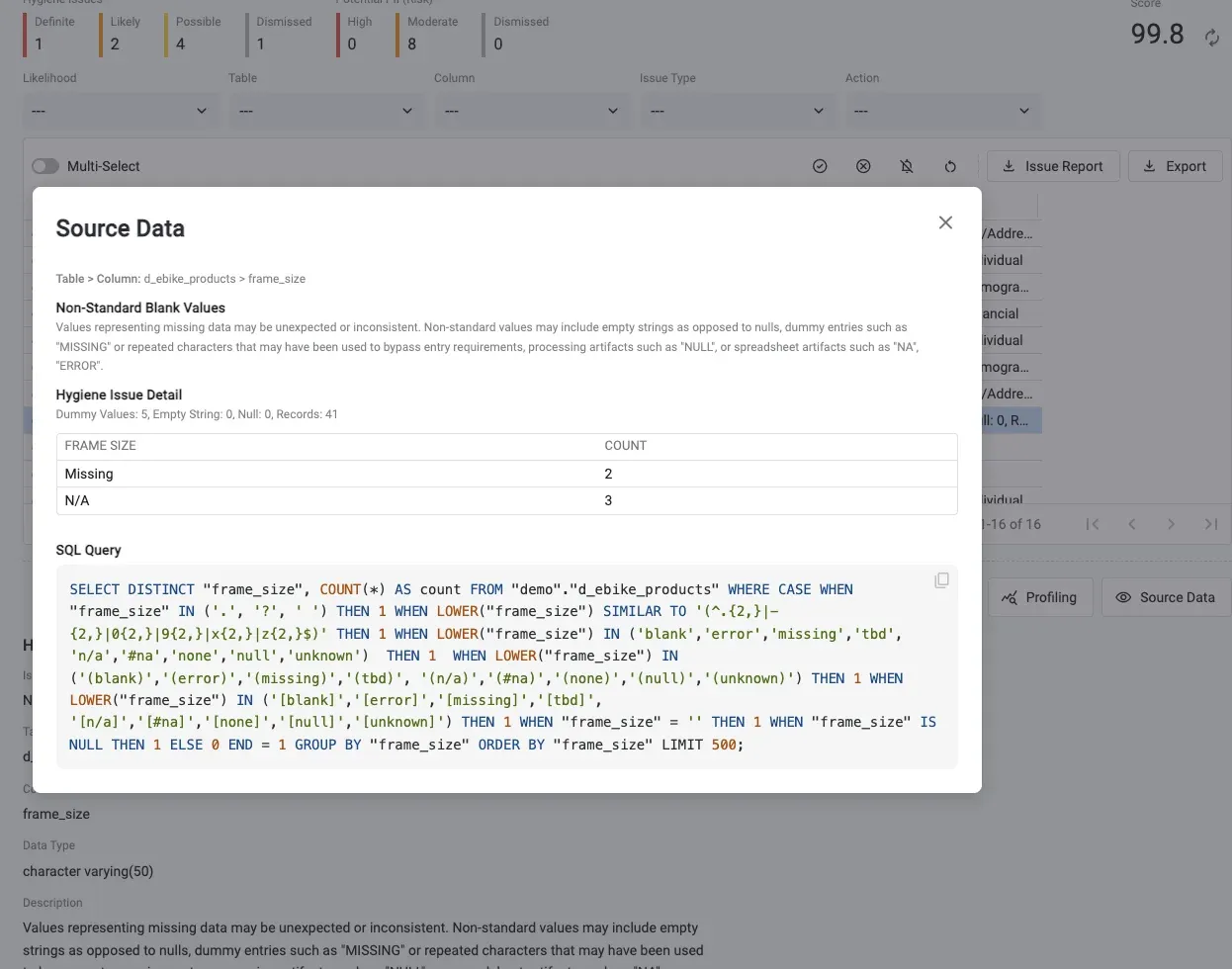
Don’t fix any of it there. Microsoft is explicit that bronze has one job: ingest raw source data with no cleansing, and that you shouldn’t filter out bad records in bronze because all cleaning happens in silver. Good rule. Keep it. It also makes bronze the one layer where you need to see problems without stopping them. Profiling does exactly that. You don’t gate bronze; you measure it, so you know what silver is about to inherit. Their advice to add an ingestion timestamp and a source filename column is worth taking for a second reason too. Those are the columns a freshness test keys on.
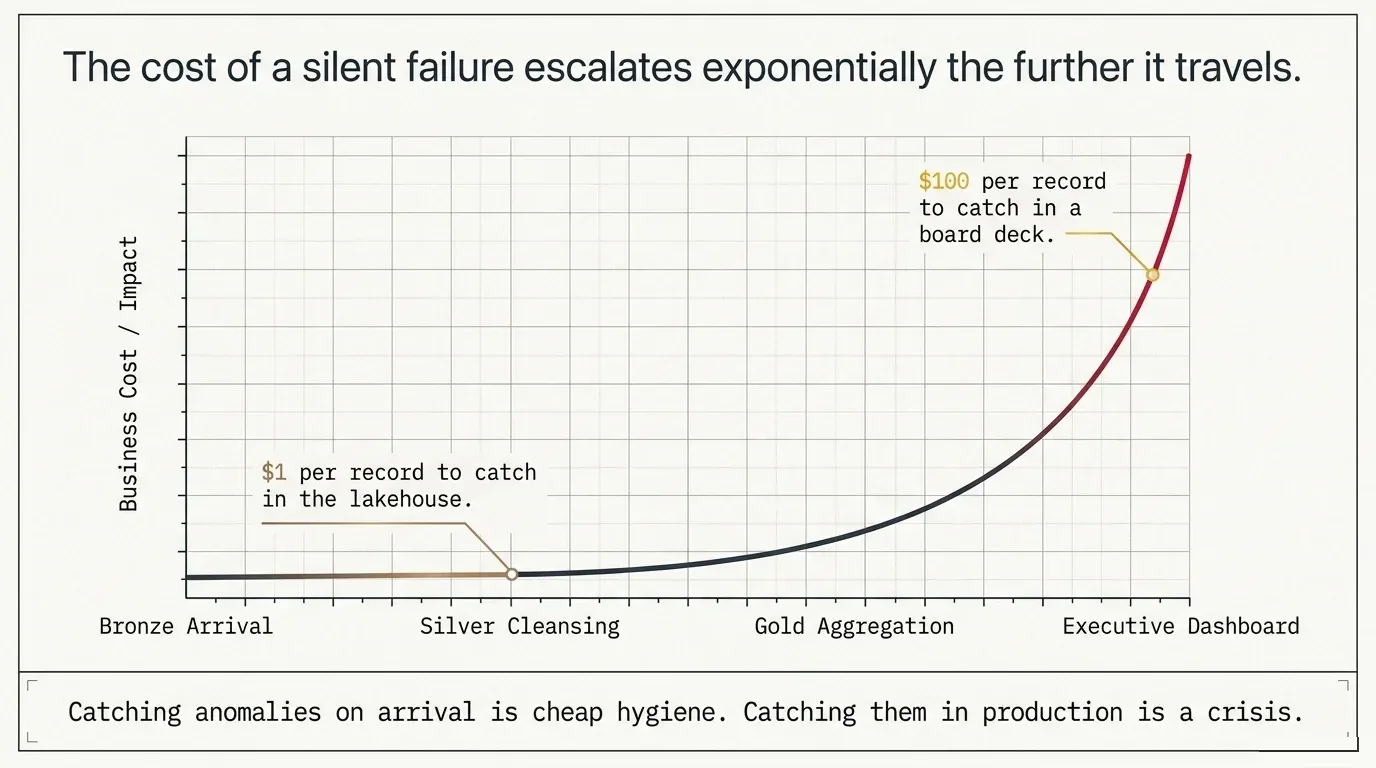
Then four monitors run on every refresh. Did we get something new? Did we get enough of it? Does the schema still fit? Do the values still make sense? Catching a problem here costs about a dollar a record. Catching it in a board deck costs a hundred.
Bronze to silver
Cleansing is where good rows die quietly. A dedupe rule drops legitimate records. A join fans out. A cast turns 30 percent of a column into nulls without raising anything. Reconcile silver row counts against bronze, then run uniqueness, completeness, and referential tests on the result.
Wire it as a tripwire, a check that sits between the two transforms and stops the second one when the first one produced garbage. How you build it depends on your orchestrator. In Airflow, a task runs the suite and exits with a non-zero status. In a Data Factory or Fabric pipeline, a Web activity calls the TestGen API to run the suite, and you branch on the result so that the silver-to-gold activity fires only on success. Either way, the shape is the same. The next transform doesn’t run. Gold stays on the last good data, and you get a failed activity in the run history instead of an incorrect number on a dashboard.
Silver to gold
This is aggregation, and aggregation lies with a straight face. A double-counted join inflates revenue by 4 percent. A filter silently excludes a region. No errors. Balance your gold aggregates against silver, and run business rule tests on the identifiers you actually report on. Those are the codes and keys your business runs on, and the generic test types don’t know their formats. If yours are proprietary, TestGen Enterprise accepts uploaded test types, so you don’t have to wait for a release to test a format only your company uses.
Gold, before it serves anything
With Direct Lake, there’s no buffer between a stale gold table and a wrong dashboard. Run freshness and volume monitors on every gold table and put a quality score in front of the certification. Microsoft tells you to endorse gold tables as certified in the OneLake catalog. Certify on evidence, not on a meeting.
The coverage problem is real, and it’s arithmetic
Say you have 100 tables in each layer. Bronze needs roughly 2,200 tests. Silver needs another 2,200. Gold adds about 620, plus your custom business metric tests. Written by hand, that’s over a year of full-time work.
So it doesn’t get written. You write three tests on the dashboard table everybody complains about and call it coverage. Then the break happens in a bronze table nobody thought about. When we asked why data engineers don’t test, Reddit gave us eight reasons, and every one of them was about effort rather than intent.
TestGen profiles each table and generates freshness, volume, schema, and drift tests based on what it finds. It re-baselines when you move from bronze to silver to gold, so the tests match the schema at that layer rather than the schema from two hops ago. A junior operator can run it. You get column-level coverage across every layer on day one.
Where TestGen stops, and Observability starts
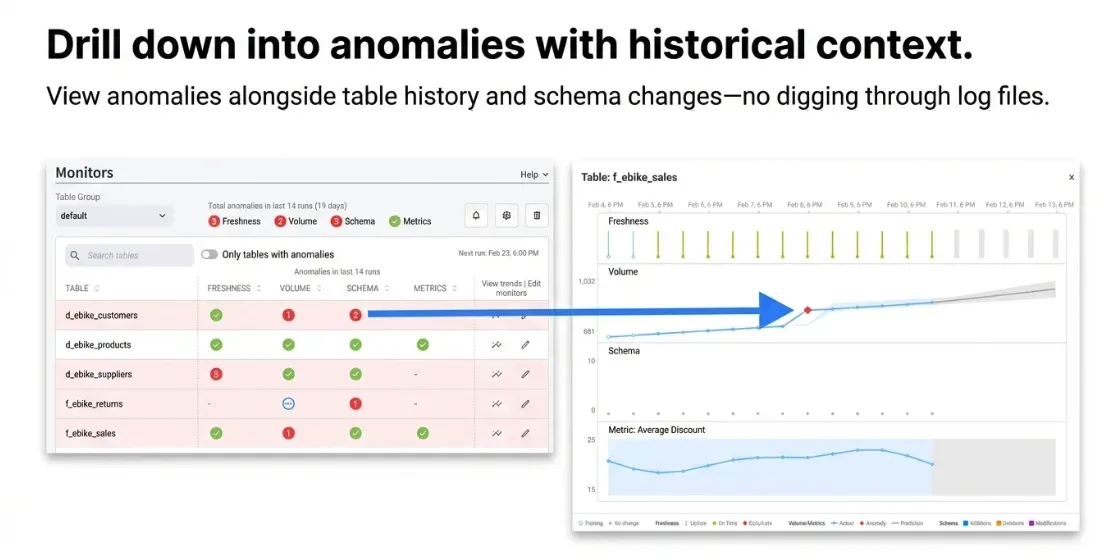
A failing test tells you a layer is broken. It doesn’t tell you where the break started.
DataOps Observability monitors the entire chain: ingestion, Spark notebooks, Data Factory pipelines, dbt, Airflow, and Power BI. It ties task runs, test results, timing, and error logs onto a single Data Journey spanning all three layers. When a gold number looks off, you see which step failed, in which layer, and which test caught it. Lineage maps where a problem would spread. A Data Journey shows you where one actually is.
How to start this week
Start with the part you can’t do yourself. The Fabric admin portal has a tenant setting called “Service principals can use Fabric APIs,” and it must be enabled before any of this works. Ask your Fabric admin on Monday, because that’s the step that stalls people for a week.
Then create a read-only Entra ID service principal and give it the narrowest access that works: item-level access on the bronze lakehouse, or Viewer plus the required data permissions. Contributor on the workspace is quicker, and fine for a first look in development. Connect TestGen and run a profile. Read the hygiene issues, worst first.
You’ll find things. Everybody does. A column that’s 12 percent null and nobody knew. A date field with three formats in it. A mirrored table that’s been eight hours stale since a change last month.
TestGen is licensed under Apache 2.0 and is free to install. The free build includes OneLake support, Entra ID authentication for Azure SQL and Synapse, the new REST API endpoints, and the MCP server monitor controls. Uploaded test types are Enterprise, which is flat-rate, with no per-table pricing, and no metering of your test runs.
Then do silver. Then gold, wherever gold lives. Add the tripwires. Turn on the monitors.
Your medallion architecture already has quality gates in place. Go make them real.
TIP
Install open-source TestGen or request a demo of TestGen Enterprise.
Further reading
From DataKitchen:
- The Race for Data Quality in a Medallion Architecture
- Data Quality Test Coverage in a Medallion Data Architecture
- Data Production Tripwires in Databricks
- TestGen Found 18 Data Quality Issues in a Few Minutes
- We Got Roasted on Reddit for Asking Why Data Engineers Don’t Test
- There Are a Lot of Freaking Data Quality Vendors
From Microsoft:
- Understand medallion architecture for Fabric with OneLake
- Implement medallion architecture with materialized lake views
- Choosing your medallion pattern in Fabric Data Warehouse
- Building the bronze, silver, and gold layers
- OneLake patterns and foundational capabilities
- What is a lakehouse in Fabric
- Fabric Databases
- OneLake shortcuts
- Mirroring in Fabric
- Direct Lake mode
- OneLake security
FAQ
What are the key points in this blog?
DataOps TestGen 5.92.1 connects to Microsoft OneLake through the Fabric SQL analytics endpoint, in both the open-source and Enterprise builds. Microsoft’s own medallion guidance treats each layer as a contract, and shortcuts, mirroring, materialized lake views, and Direct Lake all change where tests belong. Measure bronze on arrival, put tripwires between bronze and silver and between silver and gold, and certify gold on test evidence before Power BI reads it.
Does DataOps TestGen work with Microsoft Fabric and OneLake?
Yes. Starting with version 5.92.1, TestGen profiles and tests tables in a Fabric lakehouse through the OneLake SQL analytics endpoint, with the same test types and scorecards it runs against Snowflake, Databricks, Redshift, and SQL Server. OneLake support is in the free open-source build as well as Enterprise. Gold layers that live in a Fabric warehouse, Azure SQL, Synapse, SQL Server, or any of the other supported databases connect through their own connections.
How does TestGen connect to a Fabric lakehouse?
Every lakehouse in OneLake gets a T-SQL endpoint over its Delta files, speaking the same TDS wire protocol SQL Server uses. TestGen connects there with an Entra ID service principal or a managed identity, because the endpoint does not accept SQL logins. Grant item-level access, or Viewer plus the required data permissions, and have your Fabric admin enable the tenant setting for service principals.
What is the difference between a lakehouse, a warehouse, and a SQL database in Fabric?
A lakehouse holds Delta tables in OneLake, is written by Spark and pipelines, and is read through a T-SQL endpoint that is read-only for table data, which is where bronze and silver usually live. A warehouse is a full T-SQL engine with writes, stored procedures, and transactions, and is where gold often lives. A SQL database in Fabric is an operational OLTP engine that Fabric replicates to OneLake as Delta. All three answer T-SQL over TDS.
Where should you put data quality tests in a Fabric medallion architecture?
Four places. Profile bronze on arrival and run freshness, volume, schema, and value monitors on every refresh, but do not gate it, because Microsoft is explicit that all cleaning happens in silver. Put a tripwire between bronze and silver that reconciles row counts and runs uniqueness, completeness, and referential tests. Put another between silver and gold that balances aggregates. Then monitor every gold table before Direct Lake serves it.
Why isn’t the data quality built into Fabric materialized lake views enough?
Because its constraints only cover what you thought to write, checked on rows inside a single transform, on the views that ran. They will not tell you that silver has 40 percent fewer distinct customers than bronze, that a product code format drifted in a column nobody constrained, or that a bronze table has been stale for eight hours, since a view that never fired has no failed constraint to report. Profiling shows what is actually in the table.
Why does Direct Lake make testing before the gold layer urgent?
Because there is no refresh buffer left. A traditional warehouse load fails before it writes gold, so the dashboard keeps yesterday’s number until somebody fixes the pipeline. In Fabric the semantic model reads Delta Parquet straight out of storage. A schema drift or a null spike reaches an executive the moment it lands. Catching it before gold is the only version that counts.
How do you test data that arrives through a shortcut or mirroring?
Test the SQL analytics endpoint directly, because there is no pipeline code to instrument. Shortcuts and mirroring bypass the ELT you would otherwise have written. There is no Airflow task to wrap and no Spark script to log from. Profiling what landed is the only realistic way to audit a zero-ETL arrival, where the arrival is the entire pipeline.
Does testing Fabric data move any of it out of your tenant?
No. TestGen pushes read-only SQL into the Fabric SQL analytics endpoint and pulls back aggregate statistics and metadata, so the raw rows never move. It runs no INSERT, UPDATE, DELETE, CREATE, ALTER, or DROP. It stores only computed aggregates and test outcomes in its own database. That is what a data residency review is asking about.
Will generating thousands of tests use up my Fabric capacity?
It can, and the bill is usually how you find out. Roughly 5,000 generated tests across bronze, silver, and gold is thousands of T-SQL queries landing on your Fabric engine. Run them during business hours and you compete with the business for the same capacity units. That surfaces as background throttling or a burst charge, not as a failed test.
Why do tests fail right after a Spark notebook writes to a lakehouse?
The SQL analytics endpoint trails fast Delta commits. A suite that fires the instant a write finishes can read stale metadata, or throw a transient query error that looks like a data problem and is not. Put a dependency or a short delay between the write and the test run, so the endpoint has caught up before anything is evaluated.
What has to be approved before you can run the first profile?
Two things, and neither is in the data team’s gift. A Fabric admin has to enable the tenant setting that lets service principals use Fabric APIs. The principal also needs access to the workspace holding the layer you intend to profile. Ask for both before you plan the work, because this is the step that stalls people for a week.