Open source data quality for Azure SQL
Stop writing Azure SQL data quality tests by hand.
Point TestGen at Azure SQL Database. It profiles every table, generates thousands of tests, and flags hygiene issues on the first run. Read-only access. Free and open source.
Install TestGen
Pick your platform. Free and open source.
# TestGen install for Mac, Linux.
# Download the latest installer.
$ curl -o dk-installer.py \
  'https://raw.githubusercontent.com/DataKitchen/data-observability-installer/main/dk-installer.py'

# Run the install command.
$ python3 dk-installer.py tg install

# Full docs: docs.datakitchen.io/testgen/get-started/install-on-mac-linux/- Double-click
dk-installer.exein your Downloads folder. - If Windows shows a protection warning, choose More info, then Run anyway.
- Pick TestGen, then Docker or pip. The installer seeds demo data, opens the UI, and prints your login.
# Full docs: docs.datakitchen.io/testgen/get-started/install-on-windows/
- 55data profiling column characteristics
- 32data hygiene detectors
- 34test types auto-generated from the profile
- 19business rule and custom SQL test types
Connect TestGen to Azure SQL Database
TestGen runs read-only queries inside your database. It never creates, changes, or deletes anything. Sign in the way your Azure team already does.
- Sign-in
- SQL login, Azure Managed Identity, or an Entra ID service principal.
- Permissions
- SELECT on the tables you want tested.
information_schemaandsys.partitionsare readable by default, andsys.objectsshows the tables you can already select. - Every test type
- Azure SQL supports UTF-8 collations, so the text-hash comparison tests run too.
- Where TestGen runs
- An Azure VM, a container, or any machine that can reach the database. Your data stays in your environment.
Azure SQL data problems TestGen catches
What goes wrong after a database moves to Azure and starts taking loads from new pipelines. Each card lists the TestGen checks that find it.
-
The migration dropped or changed rows
Row counts and totals that no longer match the on-prem source.
-
A pipeline copied fewer rows than usual
A Data Factory copy activity skipped rows or loaded an empty file.
-
Types drifted in the move
Columns that came across as text, or with a different precision.
-
An app release changed the values
New code writes values outside the old ranges or shifts the distribution.
-
Yesterday’s data never arrived
A scheduled load ran late or failed.
-
Duplicates from retries
A retried pipeline inserted the same batch twice.
What TestGen does on Azure SQL
Everything below is in the open source release, and all of it works on Azure SQL Database. Enterprise adds team access, security, Commercial Pharma tests, and support.
-
Auto-Generated Tests (documentation, opens in a new tab)
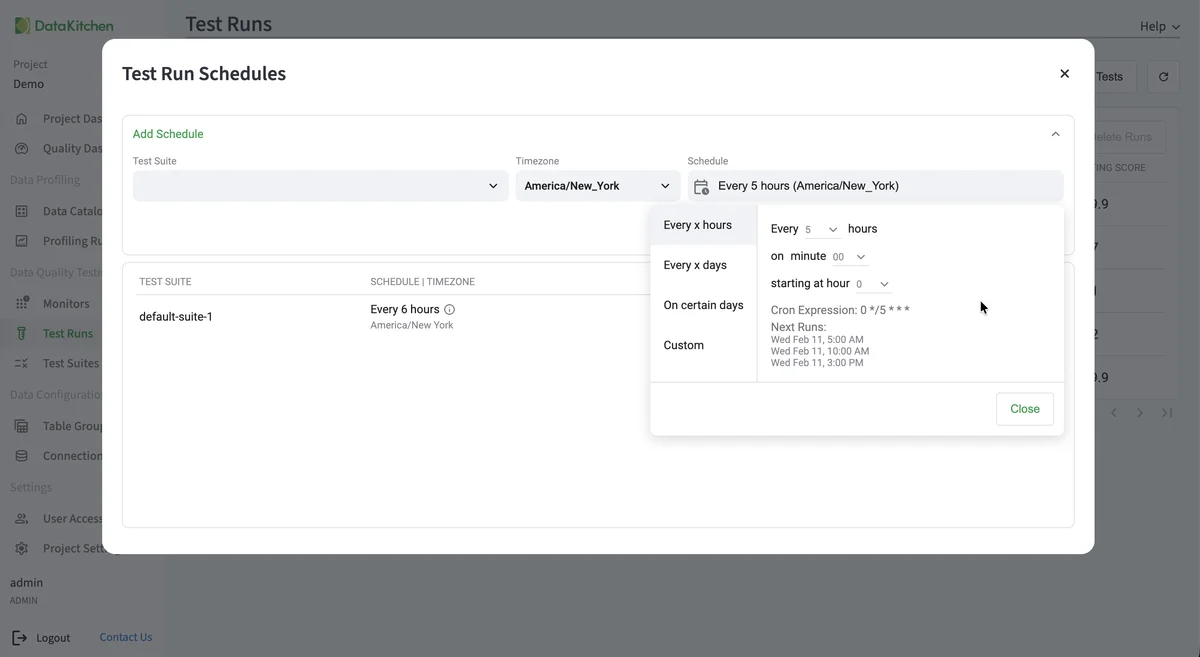
Point TestGen at an Azure SQL database and it writes the tests, then runs them inside the database. Every text-hash comparison test runs too, because Azure SQL supports UTF-8 collations.
-
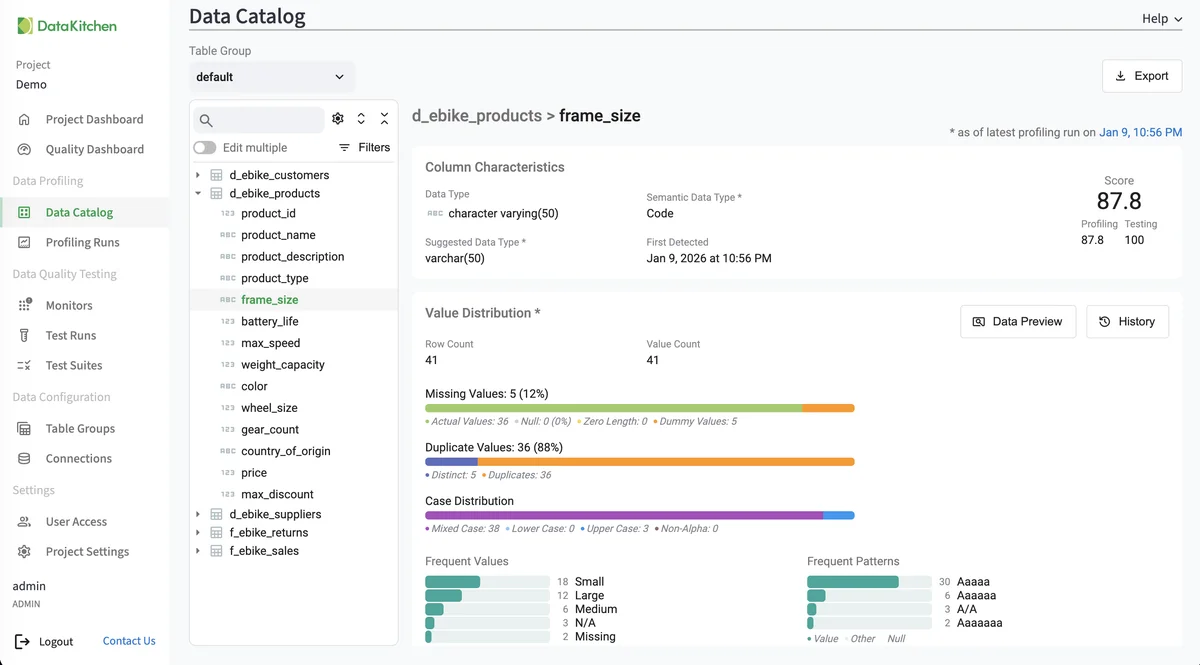
Data Profiling (documentation, opens in a new tab)
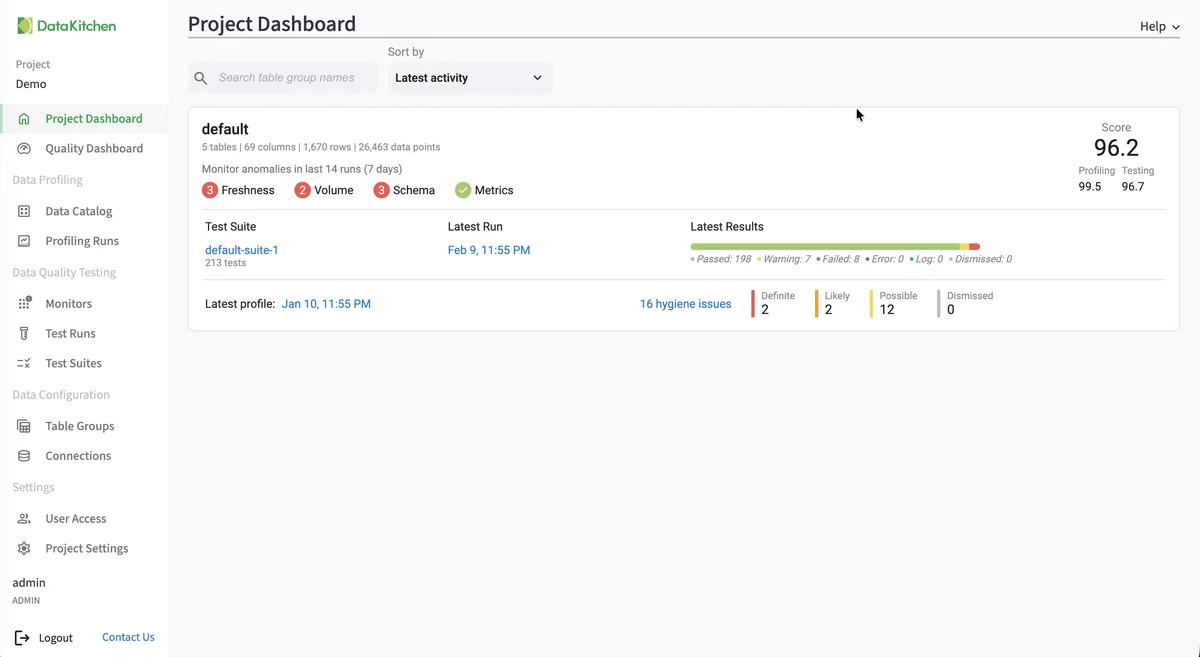
55 characteristics per column for every Azure SQL table, so you can see what came across in a migration before anyone builds on it.
-
Hygiene Detection (documentation, opens in a new tab)
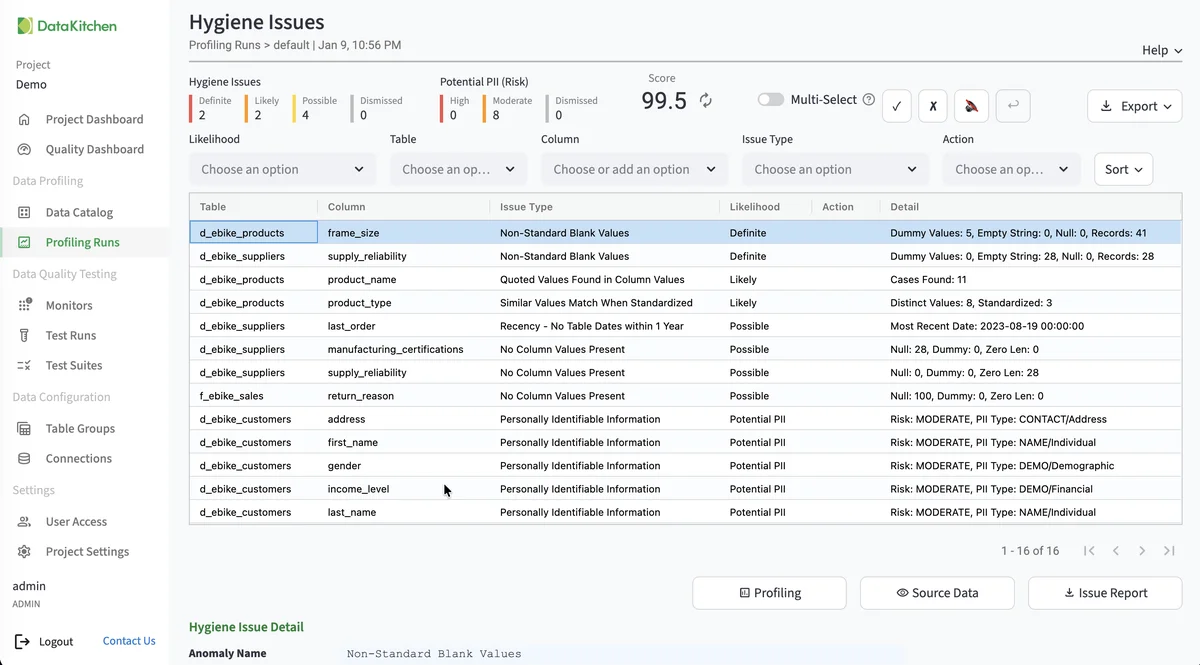
Catches what changes when data moves to the cloud: types that arrived as text, truncated decimals, and placeholder values new pipelines started writing.
-
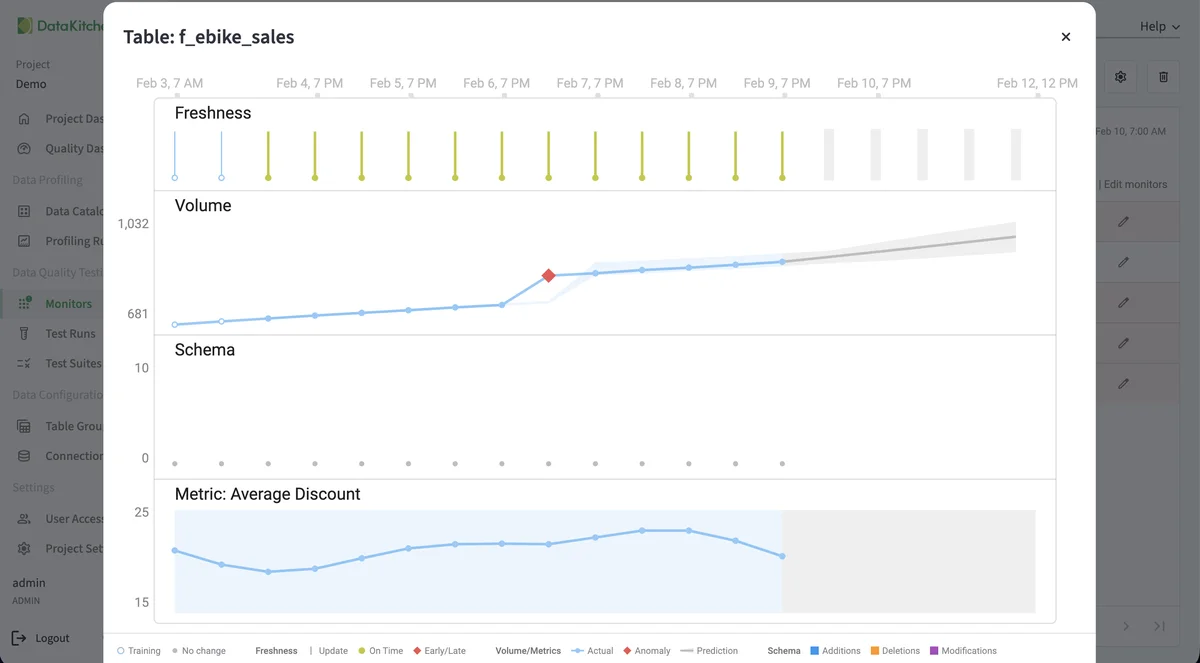
Anomaly Detection (documentation, opens in a new tab)
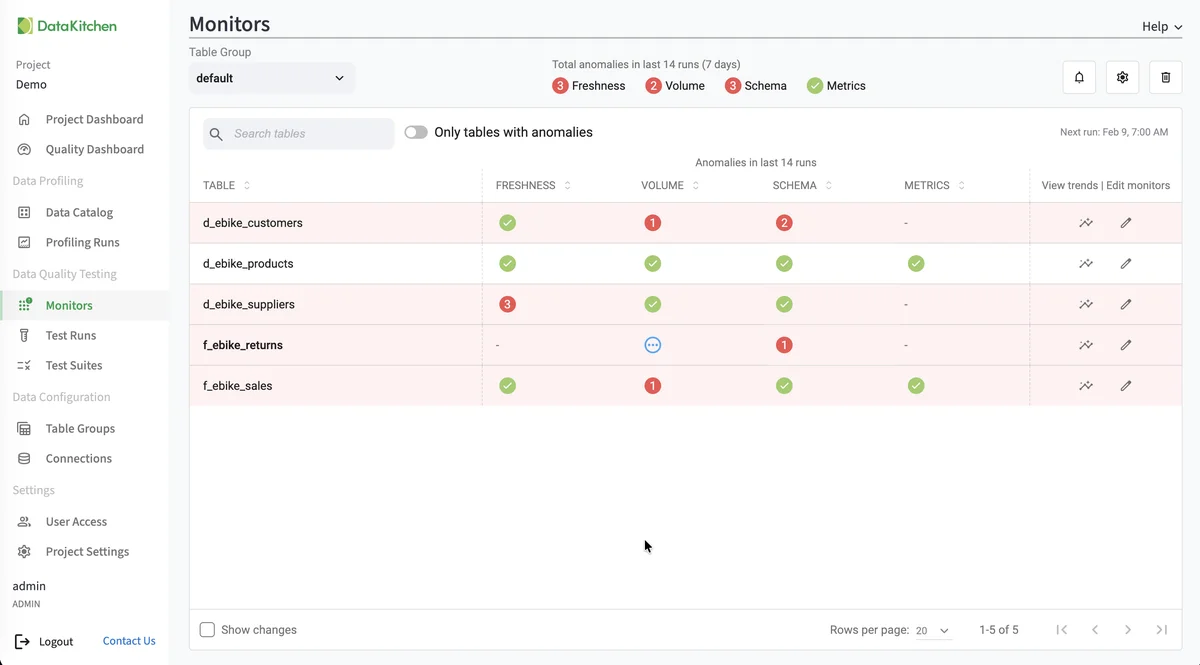
Freshness, volume, schema and custom-metric monitors flag a Data Factory copy that loaded too few rows or a pipeline that never ran.
-
Data Catalog (documentation, opens in a new tab)
Profiles, hygiene issues, test results, PII flags and Critical Data Elements for every Azure SQL table in one view.
-
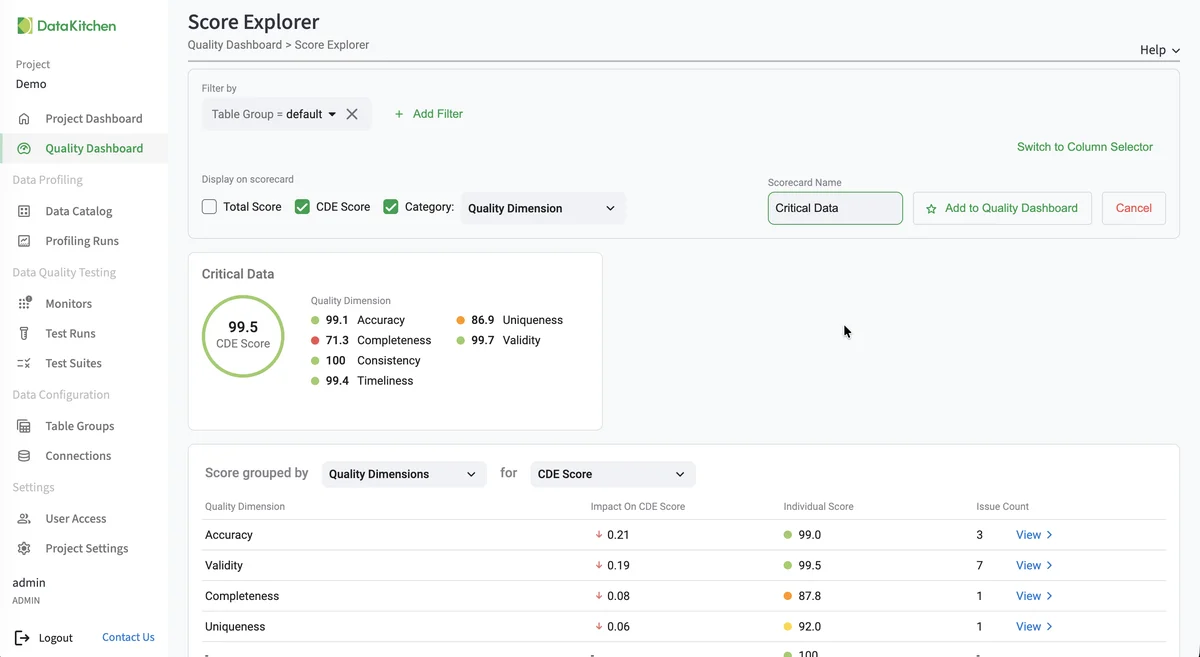
Quality Scoring (documentation, opens in a new tab)
Scorecards by dimension and Critical Data Element for each Azure SQL database, so a migration ends with a score, not a hope.
-
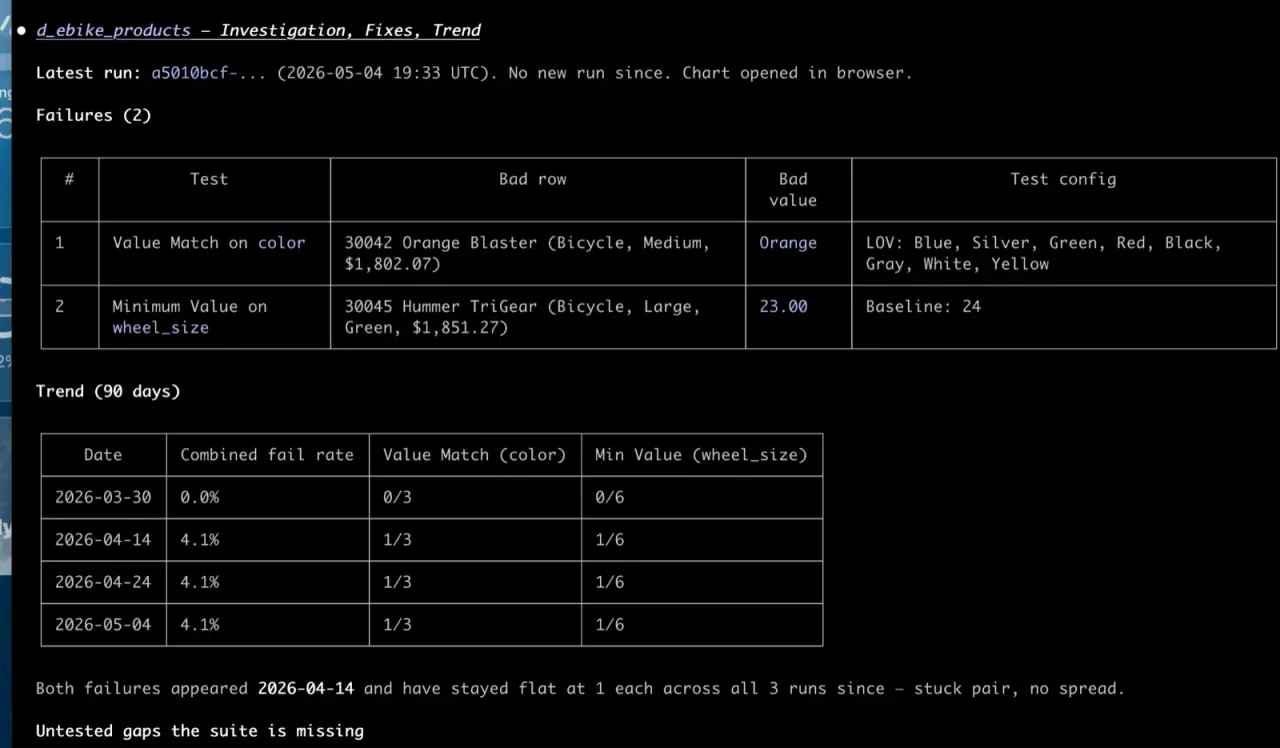
MCP Server (the TestGen MCP cheat sheet)
Ask an AI assistant what failed in Azure SQL and see the rows behind it, through 112 MCP tools that run in your environment.
-
Open Source Core, UI Included
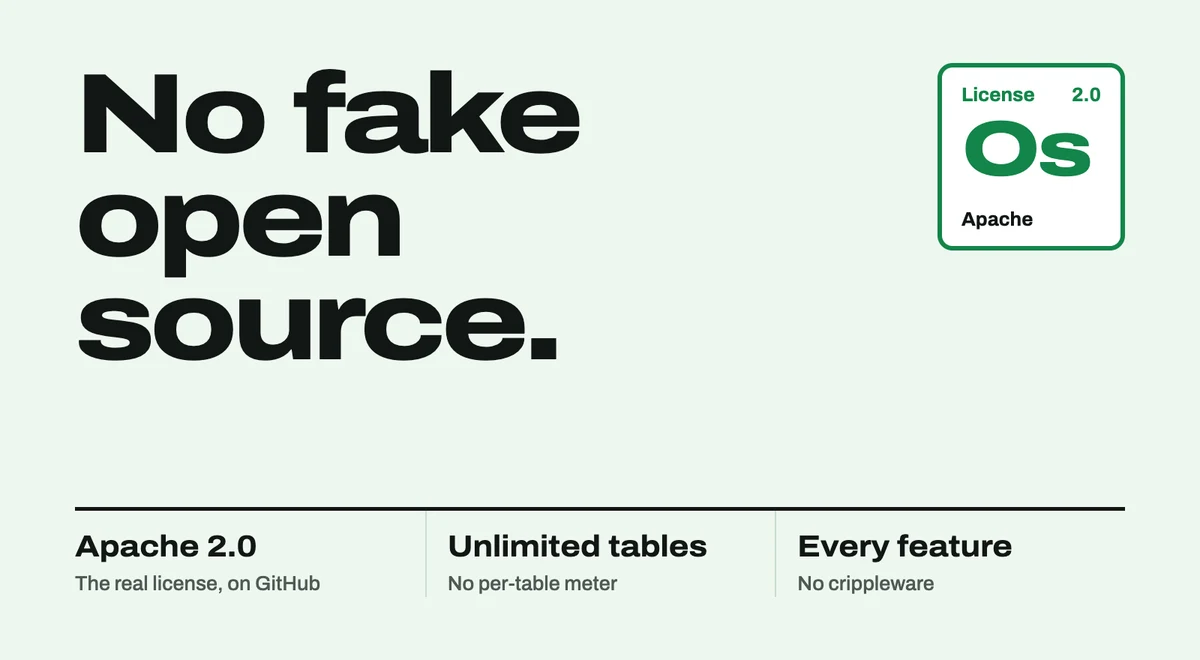
Unlimited tables and a full UI. The core data profiling, testing and monitoring engine is free under Apache 2.0, for one Azure SQL connection. Enterprise adds more connections, team access, security and support.
From DataKitchen on Azure SQL
- Answer
How do you validate a SQL Server to Azure SQL Database migration?
Profile SQL Server before the move, run comparison tests on Azure SQL Database after it, and sign off when every failure matches a change you planned.
- Answer
How do you profile, test and monitor data quality in Azure SQL Database with TestGen?
TestGen connects to Azure SQL Database with a read-only contained user and a firewall rule, then profiles, tests, and monitors your tables in place.
- Answer
How do you run TestGen from Azure Data Factory?
Run DataOps TestGen from Azure Data Factory with Web activities that call the TestGen API after a copy and fail the pipeline before downstream work.
- Answer
What is the best data quality and data observability tool on Azure?
On Azure, pick a tool that profiles Synapse, Azure SQL, Fabric, and Blob files, generates tests, and monitors freshness and volume in your tenant.
-
 Blog
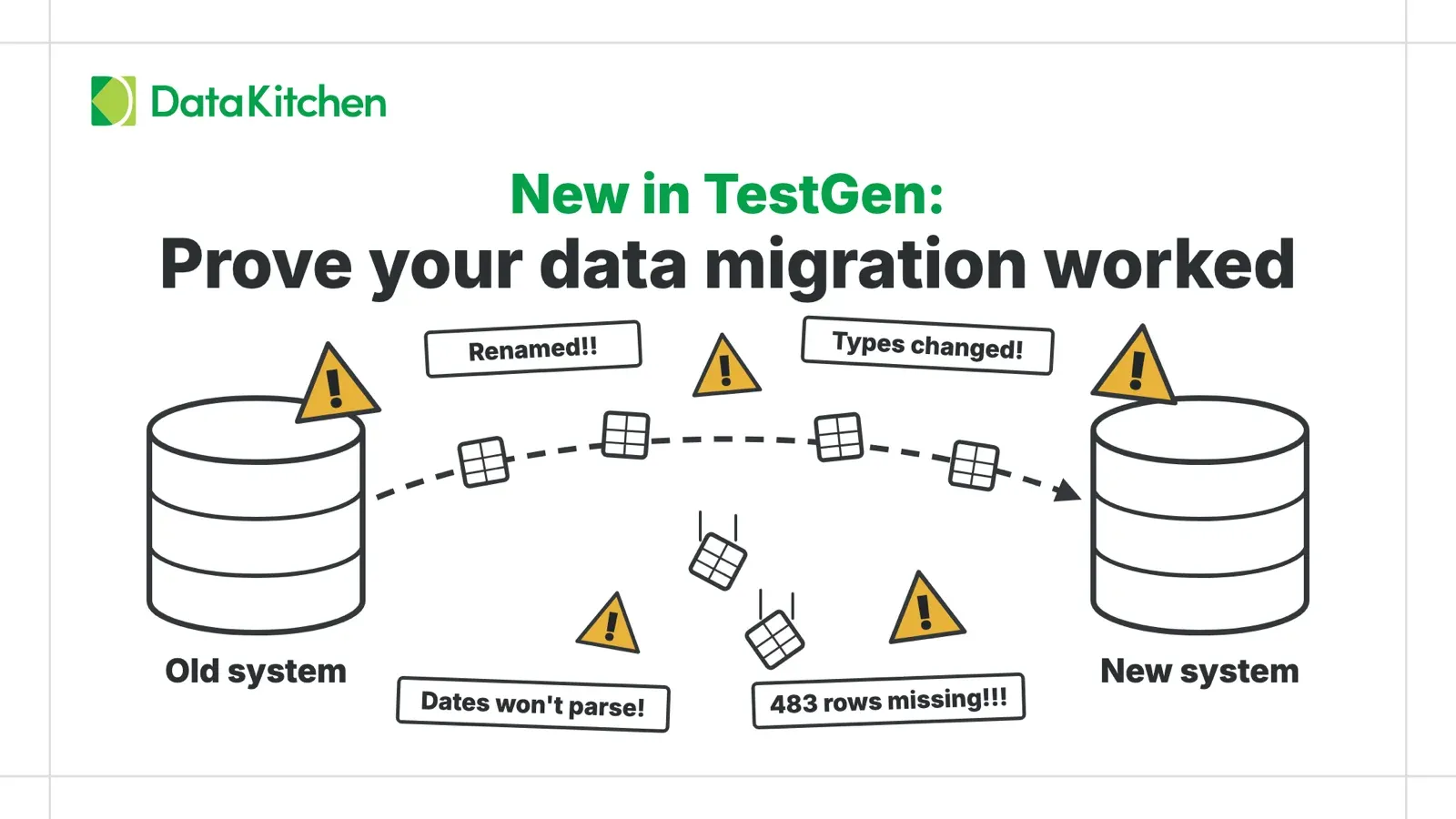
New in TestGen: Prove Your Data Migration Worked
TestGen's new Table Comparison tests check a migrated database against its source, even when tables are renamed, columns move, or the target runs on a different…
-
 Blog
The Ten Standard Tools To Develop Data Pipelines In Microsoft Azure
The Ten Standard Tools To Develop Data Pipelines In Microsoft Azure. Is it overkill? Paradox of choice? Or the right tool for the right job? We discuss.
Why teams choose TestGen
-
You Don't Have Time to Write Tests. TestGen Does It Automatically.
You're buried in customer requests. You have no time to write tests, let alone innovate. TestGen scans your data and generates the tests and anomaly detectors for you. No coding, no massive YAML configuration.
-
Moving to Azure SQL doesn’t move your data quality checks.
TestGen profiles every column and writes the tests for you, so the database you migrated gets tested from day one.
See how TestGen works →
-
Runs inside Azure SQL
Tests run as read-only SQL where the data sits. Nothing is copied out, and nothing is written back.
-
Apache 2.0, core engine free
Every detector, every characteristic, and every test type but the 12 Commercial Pharma types. In the open source.
-
Self-hosted
Your data never leaves your environment.
-
Bootstrapped since 2013
Profitable, independent, and not pivoting next quarter.
Open Source with Reasonable Enterprise Pricing
Open source TestGen is free for one user, one project, and one database connection. Enterprise is a flat $100 per month per user and database connection, with unlimited tables and data volume. No per-table tax. A year of enterprise data quality costs roughly one data engineer's monthly salary.
See pricingTestGen versus the competition
Head-to-head comparisons with every major data quality and observability tool. Search for the one you are evaluating.
No vendors match. .
- Bristol Myers Squibb
- Eisai
- Catholic Relief Services
- Progeny Health
- X4
- KOA
- CNH
Questions
How does TestGen sign in to Azure SQL Database?
With a SQL login, an Azure Managed Identity, or an Entra ID service principal. The account needs SELECT on the tables you want tested.
Do all of TestGen’s test types work on Azure SQL?
Yes. Azure SQL Database supports UTF-8 collations, so the text-hash comparison tests run too.
Where does TestGen run for Azure SQL?
On any machine that can reach the database: an Azure VM, a container, or your own laptop. TestGen pushes its queries into the database and keeps only the results.
Does TestGen change anything in my database?
No. TestGen runs read-only SELECT queries to profile data, run tests and collect monitor metrics. It never runs INSERT, UPDATE, DELETE, CREATE, ALTER or DROP, and it stores only computed results (statistics, scores and test outcomes) in its own application database.
How do I check that an on-prem SQL Server database moved to Azure SQL correctly?
Connect TestGen to both, then compare: row counts, aggregates and per-column profiles on each side. TestGen’s table comparison tests check a target table against its source. See Prove your data migration worked.
Can I run TestGen from Azure Data Factory?
Yes. Call TestGen from a pipeline step so tests run after each load. See How to run TestGen from Azure Data Factory.
Is TestGen free?
The open source edition is free under Apache 2.0, for one user, one project and one connection, with every detector and test type except the Commercial Pharma tests. Enterprise is $100 per user per month plus $100 per database connection per month, with no per-table fees. See pricing.
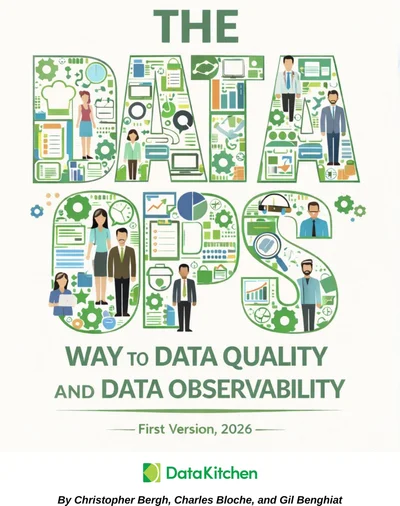
Free book
Not ready to try it out now? Read the free book.
The DataOps Way to Data Quality and Data Observability covers why data quality keeps failing and what to do about it: culture, testing strategy, monitoring, and the seven deadly sins of AI-generated pipelines.
- 620 pages
- 63 chapters
- Updated September 2026
- By Chris Bergh, Chip Bloche, and Gil Benghiat