You get handed a new dataset. Nobody tells you what’s wrong with it, because nobody knows. Somewhere in there are negative fares, trips to the moon, and passengers who don’t exist. You find out when a dashboard shows a $5,000 cab ride and a VP asks about it.
The old fix is to open the data, eyeball a few thousand rows, write some tests by hand, and hope you guessed the failure modes. That takes an afternoon. Then you do it again for the next table.
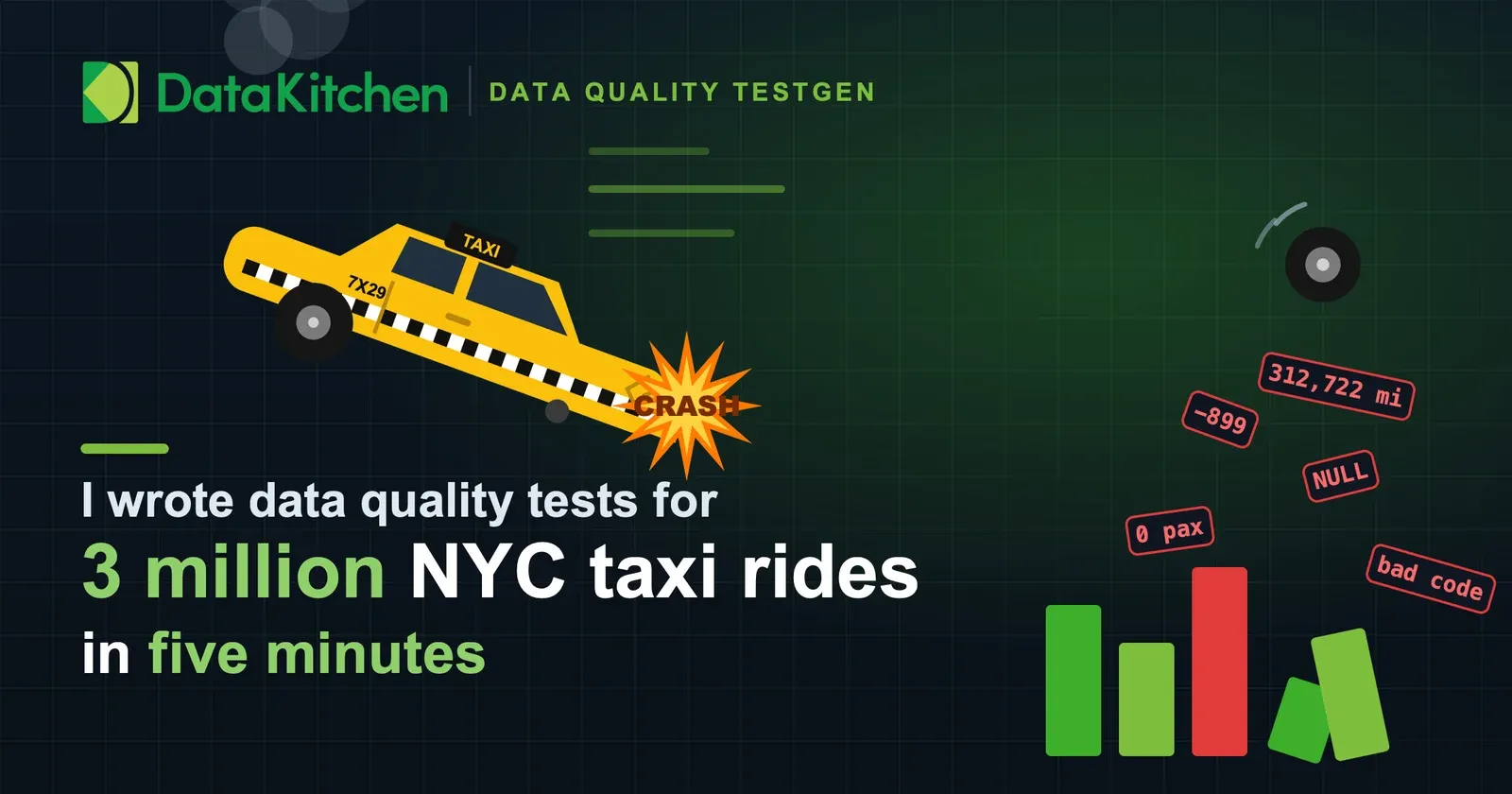
I did it for the NYC yellow taxi dataset in about five minutes. Then I did the whole thing again on all three million rows to prove the small run wasn’t lying. Here’s exactly how, prompts included, so you can recreate it.
The tools
Three pieces. A local Postgres database. TestGen, which profiles the data and runs the tests. And an AI tool talking to TestGen through an MCP server.
TestGen ships an MCP server, in both the open source and Enterprise editions. Mine runs on port 8530, right next to the TestGen app. MCP is the part that matters here. It’s the wire that lets your AI tool call TestGen directly: create a table group, run a profile, read the hygiene issues, write a test, run the suite. There are 112 of those tools, and the TestGen MCP cheat sheet puts them on one page. No clicking through a UI. You describe what you want and the model drives the product.
I used Claude Code. Any AI client that speaks MCP works the same way. You point the client at the TestGen MCP server once, and from then on the model has hands.
Everything ran in Docker on my laptop. TestGen in one container, Postgres in another, on the same Docker network so TestGen reaches the database by the hostname postgres. If you already run TestGen locally, you already have this.
| Component | What it is | Image | Port | Role |
|---|---|---|---|---|
| TestGen | Data quality engine and UI | datakitchen/dataops-testgen-enterprise:v5 | 8501 | Profiles data, generates and runs tests |
| TestGen MCP | MCP server inside TestGen | same container | 8530 | Lets the AI tool drive TestGen |
| Postgres | Target database | postgres:14.1-alpine | 5432 | Holds the taxi table |
| Claude Code | AI client | your machine | n/a | Reads the data, writes and runs the tests |
The connection TestGen used, so you can match the shape:
| Setting | Value |
|---|---|
| Type | PostgreSQL |
| Host | postgres (Docker network alias) |
| Port | 5432 |
| Database | demo_db |
| Schema | nyc_taxi |
| User | admin |
| Auth | password |
Get the data
The New York City Taxi and Limousine Commission publishes every trip on the TLC trip record data page. Yellow cabs, green cabs, for-hire vehicles, going back years. It’s real, it’s messy, and it’s free. Public government data makes a good punching bag, and we’ve done this before: TestGen found 18 quality issues in Boston building-permit data in a few minutes, install time included.
I didn’t grab it. I asked for it, and the model went and got it. January 2024 yellow taxi trips, one Parquet file, 48 MB, 2,964,624 rows.
| Dataset fact | Value |
|---|---|
| Source | NYC Taxi and Limousine Commission (TLC) trip records |
| File | yellow_tripdata_2024-01.parquet |
| URL | https://d37ci6vzurychx.cloudfront.net/trip-data/yellow_tripdata_2024-01.parquet |
| Format | Apache Parquet |
| Size | 48 MB |
| Rows | 2,964,624 |
| Columns | 19 |
| Cost | free |
The 19 columns cover the trip: vendor, pickup and dropoff timestamps, passenger count, trip distance, rate code, pickup and dropoff location IDs, payment type, and the money (fare_amount, extra, mta_tax, tip_amount, tolls_amount, improvement_surcharge, total_amount, congestion_surcharge, Airport_fee).
There is no shell command to copy here, and that’s the point. Downloading the file, creating the schema, and loading the rows were things I asked for in English. The model worked out the URL from the TLC page, pulled the Parquet, and loaded a random 300,000-row sample first so the first pass would be quick. The full month came later, on request.
Pick any month you like from that same page. You describe which one. You don’t write the fetch.
Pass one: the sample
Here’s the entire prompt I gave the AI:
- Go get the New York City taxi data from the website.
- Load it into TestGen, profile it, and find hygiene issues.
- Generate a test sheet and run the tests.
- Return to me what the hygiene issues are and any test failures.
That’s it. No SQL, no config, no clicking. The model created a TestGen table group pointing at the nyc_taxi schema, kicked off a profiling run, and read the results back.
Profiling 300,000 rows across 19 columns took 10 seconds. TestGen came back with one hygiene issue: the table has no dates within the last year. True. The data is from January 2024 and the most recent trip ends February 1. Timeliness flag, correct.
| Hygiene issue | Columns | Impact | Quality dimension | Priority |
|---|---|---|---|---|
| No table dates within one year | tpep_pickup_datetime, tpep_dropoff_datetime | Regularity | Timeliness | Possible |
Then TestGen generated the test sheet. Sixty-two tests, written from the profile, one glance at the data. The model ran them.
| Test category | Example test types | Count |
|---|---|---|
| Value range | Minimum Value | 11 |
| Completeness | Required Entry, Percent Missing | 24 |
| Distribution shift | Average Shift, New Shift, Variability Increase/Decrease | 16 |
| Dates | Past Dates, Minimum Date, Date Count | 7 |
| Uniqueness | Percent Unique | 3 |
| Table-level | Duplicate Rows | 1 |
| Total | 62 |
Sixty-two passed. Zero failed.
That number is a trap. Here is why. Auto-generated tests calibrate to the data in front of them. The minimum-value test for fare_amount set its floor at the lowest fare it saw, which was negative $367. So a negative fare passed the test, because the test learned that negative fares were normal here. The baseline sheet tells you the data is internally consistent. It does not tell you the data is correct.
Pass two: the part that catches real bugs
Correct is a business question. A fare can’t be negative. A trip needs at least one passenger. A cab can’t drive 97,000 miles in a January afternoon. TestGen can’t know your rules until you tell it, and the rules that matter most are usually locked in someone’s head rather than written down. This is where the AI earns its keep. The same pairing already runs unattended: an agent fixed 14 data quality failures overnight in one of our tests, inside a design that keeps a human in control.
The model had already read the profile. It knew the minimum fare was negative, that thousands of trips carried zero passengers, that trip distance topped out in five figures. So it wrote seven business-rule tests, in SQL, from understanding the data. I didn’t dictate them. TestGen calls these Custom Tests: any rule you can write as a query. The query returns the bad rows. If it returns anything, the test fails.
Here are the seven:
-- fare_amount must not be negative
SELECT tpep_pickup_datetime, fare_amount, total_amount
FROM {DATA_SCHEMA}.yellow_tripdata WHERE fare_amount < 0;

-- total_amount must not be negative
SELECT tpep_pickup_datetime, fare_amount, total_amount
FROM {DATA_SCHEMA}.yellow_tripdata WHERE total_amount < 0;

-- passenger_count must be >= 1 (no zero or null passenger trips)
SELECT tpep_pickup_datetime, passenger_count
FROM {DATA_SCHEMA}.yellow_tripdata WHERE passenger_count IS NULL OR passenger_count < 1;

-- trip_distance must be > 0 and <= 1000 miles (a plausible NYC trip)
SELECT tpep_pickup_datetime, trip_distance
FROM {DATA_SCHEMA}.yellow_tripdata WHERE trip_distance <= 0 OR trip_distance > 1000;

-- dropoff must be at or after pickup
SELECT tpep_pickup_datetime, tpep_dropoff_datetime
FROM {DATA_SCHEMA}.yellow_tripdata WHERE tpep_dropoff_datetime < tpep_pickup_datetime;

-- pickup must fall inside the dataset's month
SELECT tpep_pickup_datetime
FROM {DATA_SCHEMA}.yellow_tripdata
WHERE tpep_pickup_datetime < '2024-01-01' OR tpep_pickup_datetime >= '2024-02-01';

-- payment_type must be a valid TLC code (1-6)
SELECT tpep_pickup_datetime, payment_type
FROM {DATA_SCHEMA}.yellow_tripdata WHERE payment_type NOT IN (1,2,3,4,5,6);
Ran the suite again. Now the sheet had teeth. All seven business rules failed on the 300,000-row sample:
| Business rule | Failing rows |
|---|---|
| passenger_count >= 1 | 17,477 |
| valid payment_type (1-6) | 14,252 |
| trip_distance in (0, 1000] miles | 6,184 |
| fare_amount >= 0 | 3,763 |
| total_amount >= 0 | 3,573 |
| dropoff >= pickup | 9 |
| pickup inside January 2024 | 2 |
Six percent of trips have no passengers. One in twenty has a payment code that isn’t in the spec. This is a clean, official, government dataset, and it’s full of holes. Yours is worse.
Now do it for real: all three million rows
A sample is an argument, not a proof. So I asked for the full month, all 2,964,624 rows, and for the whole thing to run again. Nine words:
load the full month, reprofile and re-hygiene
Then:
yes
Profiling three million rows took one minute and 48 seconds. Same single hygiene issue, table still stale, no surprise. The extremes got uglier, which is what more data does. The minimum fare fell from negative $367 to negative $899. Trip distance topped out at 312,722 miles. That’s a cab ride to the moon and rather more than halfway back.
The full test run finished in six seconds: 69 tests, 11 failed, 2 warnings. Here is what came back, unedited:
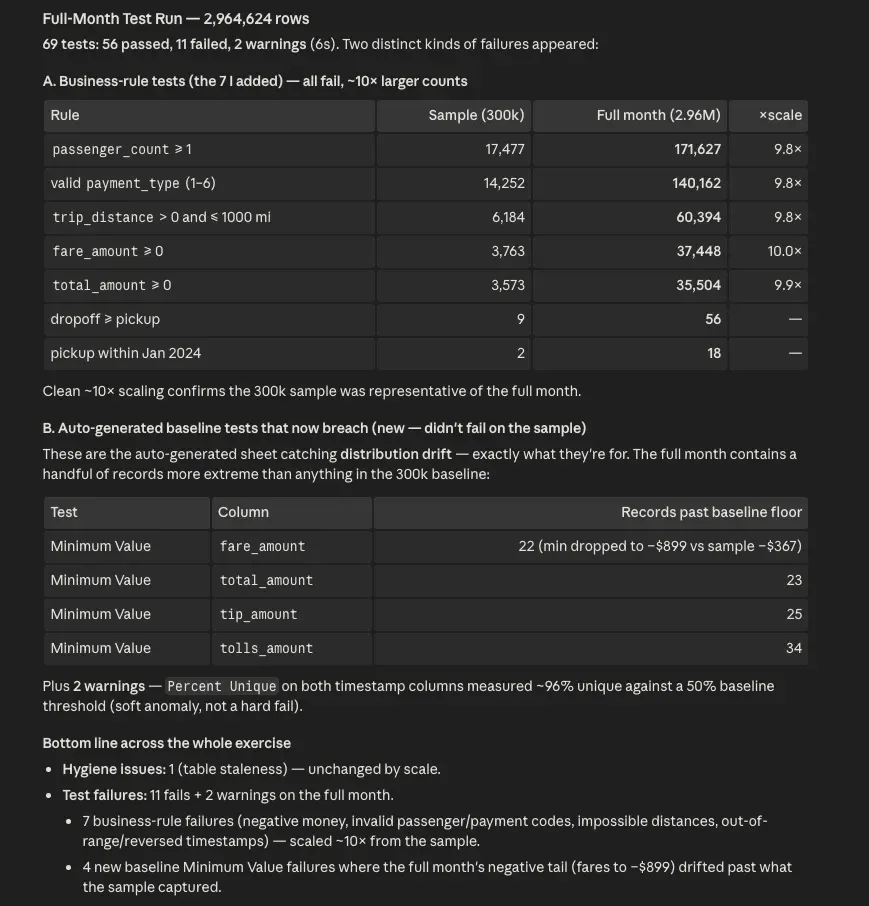
The seven business rules failed again, and the counts scaled almost perfectly by 10x, which tells you the sample was honest:
| Business rule | Sample (300K) | Full month (3M) |
|---|---|---|
| passenger_count >= 1 | 17,477 | 171,627 |
| valid payment_type (1-6) | 14,252 | 140,162 |
| trip_distance in (0, 1000] miles | 6,184 | 60,394 |
| fare_amount >= 0 | 3,763 | 37,448 |
| total_amount >= 0 | 3,573 | 35,504 |
| dropoff >= pickup | 9 | 56 |
| pickup inside January 2024 | 2 | 18 |
Four more tests failed on the full month that passed on the sample. Those were auto-generated minimum-value tests. The full month held a handful of records more extreme than anything in the sample, so they slipped past the baseline floor.
| Baseline test | Column | Records past the floor |
|---|---|---|
| Minimum Value | fare_amount | 22 |
| Minimum Value | total_amount | 23 |
| Minimum Value | tip_amount | 25 |
| Minimum Value | tolls_amount | 34 |
That’s the auto-generated sheet doing its other job: catching drift when new data doesn’t look like old data. Both kinds of test have a place. The business rules catch what’s wrong today. The baseline tests catch what changed since yesterday, which is the same idea behind continuous table monitoring in TestGen.
Two soft warnings rounded out the run. Percent-unique checks on both timestamp columns came in near 96 percent against a 50 percent baseline. Not a hard fail, just TestGen noting the shape moved.
| Run | Tests | Passed | Failed | Warnings |
|---|---|---|---|---|
| Sample, baseline sheet only (62 tests) | 62 | 62 | 0 | 0 |
| Sample, plus 7 business rules (69 tests) | 69 | 62 | 7 | 0 |
| Full month, all 69 tests | 69 | 56 | 11 | 2 |
Four layers on top of the profile
Profiling is the floor. Everything else stands on it. TestGen records 51 characteristics for every column, and nothing above it works without that. Every layer that follows reads from the same profile, which is why none of them needed a threshold typed in by hand.
Hygiene issues are the first layer, the triage pass. The taxi data threw exactly one, a stale table. The same pass finds PII sitting in a column nobody meant to expose, and flags the critical data elements worth guarding.
Data quality tests are the second layer, coverage. All 62 of them here, every column in every table, watching for the anomalies profiling can measure: a distribution that shifts, a column that starts arriving empty.
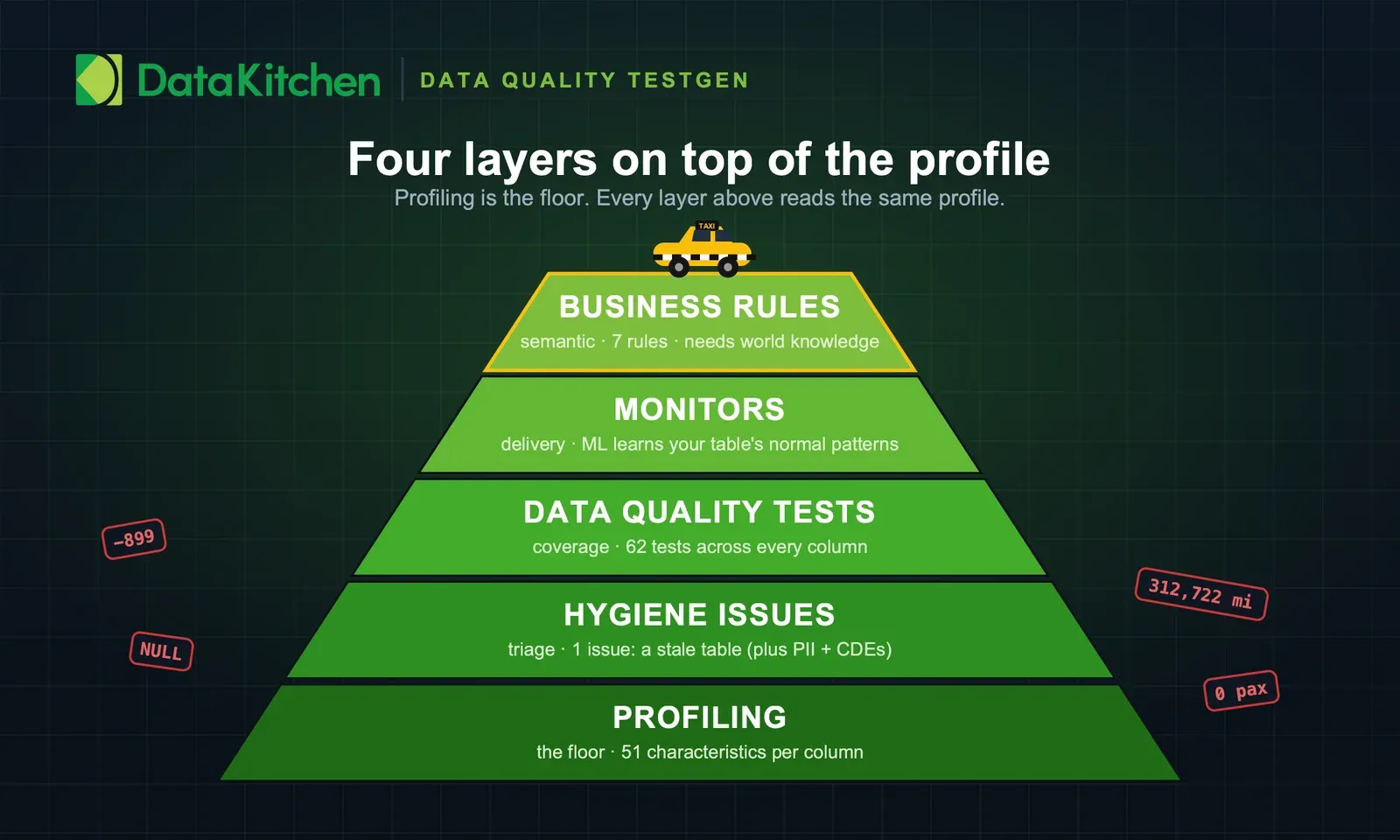
Monitors are the third layer, delivery. They keep running long after an exercise like this ends, and they use machine learning to learn your tables’ normal patterns. They catch the schema change and the volume drop on the morning a vendor ships you half a file.
The seven business rules are the fourth layer, the semantic one. They needed a model that knows something about the world. Nothing in a profile says a cab can’t drive 312,722 miles. You have to know what a taxi is. Claude knew that on its own, because taxis are public knowledge. Your rules usually aren’t. Which product codes were retired last quarter, or the revenue floor a contract promises, lives in someone’s head at your company. So a person who knows the business writes those rules, or hands the AI enough context to write them. The model brings the general knowledge. You bring the part only your organization has.
The clock
This is the whole point, so here’s the timeline with real numbers. Everything below ran on a MacBook with an M1 chip, in Docker, on battery. No cluster, no warehouse credits, no scaling anything up.
| Step | Time |
|---|---|
| Download the Parquet file | seconds |
| Load the 300K sample | seconds |
| Profile the sample | 10 seconds |
| Generate 62 tests and run them | seconds |
| Write 7 business-rule tests | seconds (the AI wrote them) |
| Rerun the suite | instant |
| Load the full 3M rows | about a minute |
| Profile 3M rows | 1 minute 48 seconds |
| Run 69 tests on 3M rows | 6 seconds |
Start to finish, understanding a dataset you’ve never seen and standing up real data quality tests on it is a five-minute job. Not a five-story-point ticket. Five minutes. The slowest thing in the whole exercise was Postgres reading three million rows off disk, and even that ran under two minutes.
The tests didn’t take an afternoon because a human didn’t write them one at a time. The AI read the profile, understood what taxi data should look like, and wrote the rules. TestGen ran them and told me the counts. My job was to say what “correct” means and to check the answer against the raw table, which tied out to the row.
Try it yourself
Everything above is reproducible today. You need three things.
A local TestGen with a database connection. Run TestGen and point a connection at a Postgres (or your warehouse) that holds a table you care about. That’s the one piece of real setup, and if you run TestGen you already have it.
Your favorite AI tool wired to the TestGen MCP server. Claude Code, or any MCP client. Connect it once to the MCP endpoint and the model can drive TestGen for you. The cheat sheet covers what it can call once it’s connected.
A dataset. Grab the NYC taxi file above, or aim it at your own worst table. The messier, the better the demo.
Then paste the prompts from this post. The four-step prompt gets you a profile, hygiene issues, and a baseline test sheet. Then ask your AI tool to read the profile and write business-rule tests for the things that can’t be true in your data. It already knows what “can’t be true” looks like. That’s the trick. You don’t write the tests. You describe the data’s job, and the model writes the tests that check it’s doing it.
Here are the prompts again, in order, so you can copy them straight out:
| Step | Prompt |
|---|---|
| 1 | Go get the New York City taxi data from the website. Load it into TestGen, profile it, and find hygiene issues. Generate a test sheet and run the tests. Return the hygiene issues and any test failures. |
| 2 | Read the profile and write business-rule tests for the values that can’t be true in this data. |
| 3 | Load the full month, reprofile, and re-run hygiene. |
| 4 | Re-run the test suite on the full dataset. |
TIP
Want to run this on your own data? Install open source TestGen and point it at your worst table.
About DataOps TestGen
TestGen profiles your data, generates quality tests, and runs them. Point it at a table and it writes the tests for you: freshness, volume, schema drift, value ranges, missing data, distribution shifts, and business rules you define. In this exercise it profiled three million rows in under two minutes and ran 69 tests in six seconds.
It’s open source under Apache 2.0, self-hosted, and the core profiling, testing, and monitoring engine is free. Enterprise adds team access, security, Commercial Pharma tests, source-data controls for AI, and support. Your data never leaves your environment.
The MCP server that let the AI drive all of this ships in open source TestGen too. Install the free version and you get the profiling, the auto-generated tests, the custom tests, and the MCP server, all of it. The one MCP feature reserved for Enterprise is hiding source data from AI clients, which keeps values from your data out of everything the MCP server returns while counts, structure, and configuration stay visible. It connects to Postgres, Snowflake, Databricks, Redshift, Oracle, SAP HANA, and more. Read more on the TestGen product page, see how it works as a shared resource for data teams, or install it today and point it at your own worst table.
Data quality testing has been a chore for as long as there’s been data. It isn’t one anymore. Go point it at something and find out what’s been hiding in your tables.
FAQ
What are the key points in this blog?
TestGen auto-generated 62 tests from a 300,000-row sample of NYC yellow taxi rides, and all of them passed. They passed because auto-generated thresholds calibrate to the data in front of them, so a negative fare looked normal. Seven business-rule tests written by an AI reading the profile then failed, and on the full month of 2,964,624 rows they found 171,627 zero-passenger trips, 140,162 invalid payment codes, and fares down to negative $899.
What is DataOps TestGen?
DataOps TestGen is an open-source data quality tool from DataKitchen. It profiles your tables, auto-generates quality tests from what it finds, flags hygiene issues like stale data, and runs the tests against your database. In this exercise it profiled 2,964,624 taxi rows in 1 minute 48 seconds and generated 62 tests without anyone writing SQL.
How long did this whole exercise take?
About five minutes end to end, including downloading the file and loading it. Profiling 2,964,624 rows took 1 minute 48 seconds and running all 69 tests took 6 seconds. The slowest step was Postgres reading three million rows off disk, not anything TestGen or the AI had to do.
Where do I get the NYC taxi data?
From the New York City Taxi and Limousine Commission trip record page at nyc.gov, which publishes every yellow, green, and for-hire trip going back years. The January 2024 yellow taxi file used here is a 48 MB Parquet with 2,964,624 rows and 19 columns. It is free and needs no account.
What’s the difference between a hygiene issue and a test failure?
A hygiene issue is something TestGen flags on its own during profiling, like a table with no recent dates or inconsistently formatted values. A test failure is a rule you defined being broken, like a negative fare. Profiling the taxi data produced one hygiene issue, and once business rules were added, eleven test failures.
Why did every auto-generated test pass on the first run?
Auto-generated tests calibrate their thresholds to the data in front of them, so they measure consistency rather than correctness. The minimum-value test for fare_amount set its floor at negative $367 because that was the lowest fare present, so a negative fare passed. Business rules are what catch values that are legal in the data but impossible in reality.
What is a business-rule test in TestGen?
A business-rule test is what TestGen calls a Custom Test: a SQL query that returns the rows breaking your rule. If the query returns anything, the test fails. In this exercise the AI read the profile and wrote seven of them, covering negative fares, zero passengers, impossible distances, and dropoffs that came before pickups.
Do I need to write the tests myself?
No. Your AI tool reads the profile and writes the tests, which is the point of wiring it to TestGen over MCP. You describe what correct means for your data, then check the results against the raw table. The seven business rules here were written by the model rather than dictated by a human.
What data quality problems were in the NYC taxi data?
Across 2,964,624 January 2024 trips: 171,627 with zero or null passengers, 140,162 with a payment code outside the documented range, 60,394 with an implausible trip distance, 37,448 with a negative fare, and 56 where the dropoff preceded the pickup. Fares ran as low as negative $899 and one trip distance reached 312,722 miles.
What is MCP and why does it matter here?
MCP, the Model Context Protocol, is how an AI tool talks to TestGen. It lets the model create table groups, run profiles, write tests, and read results directly instead of a human clicking through a UI. TestGen exposes 112 MCP tools, and connecting a client to them once gives the model hands.
Which databases does TestGen support?
TestGen connects to Snowflake, Databricks SQL, DuckDB, Azure Synapse Analytics, Azure SQL Database, Microsoft SQL Server, Microsoft OneLake, Google BigQuery, Amazon Redshift, Amazon Aurora PostgreSQL, Oracle Database 12c and later, SAP HANA, PostgreSQL, and Salesforce Data 360. Tests run as SQL inside the database holding the data, so rows never leave your environment. This exercise used a local Postgres in Docker sitting next to TestGen on the same network.
Is TestGen free?
Yes. DataOps TestGen is open source under the Apache 2.0 license, self-hosted, with no per-table fees, and you can point it at your own tables without talking to anyone. The MCP server used to drive it in this post ships in both open source and Enterprise. The one MCP feature that is Enterprise-only is the option to hide source data from AI clients, which keeps values from your data out of everything the MCP server returns.
Can I use an AI tool other than Claude Code?
Yes. Any AI client that speaks MCP can drive TestGen the same way. You point the client at the TestGen MCP endpoint once, and from then on the model can create table groups, run profiles, write tests, and read results. Claude Code was used here because it was convenient, not because the method depends on it.