The right first step depends on one thing: can you name the tables where a wrong value costs money?
If you can, start with tests on those few tables. Tests can check freshness and row counts as well as values, so a critical table gets both kinds of cover from its first suite. If you can’t yet, because you load hundreds of tables or inherited a warehouse nobody has looked at, start with monitors on everything. Monitors are cheap, need no rules, and show you where to spend the expensive part, which is writing rules. Most small teams end up with both.
Two jobs, and each one is blind to the other
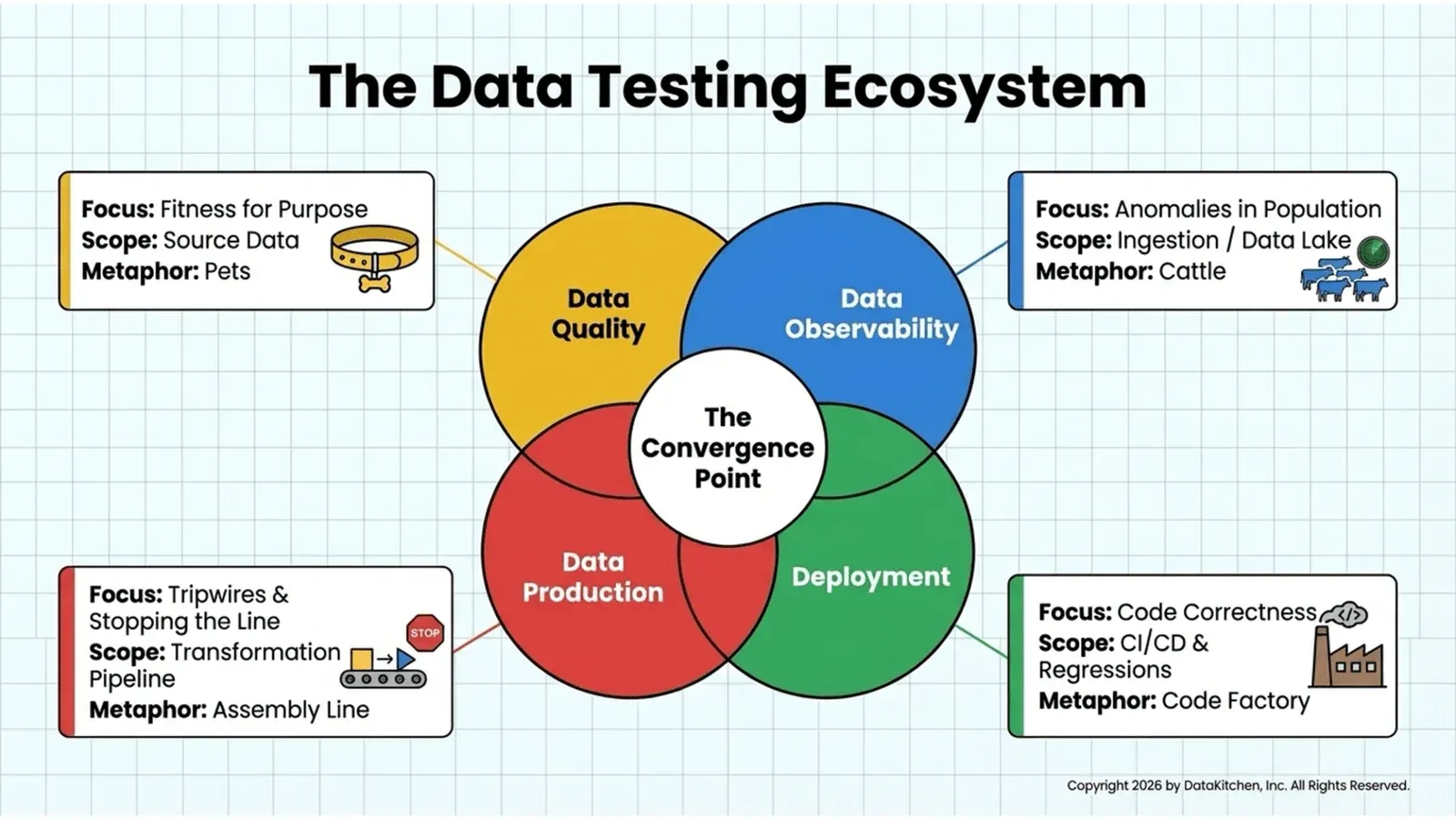
DataKitchen explains the split with a DevOps analogy: pets and cattle. Pets are the few tables you know by name. Cattle are the herd. You watch the herd for the cow that’s limping or missing, and you give the pets individual care.
| Data observability | Data quality testing | |
|---|---|---|
| Watches | Freshness, volume, schema, drift | Values against rules, plus any freshness and row-count tests you add |
| Scope | Every table, as a herd | The few critical tables |
| Who writes the rules | Nobody: monitors learn from history | You, plus whoever knows the business |
| Catches | Late loads, short loads, double loads, dropped columns | Negative amounts, broken keys, impossible combinations |
| Misses | Wrong values in a table that arrived on time | A table that stopped loading on Tuesday, if no test checks freshness |
| Setup | About an hour, per the Guide to DataOps Tests | Grows with every rule |
The bottom two rows are the point. A table can arrive on schedule at its usual row count with garbage in it. Another can pass every content rule because nothing new has landed since Tuesday. Process observability covers a third gap: the job that ran late, ran twice, or didn’t run.
The order when you can’t yet name your critical tables
Week one: monitors on everything
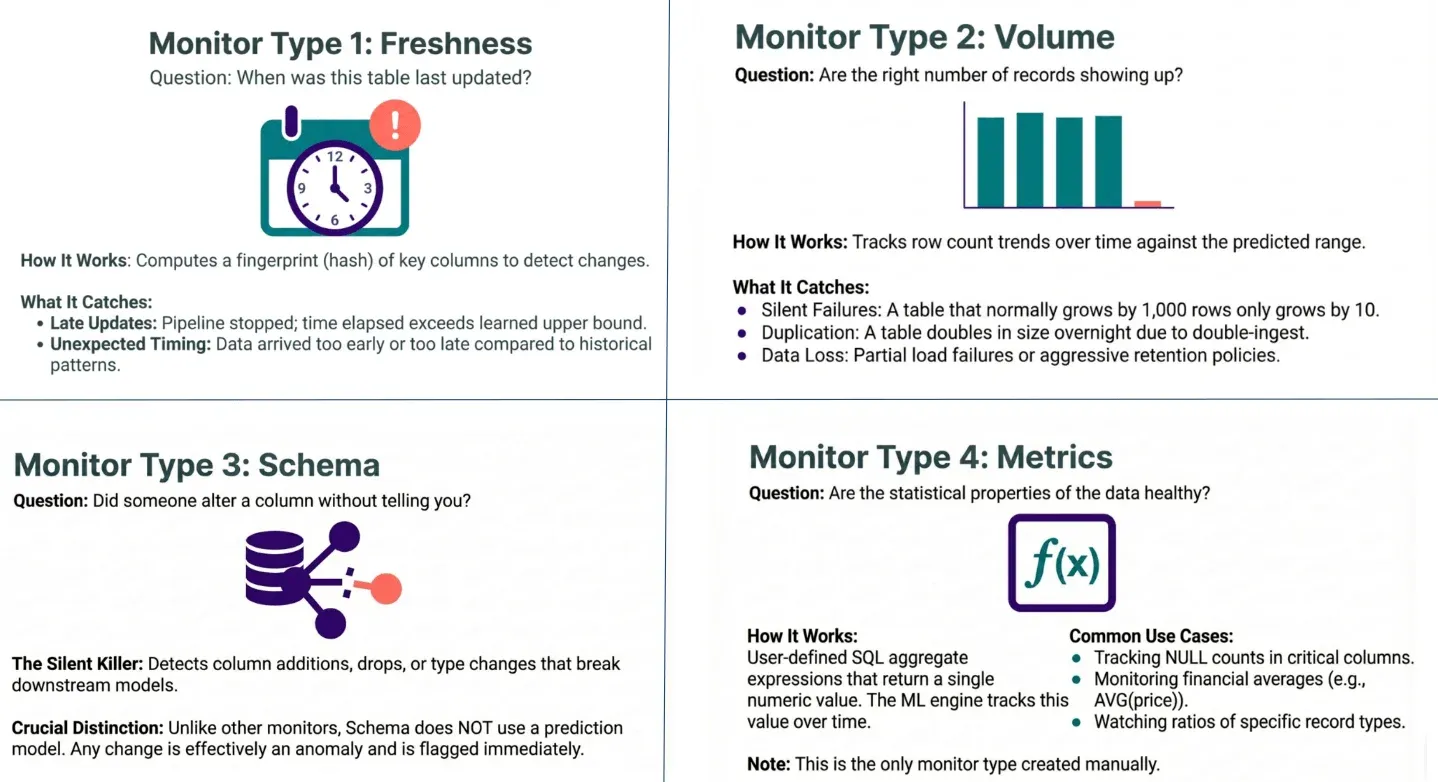
Point table monitors at every schema you load. Freshness asks when the table last updated. Volume asks whether the right number of rows showed up: a table that normally grows by 1,000 rows and grows by 10 is a silent failure. Schema flags any added, dropped, or retyped column, with no prediction model needed. The Guide to DataOps Tests suggests letting a monitor learn a column’s shape over 90 days before you trust it, because a detector that hasn’t seen your weekends fires every Saturday.
Week two: pick your pets
Monitor results show which tables move, which are stale, and which break. Combine that with the obvious: the tables behind revenue, billing, and the report your VP reads. Keep the first list short enough that each table has a named owner.
Then: tests on the pets
Generate the structural tests from a profile (nulls, uniqueness, value ranges, patterns), then write the business rules by hand. DataKitchen’s coverage standard is two to three tests per table for freshness, volume, and schema, at least two per column, and one custom test per significant business metric.
The order when you already know them
Skip straight to tests on those tables. Put freshness, volume, and schema tests on each one, then column checks on keys and important fields, then one business rule per key metric. Which data quality checks should a small data team set up first? has the starter list, and How should a two-person data team start data quality testing? has the first-week plan. Add monitors across the rest of the warehouse once those tests are running.
Why generated tests alone aren’t enough
Generated tests learn what the data already looks like. In DataKitchen’s NYC taxi exercise, 62 generated tests all passed on a 300,000-row sample, because the minimum-fare test set its floor at negative $367, the lowest fare present. Seven business rules an AI wrote from the profile failed on that same sample, and again on the full month. A freshness and volume monitor alone would have passed that table too.
Neither one stops anything
Both layers find problems after the data has moved. To stop bad data, put a tripwire between two pipeline steps: a test task that exits with an error so the orchestrator never runs the next transform. Production keeps serving yesterday’s good data while somebody looks.
If you use DataOps TestGen, table monitoring sits in the same tool as profiling and test generation, so the first and third steps happen in one place. The order still holds. Monitors go everywhere. Rules go where they’ve earned it.